

Change Profile Settings
Public
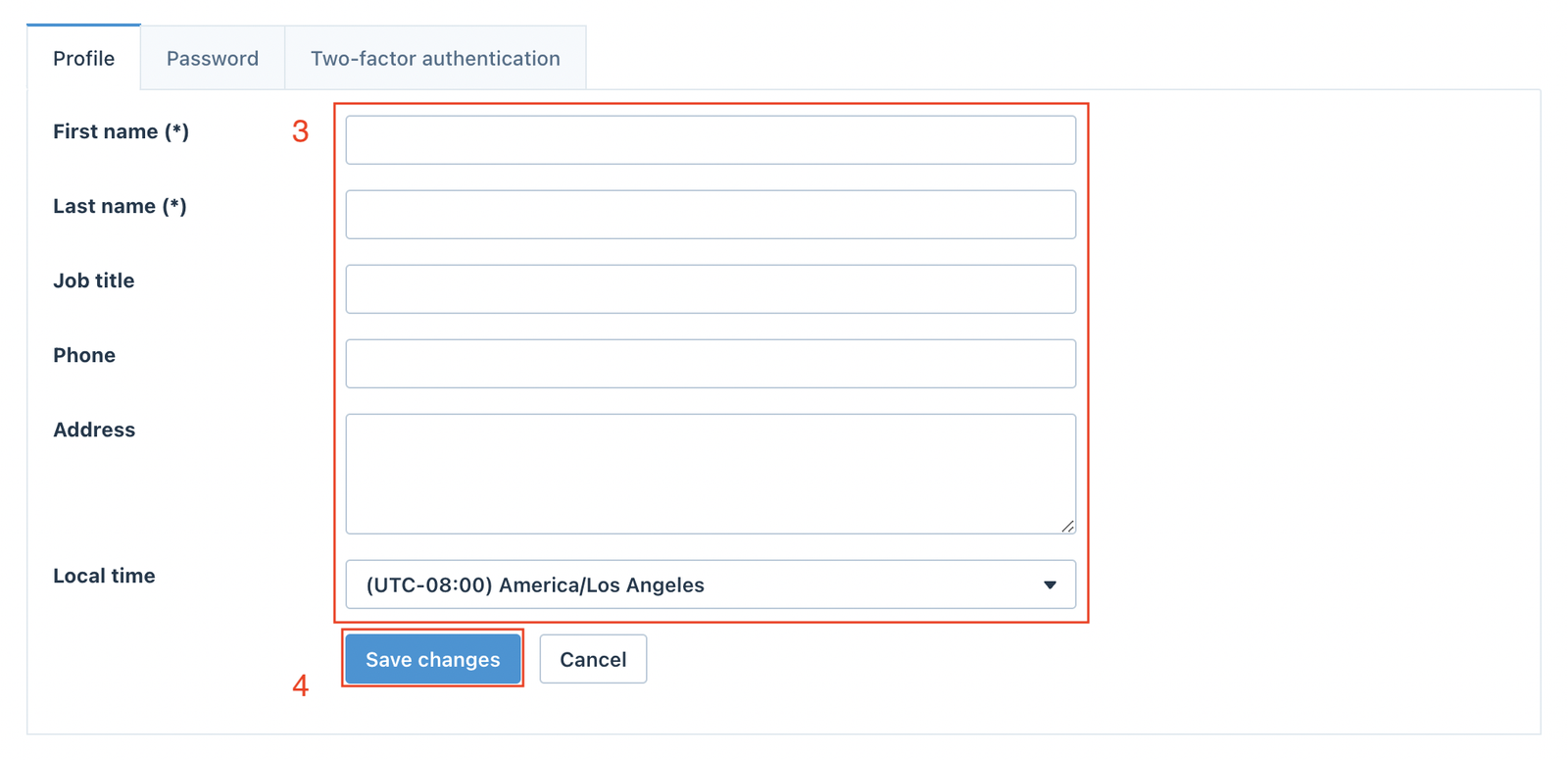
General Information Click the Profile icon in the top right corner of your browser window, then click Profile settings Access your Profile page and updat
General Information
Click the Profile icon in the top right corner of your browser window, then click Profile settings 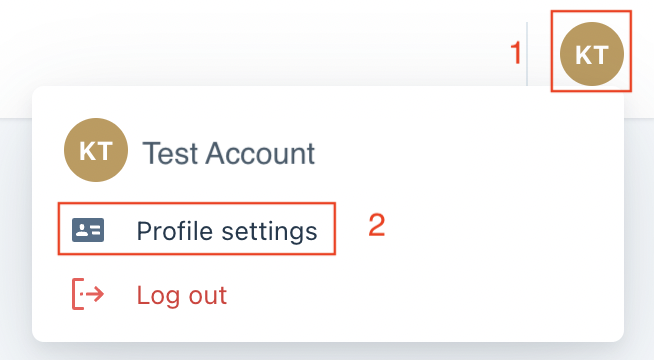
Password
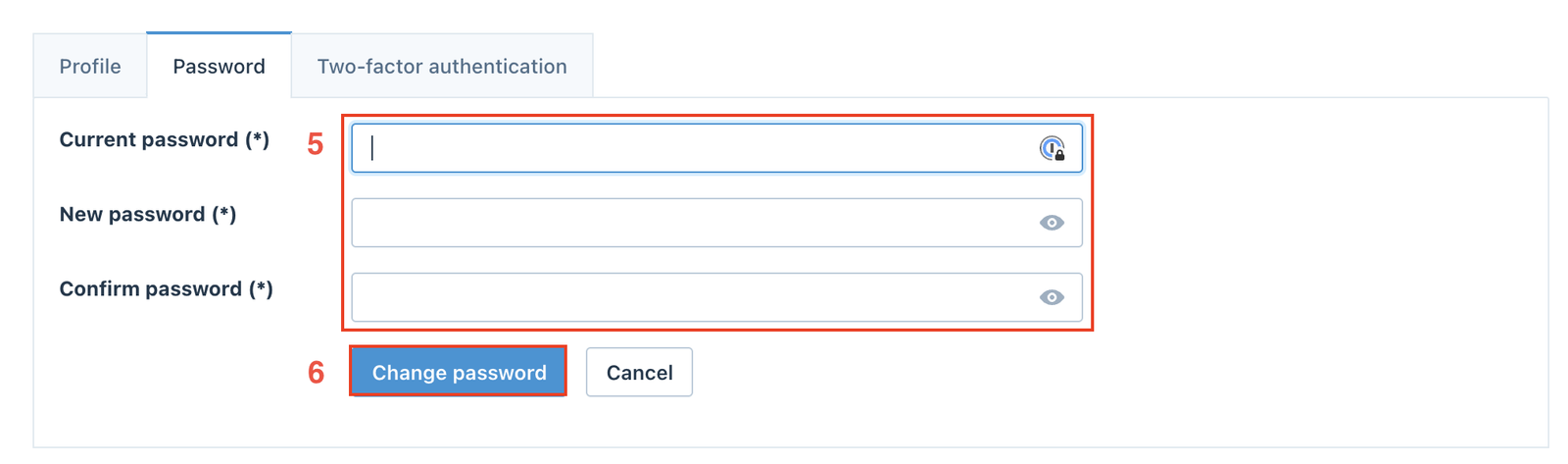
Update your Password information as necessary, and click Change Password to save changes.
Two-factor Authentication (2FA)
What is 2FA?
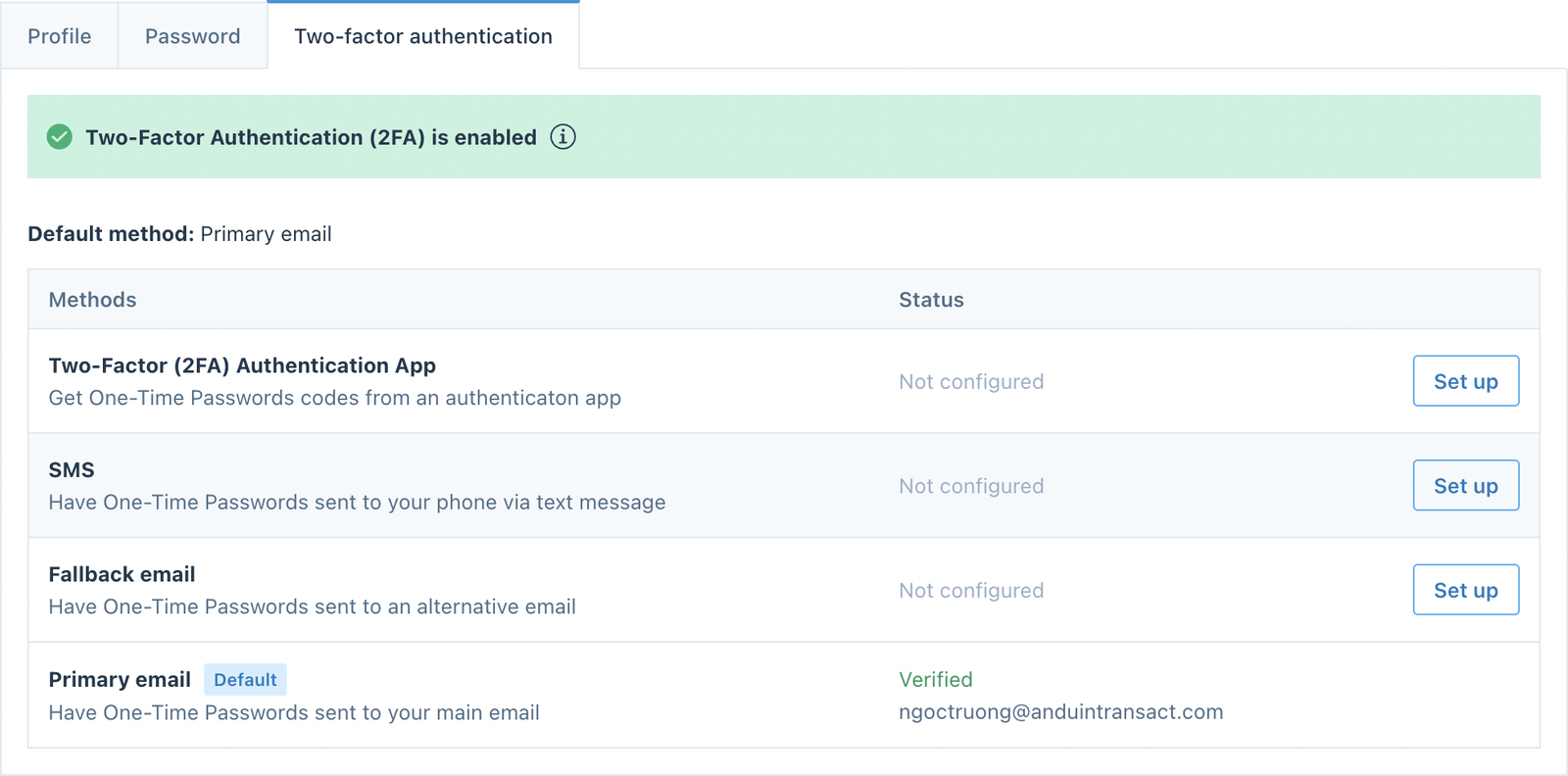
2FA is an additional security measure to verify your identity. It is a best practice to set up 2FA immediately upon the creation of your account.
In the Two-factor authentication tab, select one of the options and follow the instructions to set it up.
Was this page helpful?