

Email Configuration in Fund Subscription, Data room and Investor Data Management
Anduin allows you to customize outgoing fund-related emails (invitation and notification emails), enhancing branding, compliance, and investor communicatio
Anduin allows you to customize outgoing fund-related emails (invitation and notification emails), enhancing branding, compliance, and investor communication. This gives you control over sender details, reply handling, and email routing.
Customization Options
Anduin supports two email customization methods:
- Standard Email Customization – Customize sender details while emails are sent via Anduin’s email servers (AWS Simple Email Service).
- SMTP Integration – Send emails directly from your own email servers and domain for full control.
1. Standard Email Customization
By default, emails are sent using Anduin’s email servers, powered by AWS Simple Email Service (SES). The server configurations include:
- Dedicated IP addresses (available upon request—contact Anduin support for details).
- Registered Anduin email domains:
anduin.apporanduin.email.
Customers can further customize the following settings to suit their specific environment.
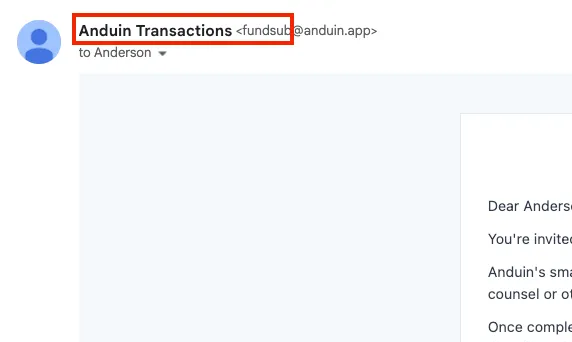
A. Sender’s Name
Customize both the display name and email sender name before the @ symbol.
- Default sender: Anduin Transactions (
[email protected]). - Customized format:
[Fund Name] ([Custom Sender Name]@anduin.email).
B. Email Reply-To
- Specify an email address to receive investor replies.
- If left blank, replies will go to an unmonitored mailbox.
C. Email CC
- Add an email address to CC all fund subscription emails.
- Useful for audit trails and compliance.
- Note: This address will receive a high volume of messages.
2. SMTP integration
With SMTP integration, you can send emails directly from your own email servers and domain, ensuring better control, branding, and compliance.
Why Use a Custom SMTP Server?
✅ Stronger Branding – Emails appear to come directly from your domain.
✅ Better Compliance – Gain full control over email logs and security.
✅ Improved Deliverability – Reduce spam filtering risks and ensure investors receive your emails.
SMTP Setup Requirements
To configure a custom SMTP server, provide:
- Host: SMTP server IP or URL (e.g.,
mail.mycompany.com). - Port: Common options include
465(for SSL) or587(for TLS). - Protocol: Either
TLSorSSL. - Username & Password: SMTP authentication credentials.
– Note: Use a generic Username (e.g., [email protected]) that is not tied to an individual user.
- Sender Name: Display name shown to recipients.
- Email Address: Sender email used for outgoing messages.
– Note: If Username is an email address, it must match the Sender Email Address to avoid SMTP rejections.
Scope & Limitations
✅ Fundsub: Applies at the fund level, affecting all fund-related notifications (including invitation and notification emails to both Fund side and Investor side).
✅ Datarooms: Applies at the organization level, affecting notifications of all Data rooms in the organization
✅ Investor Data Management: Applies at the firm level, affecting firm's notfications
❌ Does NOT apply to:
- Platform-wide emails (e.g., account verification, password resets), which contain user security secrets
For setup assistance, please contact our team via support@anduintransact.com.