

Add E-Signature
Public
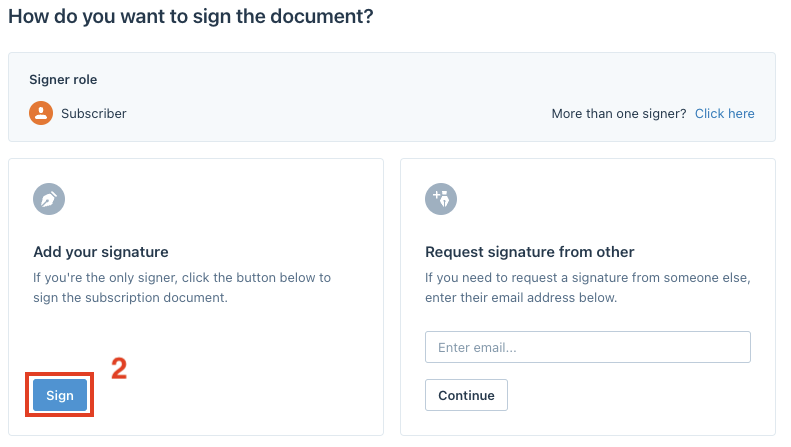
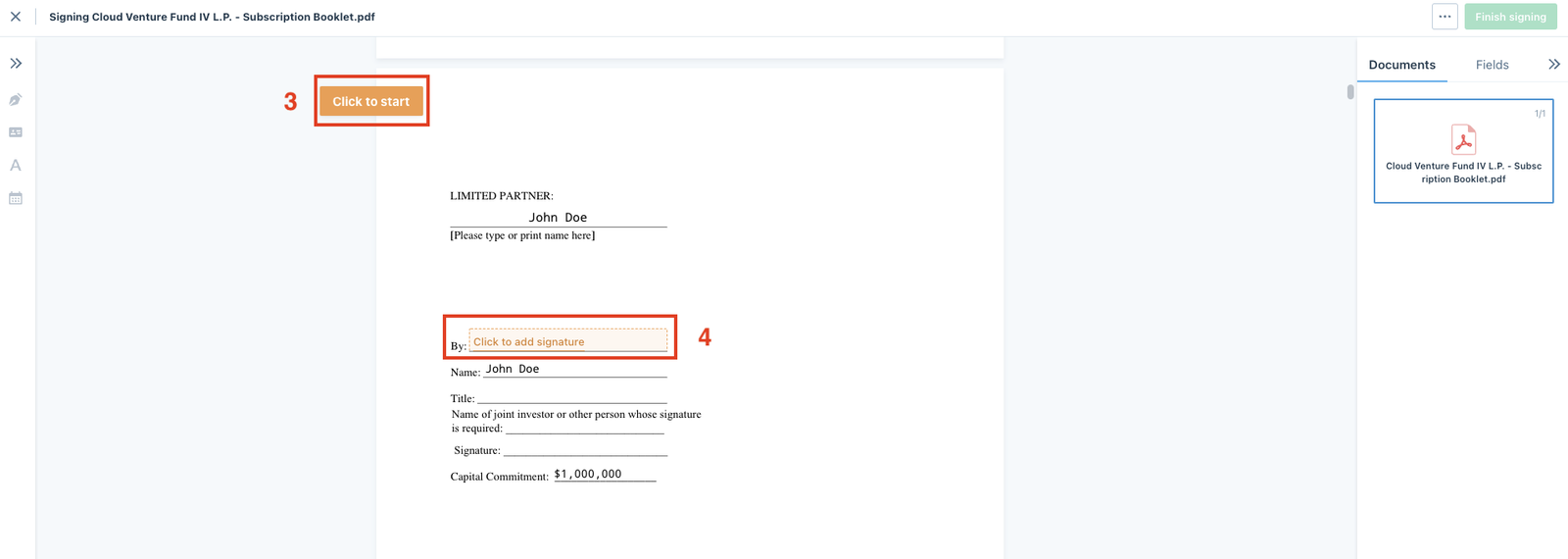
To add a signature, click on the Add e-signature button under the subscription documents: Click on Sign to add your signature: Use the navigation but
To add a signature, click on the Add e-signature button under the subscription documents:

Click on Sign to add your signature:
Use the navigation button to move directly to the signature fields:
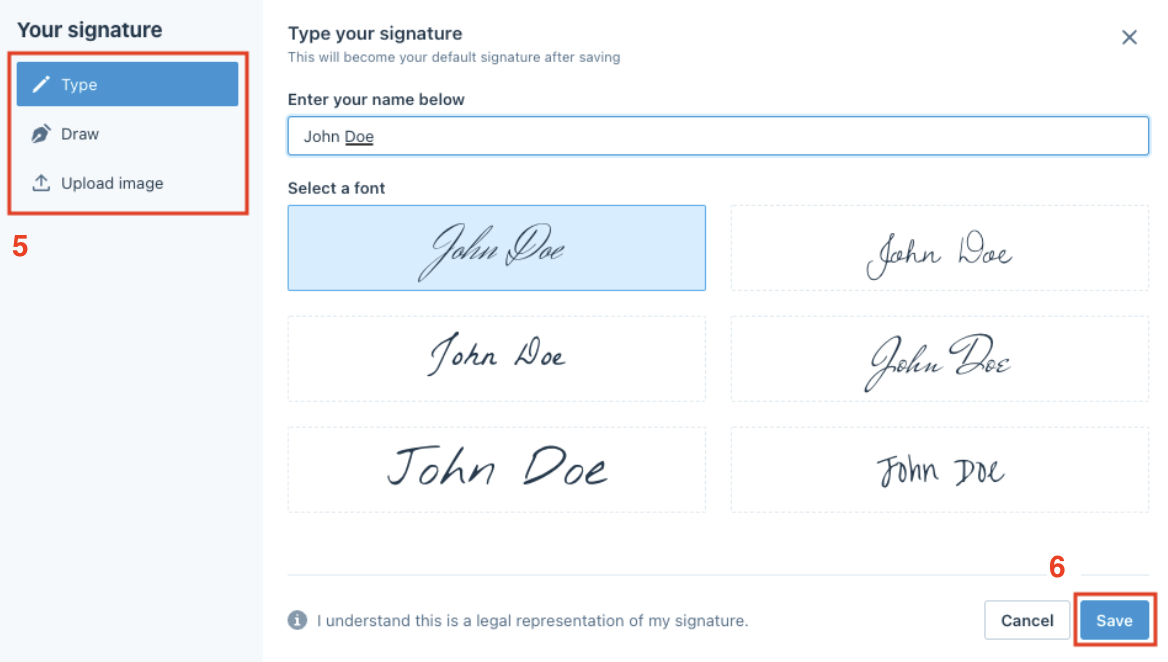
When you are adding your signature in the e-signature workspace, you can choose between the three options below, then click Save:
- Type in your name and choose an existing font.
- Draw your signature.
- Upload an image of your signature.
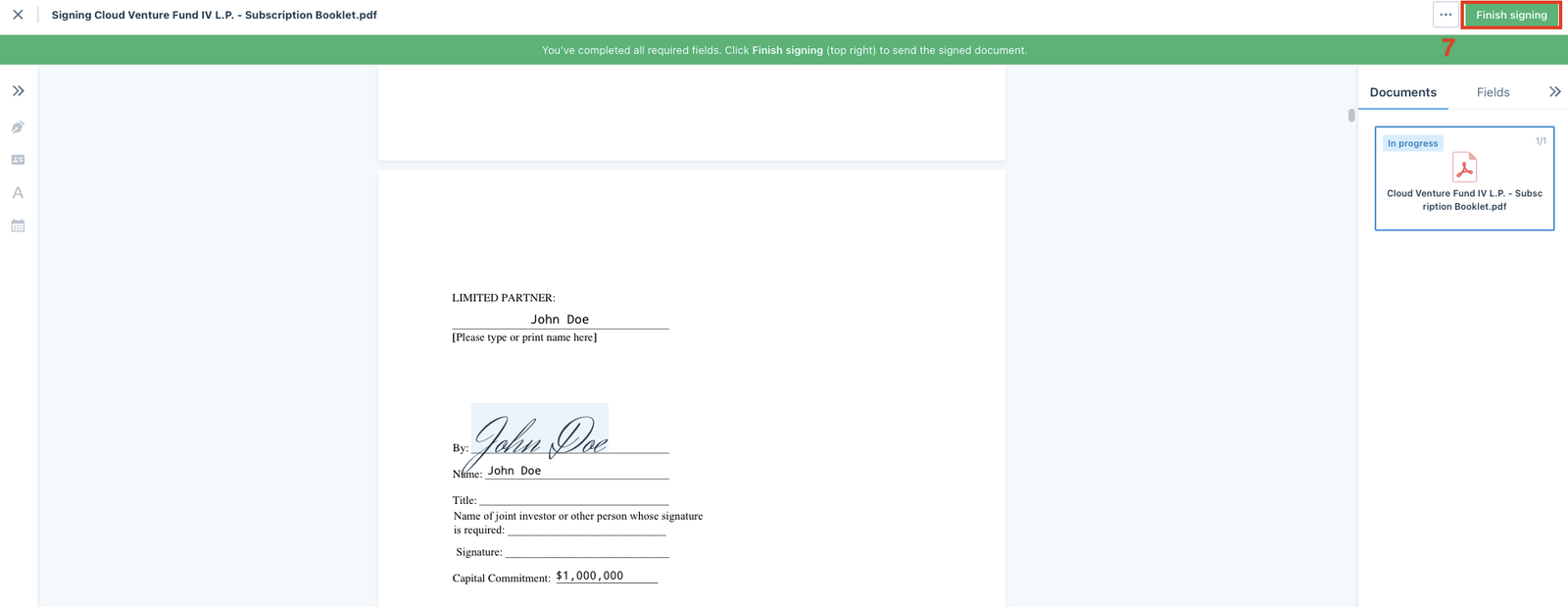
After you sign all of the required fields, click Finish signing in the top right of the workspace to complete to process:
Was this page helpful?