

Advisor's Guide: Accepting a Invitation from a Fund Manager
Intro This guide explains what happens when you receive a fund invitation from a fund manager, what emails you may receive, and where you’ll land in the ap
Intro
This guide explains what happens when you receive a fund invitation from a fund manager, what emails you may receive, and where you’ll land in the app—depending on whether your advisor entity already exists and how the fund manager initiated the setup.
What this feature does?
When a fund manager invites advisors to work with their fund, the platform routes you to the correct next step automatically:
- Connects existing advisor entities to new funds
- Creates advisor entities when needed
- Ensures you land on the right screen based on your role and setup path
Who this is for?
This guide is for:
- Advisors (RIAs) of all roles invited by fund managers
- Advisors joining a fund for the first time
- Advisors joining new funds under an existing entity
How it works?
You would receive email(s) from fund managers to join the fund. The email(s) you receive depend on whether your advisor entity already exists.
Note: All invitation links route you directly into the Advisor Advantage app. You can also reach it anytime by logging in and going to Advisor Advantage via this URL: advisors.anduin.app
Case 1: Advisor entity already exists
(Previously worked with this fund manager, or entity detected by email domain)
Emails you’ll receive (up to 3)
If your advisor entity already exists, entity admins may receive:
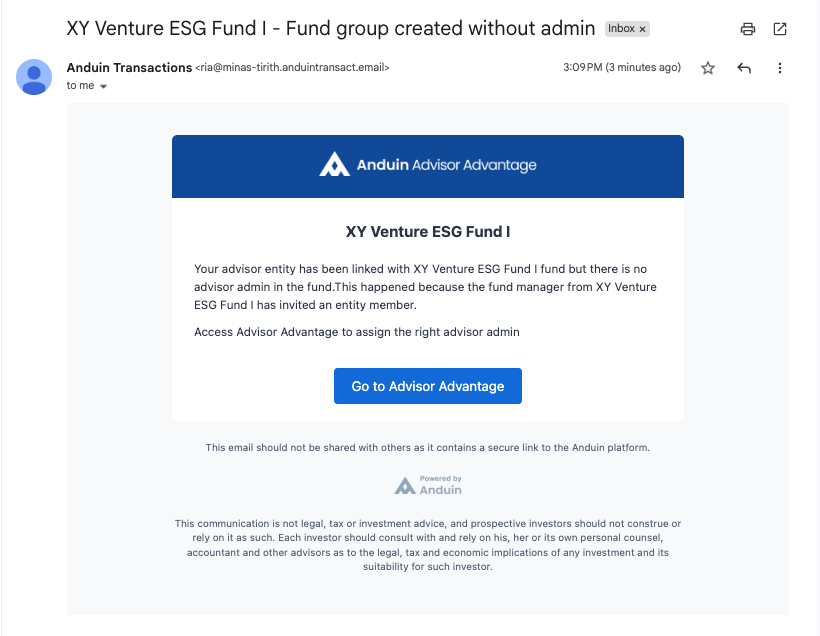
- Fund group has no admin: Sent because the fund group was created without an assigned admin
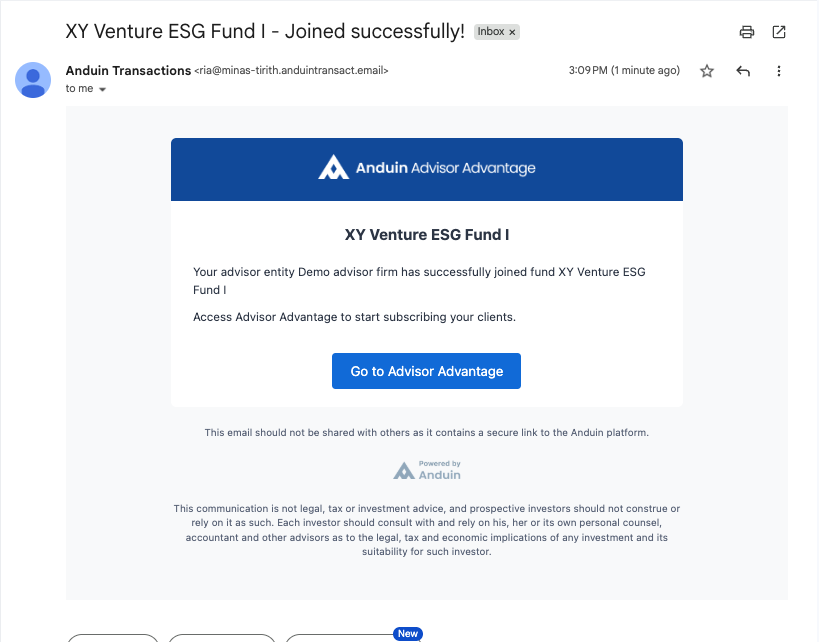
- Entity is now connected with a fund: Confirms the advisor entity is linked to a new fund
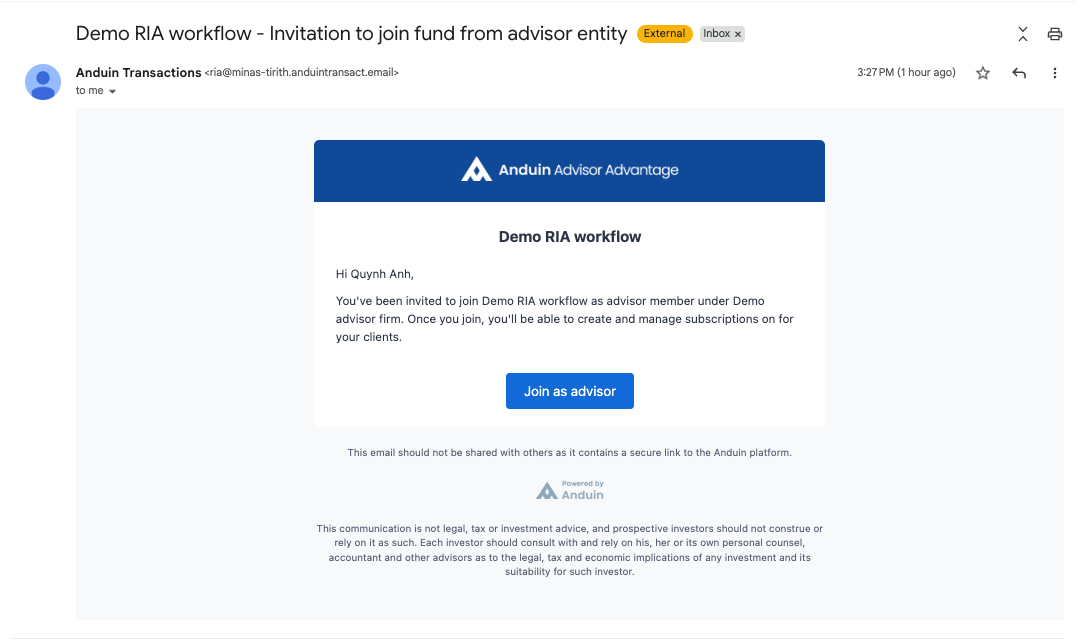
- Invitation to access fund: Sent directly to advisors invited to the fund by fund managers
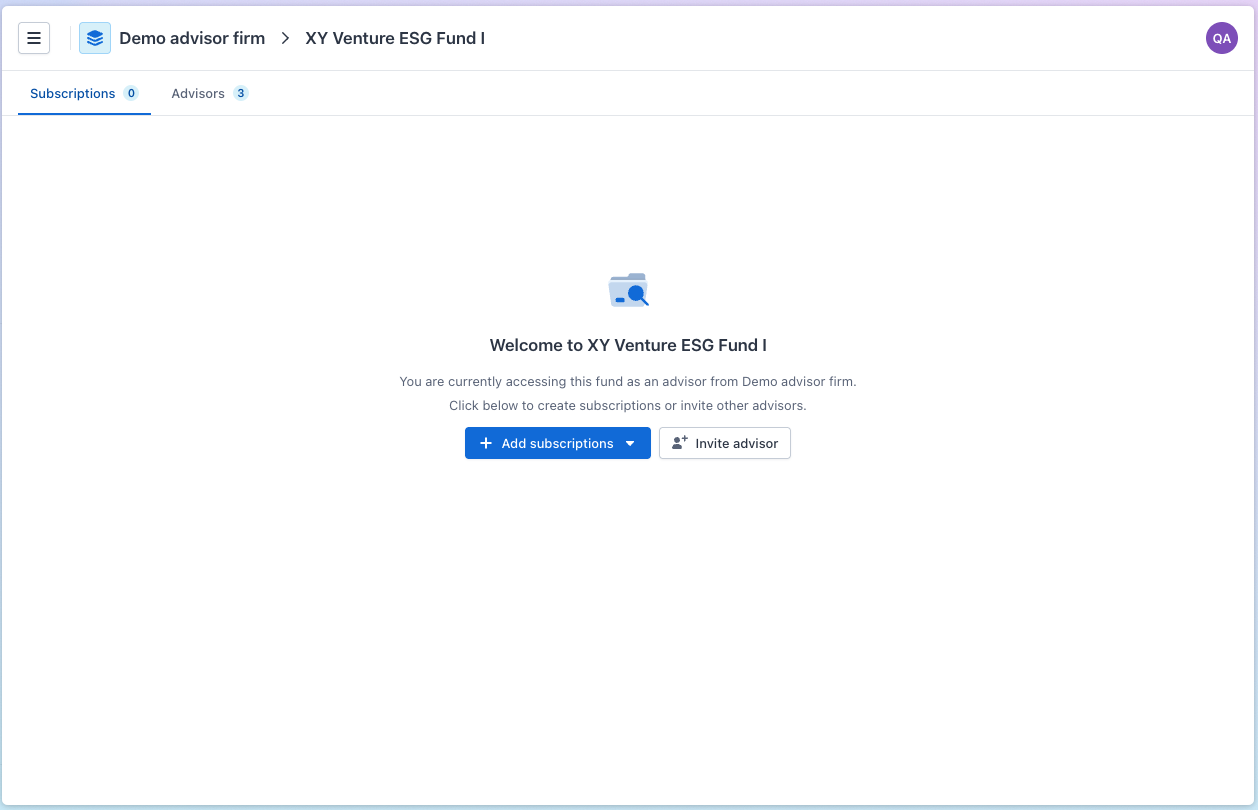
When clicks on the CTA buttons in these emails, you'd be directed to the same page: Advisor Advantage → Fund Group page
What to do next?
- If you’re an entity admin:
– Assign fund group admins (if needed) – Add additional advisors
- If you’re a manager or member:
– Inquire with the entity admin to assign you the appropriate role – Start creating subscriptions for your clients in the fund
Case 2: Advisor entity does NOT exist
In this case, you’ll receive one email only:
Email you’ll receive
- Invitation to join fund: What happens next depends on how the fund manager chose to proceed.
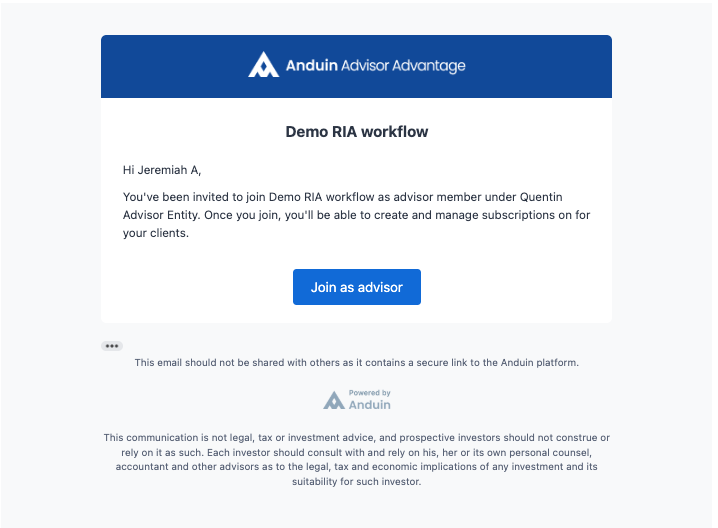
Case 2A: Fund manager created the advisor entity for you
Expected behavior
- Click the invitation CTA
- Log in or sign up (if needed)
- You land directly on the Fund Group page
- The advisor entity and fund group are already created
Admin behavior
- If the fund manager assigned an admin when create the entity → That user is already the entity admin
- If no admin was assigned → The first advisor to join becomes the entity admin
Case 2B: Fund manager let advisors create the entity
Expected behavior
- Click the invitation CTA
- You’re taken to the Create Advisor Entity screen
- To complete the setup, you'd need to:
– Input your advisor entity name – Confirm email domain whitelisted
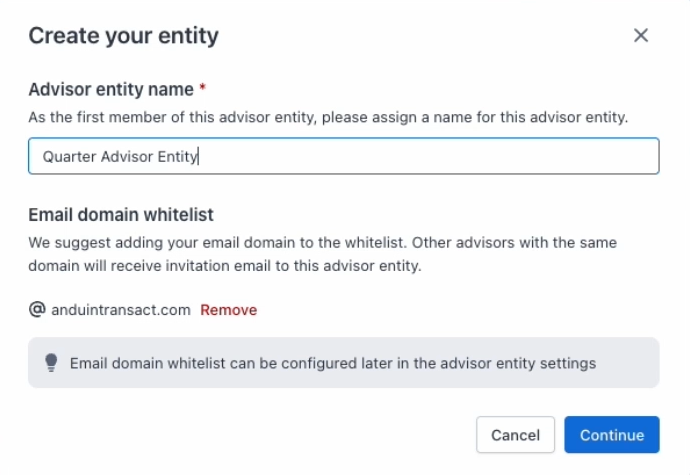
- Click “Continue” to create advisor entity and connect to the invited fund
- You'd then land on the Fund Dashboard in Advisor Advantage
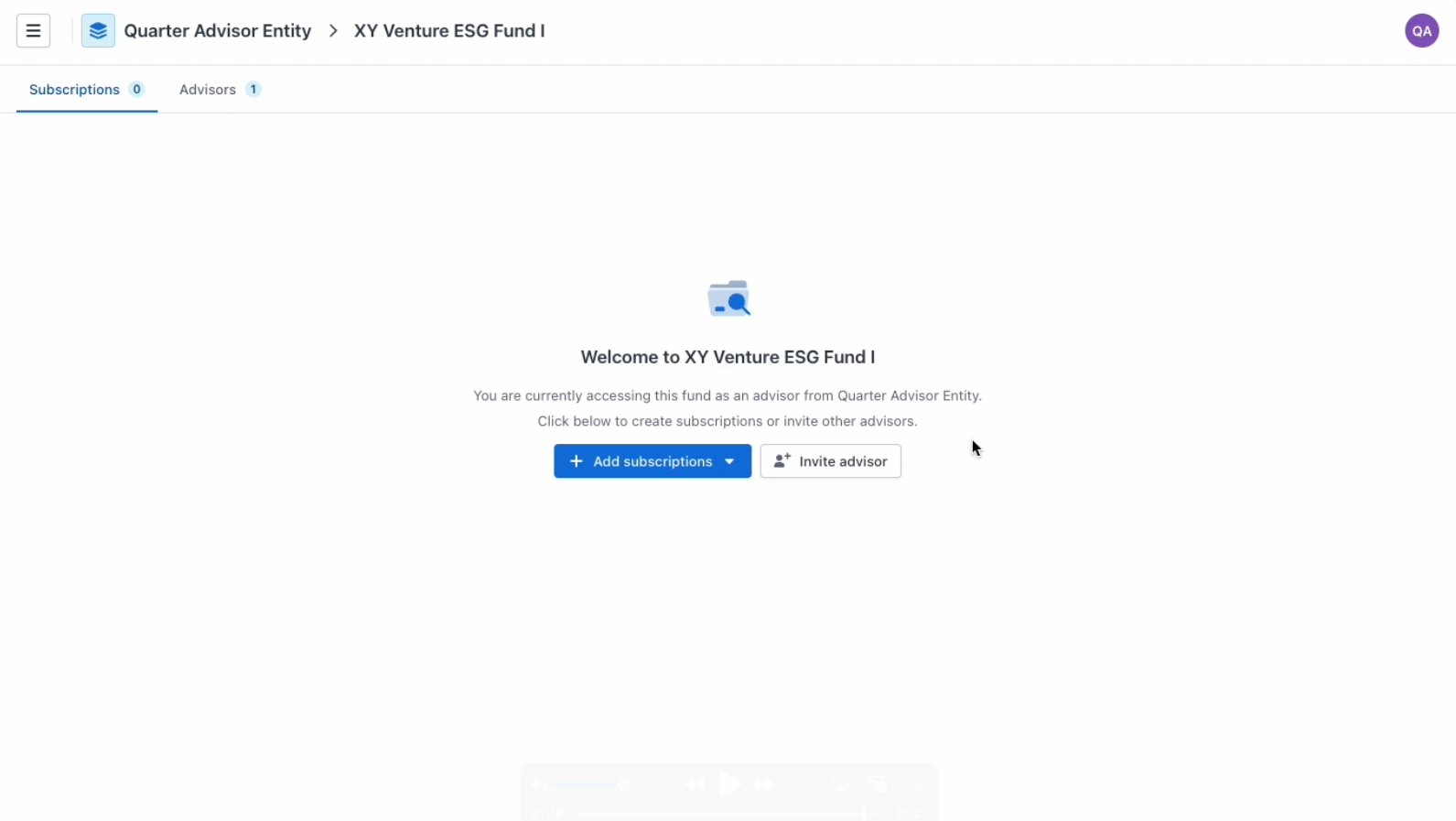
If your role is Manager or Member
You’ll will receive an invitation to join the fund
- Clicking the CTA takes you to the Fund Group page
- Your access is limited to your assigned permissions
Troubleshooting & common questions
I received multiple emails—do I need to act on all of them?
No. All CTAs lead to the same Fund Group page. You only need to click one.
I see a message that the fund group has no admin
This means no admin was assigned during setup.
- If you’re an entity admin, assign a fund group admin
- Otherwise, contact your entity admin
I expected to create an entity but didn’t see that screen
If the fund manager already created the entity for you, you’ll skip entity creation and land directly on the fund group.
I can’t access everything I expected
Your access depends on your assigned role (admin, manager, or member). Contact your entity admin if you need changes.
I clicked the link but don’t see the fund
- Confirm you’re logged into the correct advisor entity
- Go to Advisor Advantage → Funds Dashboard
- If it’s still missing, contact the fund manager or Anduin Support