

Request E-Signature
Public
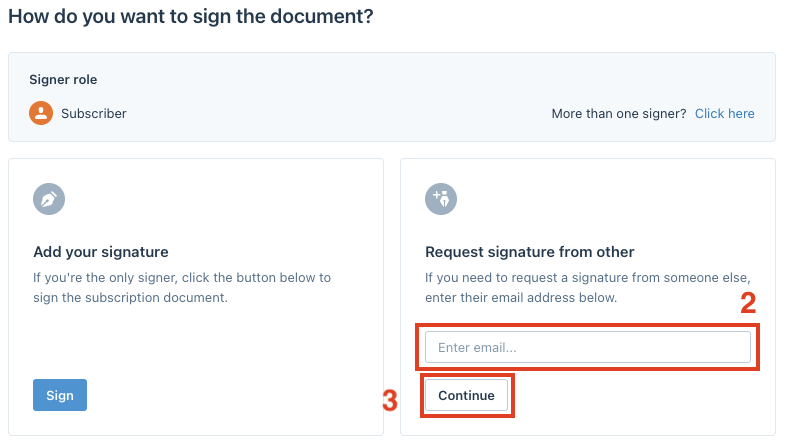
To request a signature from someone else, click on the Add e-signature button: Enter the signer's name and email address, then click Continue: You
To request a signature from someone else, click on the Add e-signature button:

Enter the signer's name and email address, then click Continue:
You can review the signature fields by clicking Review preparation, and optionally add a message to the signatory, then click Send request:
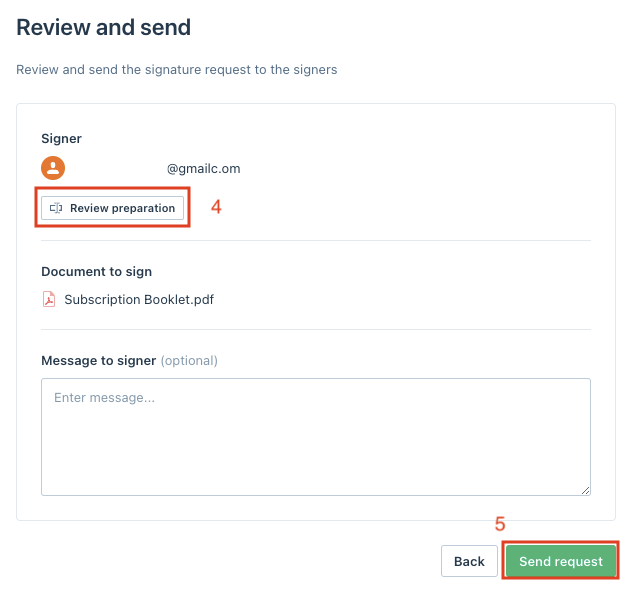
The signer will receive an email with a call-to-action link that will bring them directly to the documents to sign
Was this page helpful?