

Restrict Document View for E-Signers
Public
control viewinglimit access
Within Anduin, investors have the option to add in restrictions to additional signers on what documents the signers will have access to view when signing.
Within Anduin, investors have the option to add in restrictions to additional signers on what documents the signers will have access to view when signing.
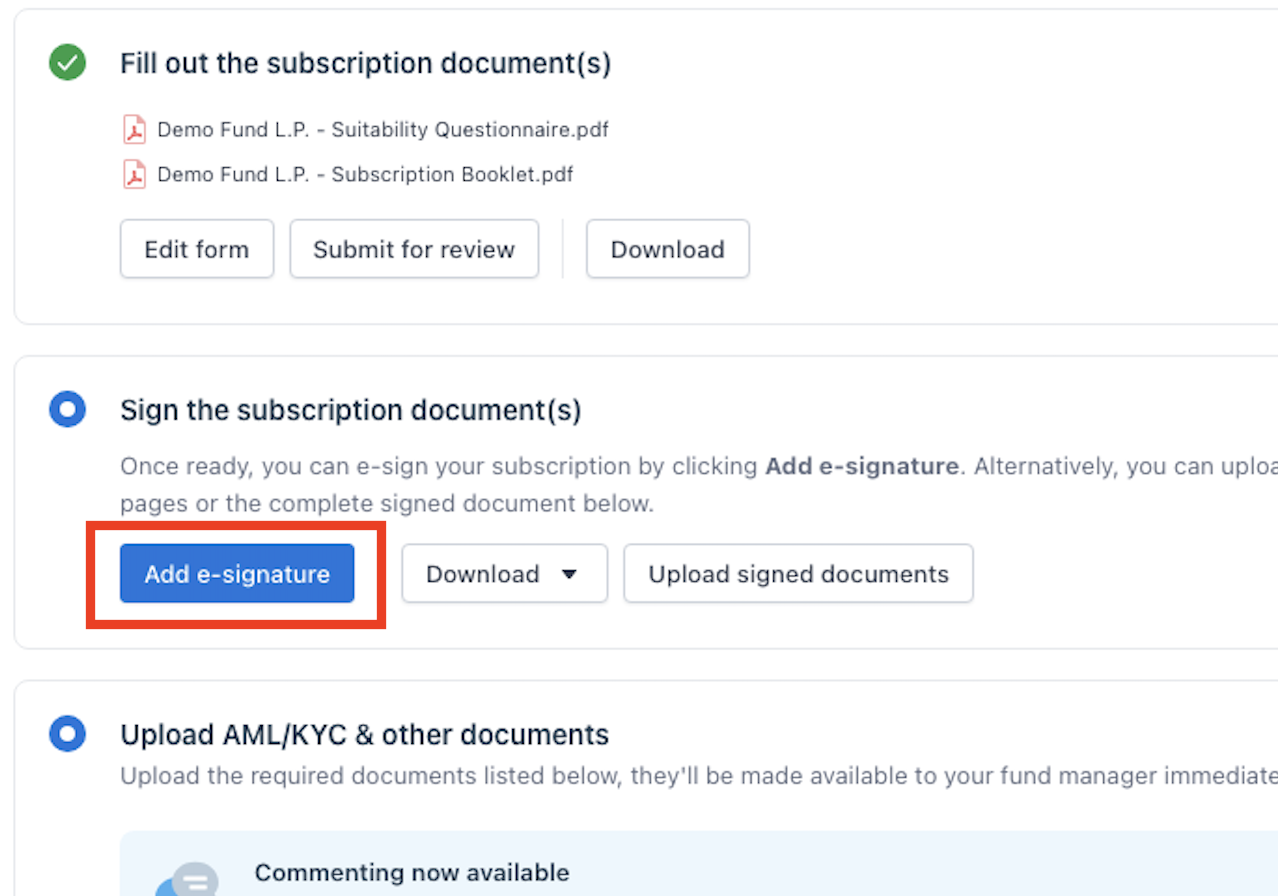
- In Anduin, click the Add e-signature button:
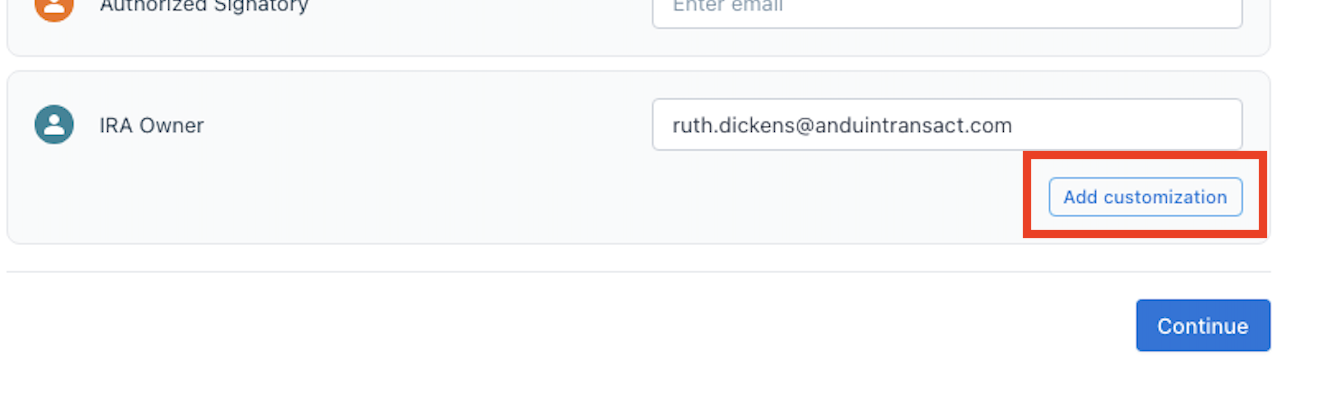
- Enter into the email for the person you would like to sign and click the Add customization button:
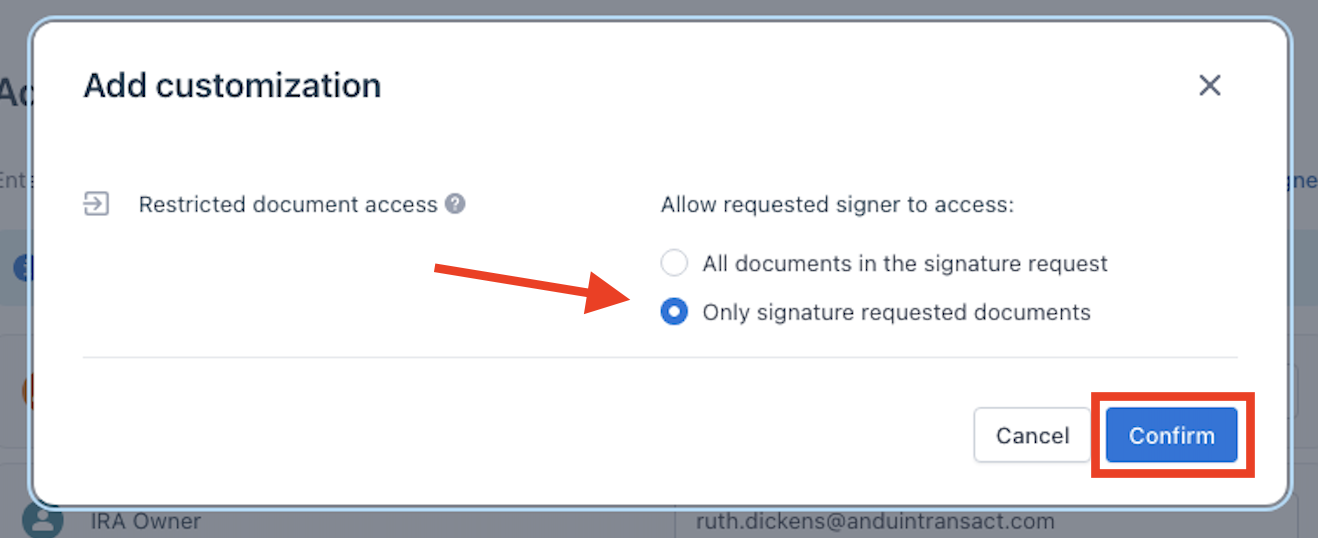
- Choose Only signature requested documents and confirm:
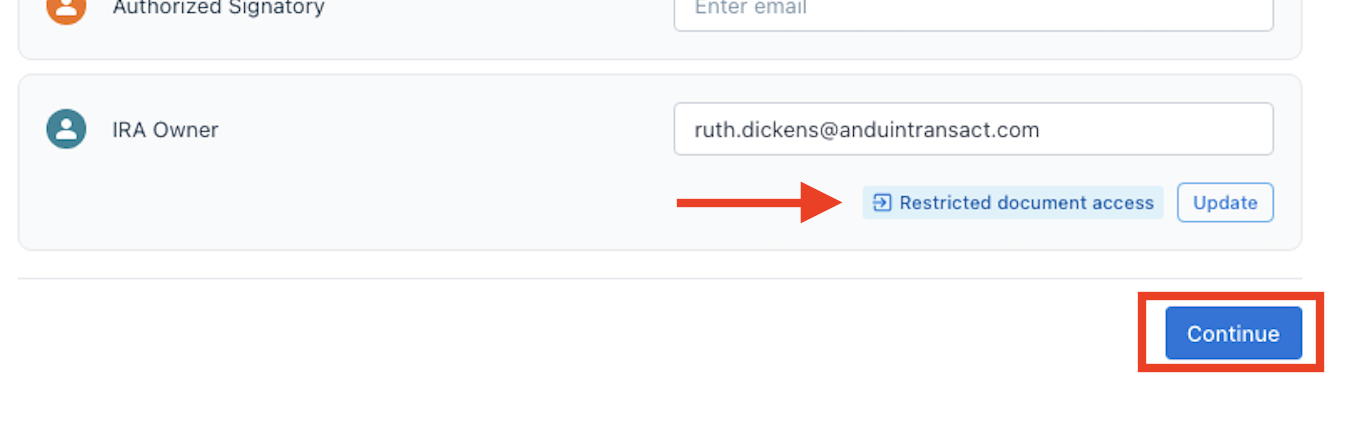
- You should now see the Restricted document access confirmation text. Click continue:
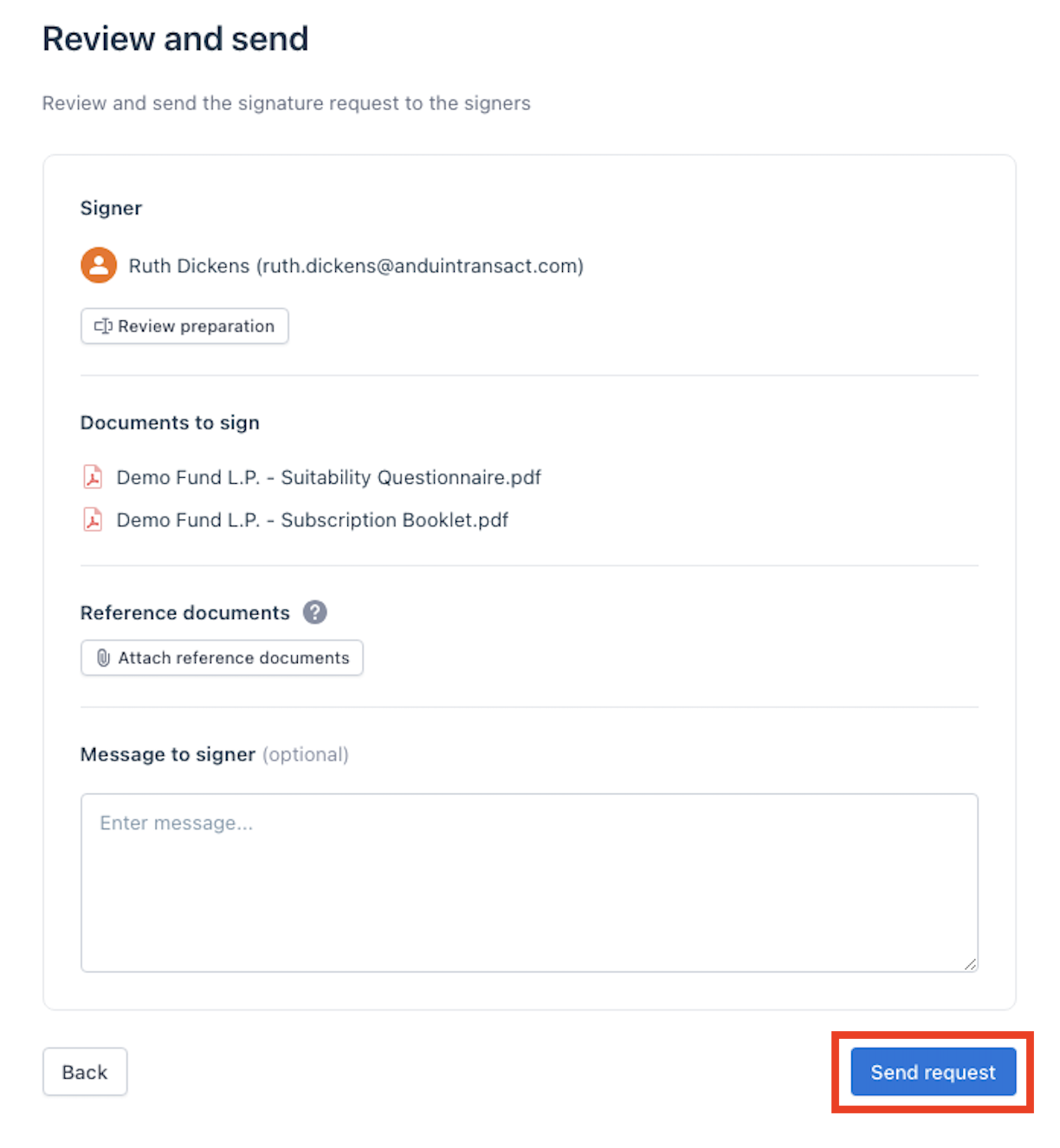
- Review the request and when ready click Send request:
Was this page helpful?