

Leave Comments on the Subscription Document
Public
When filling out the form, you can leave comments or questions for the Fund Managers using the comment bubbles at the end of each question. When you hov
When filling out the form, you can leave comments or questions for the Fund Managers using the comment bubbles at the end of each question.
When you hover over the questions, the comment bubbles will appear:
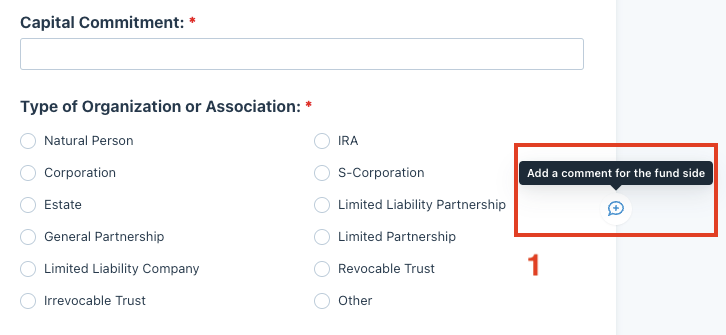
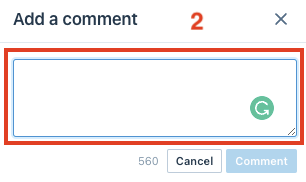
Click on the bubble and add your comments or questions:
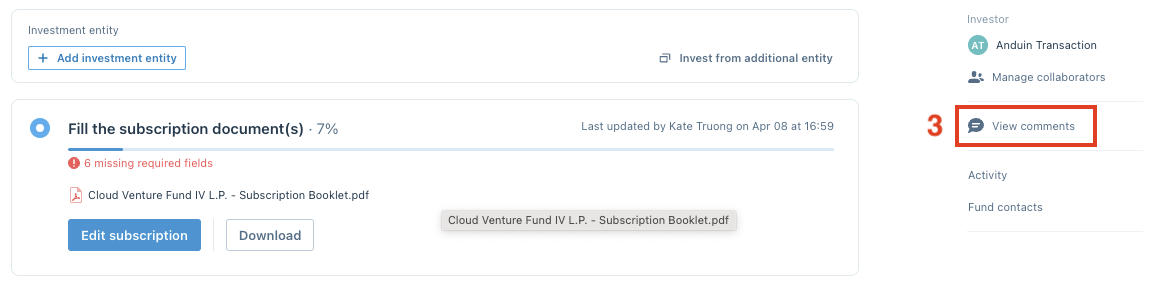
To review all your comments, click on the Comment button in the upper right corner of the form:

Or click on the View comments button on the main dashboard
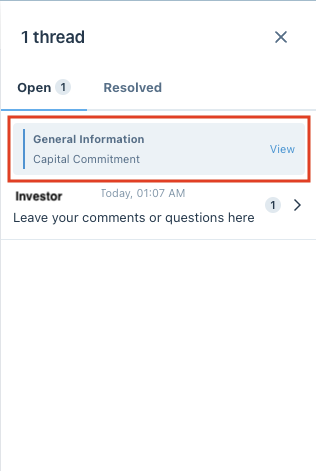
Click on the View button to go to the comment position in the form:
Was this page helpful?