

Publish or Unpublish a page
Public
hidepost
Introduction Publishing controls when your landing pages are visible to investors. You can build and edit pages in the background, then publish them only w
Introduction
Publishing controls when your landing pages are visible to investors. You can build and edit pages in the background, then publish them only when you're ready. Unpublishing lets you temporarily hide a page without deleting it.
Where to find this feature
Go to your IDM Firm
→ Portal tab
→ Landing Pages section
→ Page Management tab
Instructions
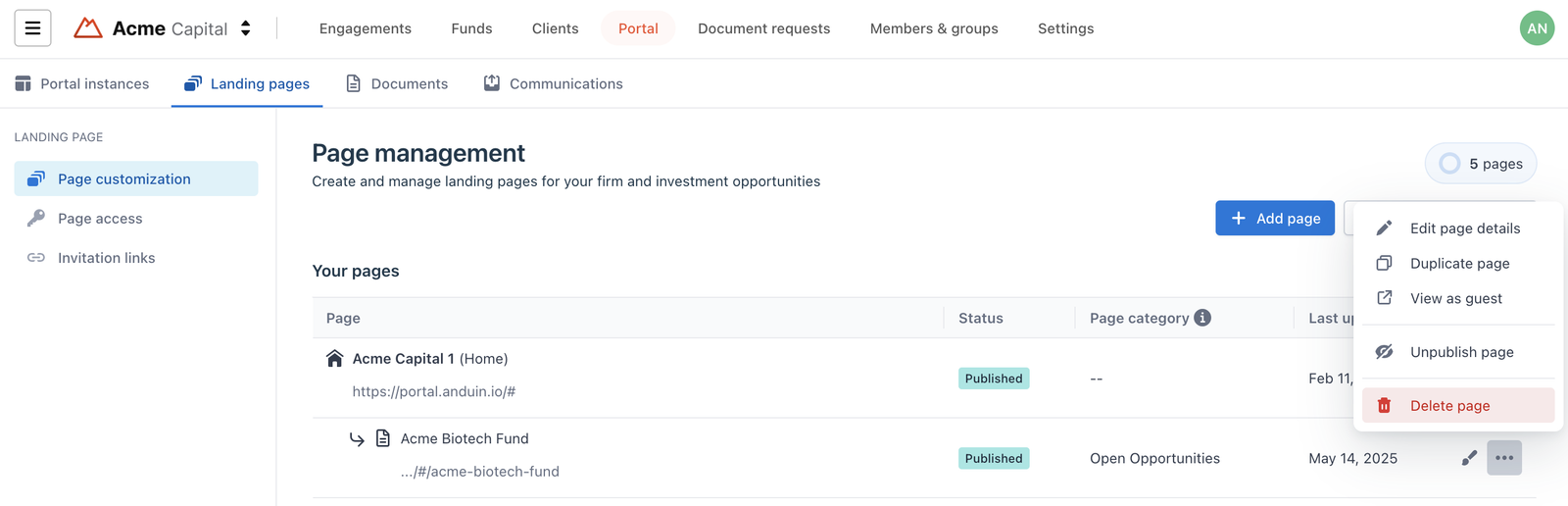
1. Publish a Page
- In the Page Management tab, find the page you want to publish
- Click the (…) menu at the end of the row
- Select Publish
- The page is now live and accessible to invited investors
2. Unpublish a Page
- In the same (…) menu, select Unpublish
- The page is now hidden from all investor views but remains saved for future editing or reuse
Notes
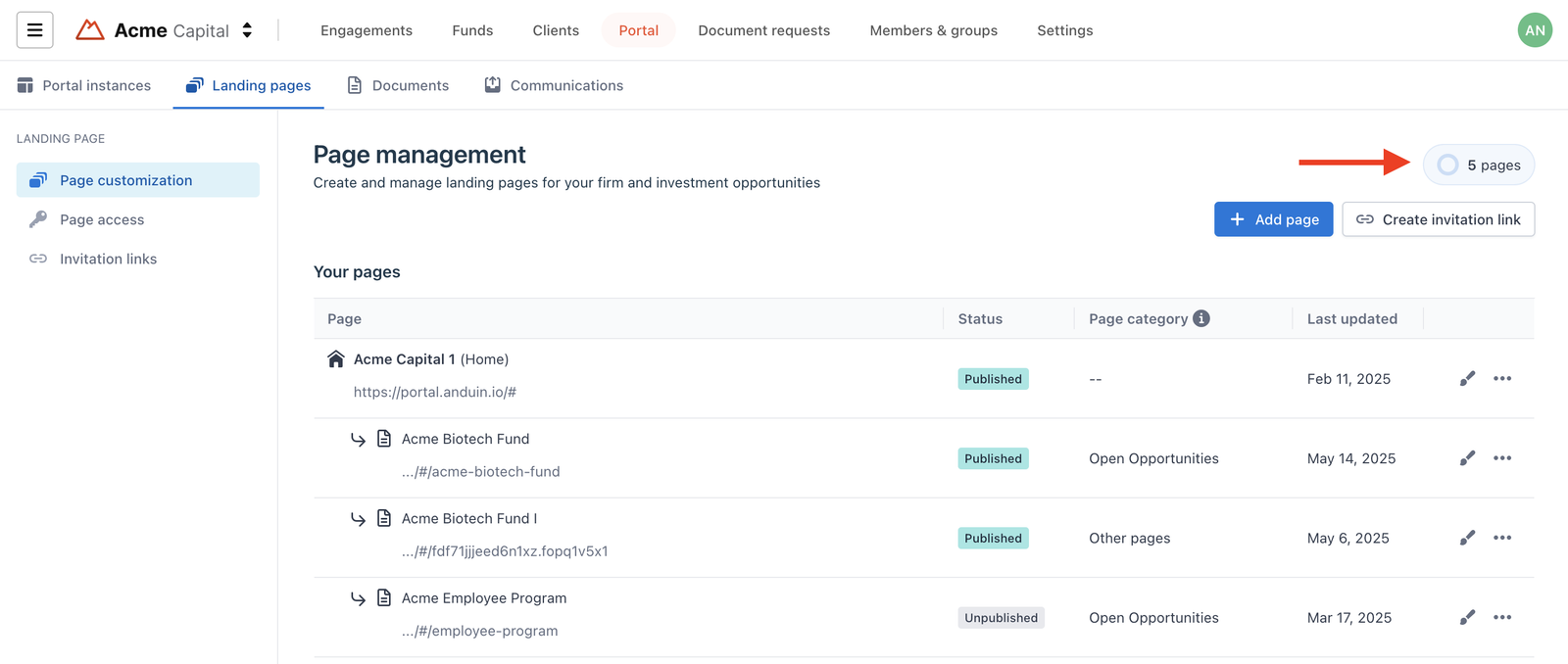
Page limit applies:
- Each Firm has a limit on the number of published pages, based on the package signed with Anduin
- You can check your usage in the top-right corner of the Page Management tab
- When you exceed this limit, an Anduin representative will contact you to discuss upgrade options.
Was this page helpful?