Create external funds and subscriptions on IDM
Introduction In order for funds to utilize IDM as a central hub for managing investor data, we’re introducing a feature that allows users to add funds and
Introduction
In order for funds to utilize IDM as a central hub for managing investor data, we’re introducing a feature that allows users to add funds and subscriptions from external sources (outside of Anduin). This feature enables a seamless experience for centralizing and tracking client data - regardless of the data source.
Where to find this feature?
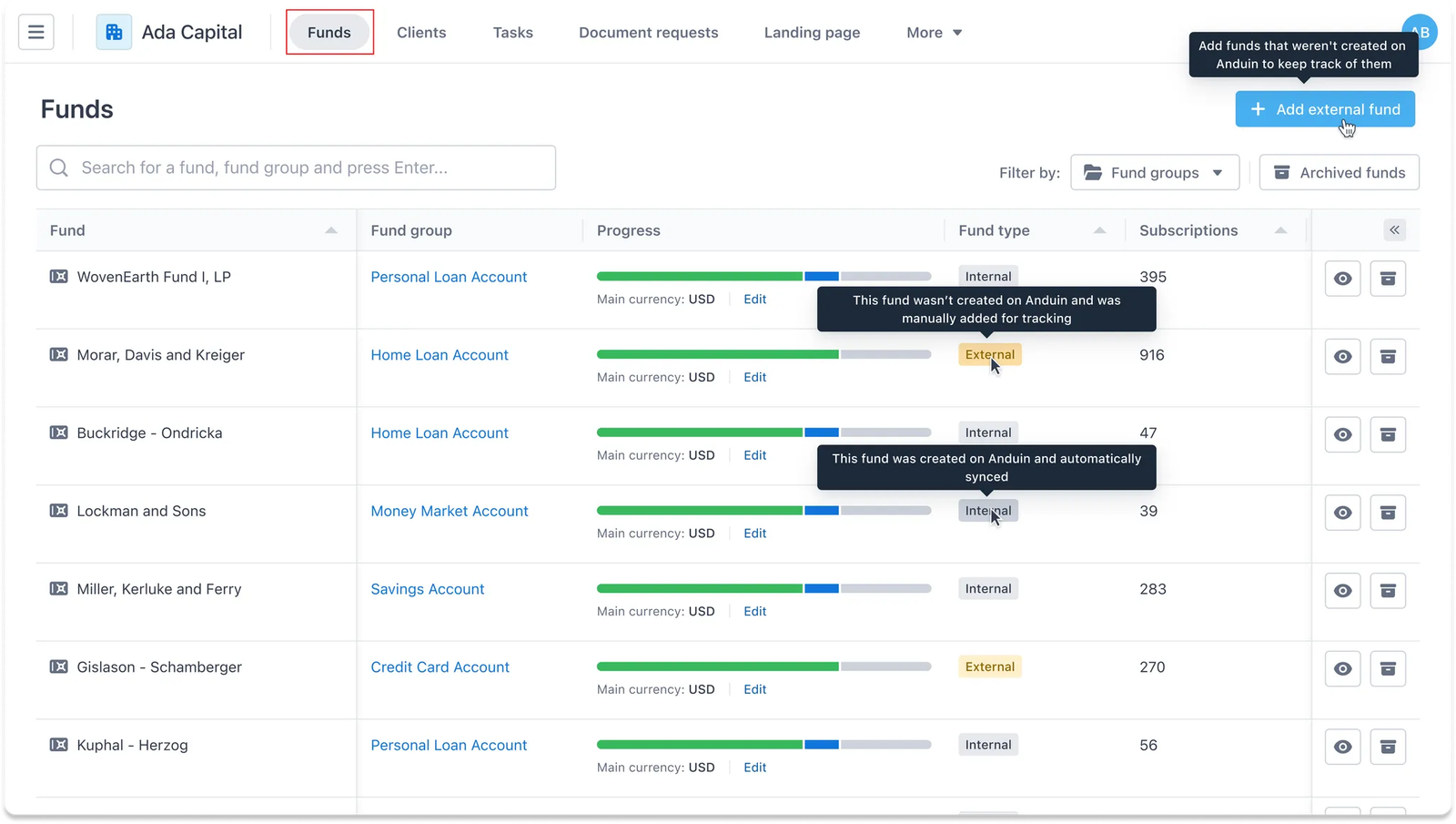
You can access this feature in the “Funds” tab. Here, not only can you create new external funds but also manage an overview of fund types across all funds.
Guideline
a. Add external funds
Step 1
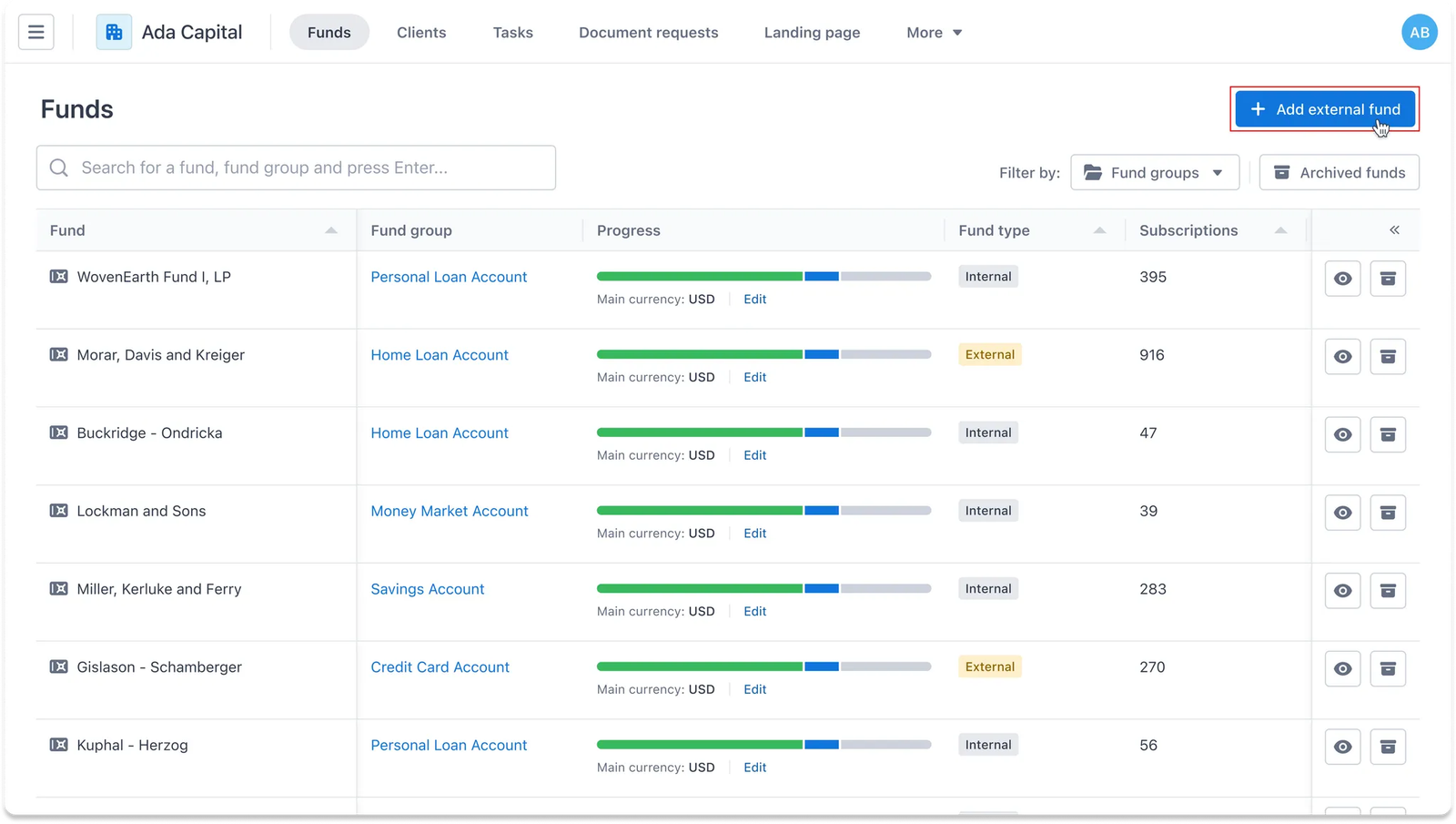
From the Funds dashboard, users can navigate to the Add external button on the top right corner to create a fund record, even if it wasn’t originally created on Anduin.
Step 2
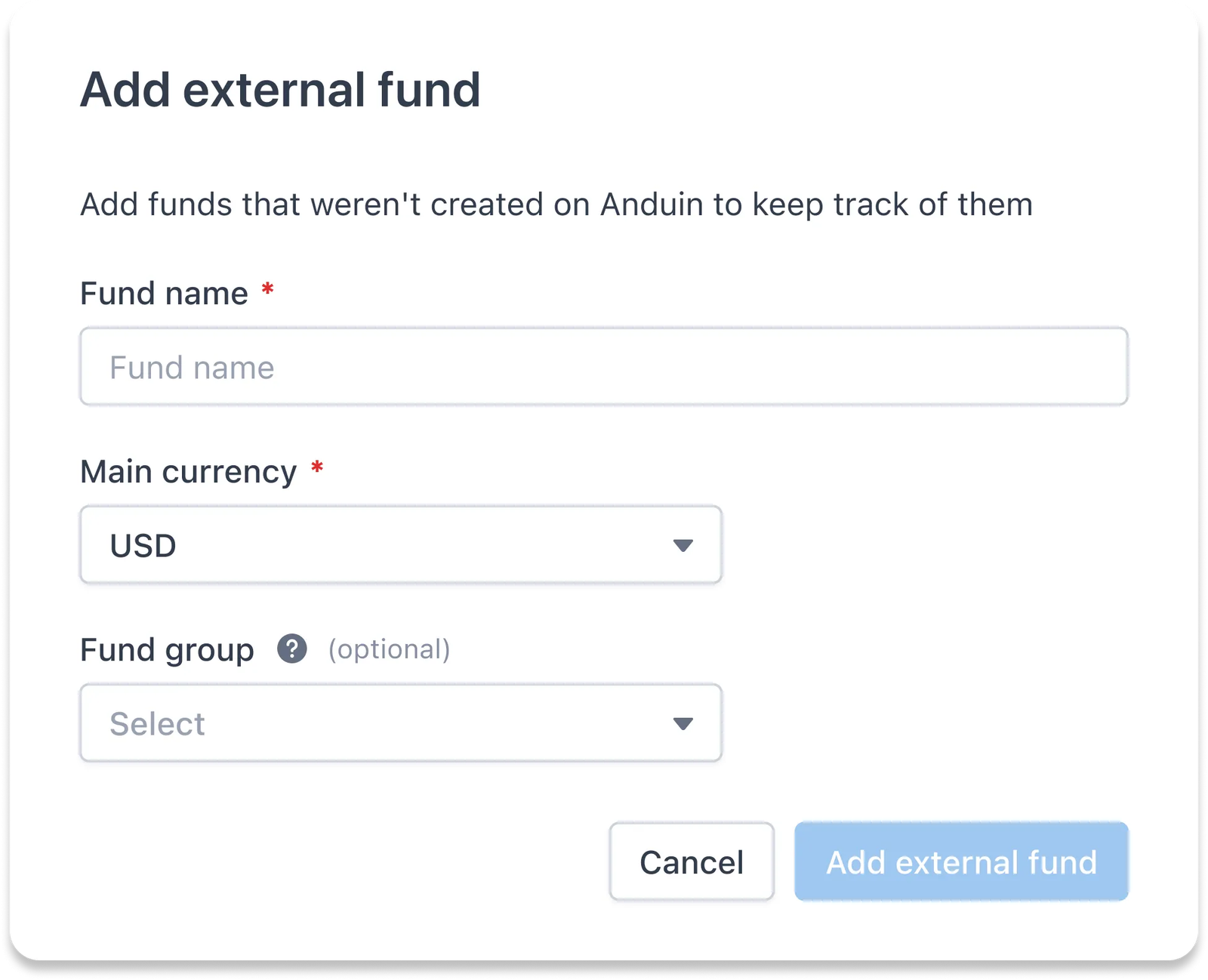
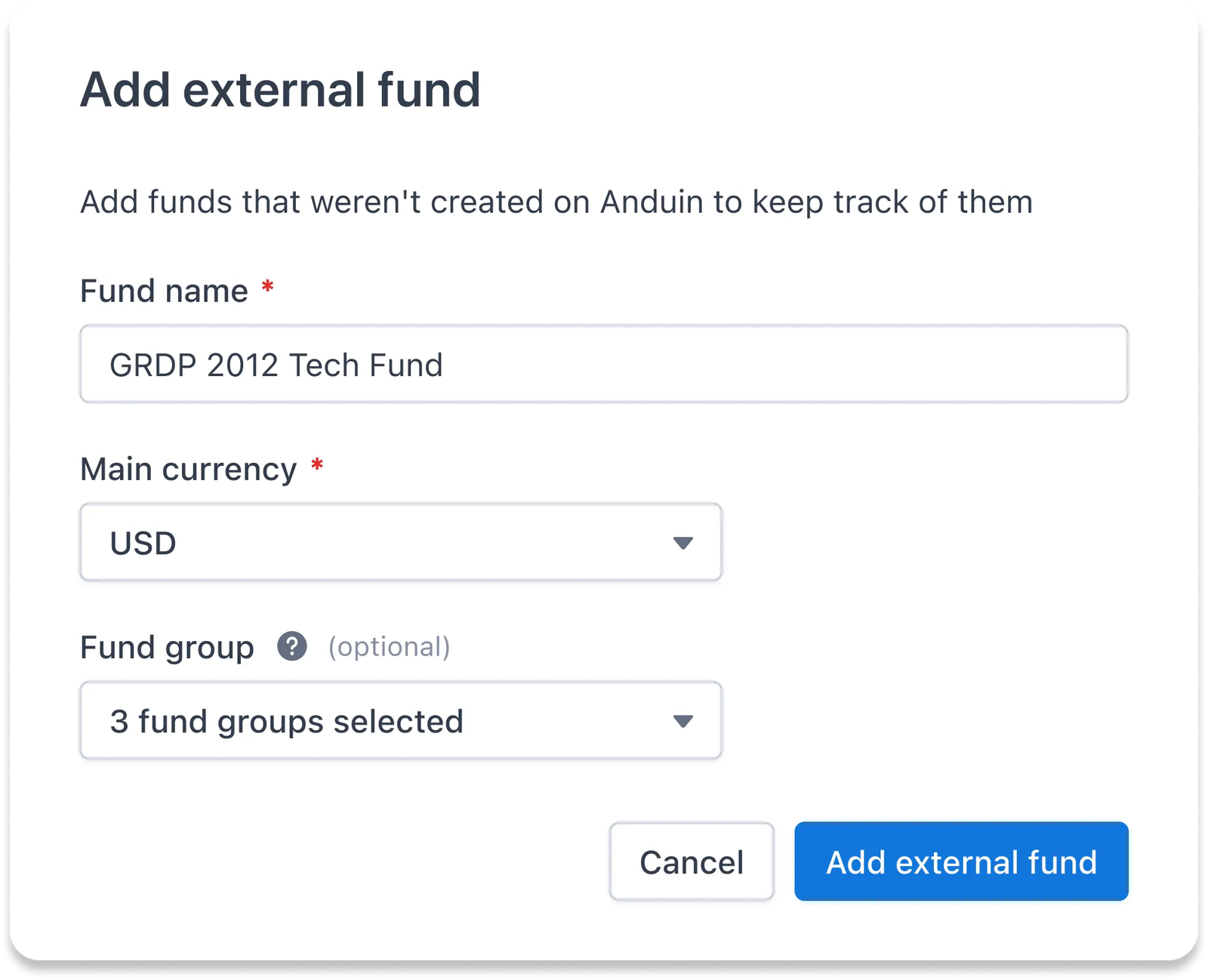
Users will be asked to provide basic information about the fund, including Fund name, Main currency used, and fund group if applicable.
Step 3
Once all information is filled in, you can confirm to proceed.
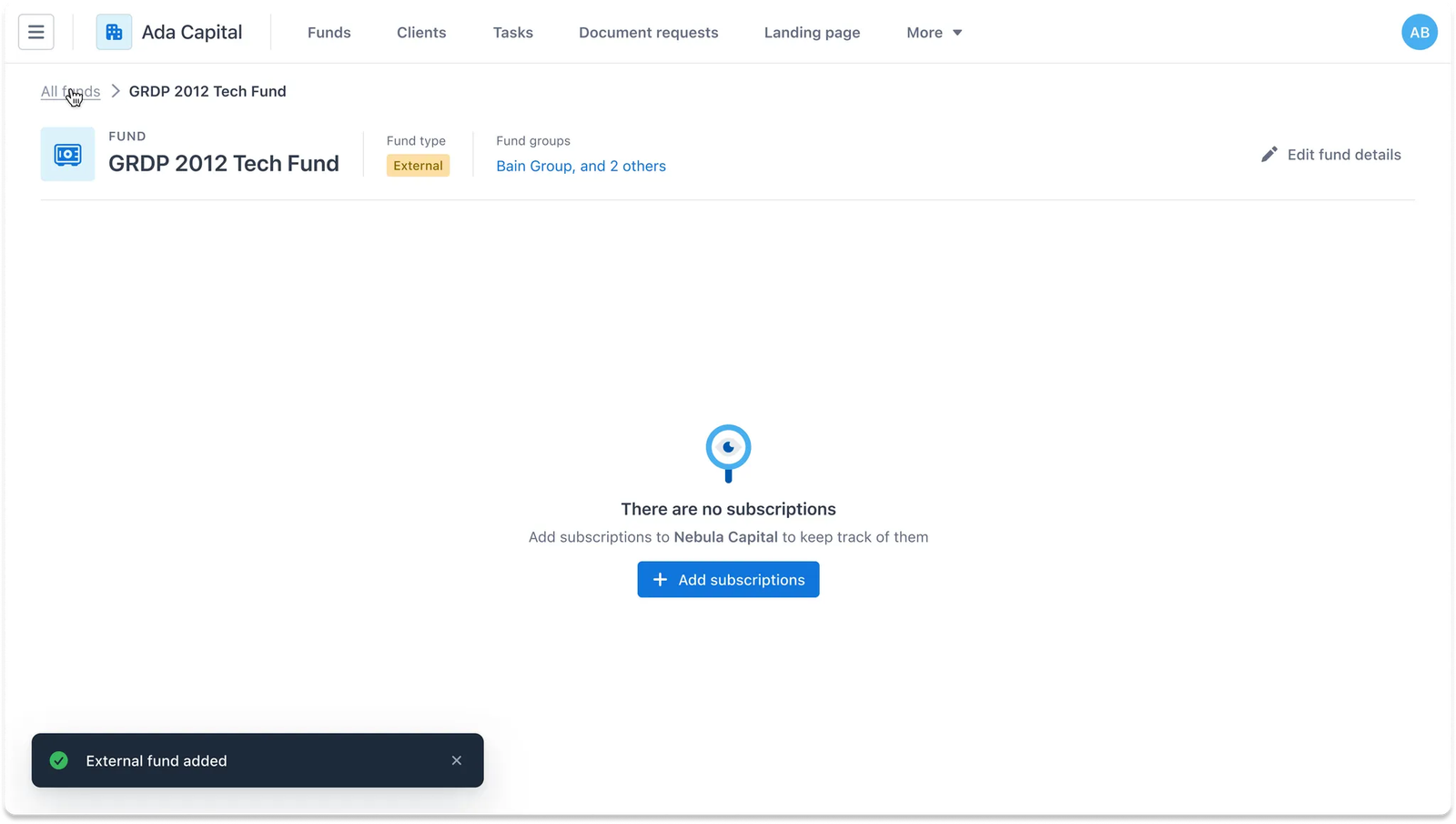
The new external fund will be created with the details provided. From here, users can also add subscriptions linked to this fund.
b. Add external subscriptions
Step 1
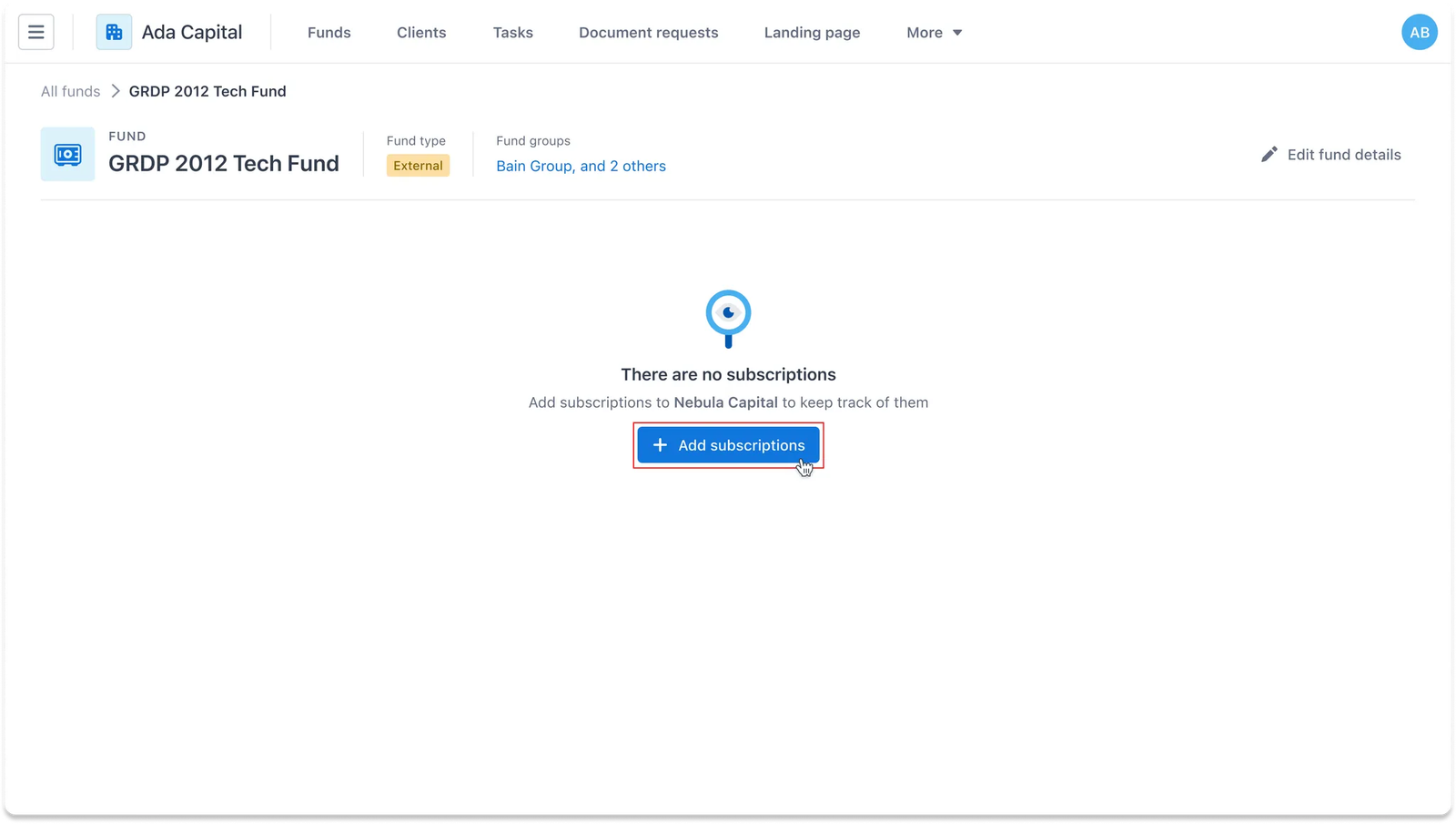
Once you’ve created an external fund, start by clicking the Add Subscriptions button in the Funds dashboard. This opens up the option to add subscriptions linked to your fund.
Step 2
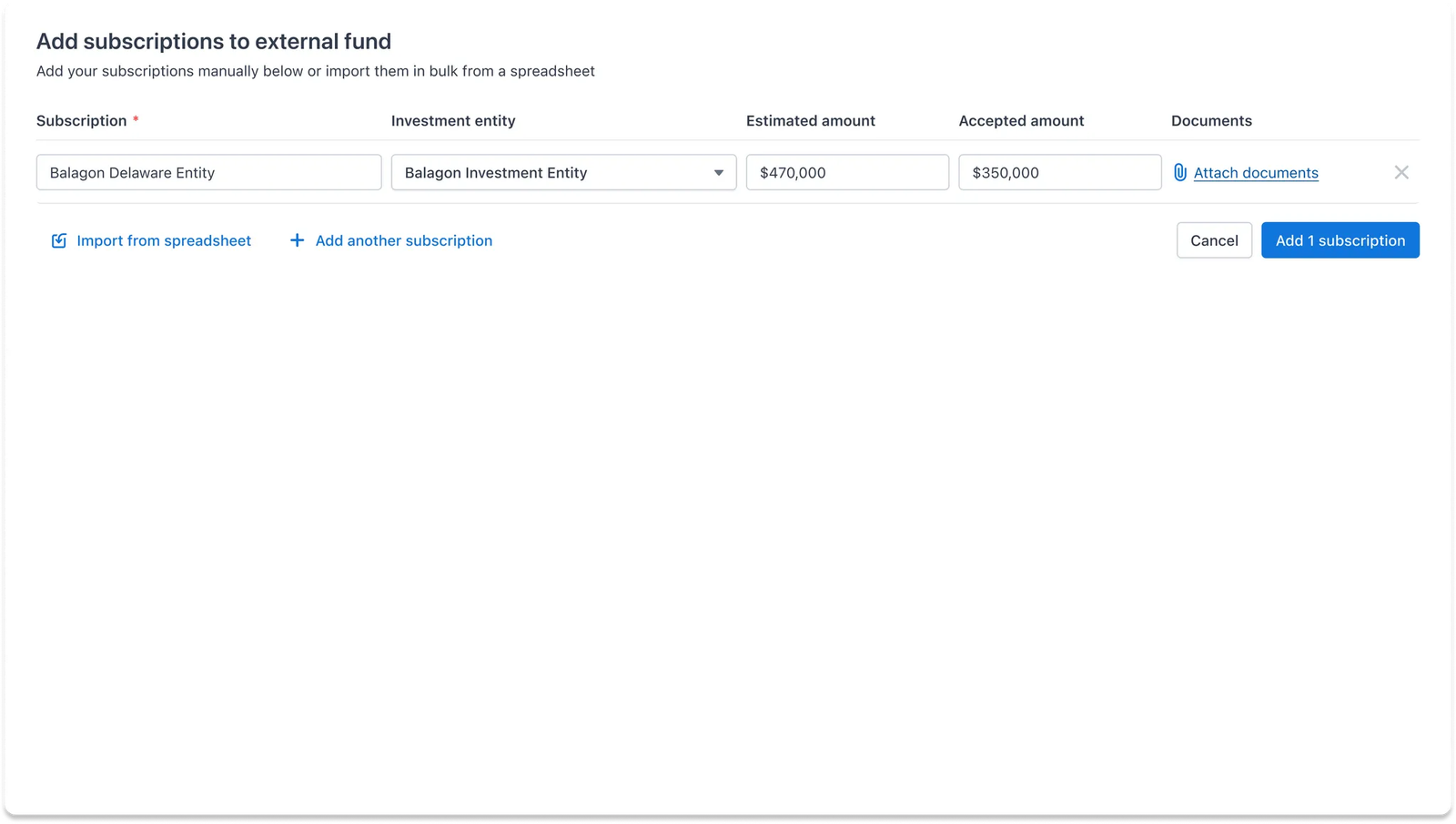
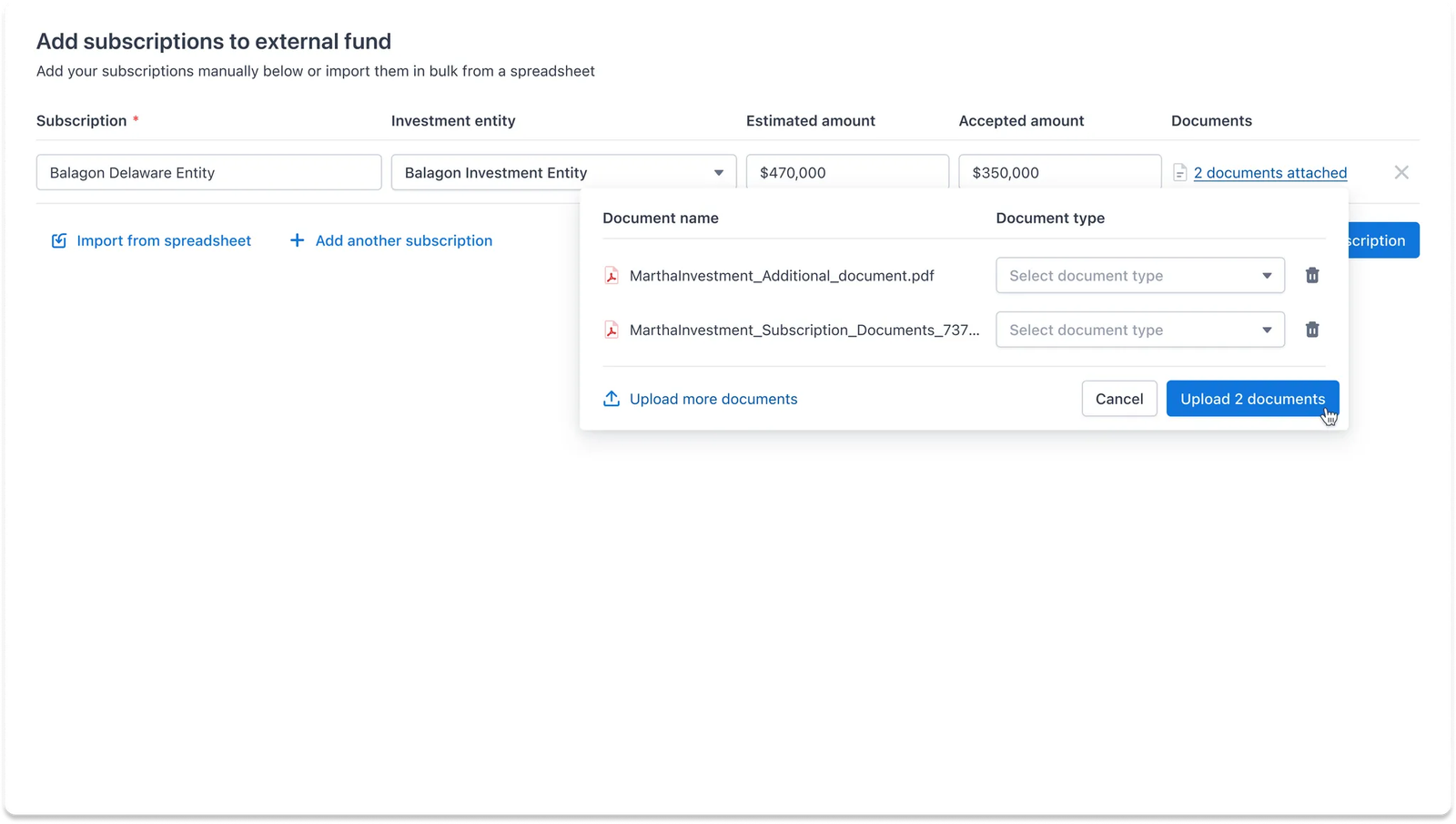
Next, you’ll be prompted to enter details about each subscription. You can also attach relevant documents to keep everything organized in one place.
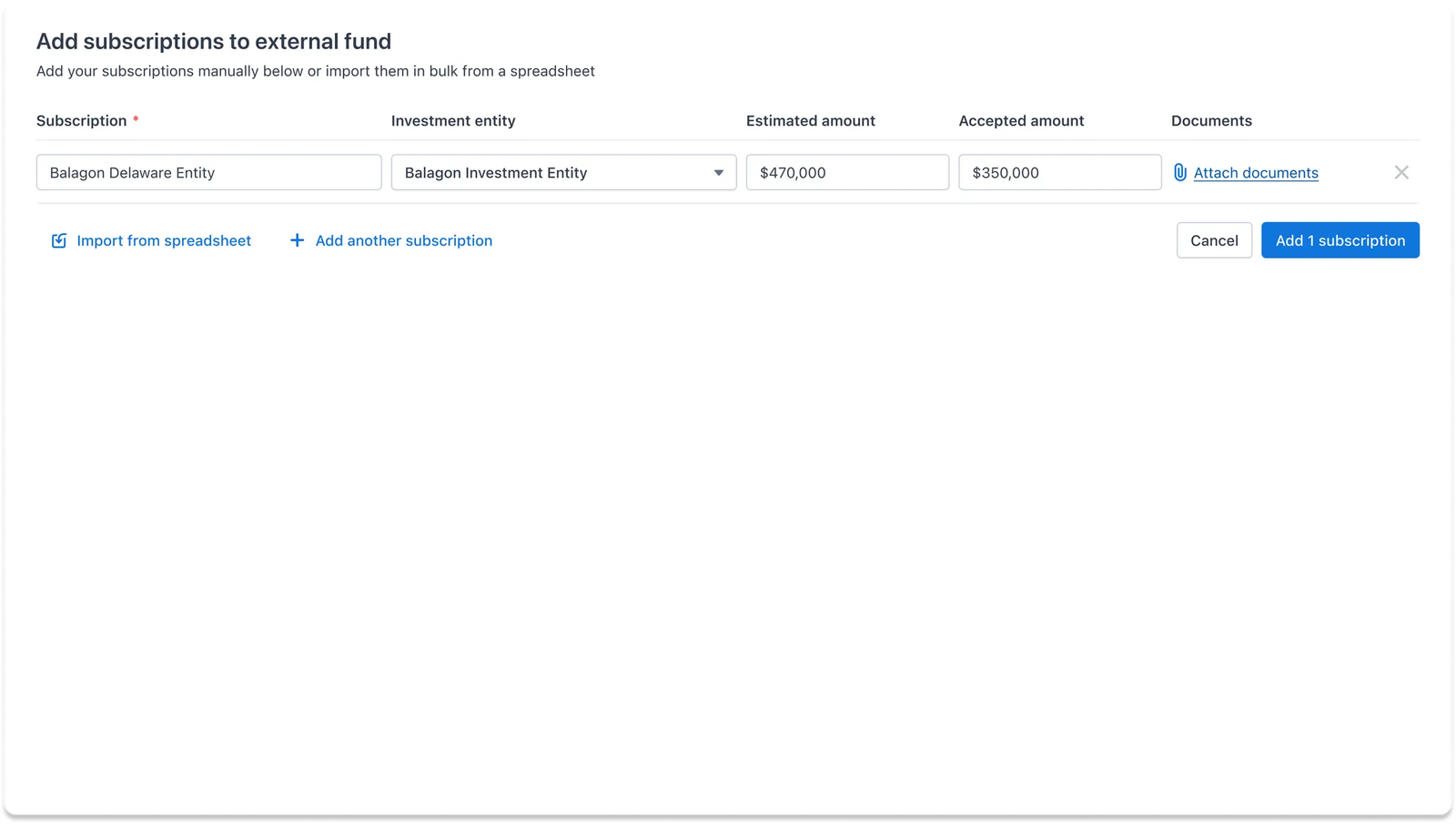
Adding multiple subscriptions
If you have several subscriptions to add, you can easily do this manually by clicking the Add Another Subscription button to add as many as you need.
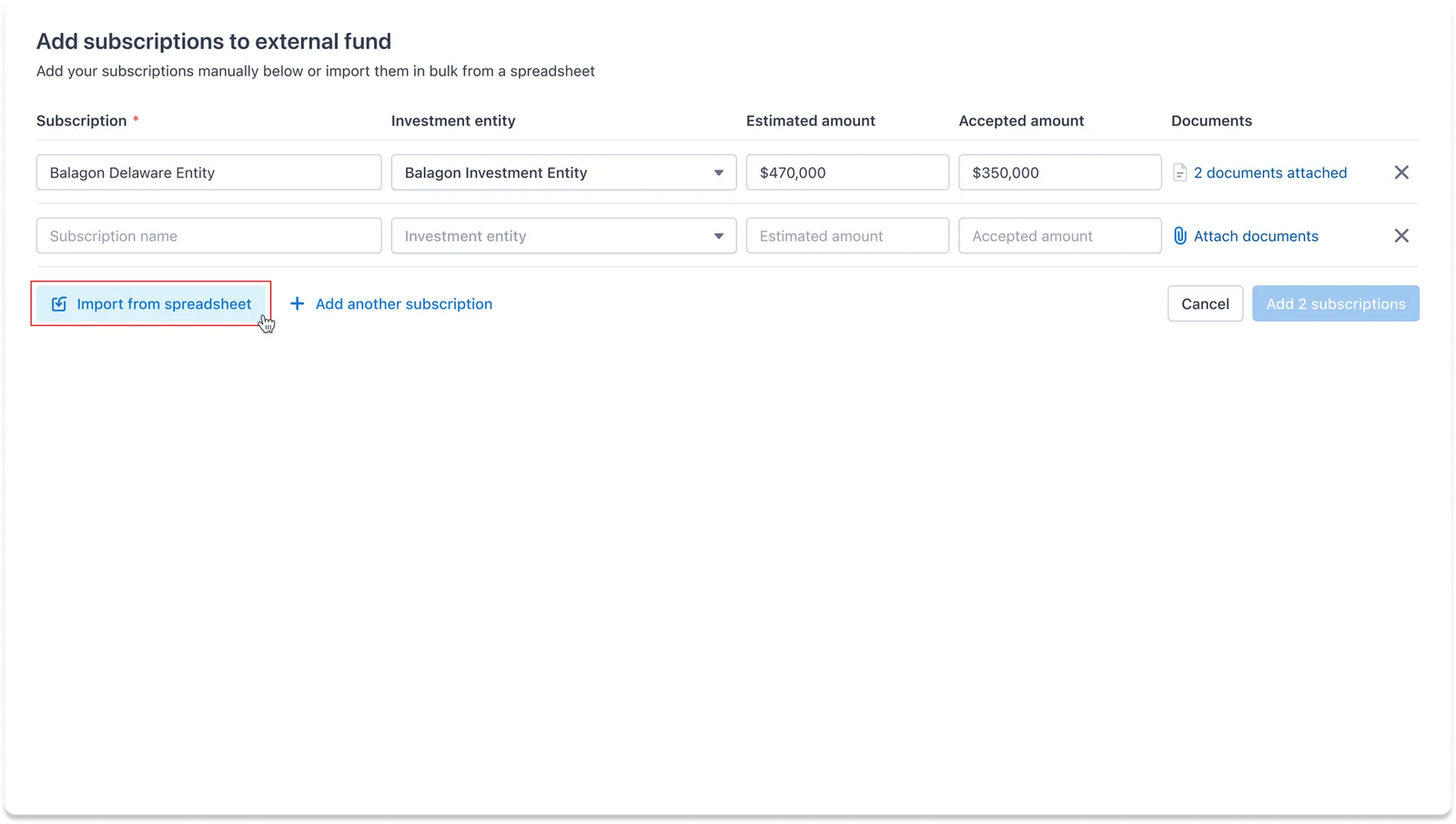
Adding subscriptions in batch using spreadsheet
For a larger batch of subscriptions, click Import from Spreadsheet to streamline the process.
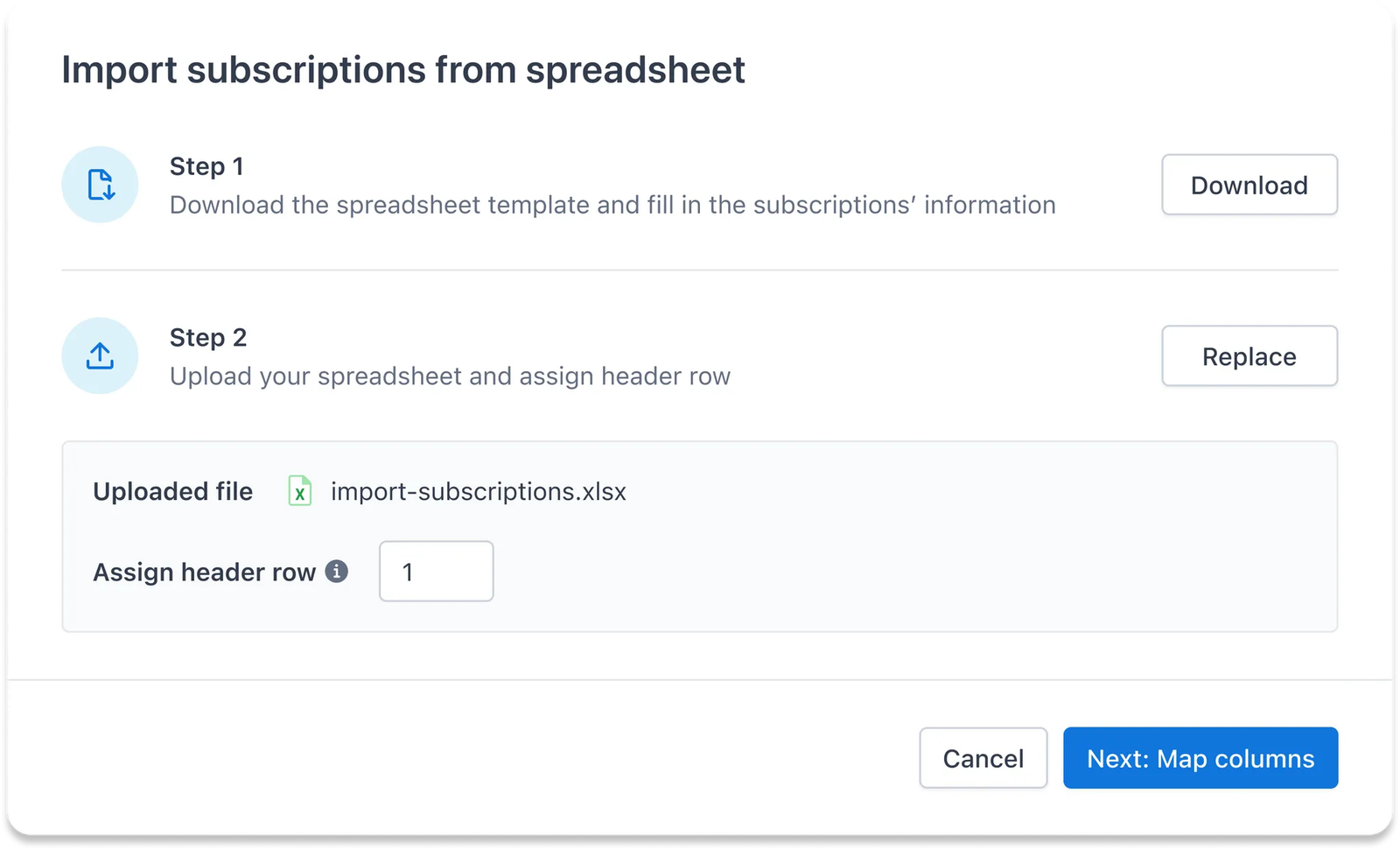
To get started, download the provided template and fill in the necessary information for each subscription.
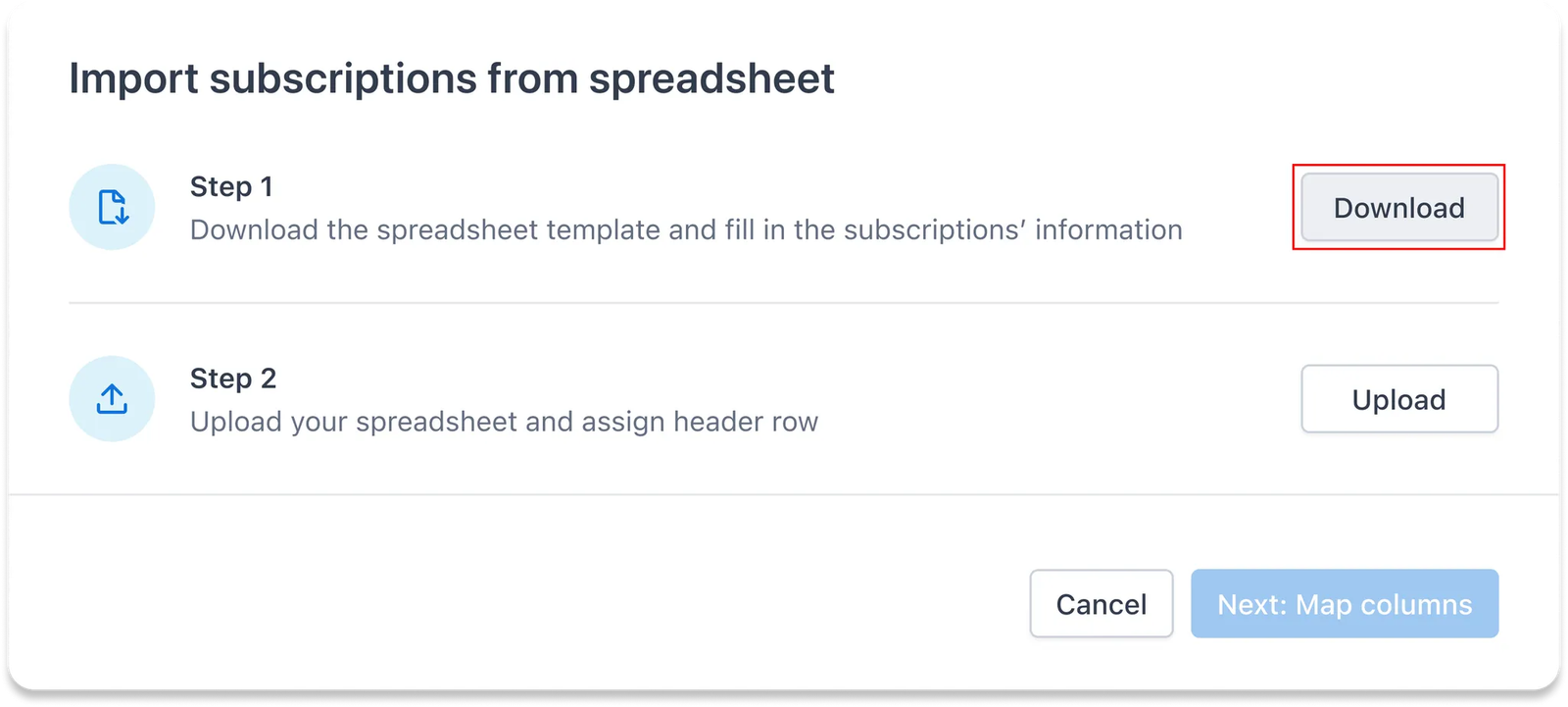
Once you’ve completed the spreadsheet, upload it and specify the header row to ensure all data is correctly mapped.
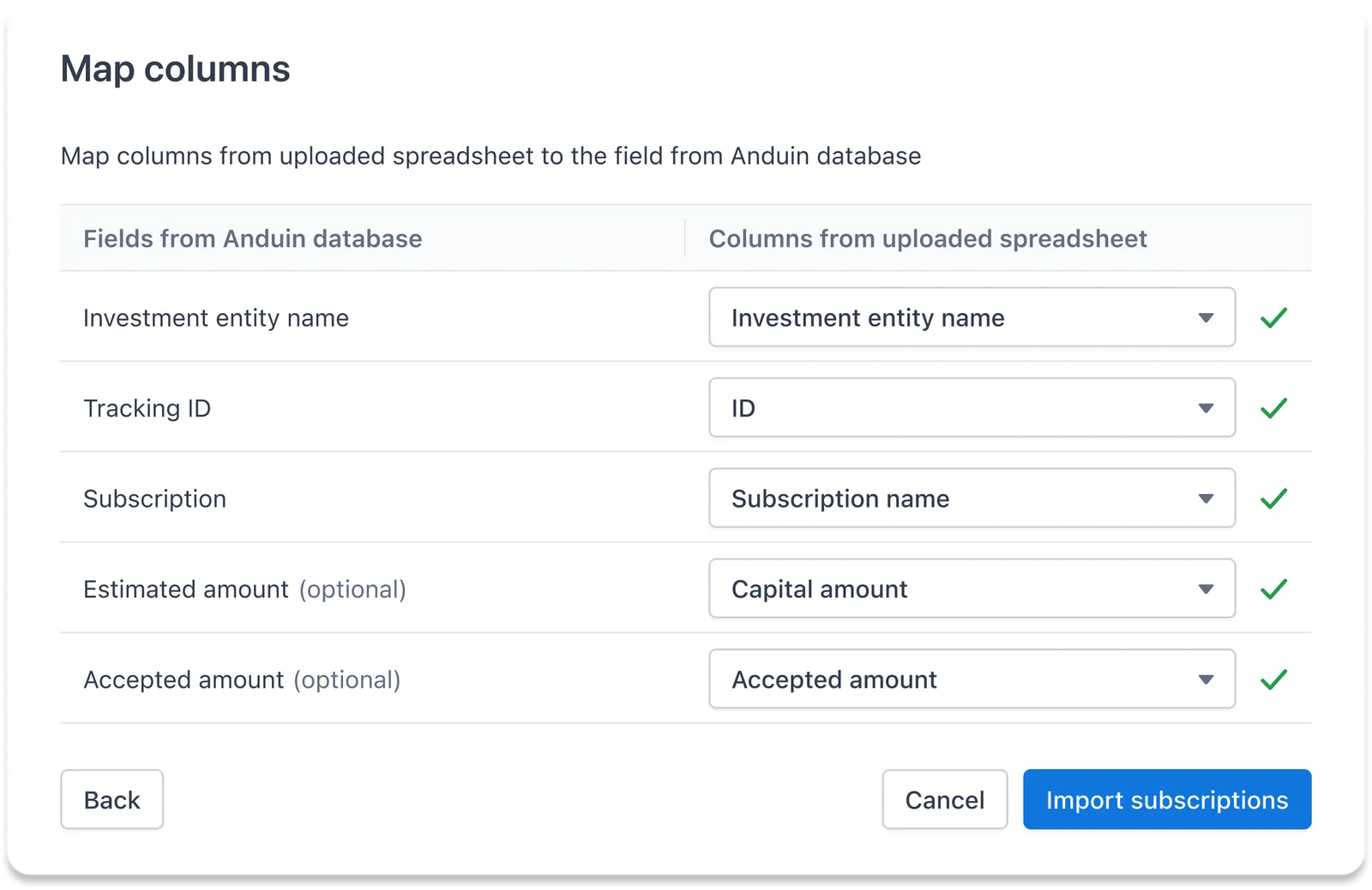
After that, review the mapping between the spreadsheet columns and subscription fields in IDM. You can make adjustments as needed to ensure everything aligns properly.
Step 3
Before you finalize the import, review all the subscription records. This is your chance to make any last-minute changes to ensure accuracy.
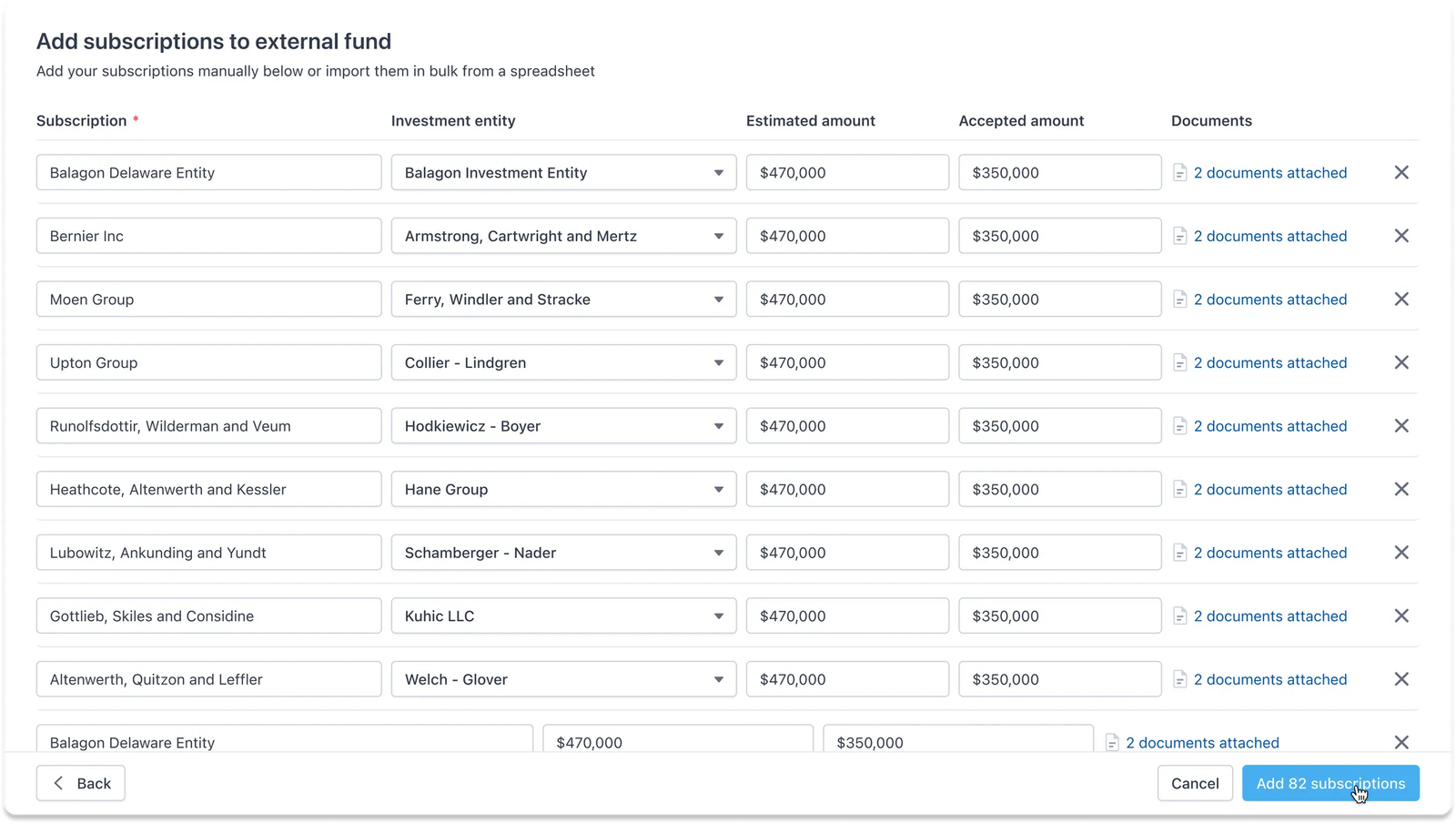
Once confirmed, all the subscriptions will be added to your fund, ready for use!
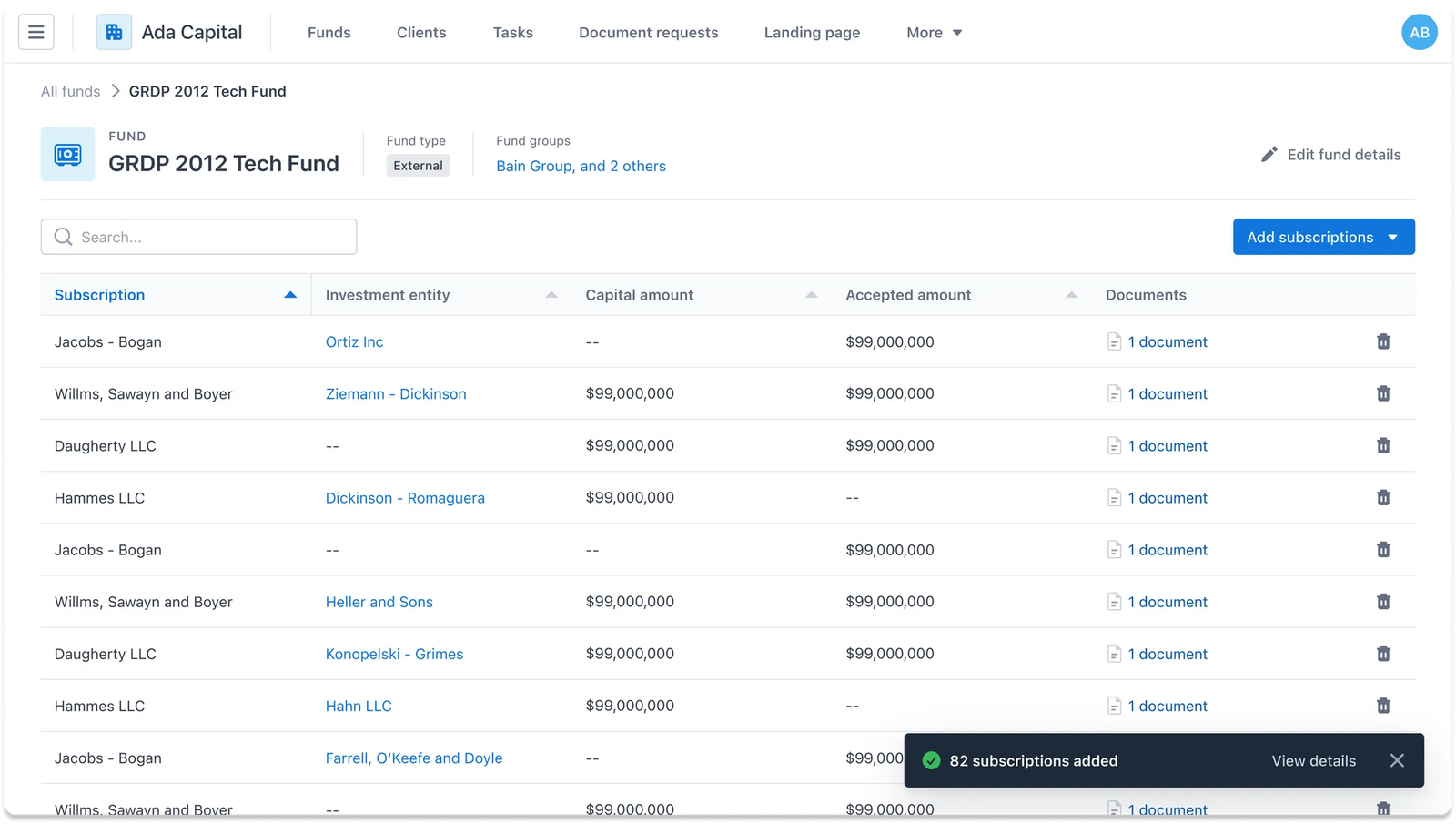
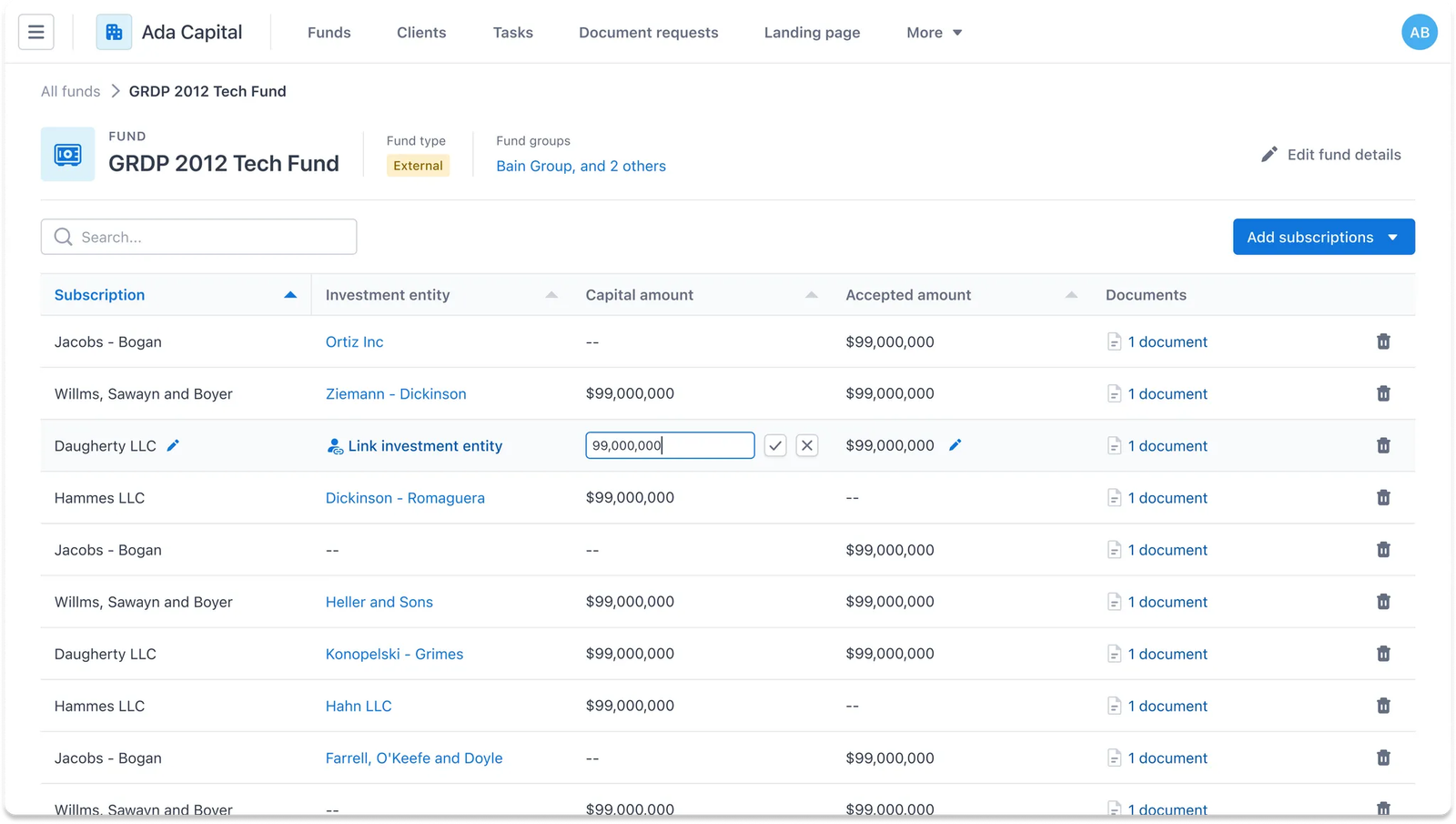
Make changes to subscriptions anytime later
Easily update values or attached documents directly from the dashboard, providing flexibility for quick adjustments to your records as needed.
c. Client engagement tracking
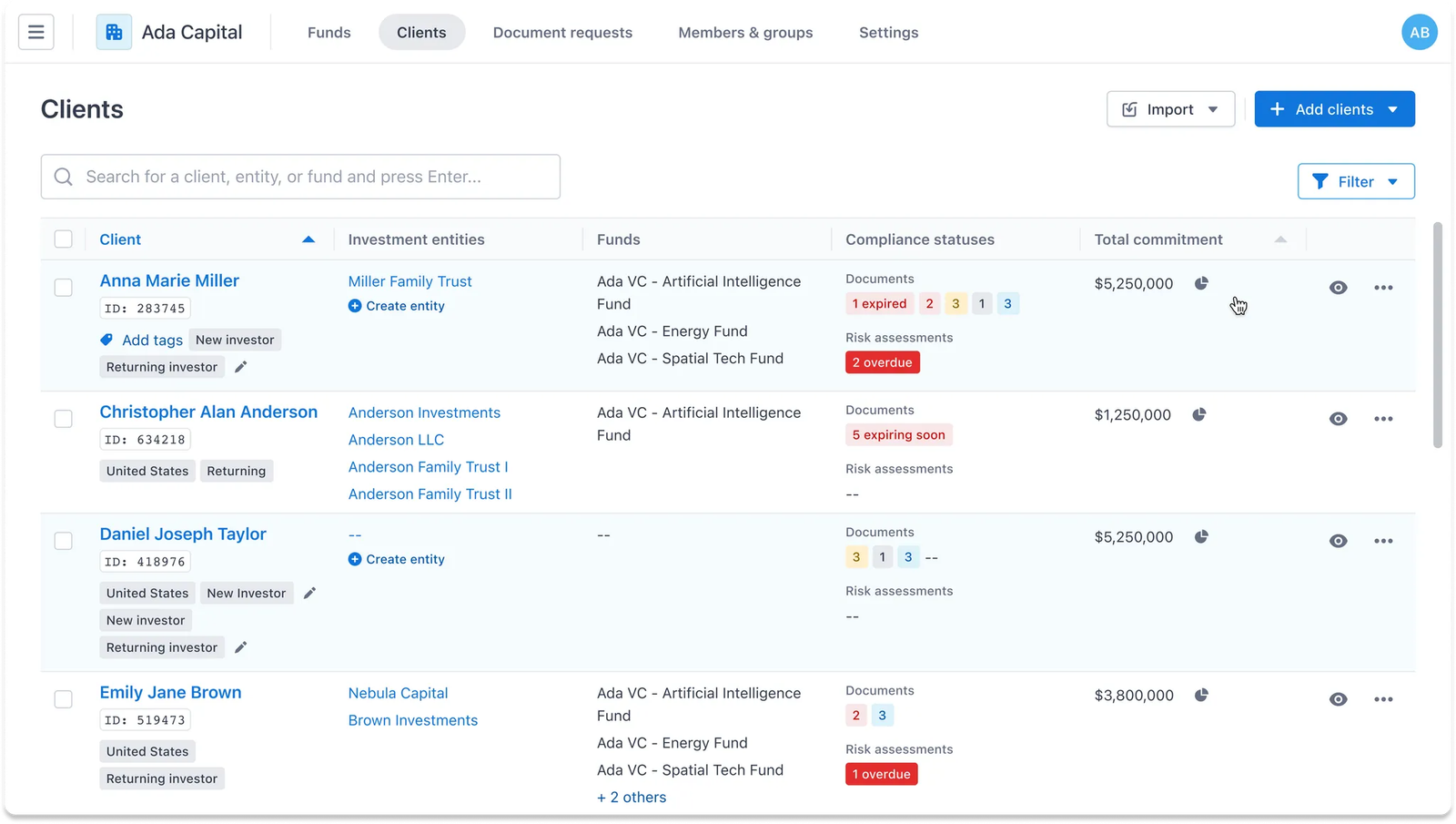
With all external funds and subscriptions recorded in IDM, users can now gain a comprehensive view of each investor’s aggregated commitments and participation information across all funds, whether initially made online or offline.
This centralizes data, enhancing record tracking and providing better oversight.