Set up firm-wide and fund-level communication types
Introduction While multiple contacts can be linked to an investment entity, each may serve a different function. For example, while some contacts handle fi
Introduction
While multiple contacts can be linked to an investment entity, each may serve a different function.
For example, while some contacts handle financial planning, others might focus on administrative tasks such as capital calls or profit distributions.
To manage this effectively, communication types provide an extra layer of access control based on a contact’s actual role, ensuring the right people receive the right information.
This guide covers the initial setup of communication types at both the firm and fund legal entity levels. These configurations serve as the foundation for applying granular permissions later through the contact matrix across entities and vehicles.
Guideline
1. Configure communication types at the firm level
Where to find this feature?
In IDM, go to Settings tab. Under the General sub-tab, you’ll find a dedicated section for managing the firm’s communication types
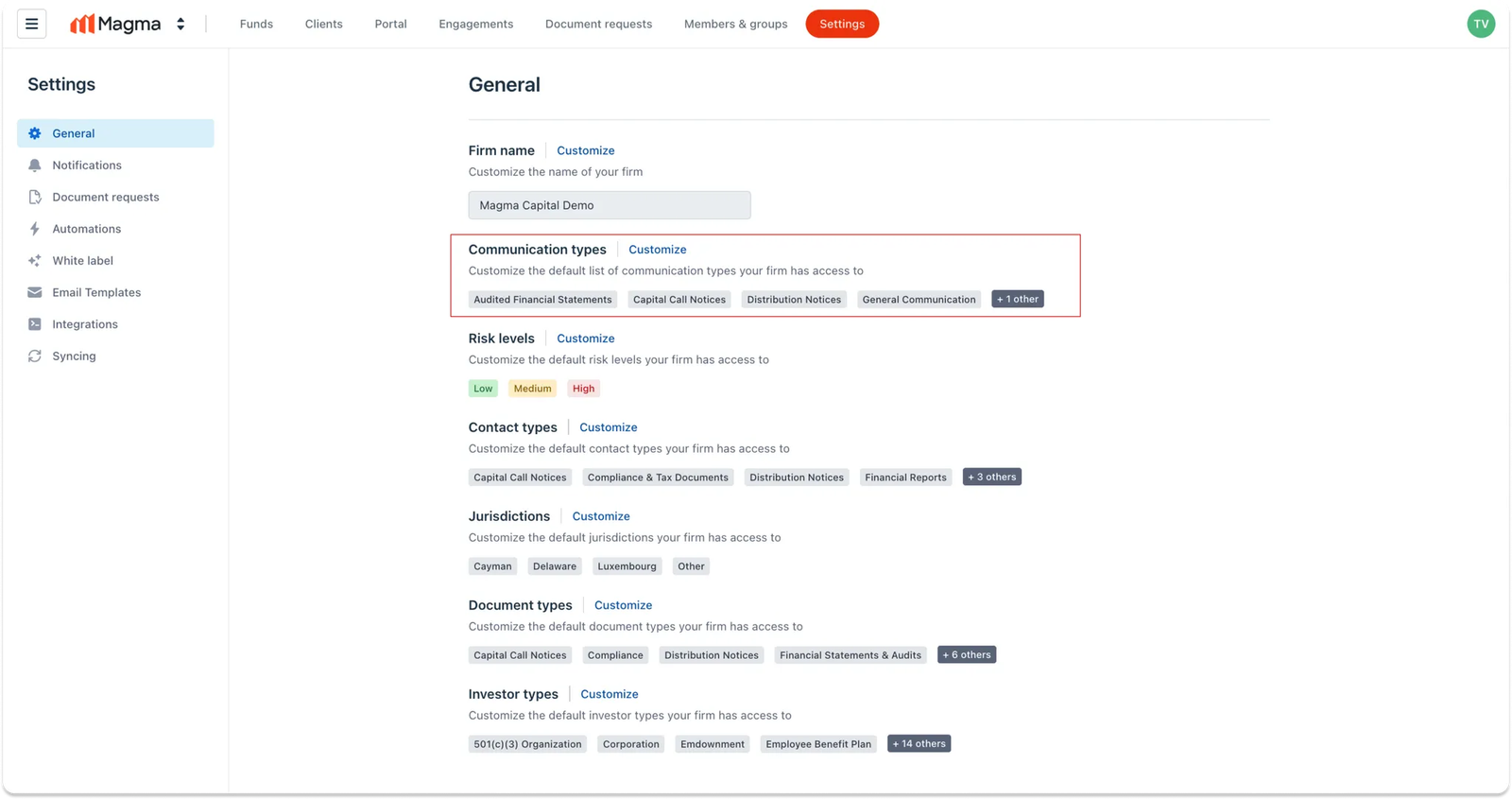
Step 1: View and access default communication types
Here, you will see certain default communication types already listed. To view the full list and start customizing, click Customize
Step 2: Review & modify existing communication types
A pop-up modal will then appear, showing the current list of communication types. In this view, you can also see which fund legal entities are currently using each communication type.
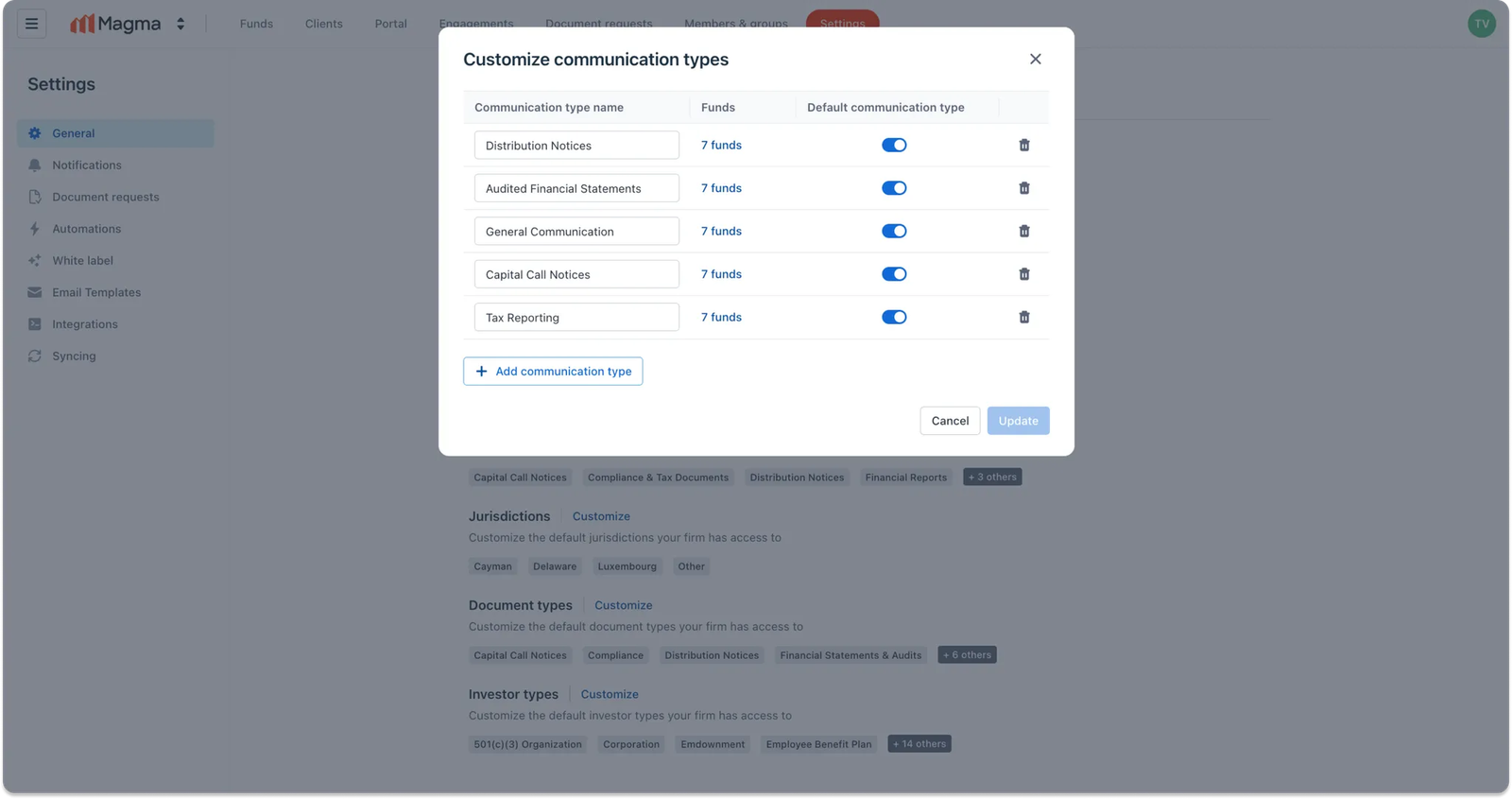
For each existing communication type, you can:
- Rename it — changes will apply to all linked fund legal entities
- Mark/unmark as default — default types are automatically included when a new fund legal entity is created
- Delete it — the type will be removed from all linked fund legal entities as well
Step 3: Add a new communication type
To create a new communication type, click on Add communication type
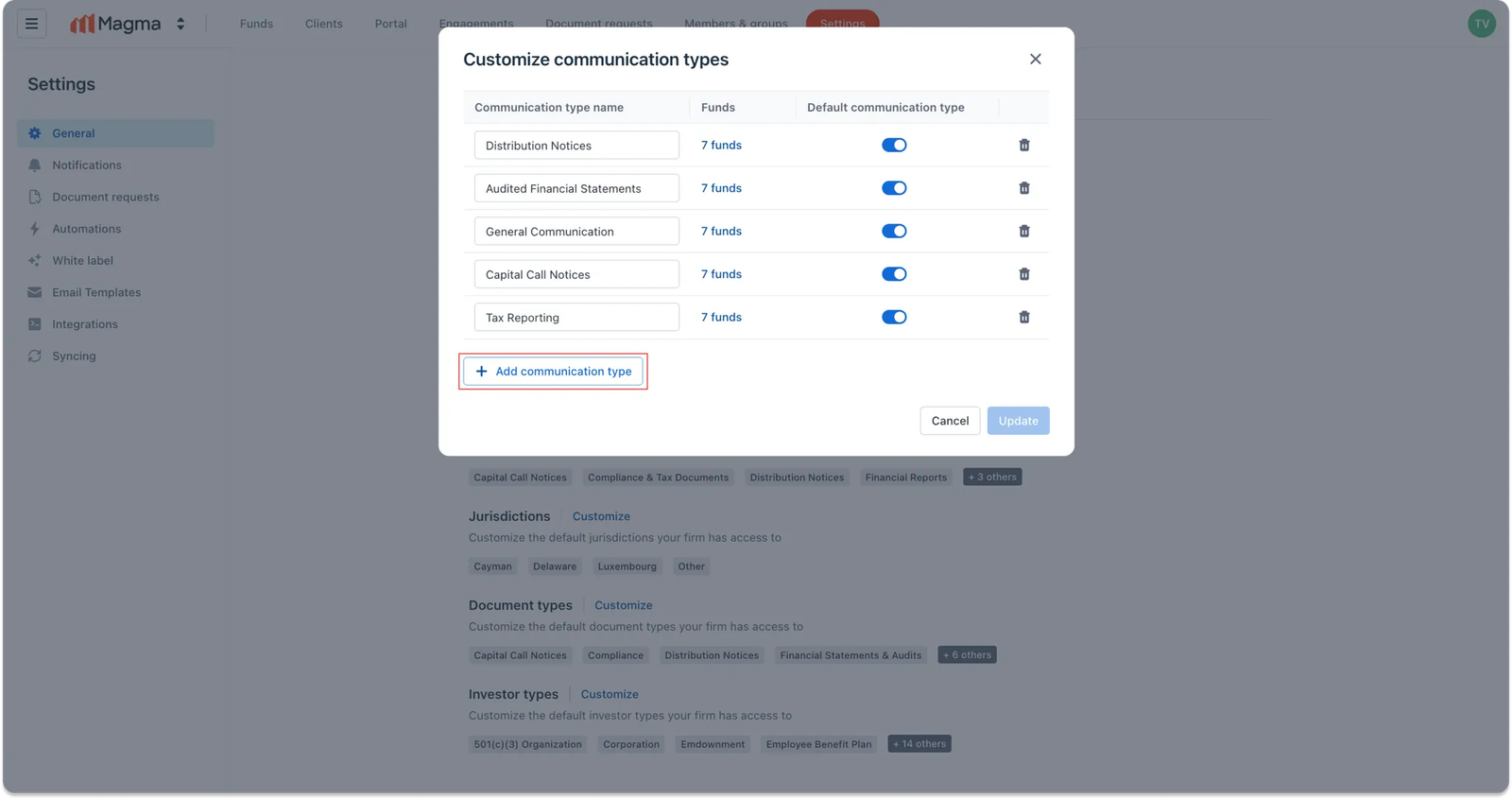
Then, you can enter a name for the new communication type and choose whether to mark it as a default.
Note: Each communication type must have a unique name—duplicates are not allowed.
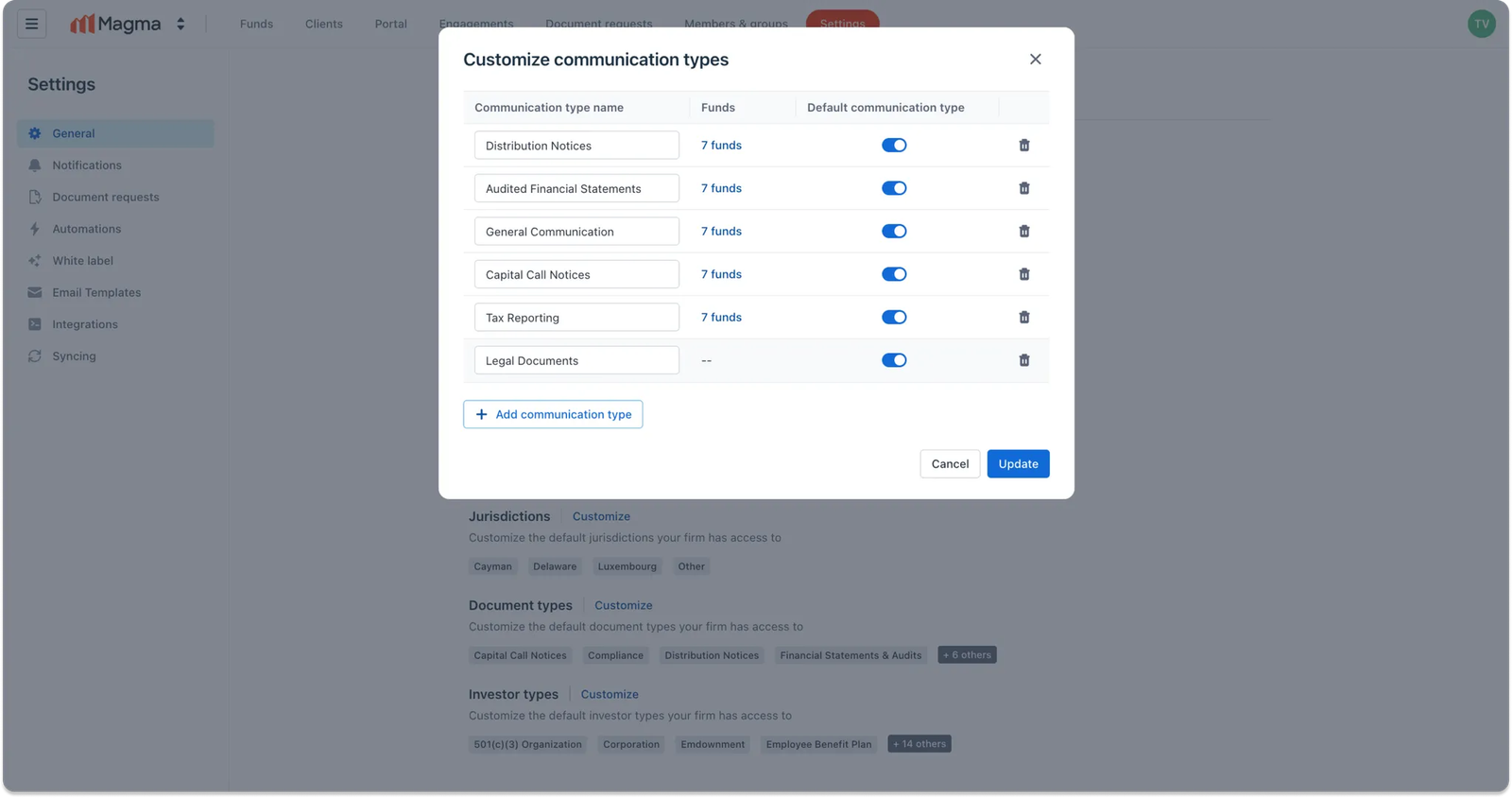
Once you're done, click Update. The new communication type will now appear in your firm's list, along with any other changes you've made.
2. Configure communication types at the fund level
Where to find this feature?
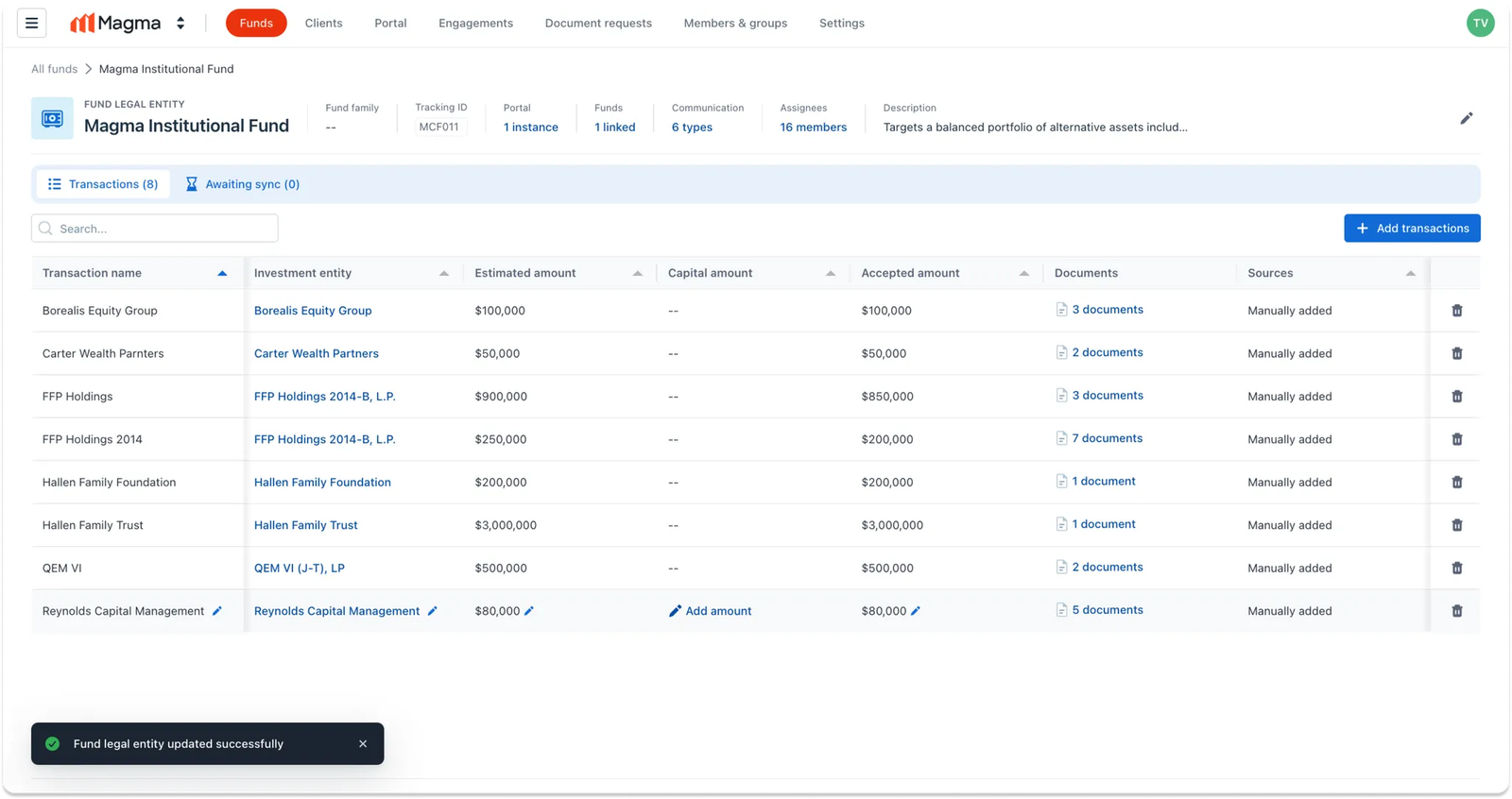
In IDM, go to Funds tab. Here, navigate to the specific fund legal entity you'd like to configure. In the header, you will see the list of communication types currently applied for this fund
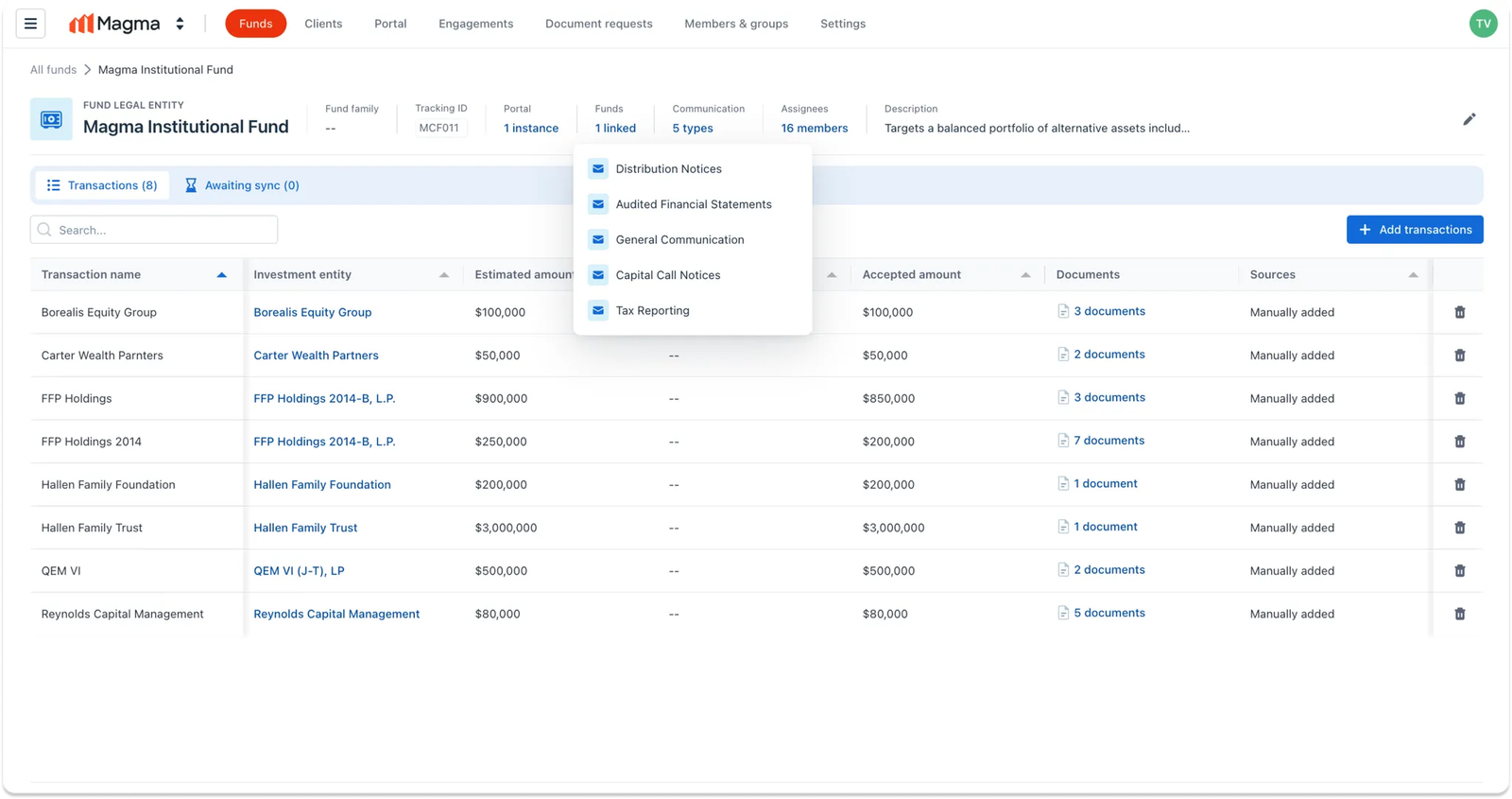
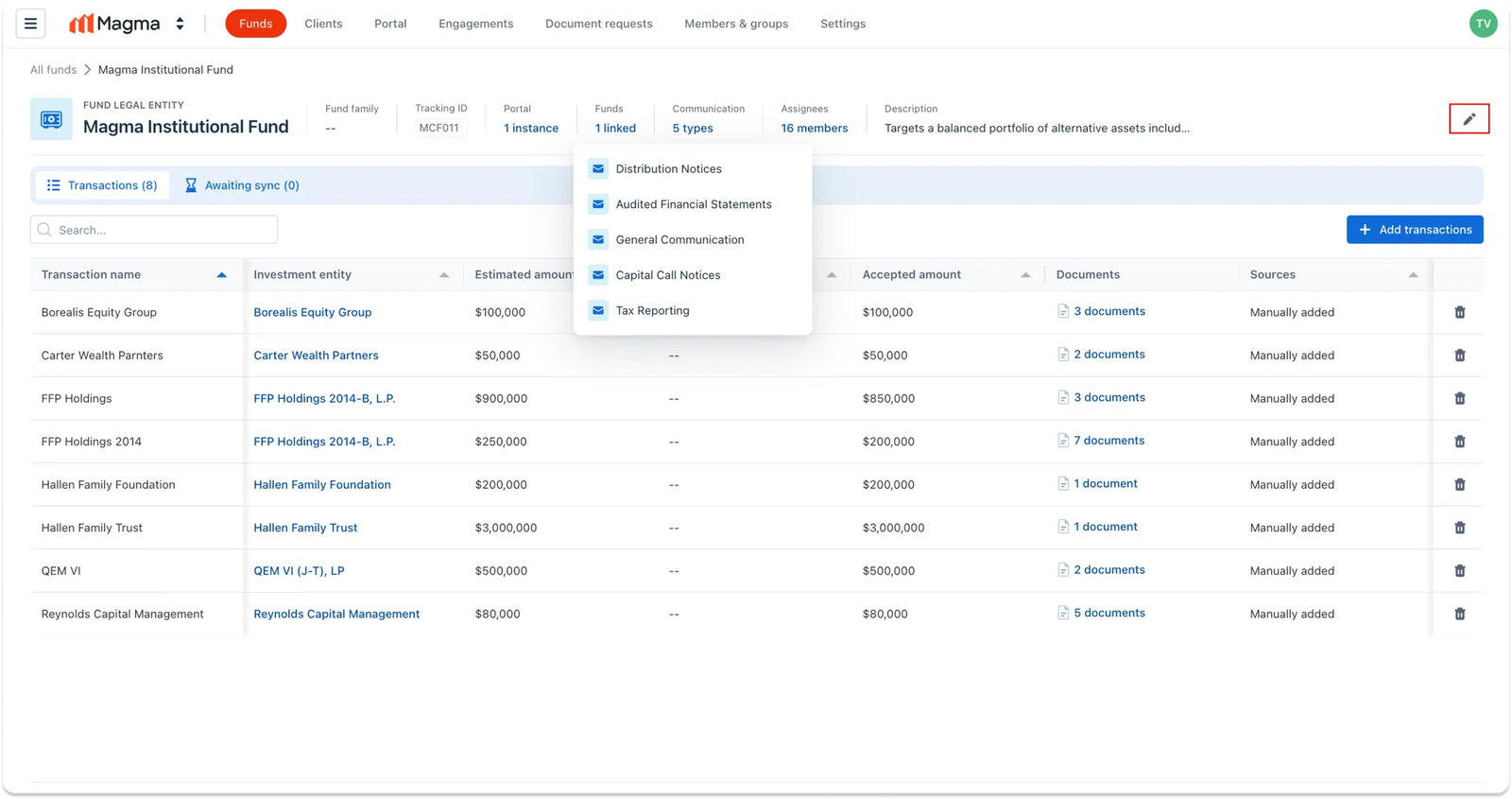
Step 1: Open fund-specific communication settings
To customize the communication types for a fund legal entity, click the Edit icon at the top right corner of the screen.
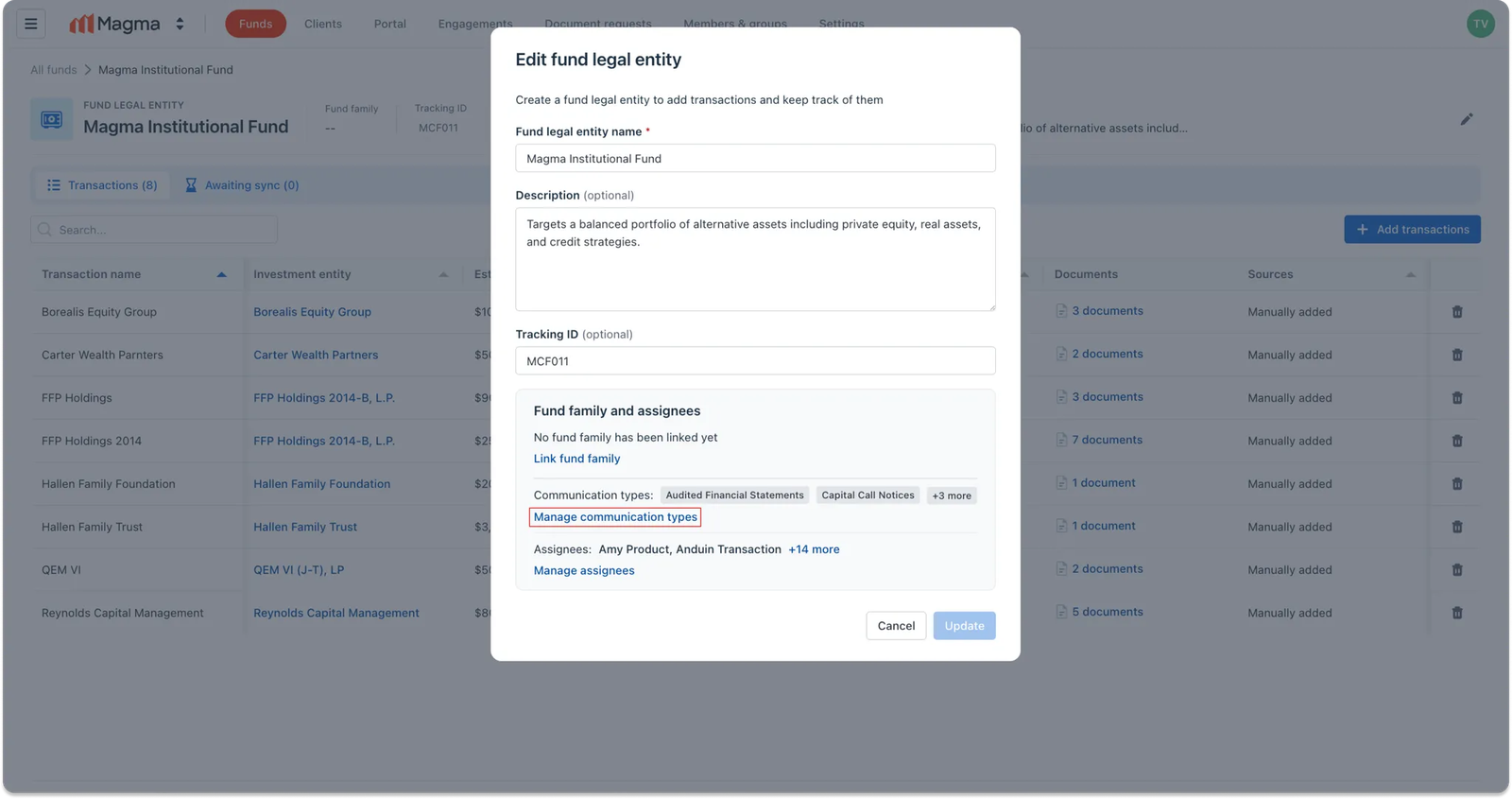
Step 2: Manage communication types for the selected fund
In the pop-up modal that appears, select Manage communication types
Step 3: Apply and save communication types
You’ll now see the full list of communication types set at the firm level. Use the checkboxes to select which ones should apply to this specific fund legal entity.
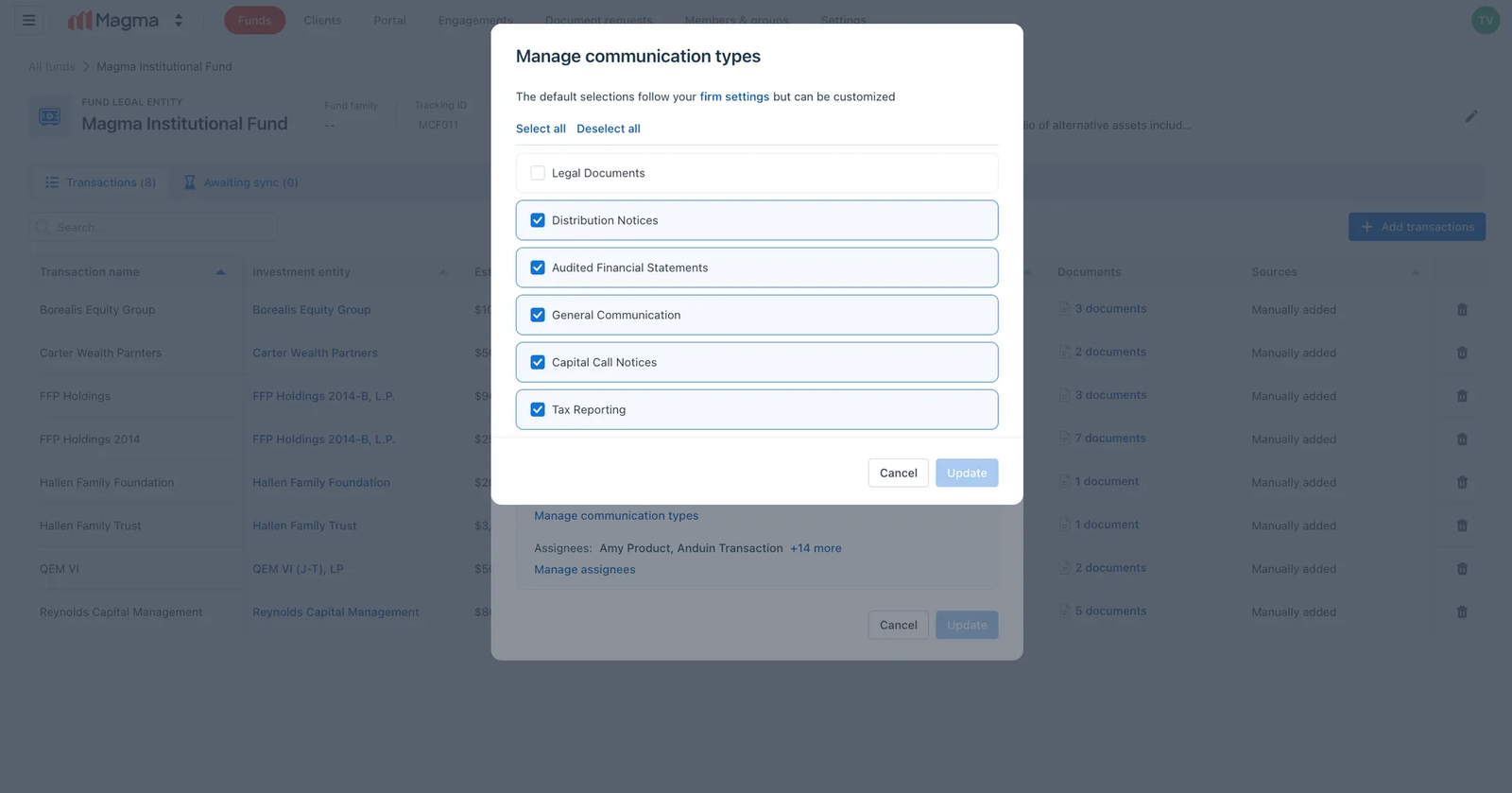
Once you finalize your selection, click Update .
Then, you’ll return to the main “Edit fund legal entity” modal.
Click Update again to save all changes. A success toast will confirm the update, and the number of active communication types will be refreshed accordingly.