

Allow or Remove Participants Ability to Invite Others to the Data Room
Public
Participants can be granted access to invite others to the Data Room. Follow the steps below to grant or remove access 1. In the Data Room, click the Par
Participants can be granted access to invite others to the Data Room. Follow the steps below to grant or remove access
- In the Data Room, click the Participants tab in the top Nav Bar:

- Select the checkbox next to the participants names you wish to edit:

- Click Edit Permissions:

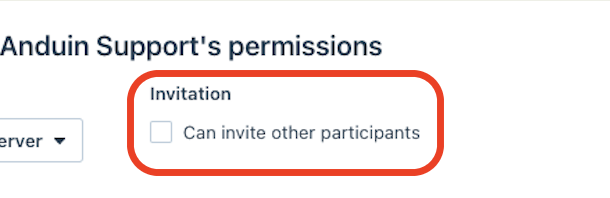
- In the pop up, check or uncheck Can Invite Other Participants:
- You will now see a green check or an empty checkbox next to the Can Invite checkbox:

Was this page helpful?