

Reorder Index
Public
1. Click on the Documents Tab in the top Nav Bar: 2. Choose Reorder: 3. Drag and drop the file/folder you would like to move Old Index vs New I
- Click on the Documents Tab in the top Nav Bar:

- Choose Reorder:
- Drag and drop the file/folder you would like to move
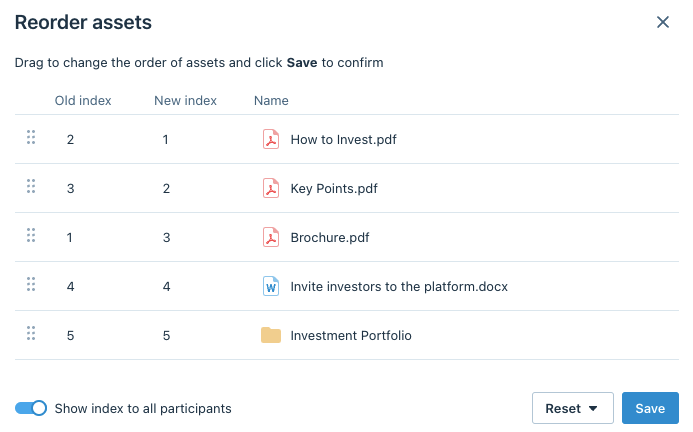
Old Index vs New Index
Old Index will show what position the file/folder was previously indexed to, while New Index shows the updated position
5 Click Save
Was this page helpful?