

Enable or Disable Email Notifications for Participants Joining Data Room
Public
If you would like to be notified or not notified whenever a new participant joins the Data Room, here is how you can enable or disable the notifications
If you would like to be notified or not notified whenever a new participant joins the Data Room, here is how you can enable or disable the notifications
Enabling or Disabling Notifications
In the top right corner, click the Bell Icon:

From here, users are able to select one of three options:
- Receive a notification whenever someone they invited joins the Data Room
- Receive a notification whenever anyone new joins the Data Room
- No notifications
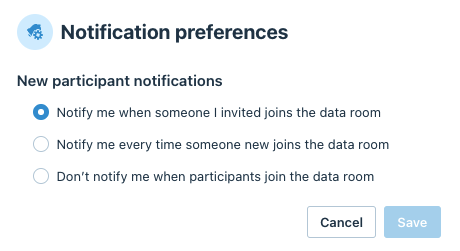
Click Save
Was this page helpful?