

How to batch distribute documents on Dataroom
Batch File Distribution on Dataroom is aimed at improving efficiency for fund managers who use Dataroom as their Investor Portal. This feature is especiall
Batch File Distribution on Dataroom is aimed at improving efficiency for fund managers who use Dataroom as their Investor Portal. This feature is especially useful for those who frequently generate multiple documents for investors using mail merge. With Batch File Distribution, you can quickly and easily distribute documents to designated folders within Dataroom, streamlining your workflow.
Who can batch distribute documents?
This feature is only available for Admin users.
How to batch distribute documents
Step 1: Prepare your files for batch distribution
To automatically move your files to the right locations, your files must be named following this format:
[foldername_filename.extension]Dataroom will utilize the first portion of the text - from the first character to the first underscore - as a search term for the folder name, excluding any spacing. It’s recommended to ensure the correct file name format before uploading.
Examples:
JohnDoe_taxform.pdfwill be uploaded and moved to folder“John Doe”John-Doe_taxform.pdfwill be uploaded and moved to folder“John Doe”Johndoe1_taxform_2003_Jan.pdfwill not be uploaded and moved to folder“John Doe”
Step 2: Select batch upload and move
In the “Upload” option, select “Files and auto-move” to access the feature
Note: Mapping will only apply to folders on the same level (not parents or child folders)
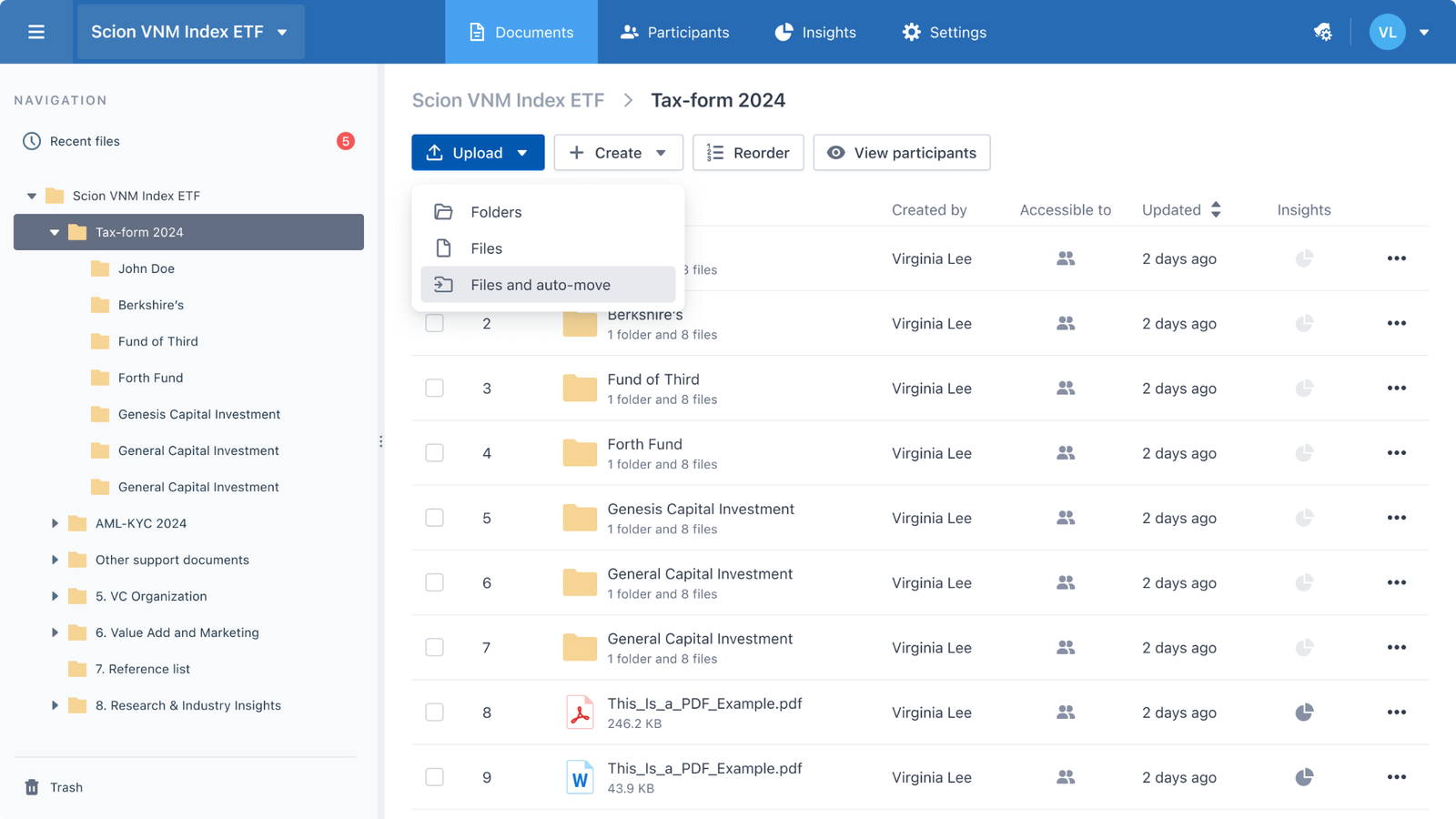
Select “upload files and auto-move” from Dataroom Document page.
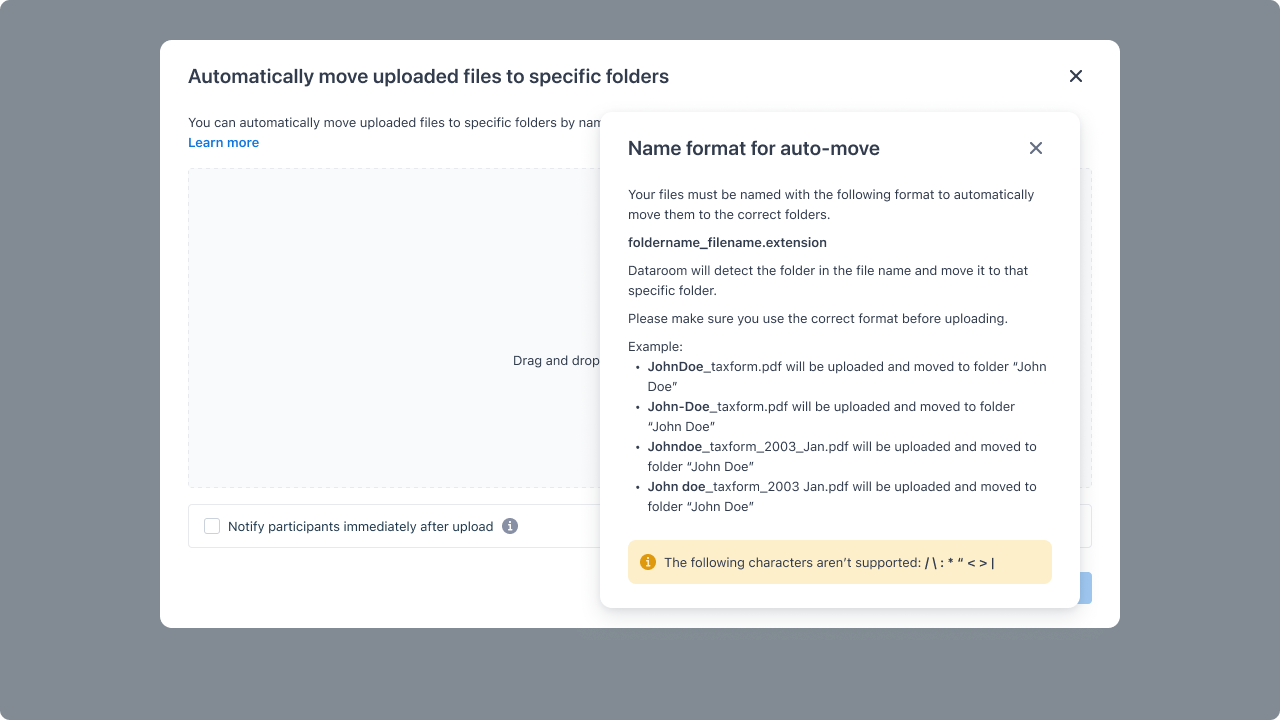
Upload modal
Step 3: Review uploaded files and defined destination folders
Mapping results will be displayed before file uploading. In this mapping result, you can see the defined destination folders for each file
With unsuccessful file maps, you can remove them from the upload. If not, these files will be uploaded to the current folder
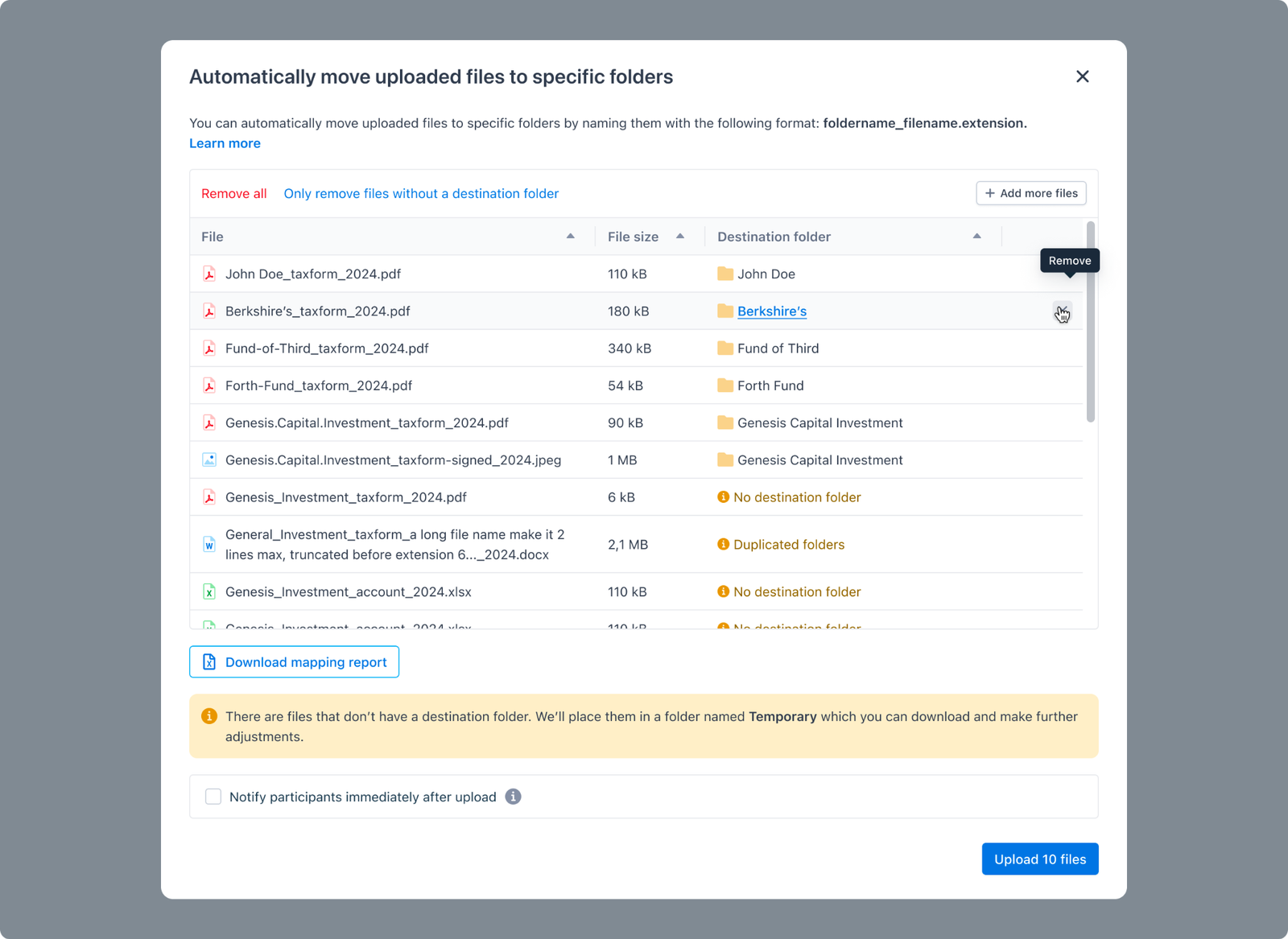
File-mapping results.