

View and Download Documents from Data Room for Participants
Public
After you log in to the platform, navigate to the Documents tab where you can see all folders, documents, and links of the data room. Note If the Download
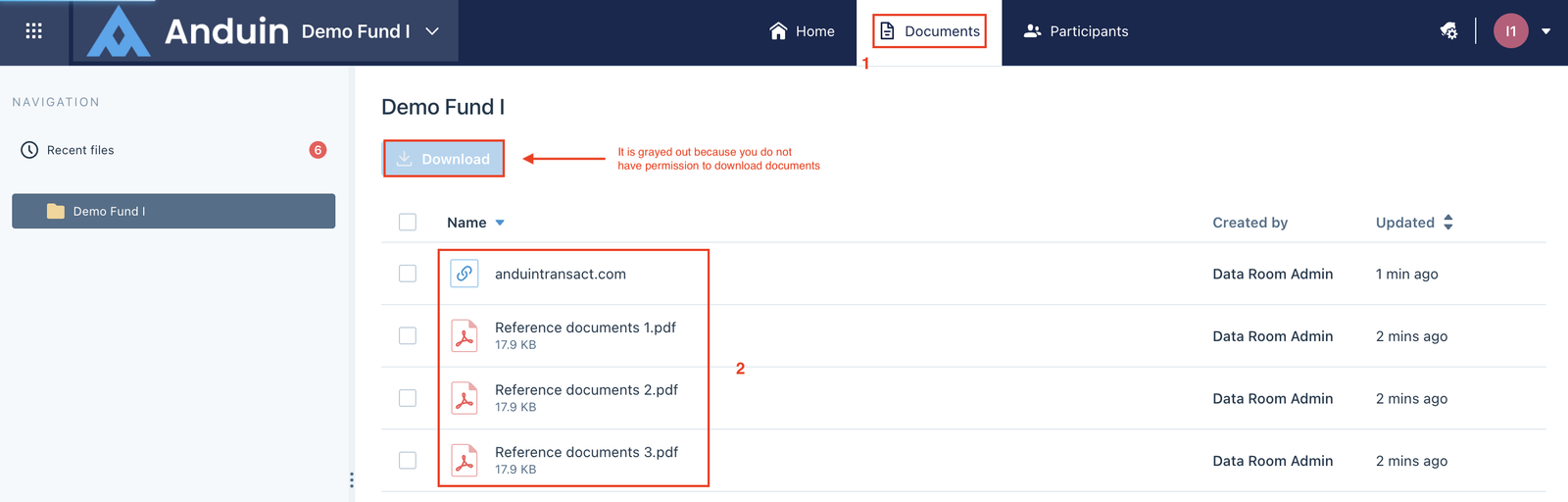
After you log in to the platform, navigate to the Documents tab where you can see all folders, documents, and links of the data room.
Note
If the Download button is grayed out, you do not have permission to download documents in this data room. Please reach out to your Data Room Manager.
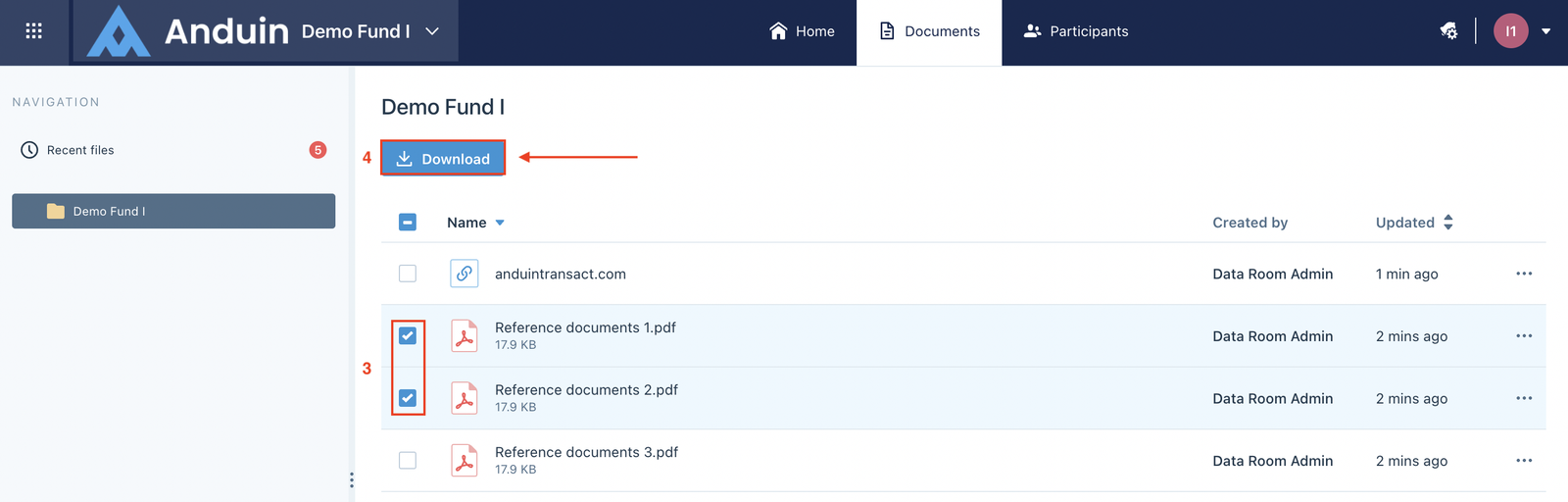
You can click the document to view it directly on the platform. If you have permission to download documents, select one or multiple documents and click the Download button.
Was this page helpful?