

Retrieve Deleted Data Room Document
Public
If you would like to reinstate a document that has been deleted, Data Room has the ability to do so using the Trash function within 30 days of deletion. Af
If you would like to reinstate a document that has been deleted, Data Room has the ability to do so using the Trash function within 30 days of deletion. After 30 days, the documents are permanently removed
Using the Trash Function
- From your Data Room, in the top Nav bar click Documents:

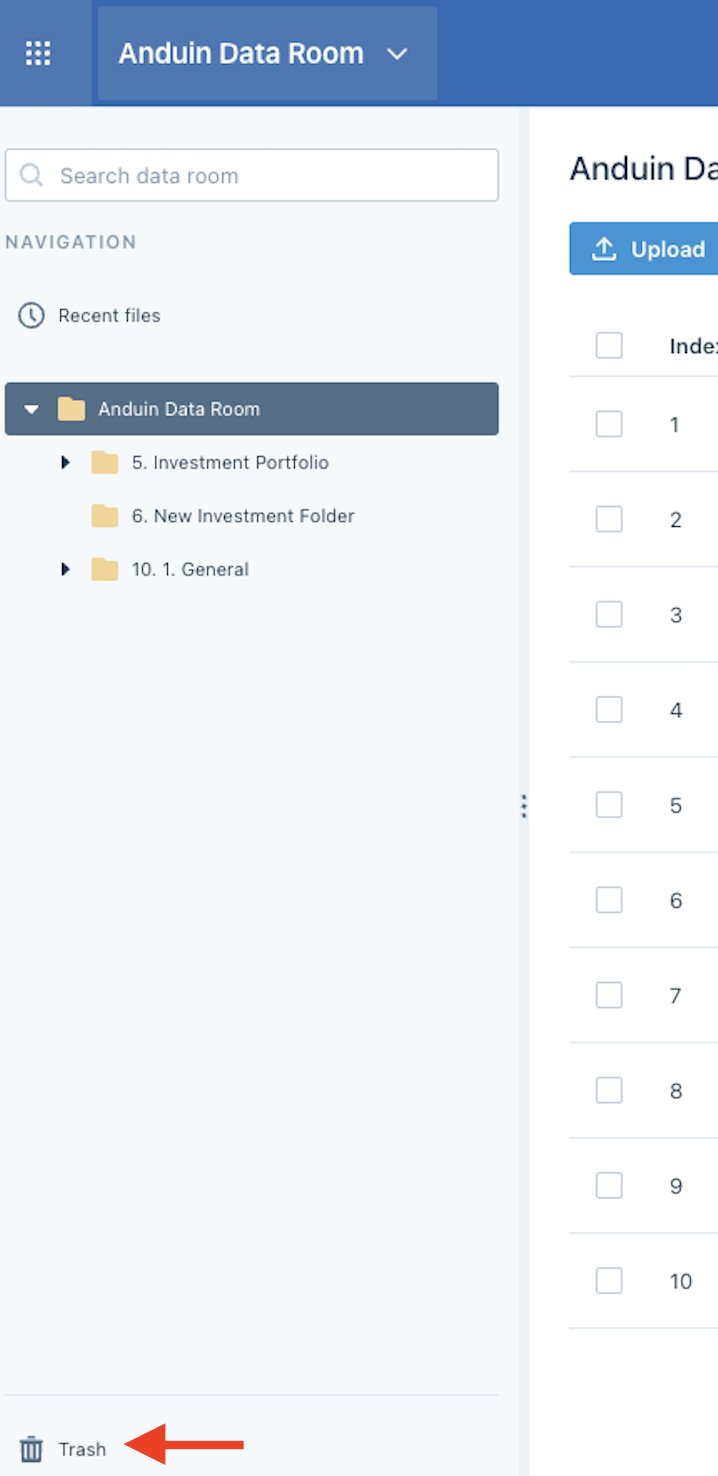
- In the bottom left corner, click Trash:
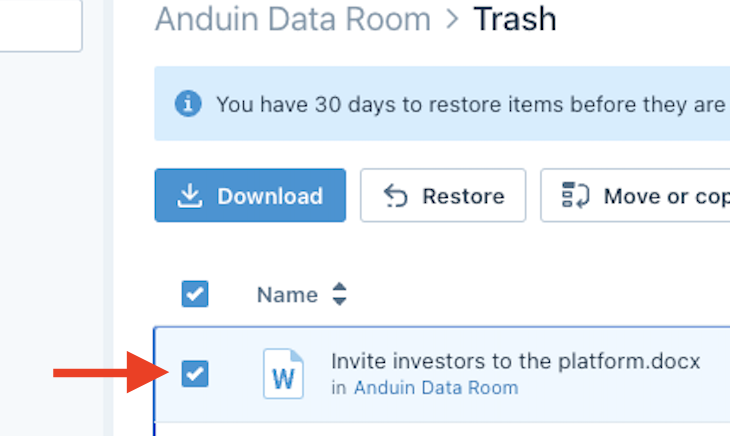
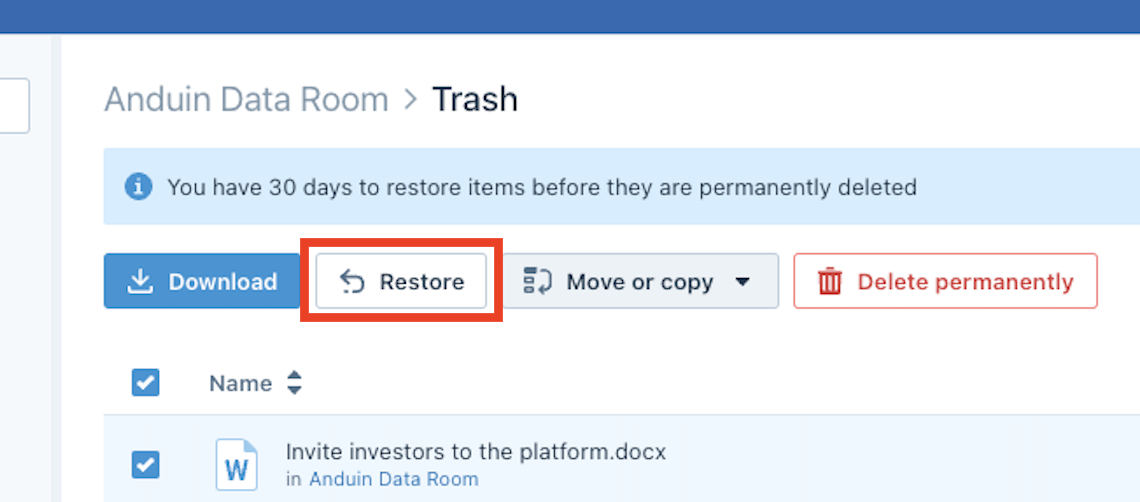
- Click Restore:
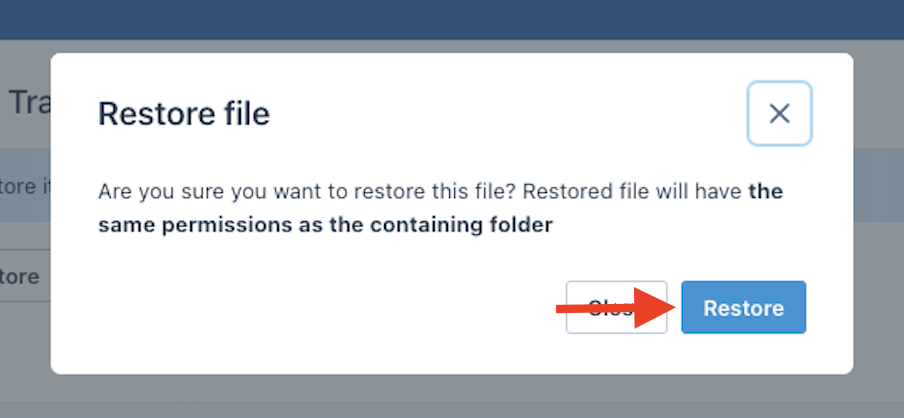
- Confirm you would like to restore the document by clicking Restore:
Was this page helpful?