

Managing Watermarks on Files
Public
Data Room Managers have the ability manage which files have Watermarks on them. To add a new Watermark, please see Adding Watermarks on Files: Managing a
Data Room Managers have the ability manage which files have Watermarks on them. To add a new Watermark, please see Adding Watermarks on Files:
Managing a Watermark
- In your Data Room, click the Settings tab in the top Nav Bar:

- In the left Nav Bar, click General:

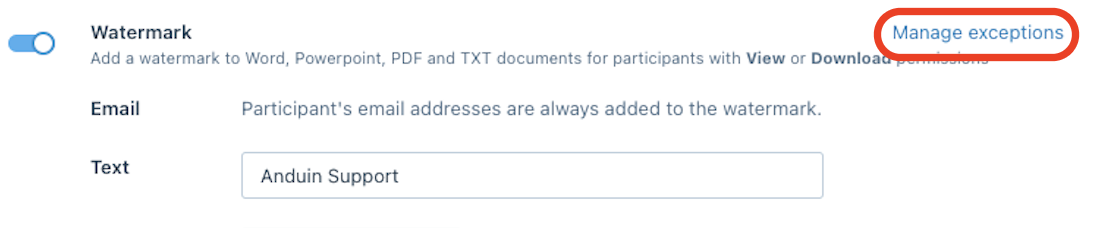
- Under the Settings section, toggle on and Watermark, click Manage Exceptions:
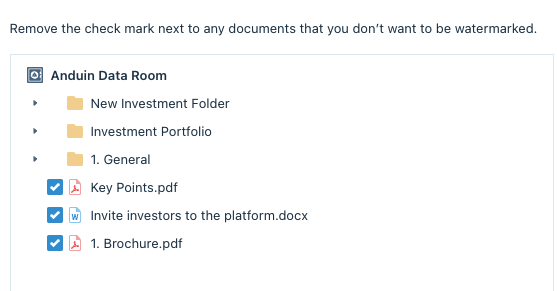
- From here, you are able to Select/Deselect which files should have Watermarks:
- Click Save
Was this page helpful?