

Create a New Data Room
Public
new roomdata room
To create a new Data Room, follow the steps below 1. Log in to https://dataroom.anduin.app/ 2. In the top right corner, choose + New Data Room: 3. Give
To create a new Data Room, follow the steps below
- Log in to https://dataroom.anduin.app/
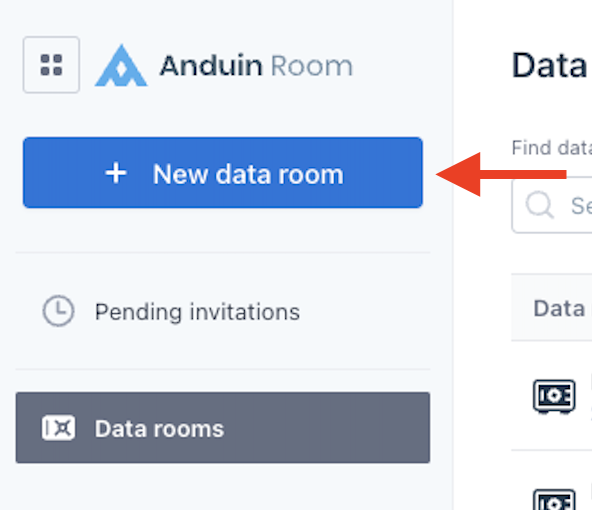
- In the top right corner, choose + New Data Room:
- Give you new Data Room a name and choose which settings, branding, and notifications you would like initially(all of these settings can be enabled in the settings tab later as well):
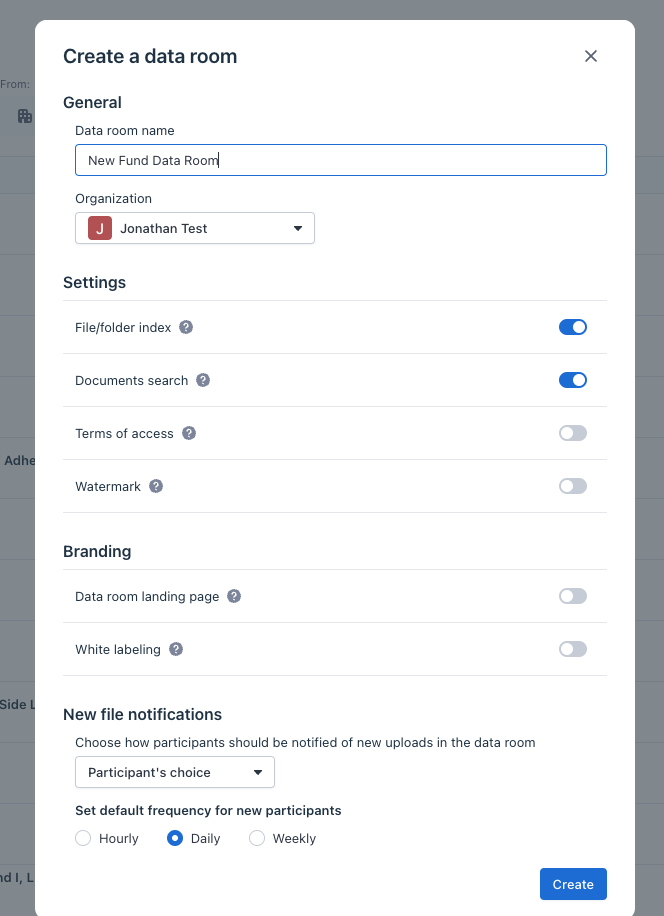
Note: The dataroom's name will be displayed on the tab name

Tab name
- Your Data Room is now ready to go! You can add in files, folders, and participants as well as customize any settings and the home page
Was this page helpful?