

Enable and Disable new Upload Notifications for Participants
Public
How to Enable and Disable Upload Notifications Navigate to the Settings tab and then the General sub-tab At the bottom, you will see a New file notificatio
How to Enable and Disable Upload Notifications
Navigate to the Settings tab and then the General sub-tab
At the bottom, you will see a New file notifications section where you can customize notifications for participants.
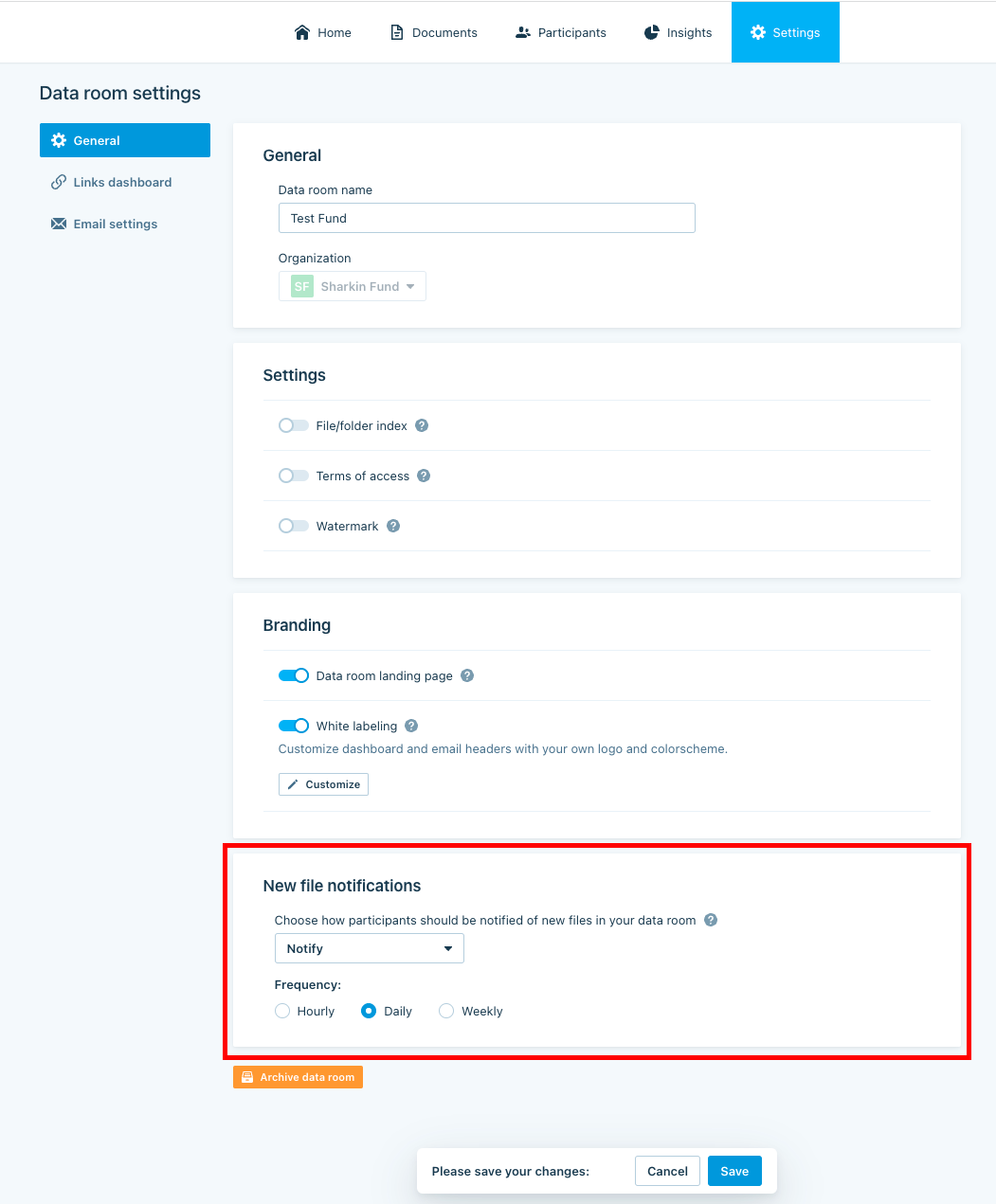
With this feature, you have the ability tochoose whether a participant is notified or not notified for new file uploads, while also having the option to leave preferences up to the participant. Additionally, you have the ability to customize frequency of notifications, which include hourly, daily, and weekly update options.
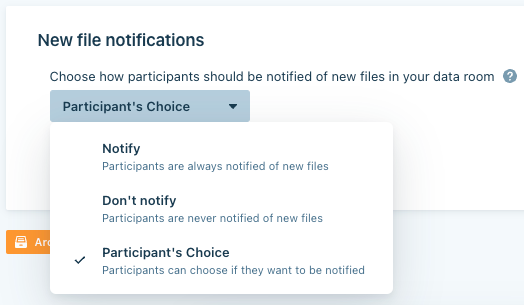
Once updated, be sure to hit Save to ensure those changes are made
Was this page helpful?