

Additional Action Permission on Fund Subscription
We are introducing an additional set of ten action permission switches - two for Fund Management and eight for Investor Management - to empower administrat
We are introducing an additional set of ten action permission switches - two for Fund Management and eight for Investor Management - to empower administrators with greater control over the actions and access they can assign to custom user groups.
Note: These permission switches are now automatically enabled for custom groups
Fund management
1. Access fund reporting: Users with this access can open the fund reporting tab
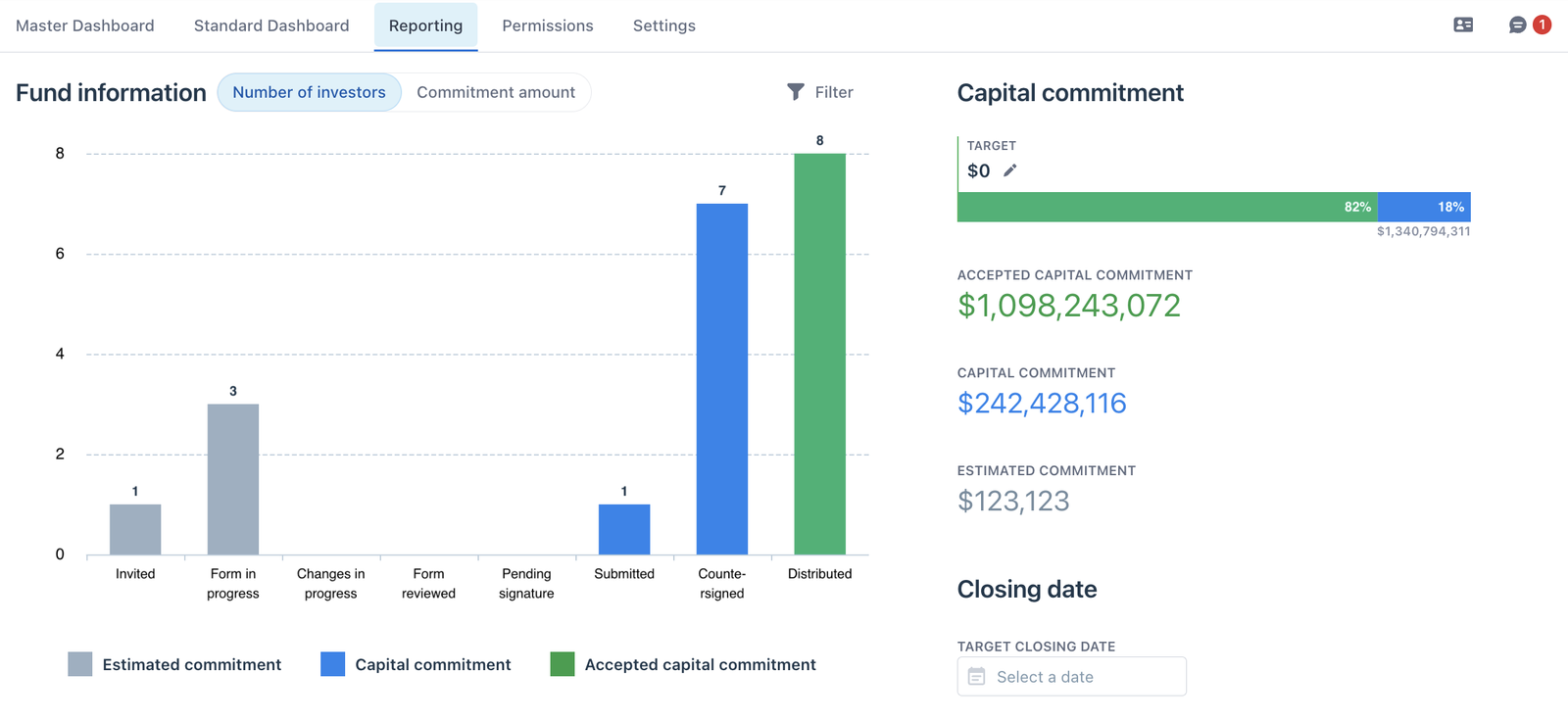
Fund reporting tab in Fund Subscription
2. Invite new team members to the fund: Users with this access can invite new fund side users - fund managers, fund admins,…
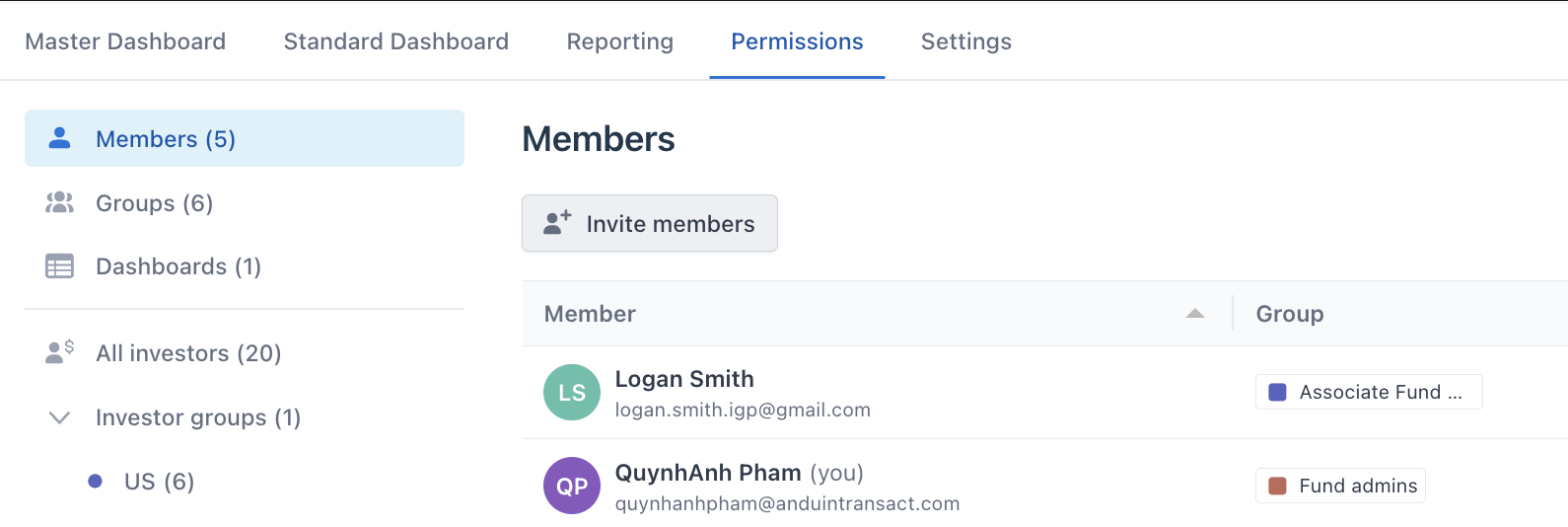
“Invite members” button from Permission tab
Investor management
1.Invite investors with offline subscriptions to complete them on Fund Subscription: User with this access can send invitations to offline investors to complete their subscription on the app
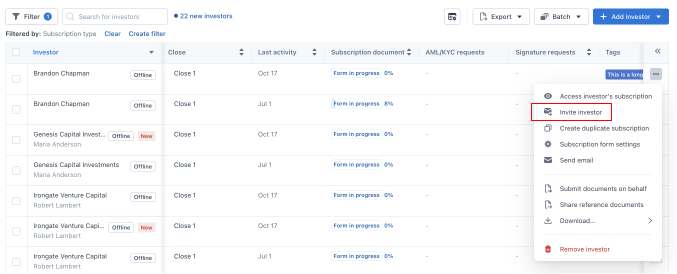
“Invite offline” option from the expanded menu of Fund Subscription Master Dashboard
2. Resend invitation to investors in “invited” status: User with this access can remind invited investors to join the fund
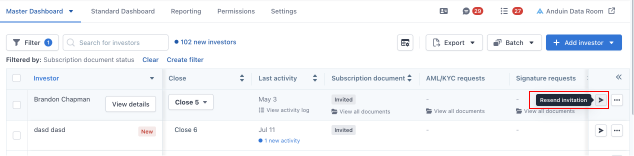
“Resend Invitation” option on Fund Subscription Master Dashboard
3. Craft and send custom emails directly from Fund Subscription to investors: Users with this access can send custom messages to investors through a "Send email" option in the side menu of each investor.
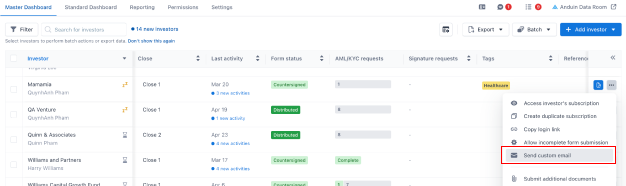
“Send custom email” option from the expanded menu of Fund Subscription Master Dashboard
4. Manage investor details: Users with this access can manage collaborator information, custom IDs, tags, and closes accessible from dashboards and the investor details drawer
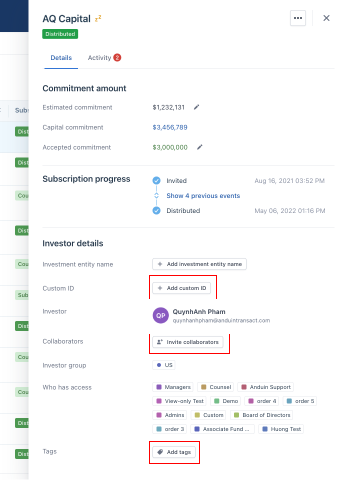
Manage investor's details from detail drawers of Fund Subscription
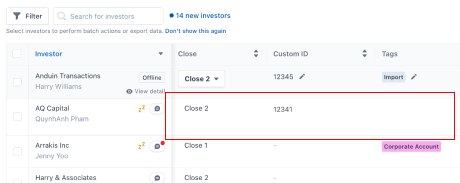
Manage investor's details on Master Dashboard.
5. Update investor custom column values: Users with this access can make updates to each column on the dashboard (with granted access), including custom columns

Update custom columns' values from the Master Dashboard on Fund Subscription
6. Allow incomplete form submission: Users with this access can allow which investor can submit incomplete subscription documents.
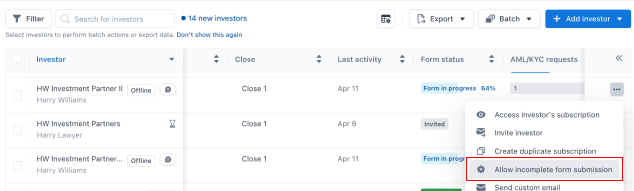
“Allow incomplete form submission” from the expanded menu of Fund Subscription Master Dashboard
7. View investor details drawer: Users with this access can access the investor’s details drawer and view information such as including investor email, collaborators, custom IDs, tags, investor groups, and activity logs
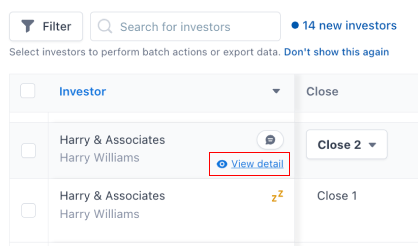
Entry point to view Investor Detail drawer.
8. Export investors' data: Users with this access can see available export templates (with granted access) and export investors’ data using the templates.

“Export" button from Fund Subscription Dashboard.