

Learn about the Batch feature
Instead of taking action on a single investor, users can use the Batch features to perform bulk actions on multiple investors. Email investors Users can se
Instead of taking action on a single investor, users can use the Batch features to perform bulk actions on multiple investors.
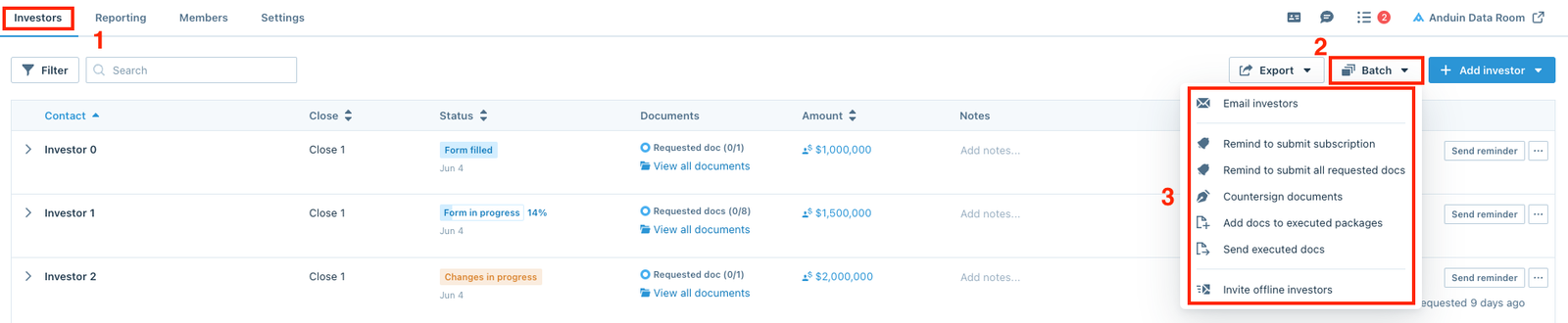
Email investors
Users can send emails to multiple investors using the Email investors option. Learn more about How to email investors.
Remind to submit subscription
Users can remind multiple investors in Form in progress and Form filled stages to submit their subscriptions using the Remind to submit subscription option. Check out Remind to submit subscription for more information!
Remind to submit all requested docs
Users can remind multiple investors to submit their pending requested documents using the Remind to submit all requested docs option. Check out Remind to submit all requested docs for more information!
Countersign documents
Users can countersign or request countersignatures for multiple documents using the Countersign documents option. Take a look at How to countersign documents for more.
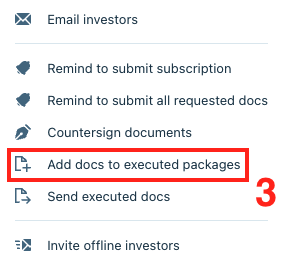
Add docs to executed packages
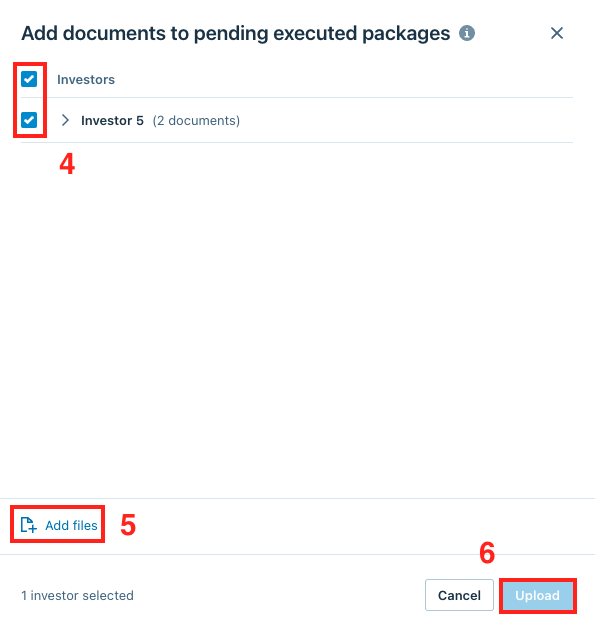
After countersigning all the documents, users can save them in escrow and use the Add docs to executed packages option to add additional documents.
Select the option from the Batch dropdown menu.
After selecting the option, the window below will pop up on the screen, select the investors and click Add files to select the documents, then click Upload to finish.
Send executed docs
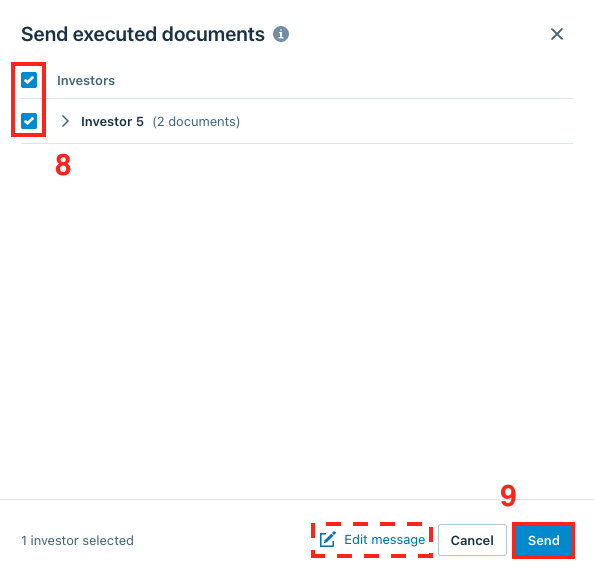
After the executed packages are ready, users can use the Send executed docs option to distribute them to multiple or all investors.
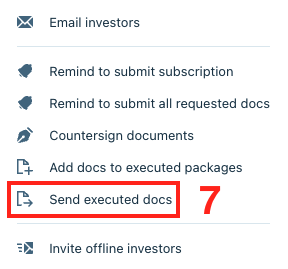
When the window below pops up, select the investors and edit the message if needed, then click Send to distribute the executed documents.
Invite offline investors
To invite multiple investors who were previously invited as offline investors to the platform, users can use the Invite offline investors option from the Batch dropdown menu. Learn about offline subscriptions in this article.