

Learn about the Subscription Statuses in Fund Subscription
From the Investors dashboard, users on the fund side can track the progress of each investor through the subscription statuses. Click to expand the investo
From the Investors dashboard, users on the fund side can track the progress of each investor through the subscription statuses. Click to expand the investor row, then hover over each status to see its description.
Invited
The investor has been invited and has access to the subscription forms, but has not started filling the form.
Form in progress
The investor has started filling out the form but has not completed it; some fields are still missing.
Pending review
The investor has completed filling out the form and submitted it for review before signing.
- In order to enable this workflow, users can go into the Settings tab:

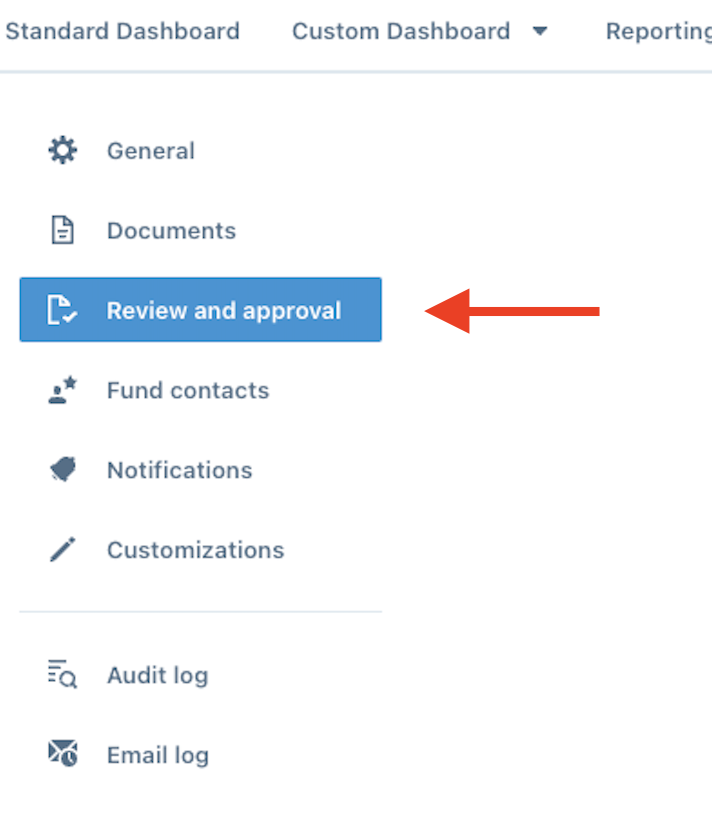
- In the left Nav Bar, click Review and Approval:
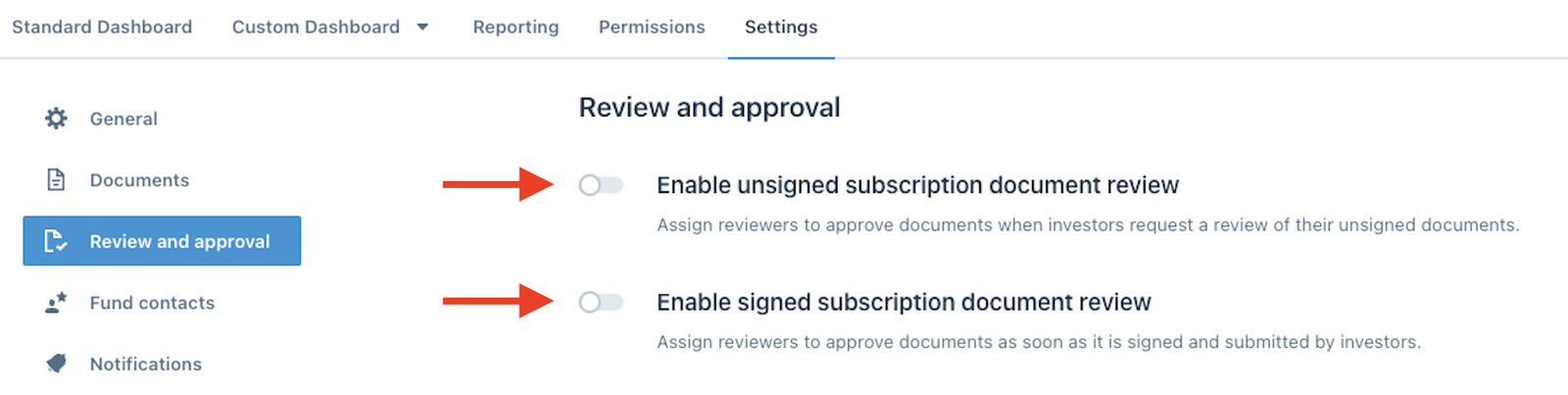
- Choose whether you would like to enable unsigned, signed, or both Subscription documents for review:
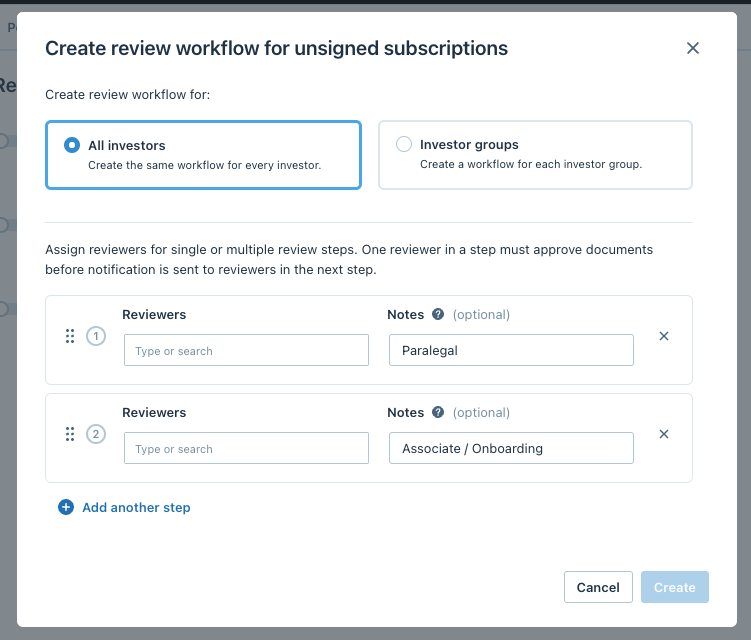
- Once enabled, you can choose what Investors need to be reviewed and who should review them:
Form Reviewed
GP has soft-reviewed the investor-unsigned documents.
Pending signature
Waiting for the investor to sign the documents.
Pending approval
The investor has signed the documents and has submitted them for final approval.
Note
Investors will not be able to make changes or update their forms once they are in the Pending approval stage. Fund users can request investors to make changes by clicking the Request button and selecting the Changes to submission option.
For more information, check out this article on How to re-open an investor's form for editing.

Changes in progress
The form has been submitted for review or for approval, but additional changes have been requested from the fund side.
Submitted
GP has reviewed and approved the investor-signed documents.
Countersigned
GP has countersigned the subscription documents.
Distributed
Countersigned documents have been shared with investors.