

Setting signatures as Optional or Required
Public
Fund managers now have the ability to set different signatures as required or optional based on their preference. 1. At the Review and send step, click
Fund managers now have the ability to set different signatures as required or optional based on their preference.
- At the
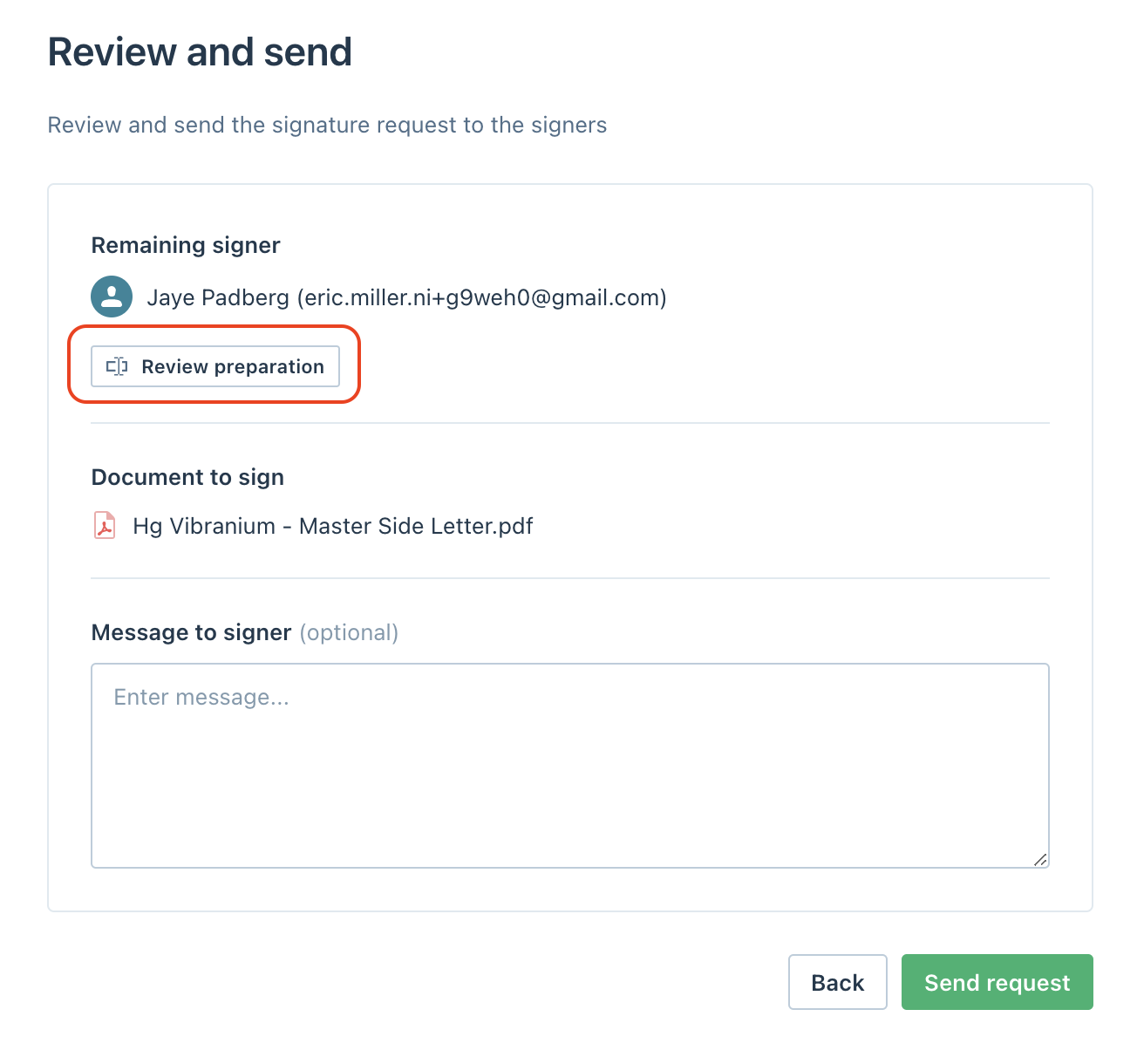
Review and sendstep, click onReview preparation:
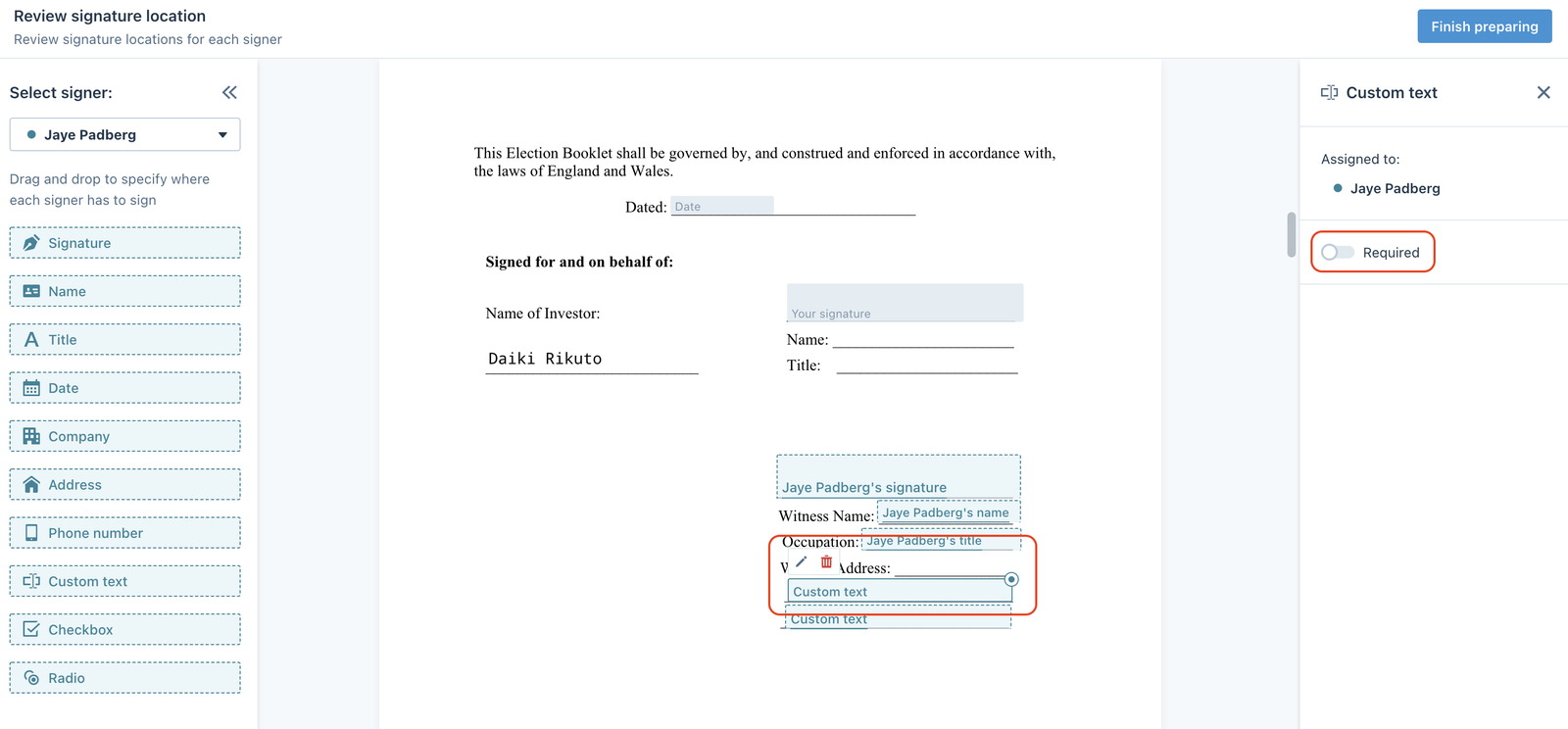
- Click on the field and turn on/off the
Requiredattribute on the right panel
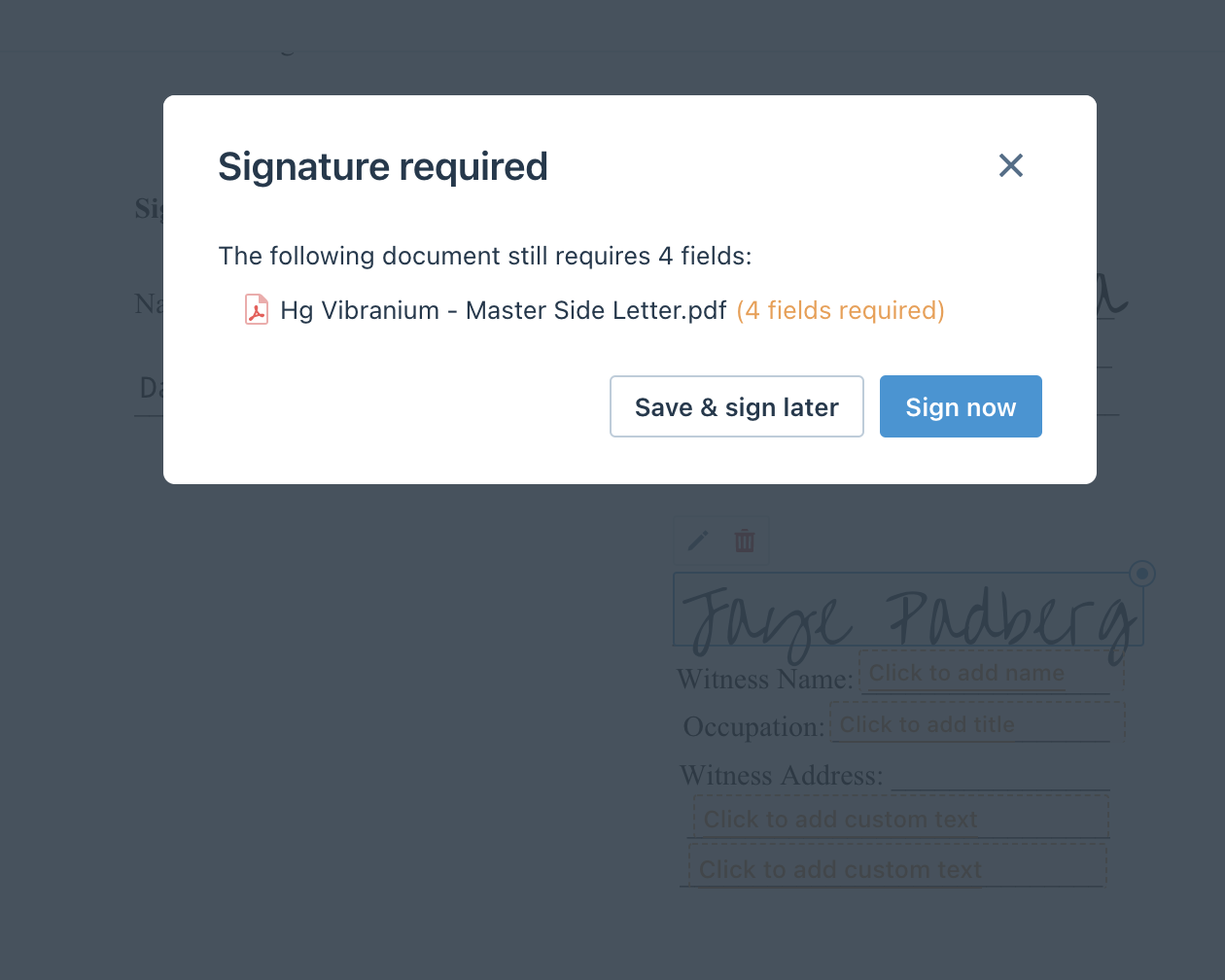
When the signature fields are required, users won't be able to finish signing and will see the following:
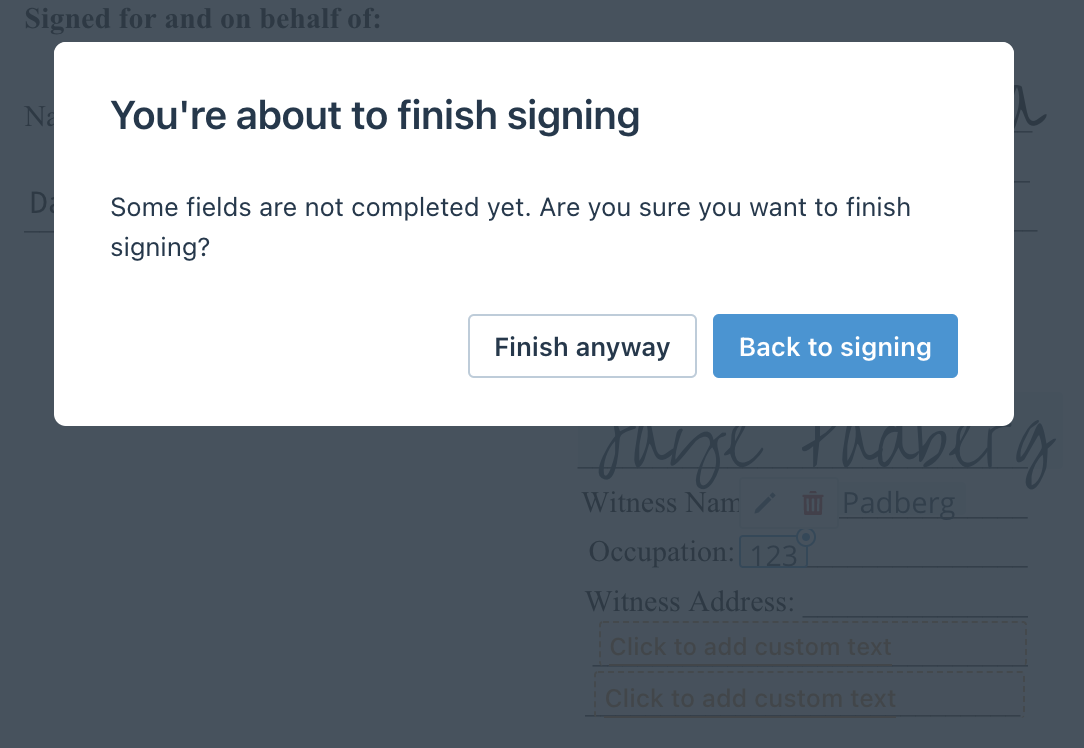
When signers skip the optional fields, they can still finish signing by clicking Finish anyway:
Was this page helpful?