Learn about the Dashboards section in Permissions tab
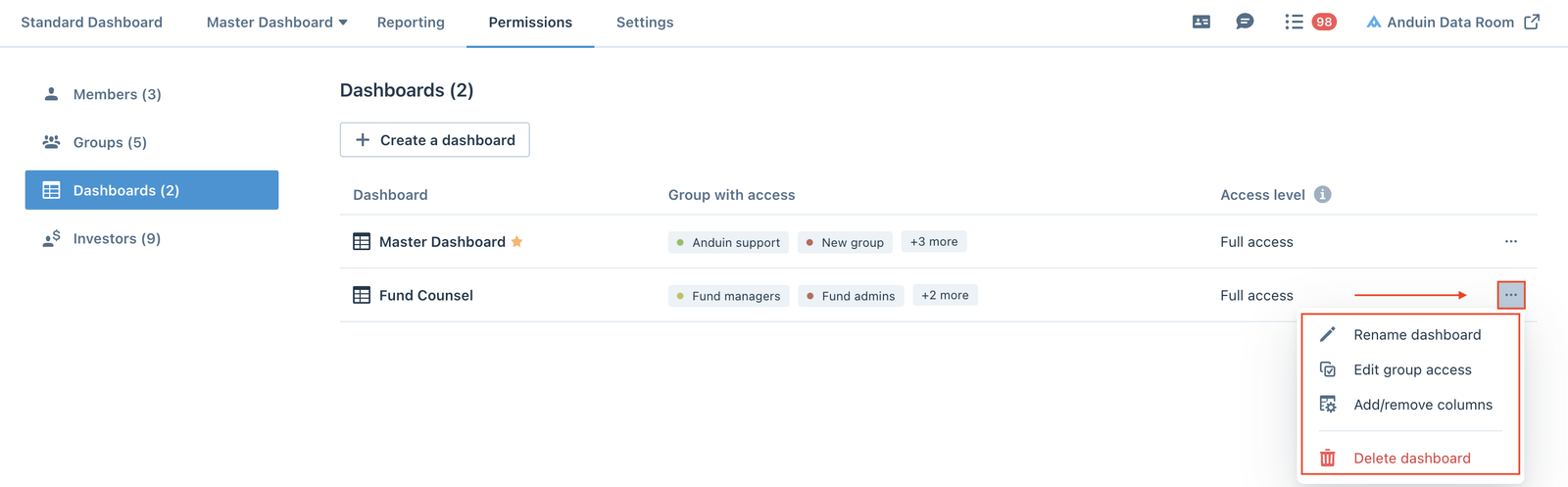
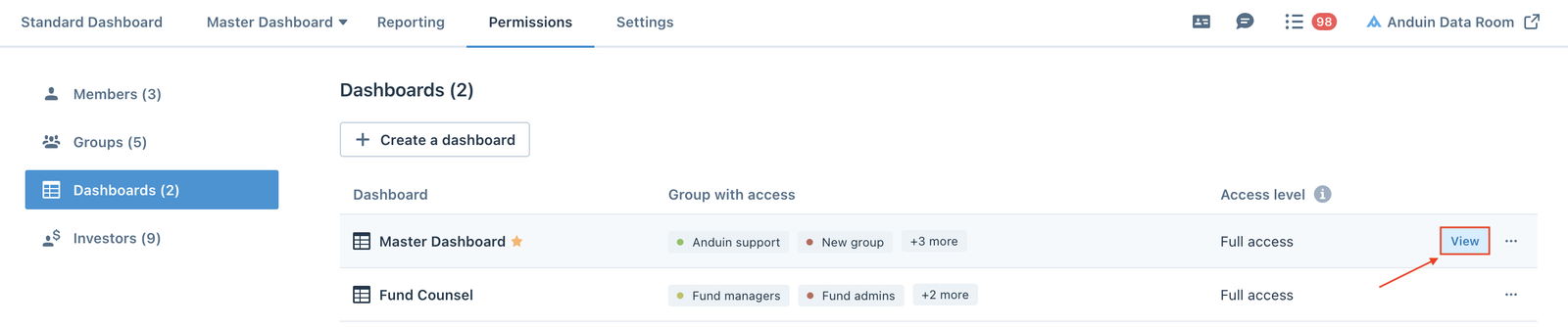
Dashboards section is where fund managers can see all the dashboards in the fund subscription environment, the Group with access to those dashboards and th
Dashboards section is where fund managers can see all the dashboards in the fund subscription environment, the Group with access to those dashboards and their group's Access level to each dashboard.

Create a dashboard
Fund managers can create new dashboards by clicking the Create a dashboard button.

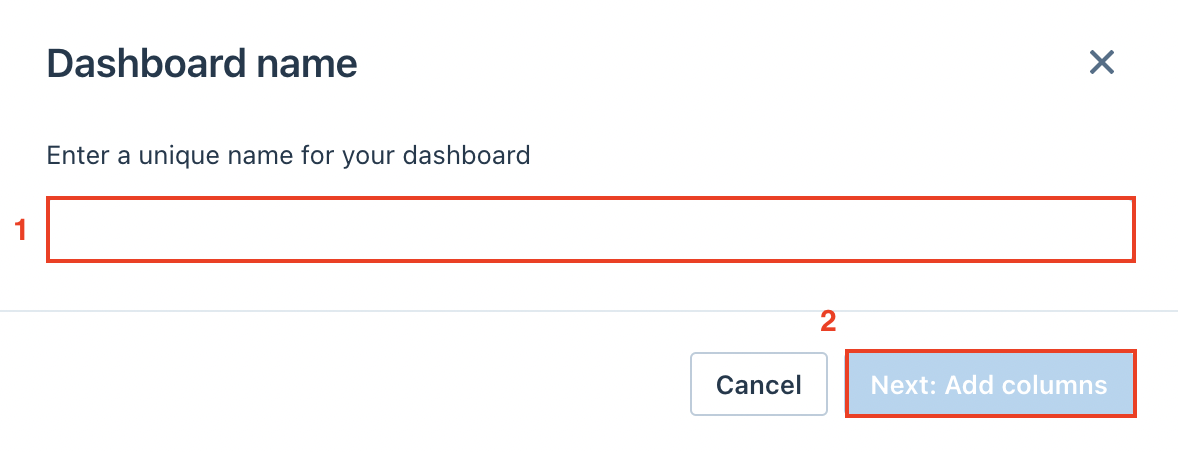
When the Dashboard name screen pops up, enter the name of the new dashboard, then click Next: Add columns to continue.
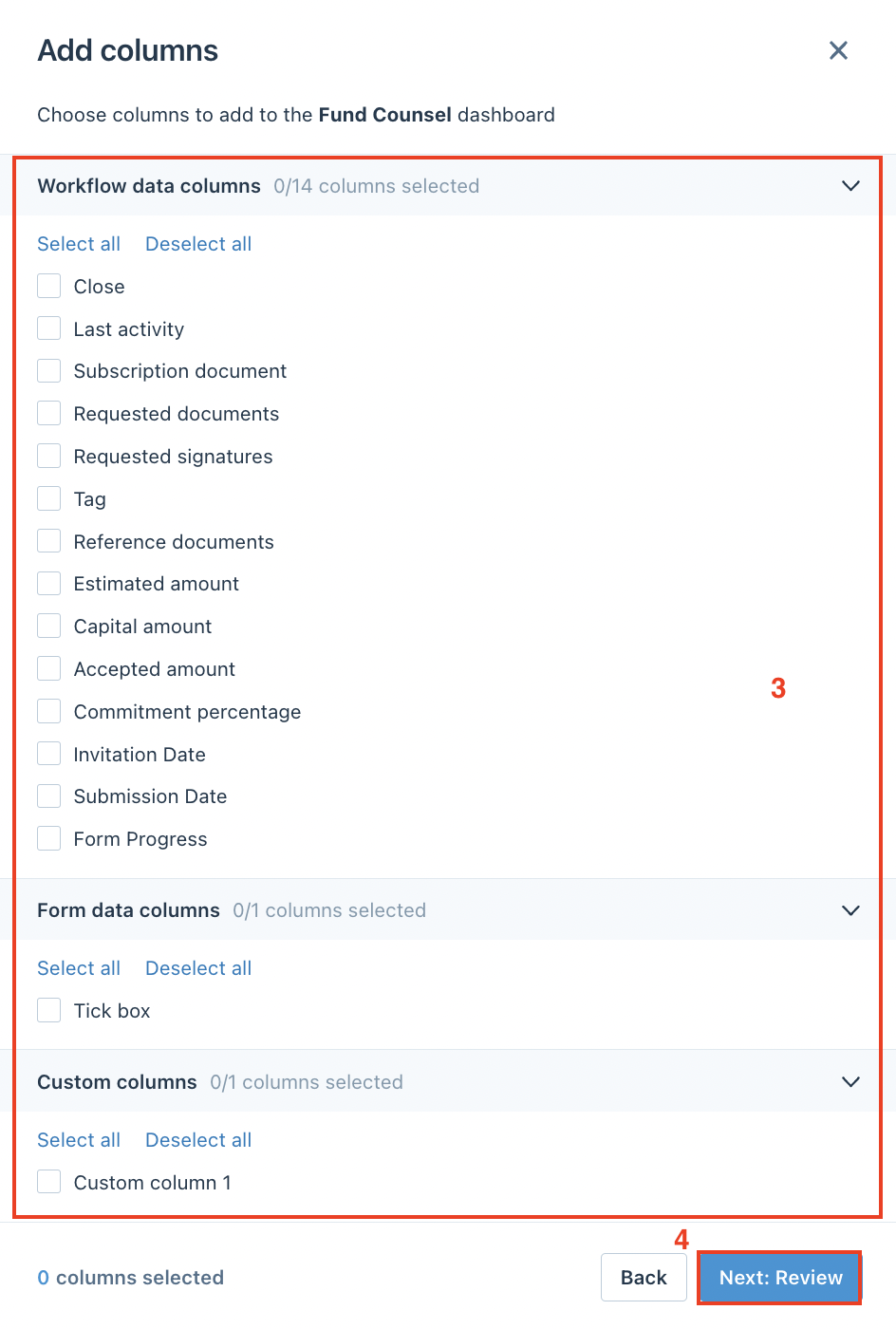
Next step, fund managers can select the columns to appear in the new dashboard, then click Next: Review to review the options.
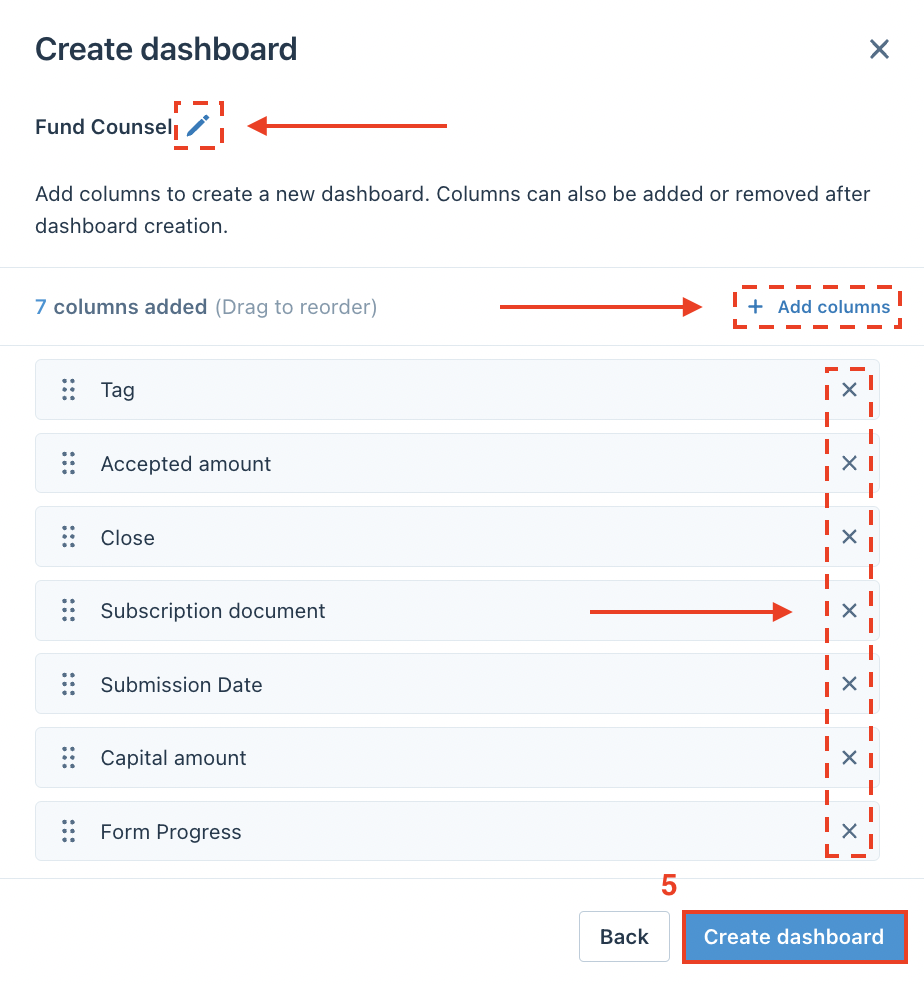
On the next screen, fund managers can drag and drop the columns to reorder their positions on the dashboard, edit the dashboard name, add additional columns or delete columns from the list, then click Create dashboard.
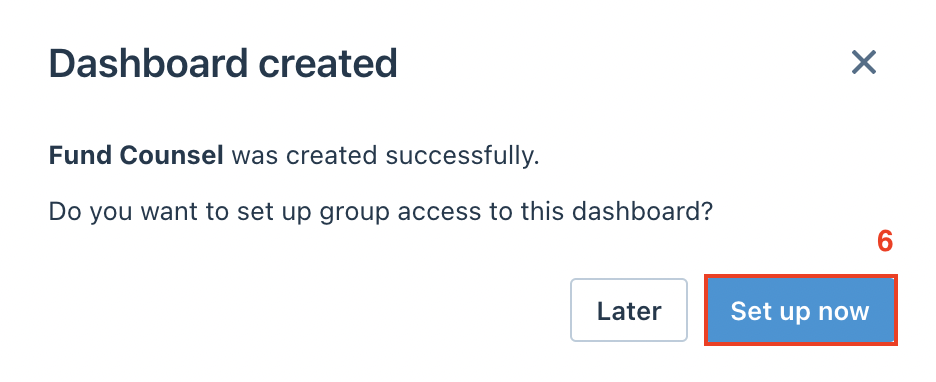
Once the dashboard is created, fund managers can proceed to set up the group access to this dashboard or leave it for later.
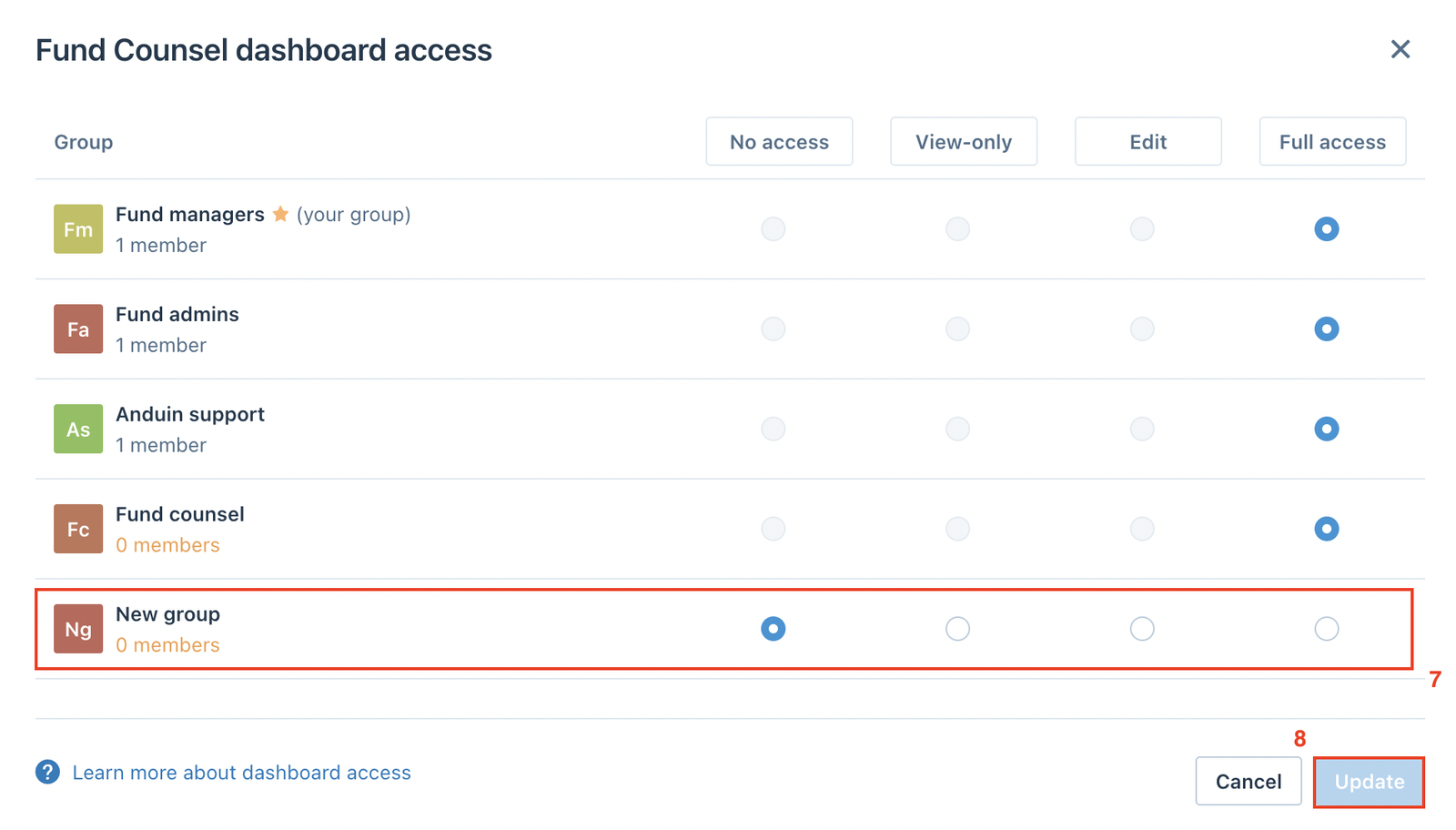
Fund managers can select the group visibility, then click Update to apply it.
There are four levels of group visibility including:
- No access: Cannot access the dashboard
- View-only: Can see all dashboard columns, filter, and sort columns
- Edit: View only permissions + ability to edit the dashboard configuration
- Full access: Edit permissions + ability to grant/edit/remove group access
View dashboard
There are two ways fund users can view the dashboards.
- Dashboards section in Permissions tab Hover over the dashboard row and click View to go straight to the dashboard.
- Master Dashboard tab If there is more than one dashboard in the environment, fund users can click the Master Dashboard tab and select the dashboard from the dropdown list to view it.


Dashboard settings
From the Dashboards section, fund managers can click the (…) menu and select between the options to manage dashboard settings.
- Rename dashboard
- Edit group access
- Add/remove columns
- Delete dashboard