

Fund Manager Guide: Assign and Unassign Subscriptions from Advisor Entites
Public
advisor entitiessubscription management
Fund managers can manage which subscriptions belong to advisor entities. This feature allows fund managers to assign or unassign subscriptions directly, wi
Fund managers can manage which subscriptions belong to advisor entities. This feature allows fund managers to assign or unassign subscriptions directly, without relying on advisors to do so.
Who can use it?
Fund managers who have enabled Advisor Management in Fundsub
What You Can Do?
- Assign: Link a subscription order on your dashboard to an advisor entity.
- Unassign: Remove a subscription from an advisor entity if it belongs to a different one.
- Choose Your Method: Perform actions individually or in batch.
How to assign a single subscription to an advisor entity?
- Go to your Fundsub Dashboard 2.Locate the subscription you want to update (Note: only subscriptions with no advisor entity have this option) 3. In the Advisor Entitycolumn, hover over the cell 4. Click the Assign to advisor entity button
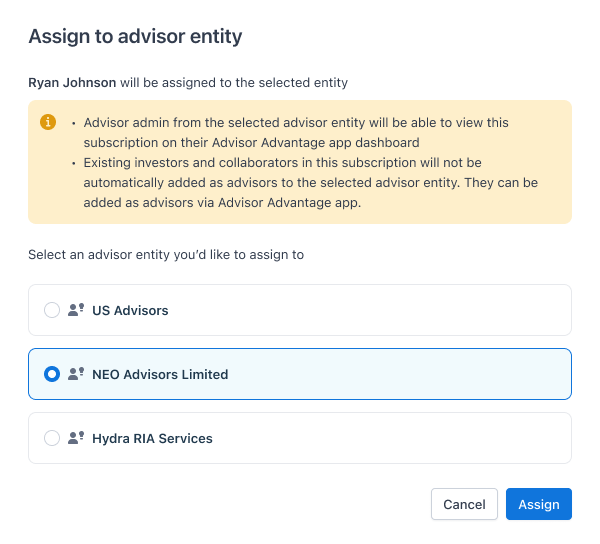
5. Select advisor entity for assign, click Assign
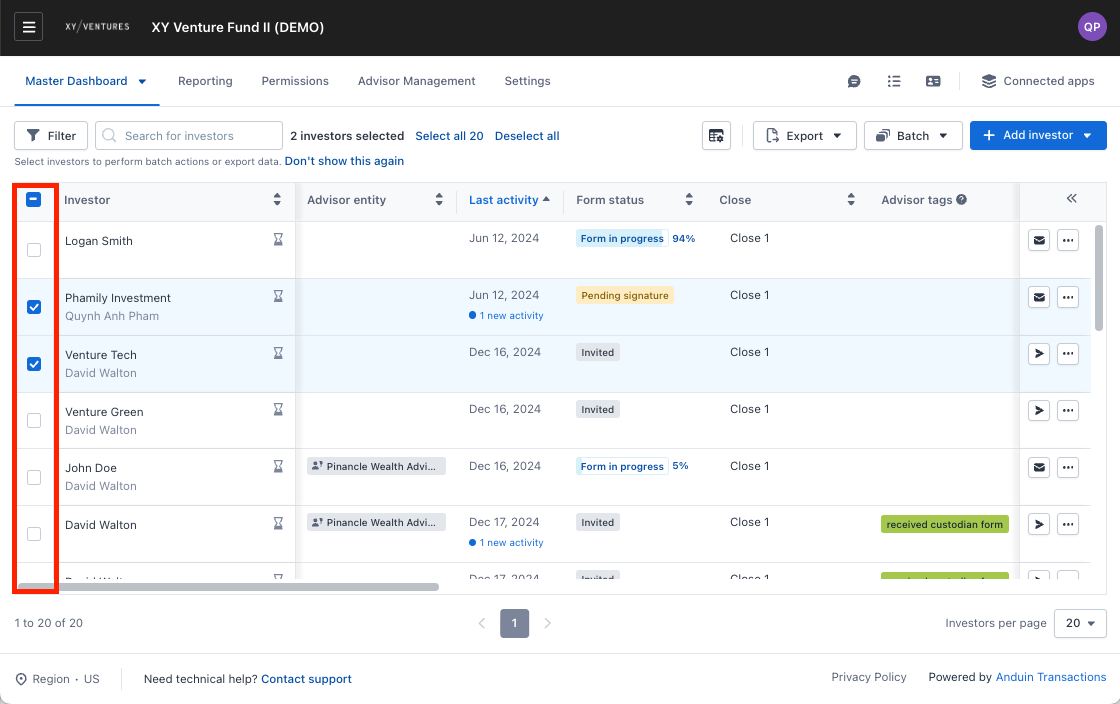
How to batch assign subscriptions?
- Go to Fundsub Dashboard 2.Select subscriptions you want to update (Note: only subscriptions with no advisor entity have this option)
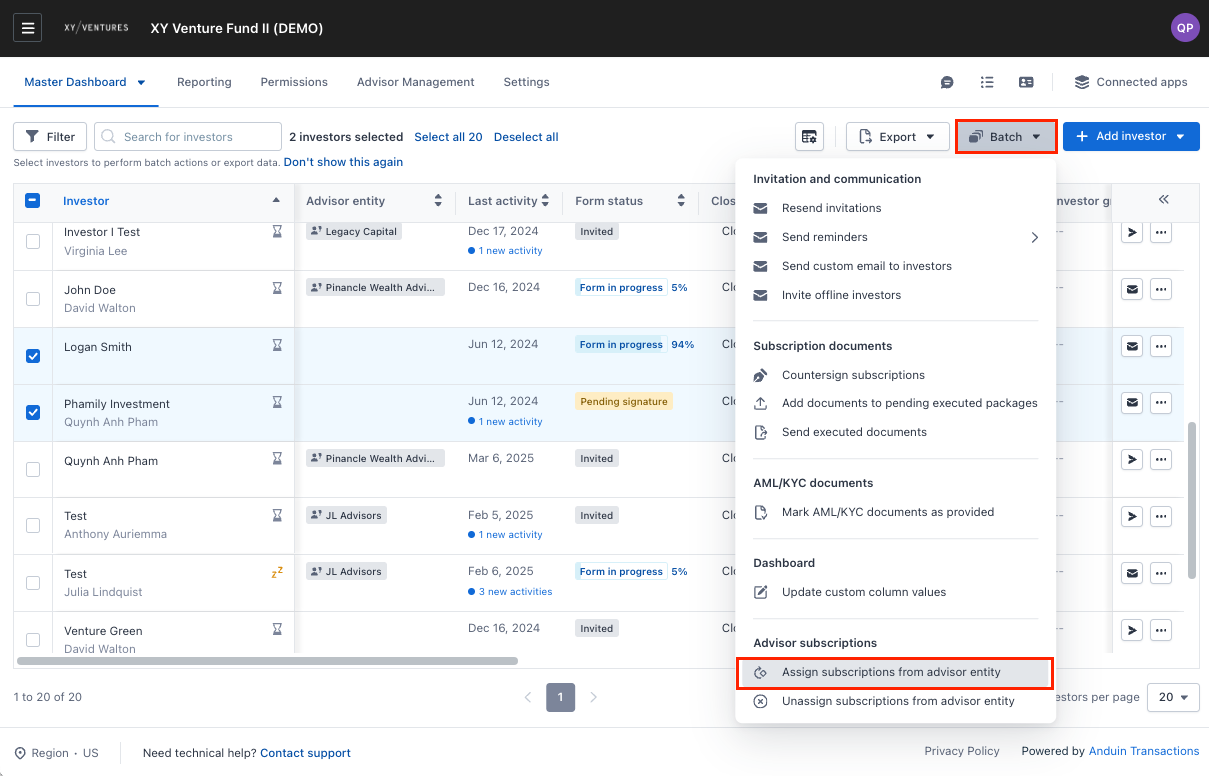
- Select Batch, scroll to Advisor Subscriptions, then select Assign subscription to advisor entity
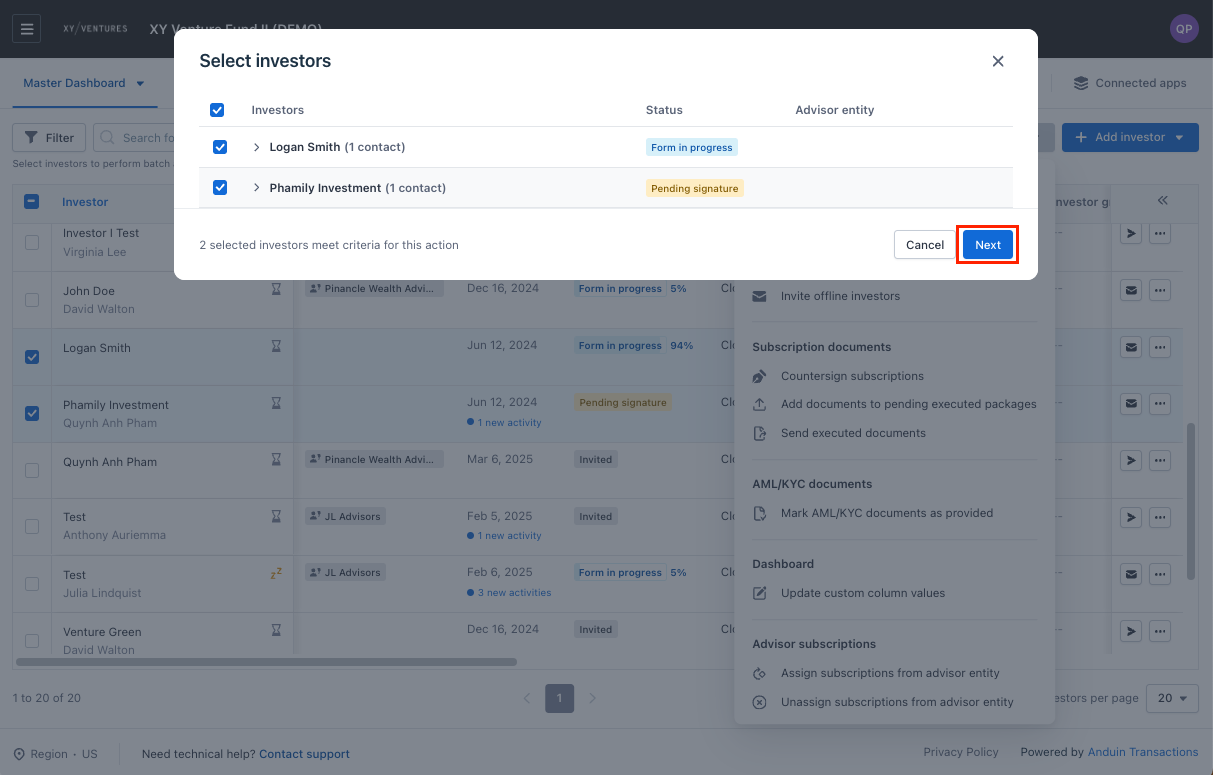
- Confirm advisor selection by click Next
- Select advisor entity for assign, and click Assign
How to unassign a single subscription from advisor entity?
- Go to Fundsub Dashboard 2. Locate the subscription you want to update (Note: only subscriptions belong to advisor entities have this option) 3. In the Advisor Entity column, hover over the cell 4. Click the Unassign button
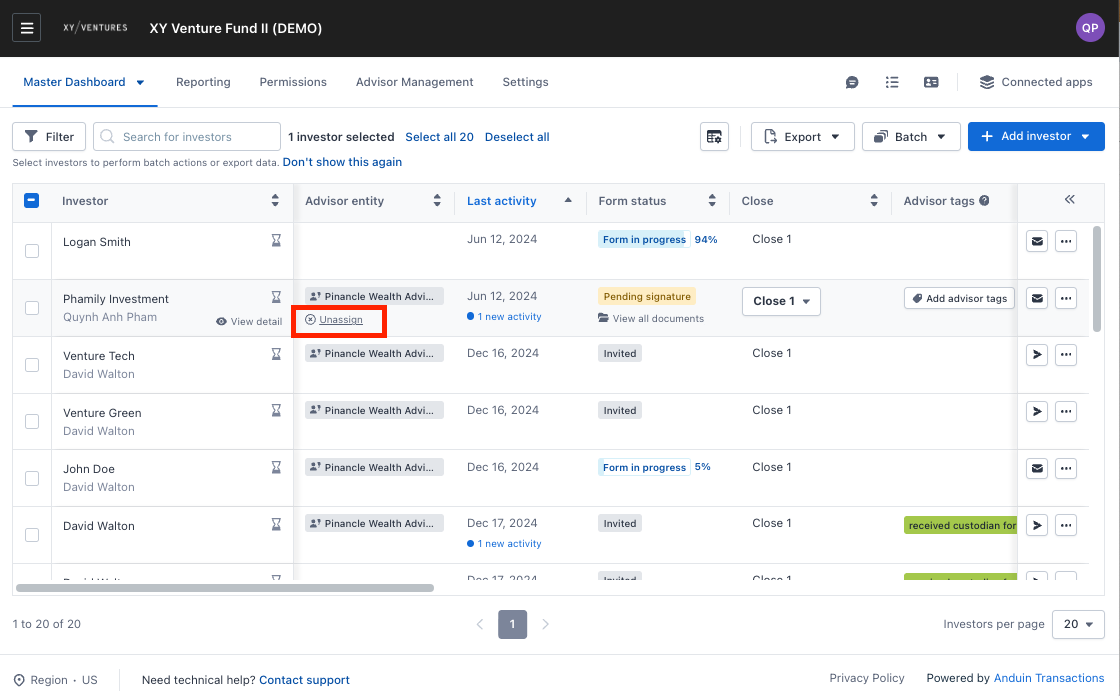
- Select Unassign in the removal modal to confirm action
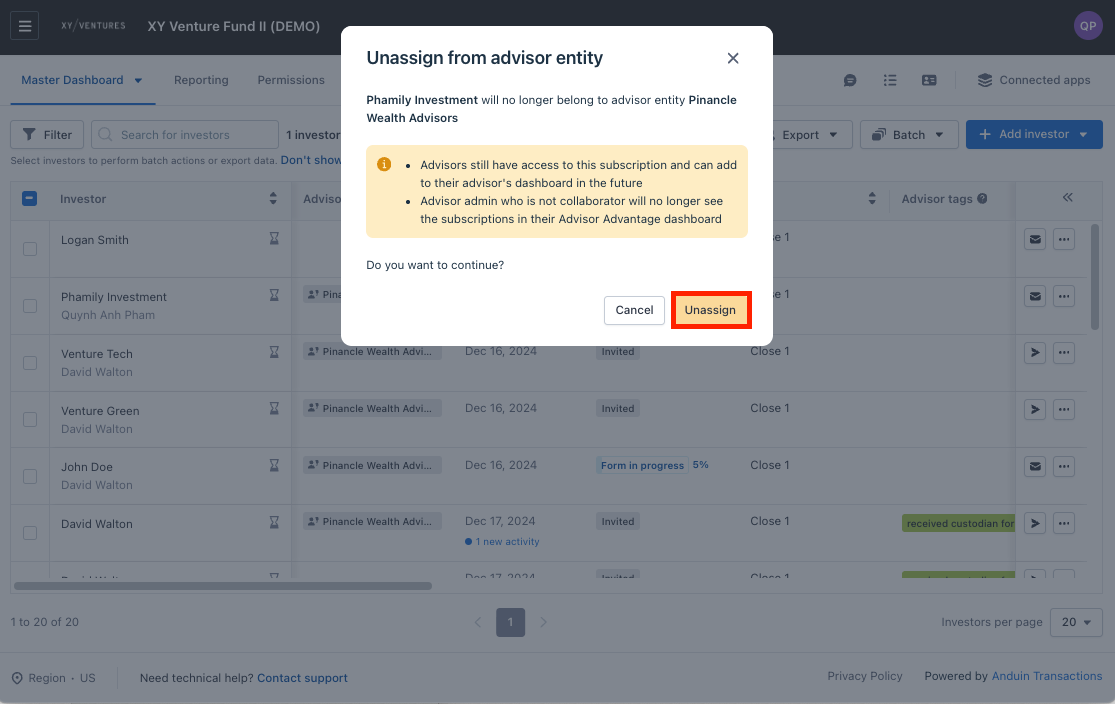
How to batch unassign subscriptions?
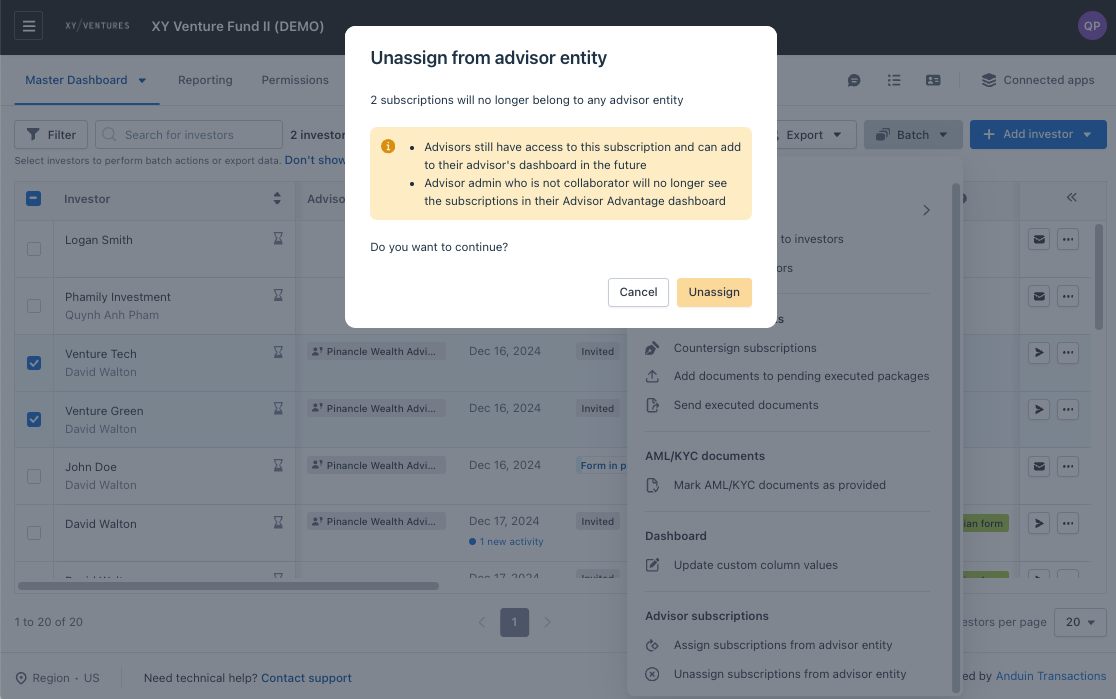
- Go to Fundsub Dashboard 2. Select subscriptions you want to update (Note: only subscriptions belong to advisor entities have this option)
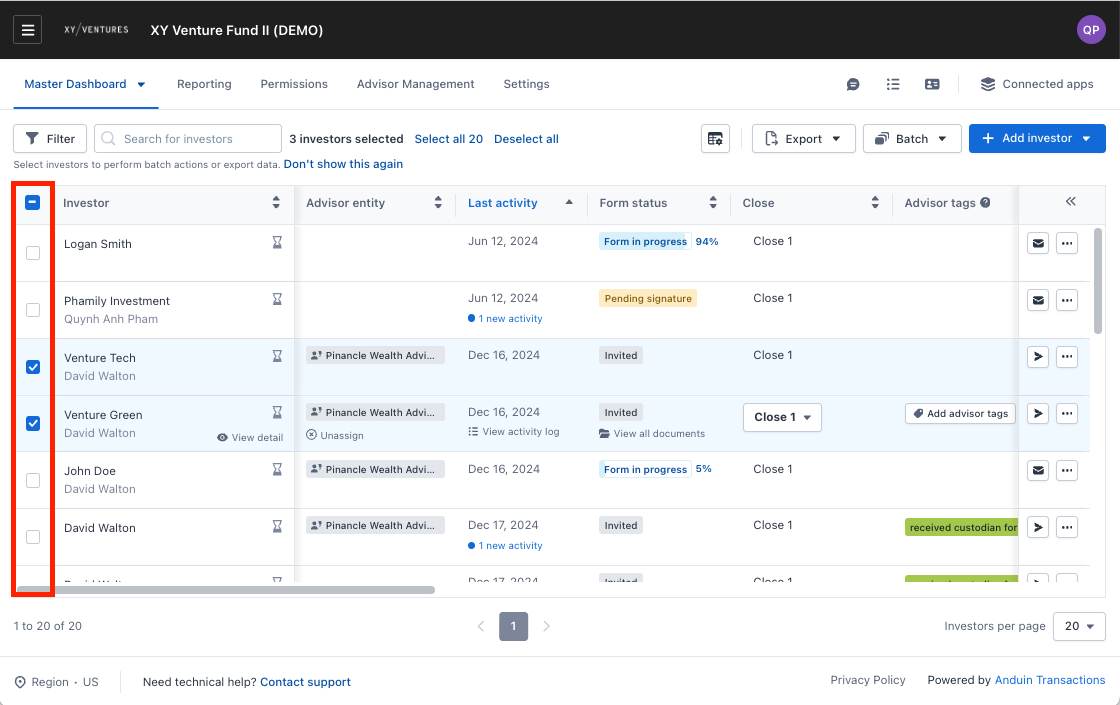
- Select Batch, scroll to Advisor Subscriptions then select Unassign subscription to advisor entity
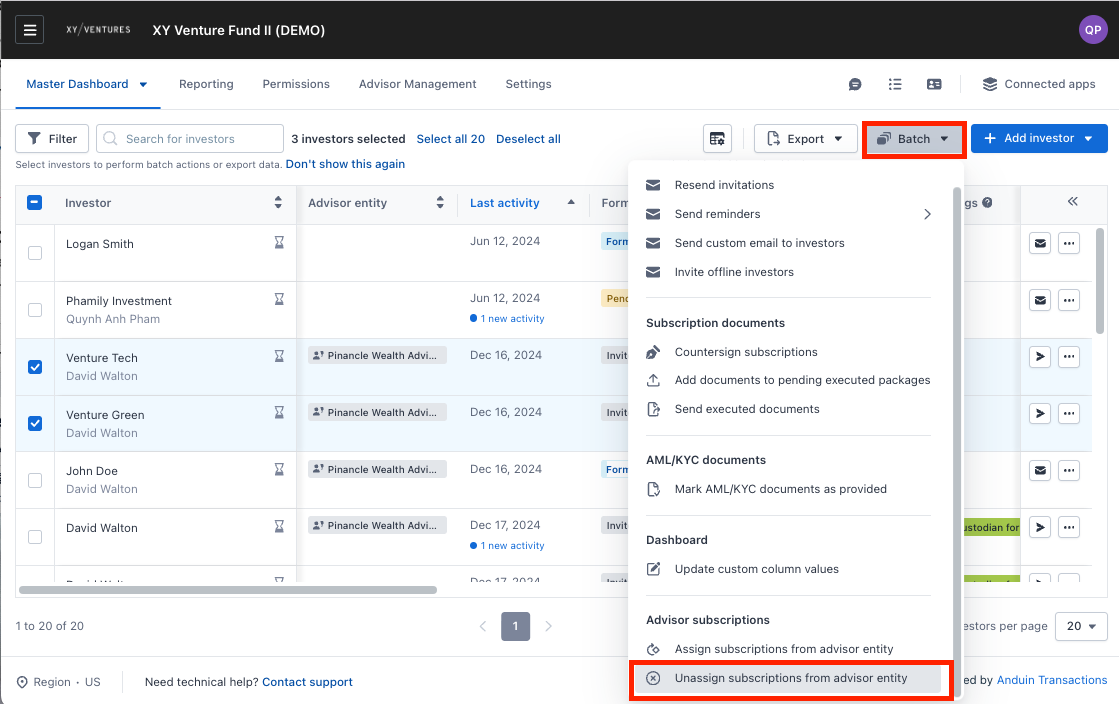
- Select Unassign in the removal modal to confirm action
Was this page helpful?