

Create and Modify Investor Groups
Public
Fund Admins have a need to control investors’ data accessibility for their fund users group. For example, a fund might have two Fund Managers that manage
Fund Admins have a need to control investors’ data accessibility for their fund users group.
For example, a fund might have two Fund Managers that manage different sets of investors. The Fund Admin wants each of them to only see data related to their assigned investors.
Anduin offers the ability to control the accessibility of a fund user's group to both current & future investors' data using Investor Groups.
Create an Investor Group
- In the Fund Subscription, click the Permissions Tab:

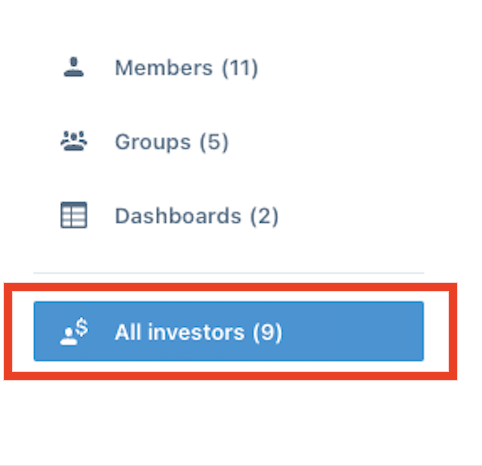
- In the left Nav Bar, click All Investors:
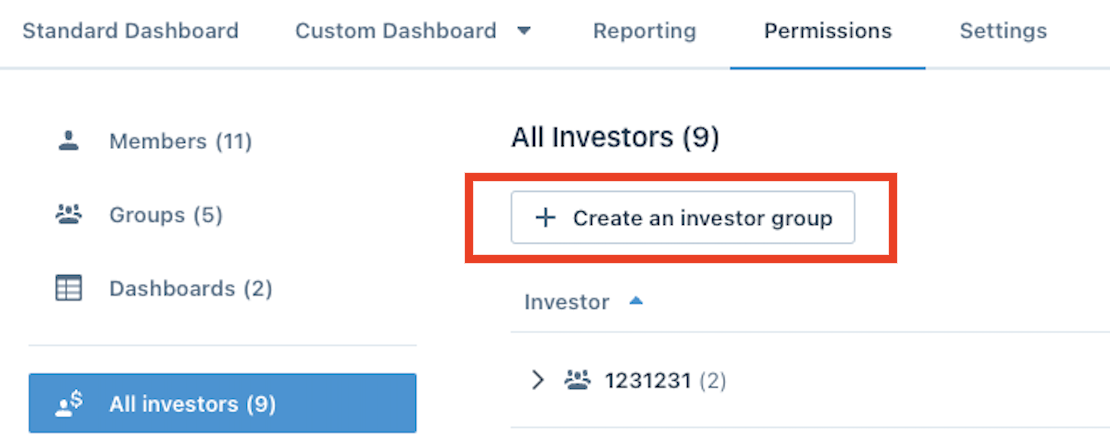
- Choose Create an investor group:
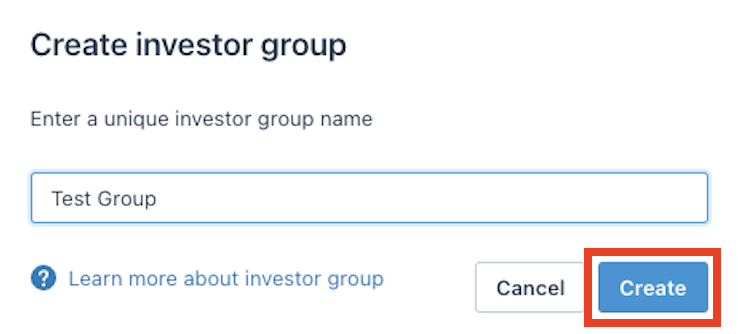
- Enter a unique name for the group and hit create:
Adding Investors to the Group
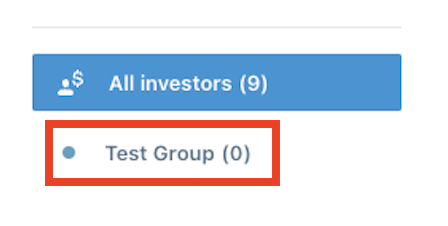
- In the left Nav Bar, click into the new Investor Group you would like to add Investors to:
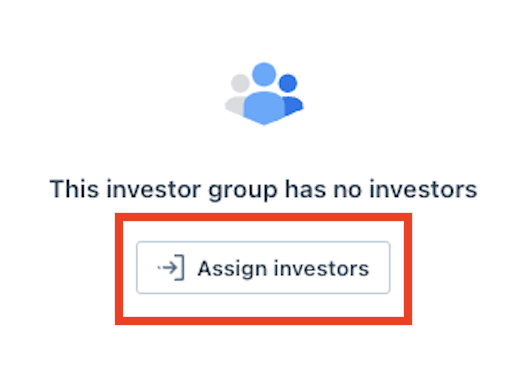
- Click Assign Investors:
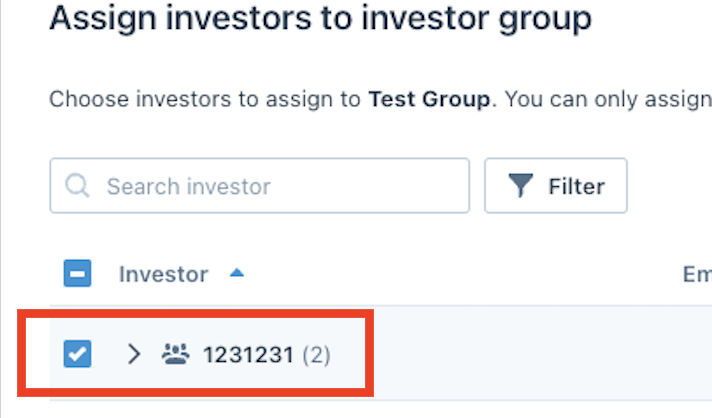
- Check the box next to all the Investors you would like to add:
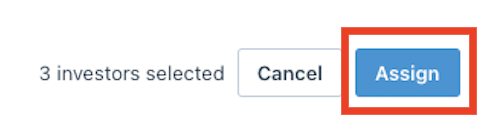
- Click Assign:
Assign Investor Groups to Fund Manager Groups
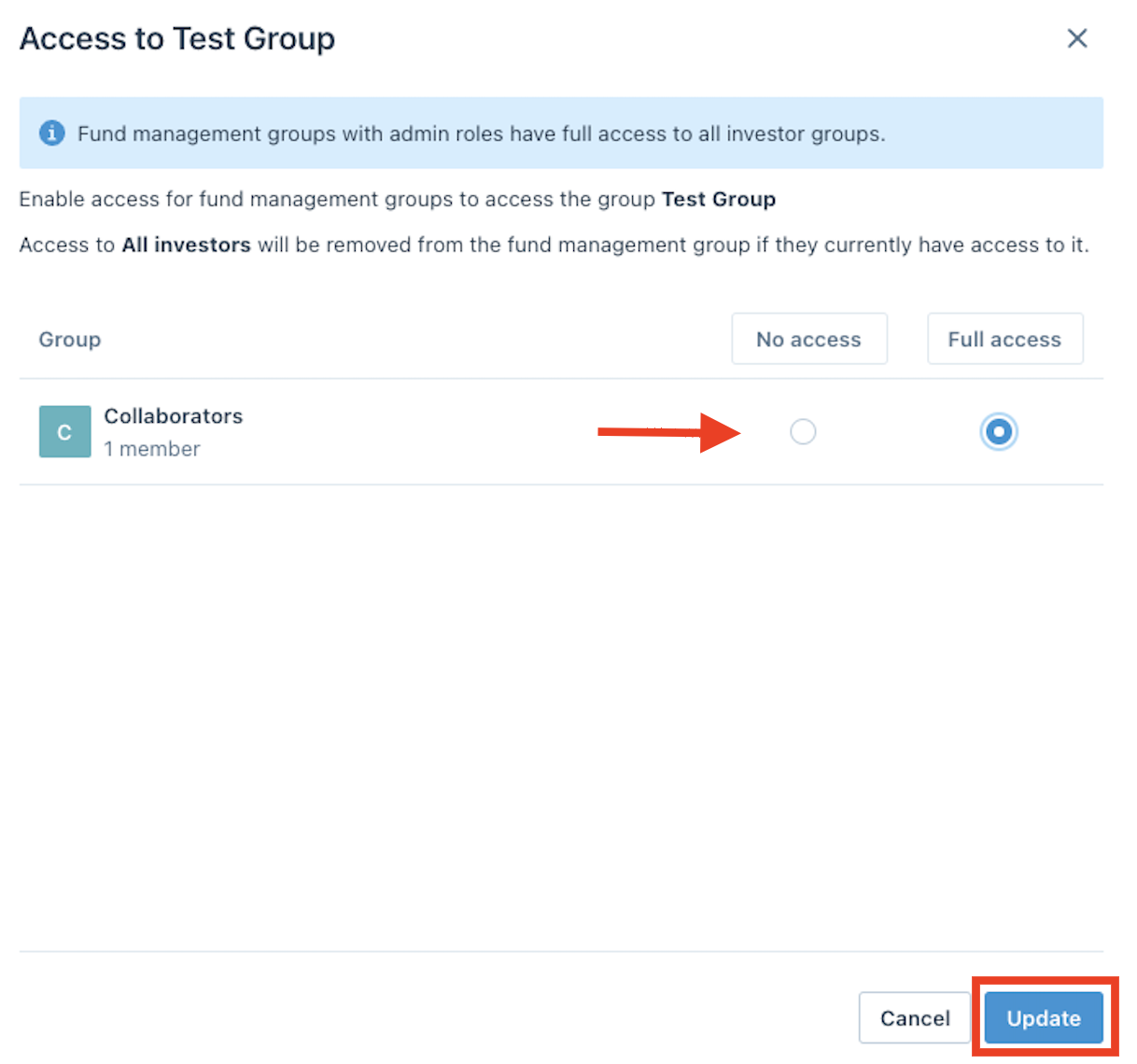
From within the Investor Group
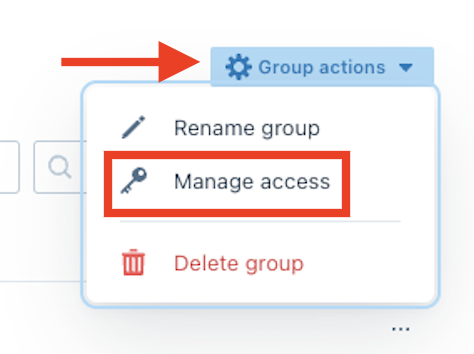
- Click Group Actions and choose Manage Access:
- Select the access for the group and choose Update:
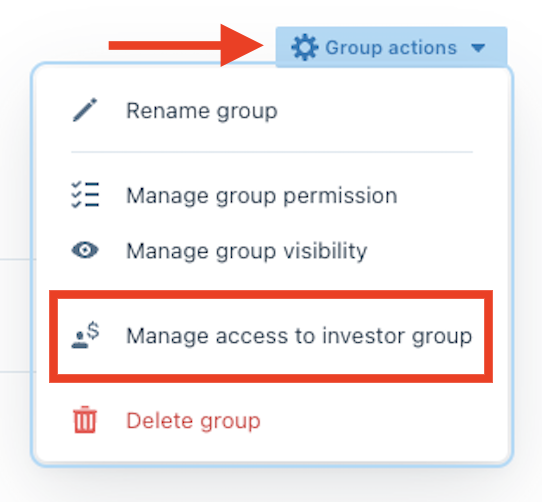
From the Fund Manager Group
- Click Group Actions and choose Manage access to investor group:
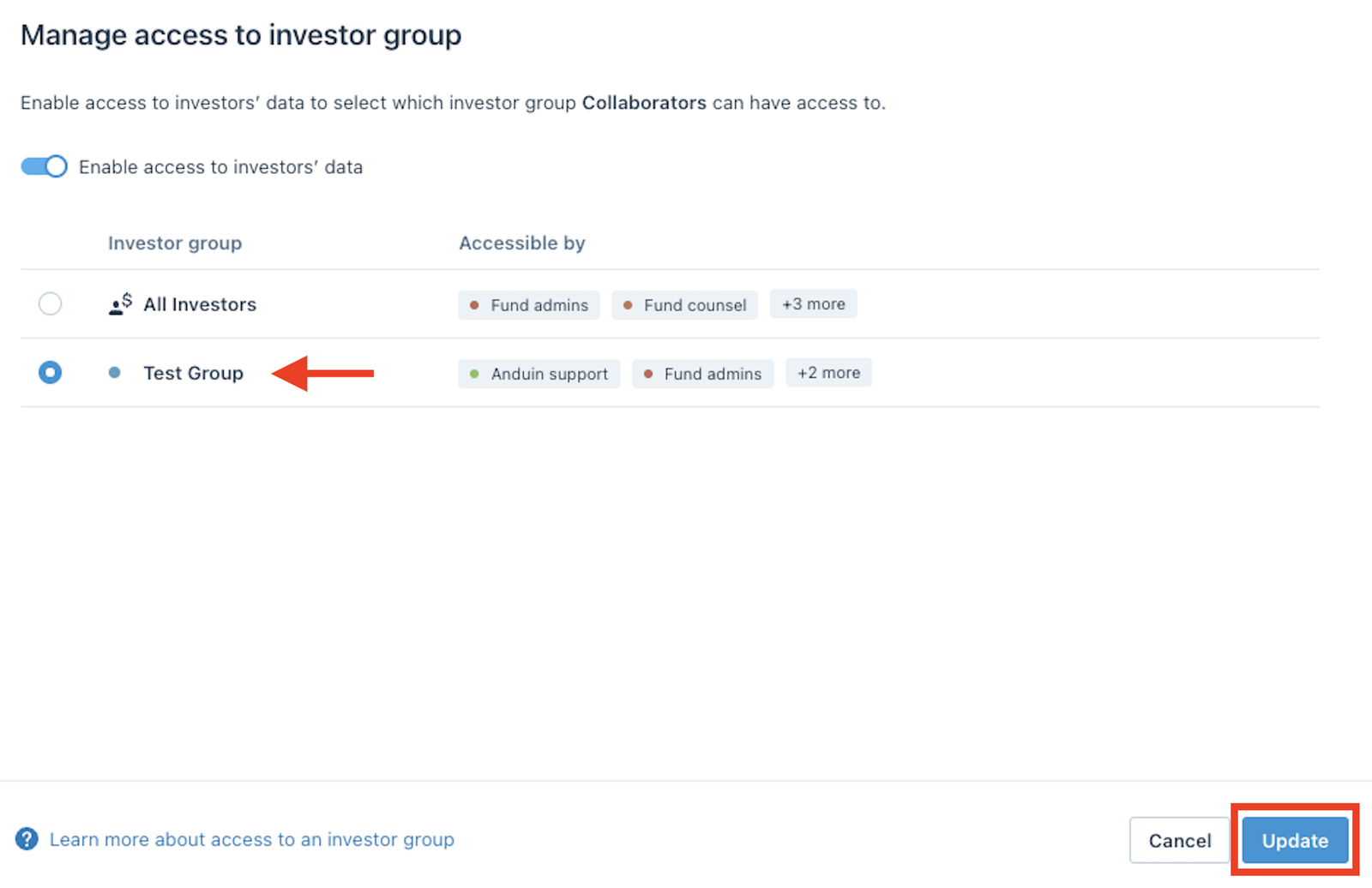
- Choose which group to give access to and click Update:
Add Future Investors into Investor Group
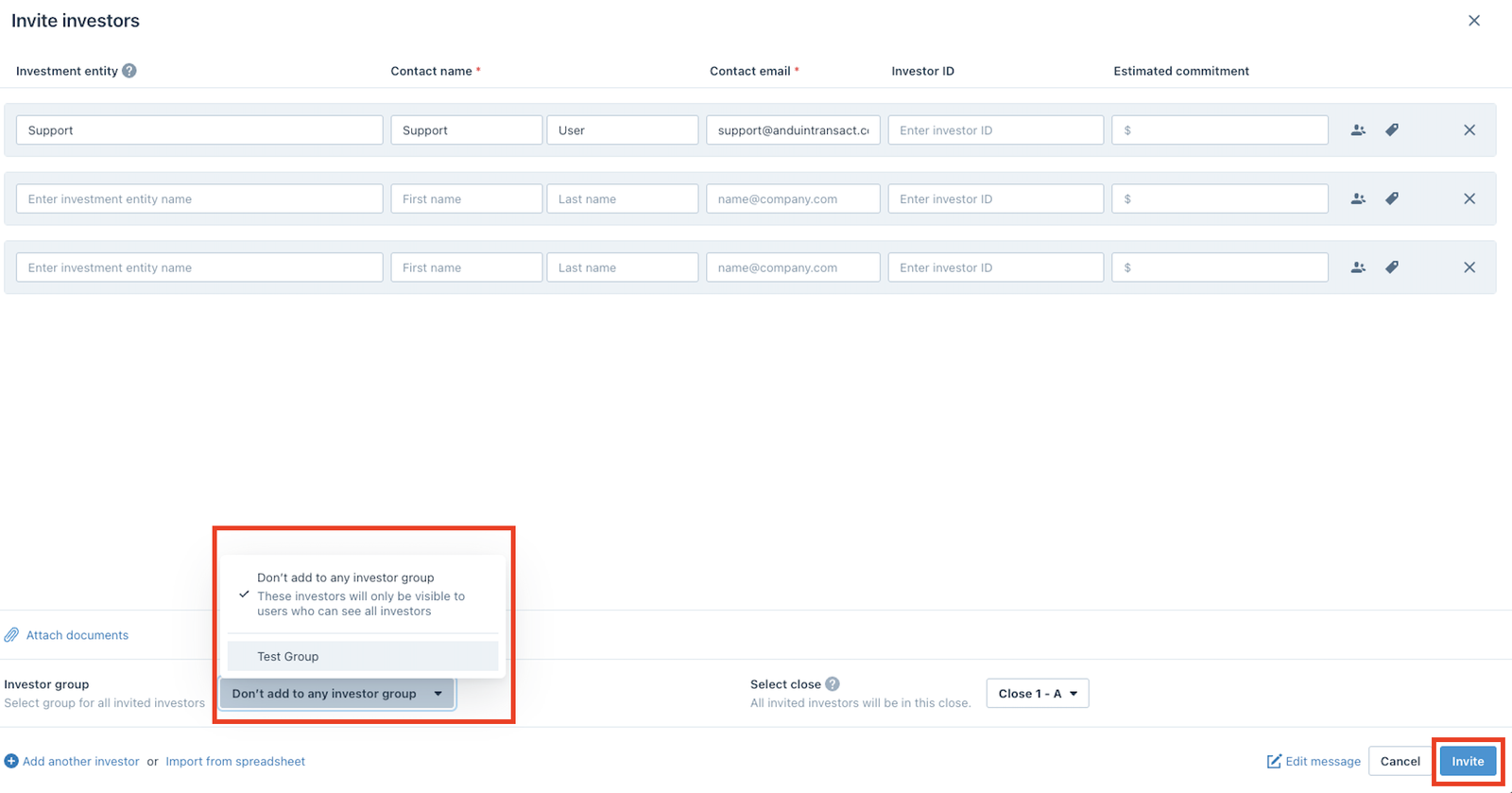
- From the Standard Dashboard, click Add Investor:
- Add in the investor information, in the bottom right click Investor Group and choose which group to add the Investors to and click Invite:
Remove Investors from Investor Group
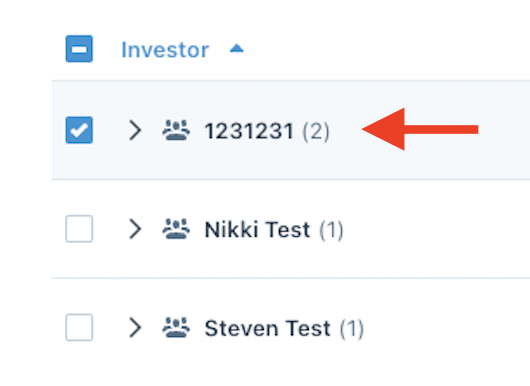
- Select the Investors you would like to remove from the group:
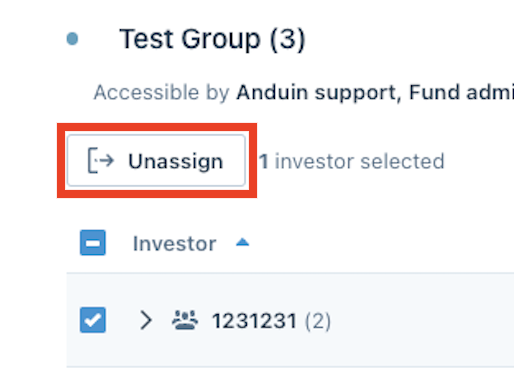
- Click Unassign:
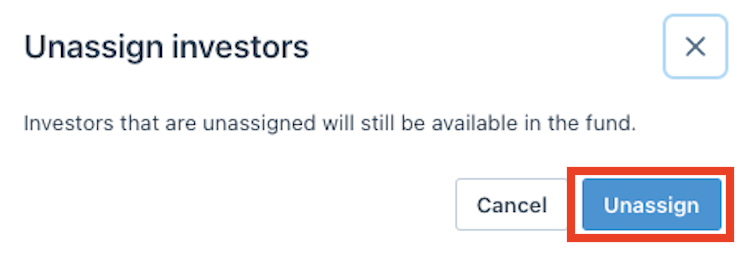
- Confirm by clicking Unassign:
Delete Investor Group
Delete
Note
When deleting a Investor Group, Investors will not be deleted
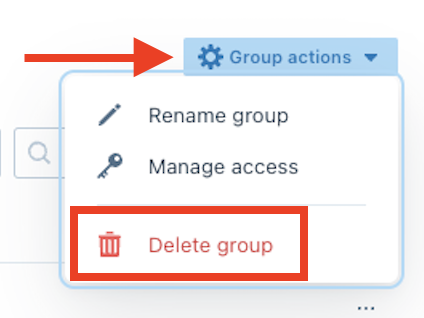
- Click Group Actions and choose Delete Group:
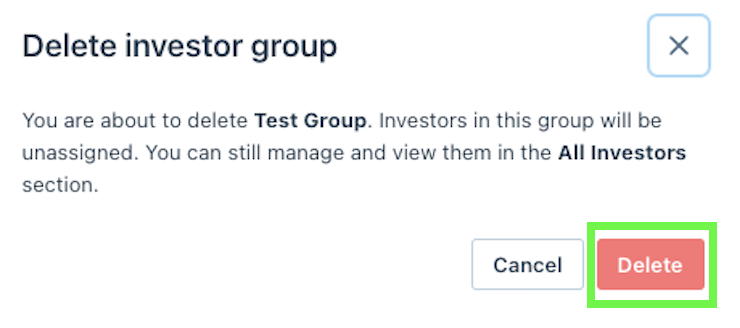
- Confirm by clicking Delete:
Was this page helpful?