

How to re-open an investor's form for editing
After the investors submitted their subscriptions, users on the fund side can use the below options to re-open the forms for editing. Users can find the Re
After the investors submitted their subscriptions, users on the fund side can use the below options to re-open the forms for editing.
Users can find the Request button via the (…) menu in the main Investors dashboard or in the View all documents window.
- Standard dashboard
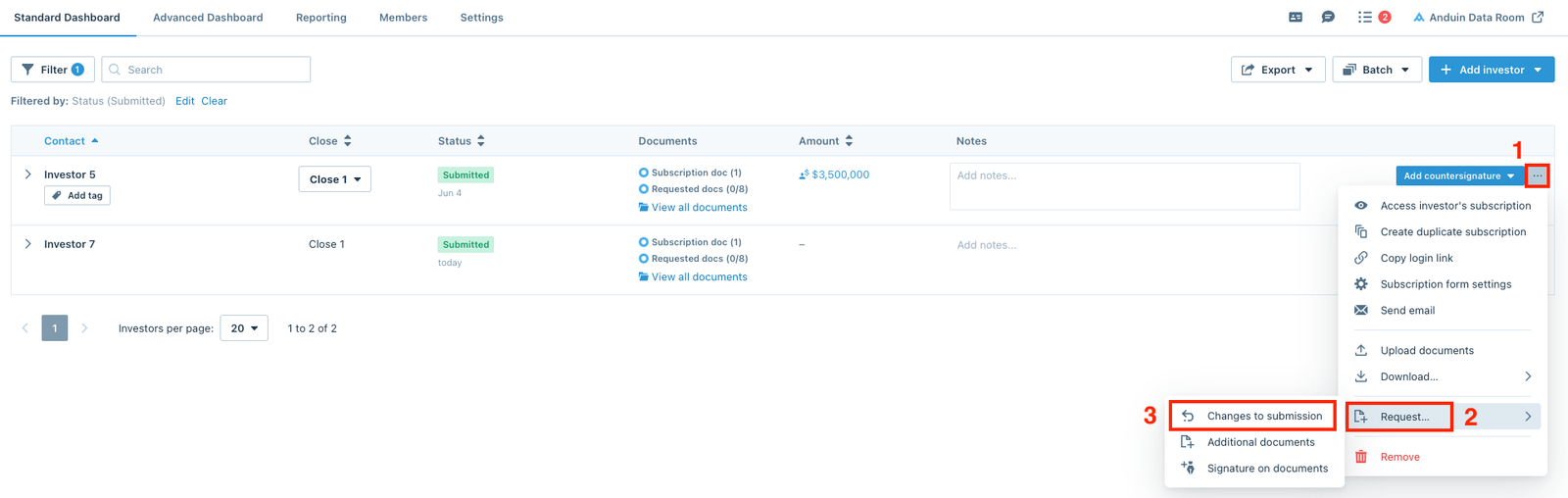
- View all documents window


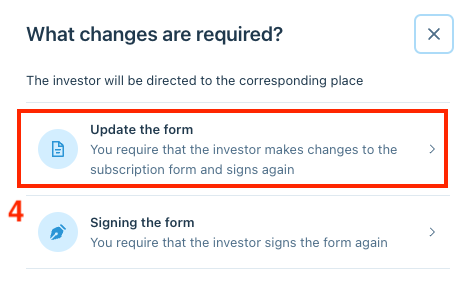
From the pop-up, select Update the form to direct investors to the corresponding place.
Request investors to make changes
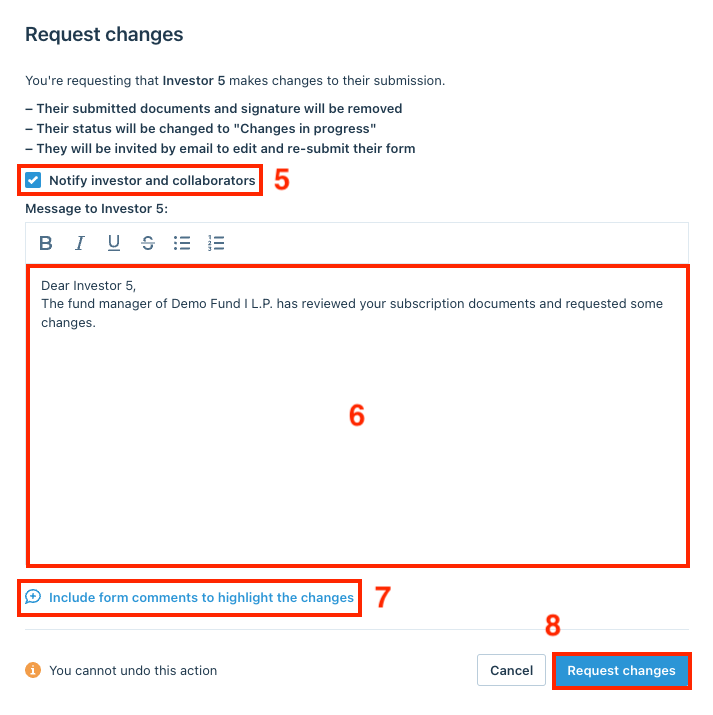
A message box will appear where users can craft a personalized message to the investor letting them know they can update the subscription smart form and re-submit. Check the Notify investor and collaborators box and click Include form comments to highlight the changes to select the comments, then click Request changes.
NOTE
By re-opening the form, the investor's status on the dashboard will revert back to Changes in progress, and they will have to re-sign the documents after they finish editing.
Edit the subscription forms on behalf of the investors
To edit the subscription forms on behalf of the investors and not have them receive a notification, users can un-check the Notify investor and collaborators box, and click Request changes.
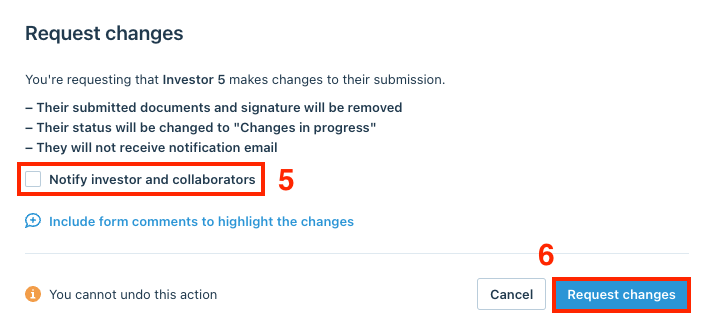
Requesting the changes will re-open the form for editing, and allow users to use the same (...) menu to Access the investor's subscription.
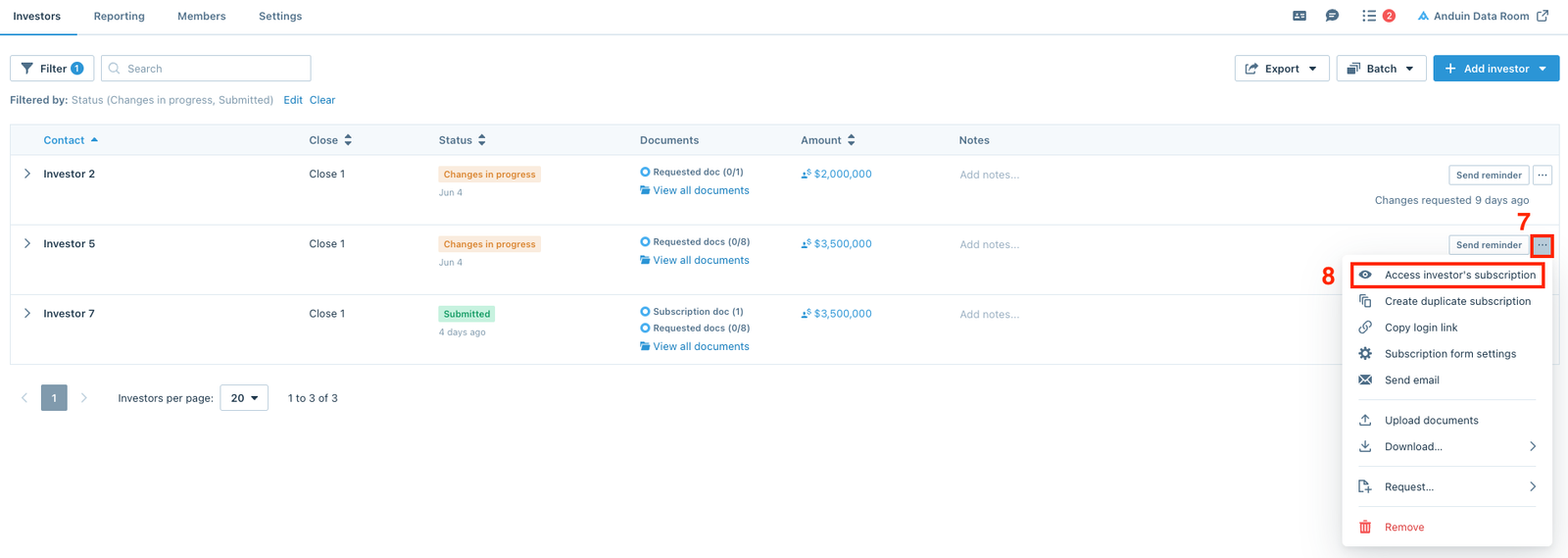
Once users finish making the edits, users can Continue to signature page and click Add e-signature to request a signature back from the investor.