

How to Delete Wrong Subscription Documents and Re-upload the Correct Documents
In case the investors submit the wrong subscription documents, users on the fund side can follow the instruction below to delete the documents and re-uploa
In case the investors submit the wrong subscription documents, users on the fund side can follow the instruction below to delete the documents and re-upload the correct ones.
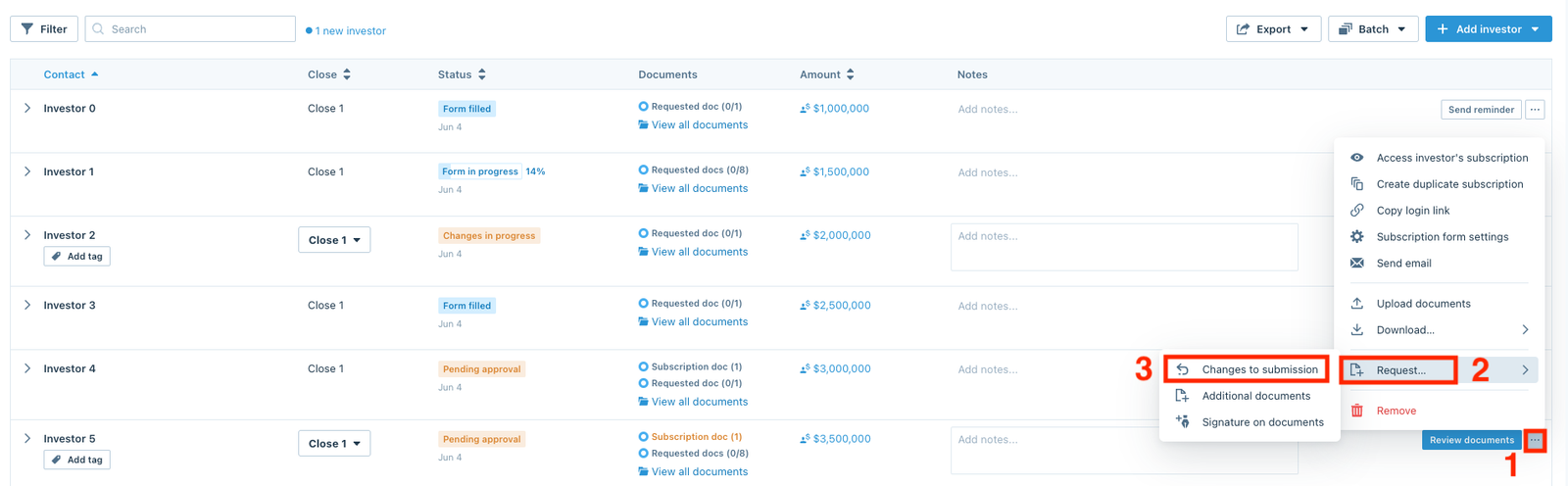
From the (…) menu, click Request and select Changes to submission.
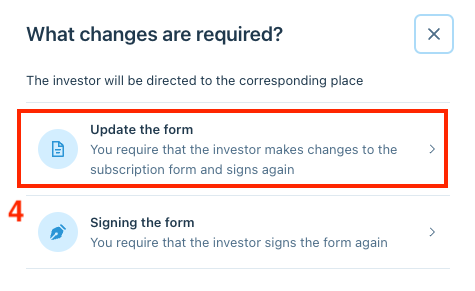
From the pop-up, select Update the form.
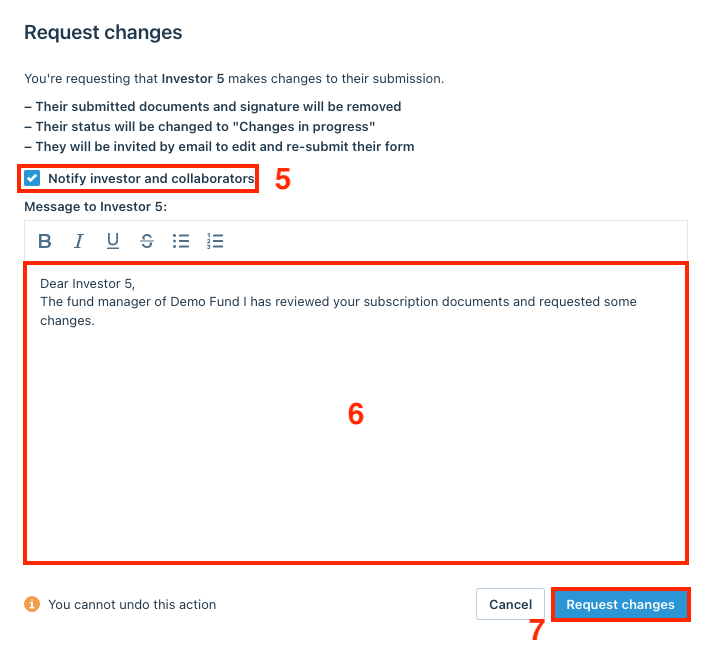
Request investors to re-submit the correct documents
A message box will appear where users can craft a personalized message to the investor letting them know they can re-submit the correct documents. Check the Notify investor and collaborators box, then click Request changes.
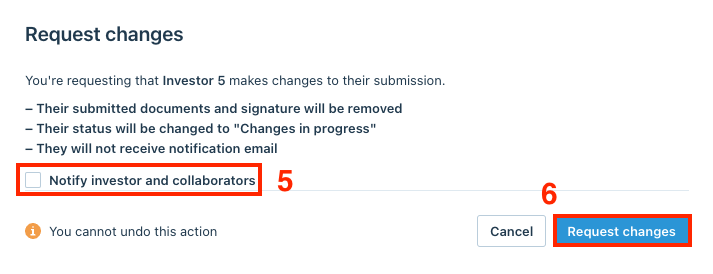
Upload the correct documents on behalf of the investors
To upload the correct documents on behalf of the investors and not have them receive a notification, users can un-check the Notify investor and collaborators box, and click Request changes.
Then, users can follow this instruction to upload documents on behalf of the investors.