

Guide: Fund manager's view of advisors' contribution to the fund
Public
advisor impactfund support
Overview This guide provides instructions for fund managers to effectively manage advisors' orders using the Advisor Group and Master Dashboard. Follow the
Overview
This guide provides instructions for fund managers to effectively manage advisors' orders using the Advisor Group and Master Dashboard. Follow the steps below to find and access advisor-created subscriptions.
Step-by-step guide
1. Advisor Group Tab
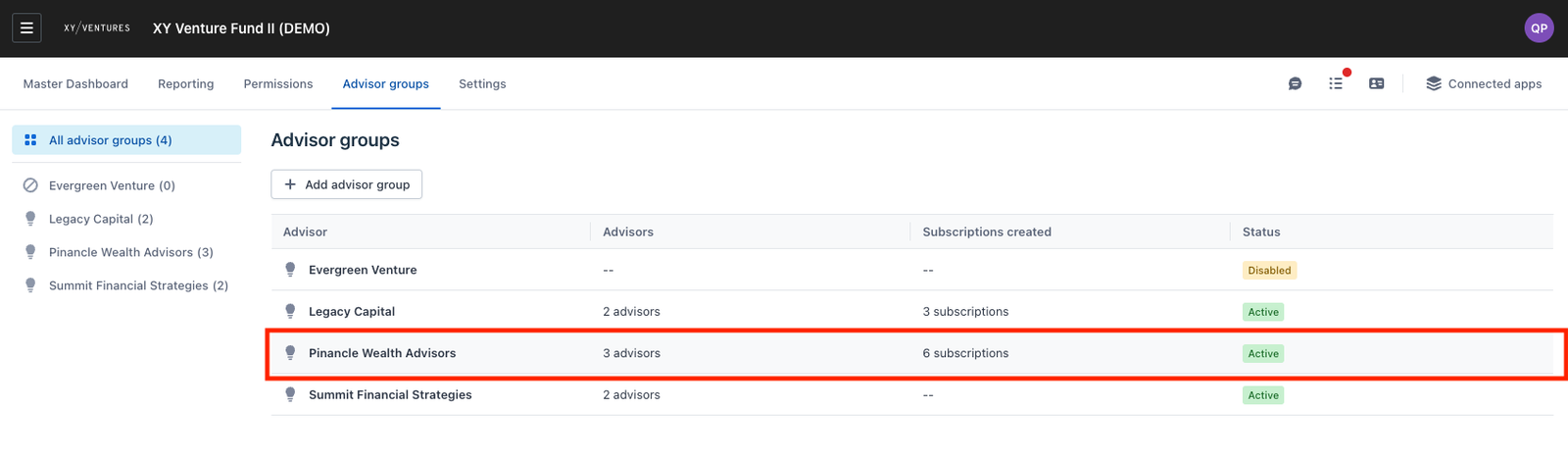
Viewing Subscription Orders by Advisor Entity
- Navigate to the Advisor Group dashboard
- The dashboard displays the total number of subscription orders created by advisors within each advisor entity.
Viewing specific advisor's contribution
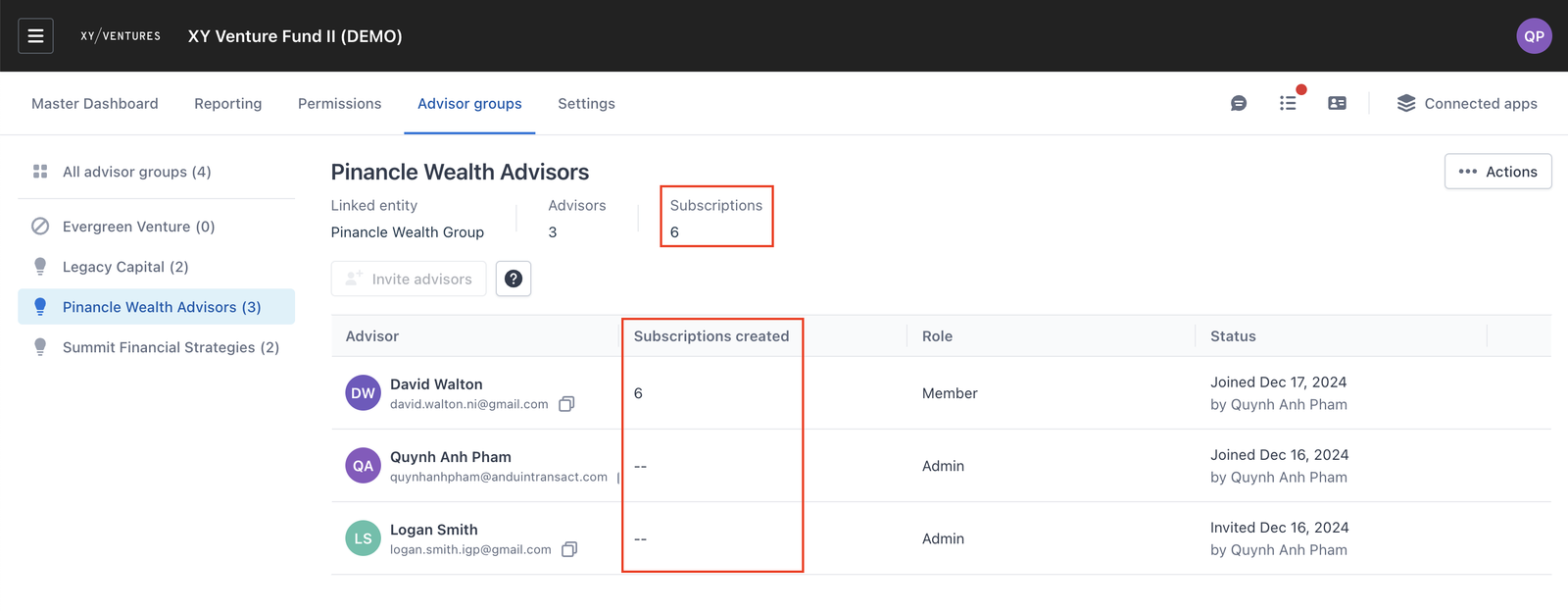
To see how each advisor member are currently participating in your fund in each advisor entity:
- Click on the advisor entity in the dashboard.
- A detailed view will display a breakdown of participants for each subscription linked to that advisor entity.
2. Fund subscription Master Dashboard
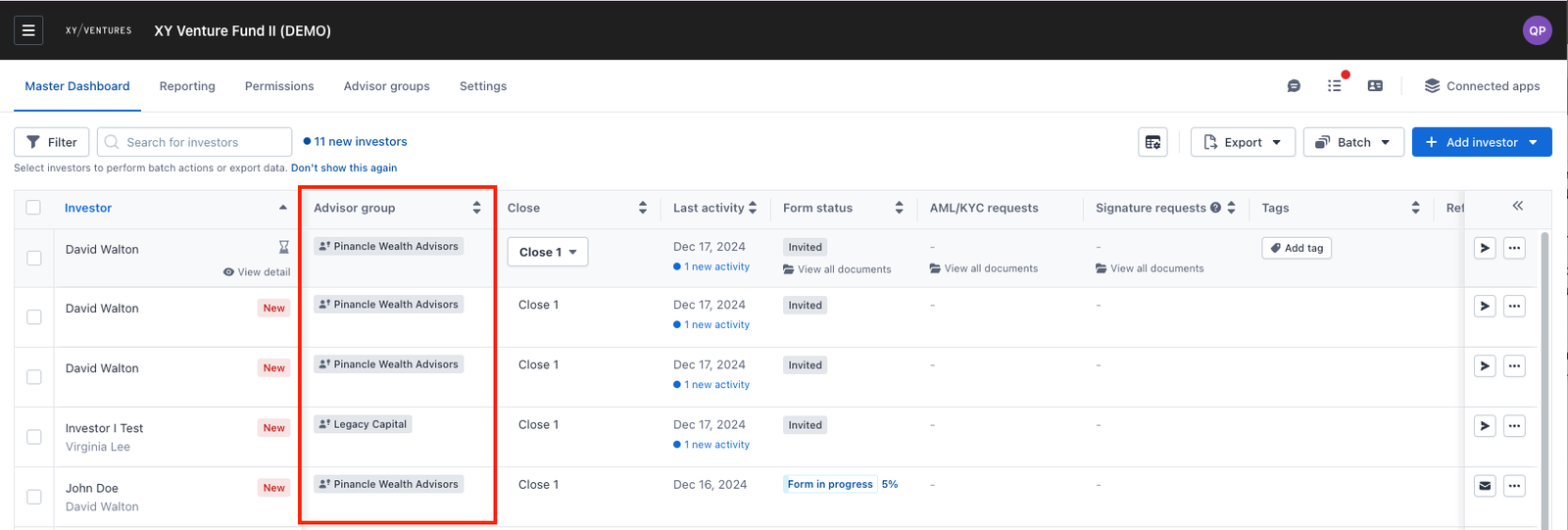
Identifying Advisor Entity's Subscriptions
- Navigate to the Master Dashboard.
- The dashboard includes a column that identifies the advisor entity associated with each order.
Viewing Subscription Details
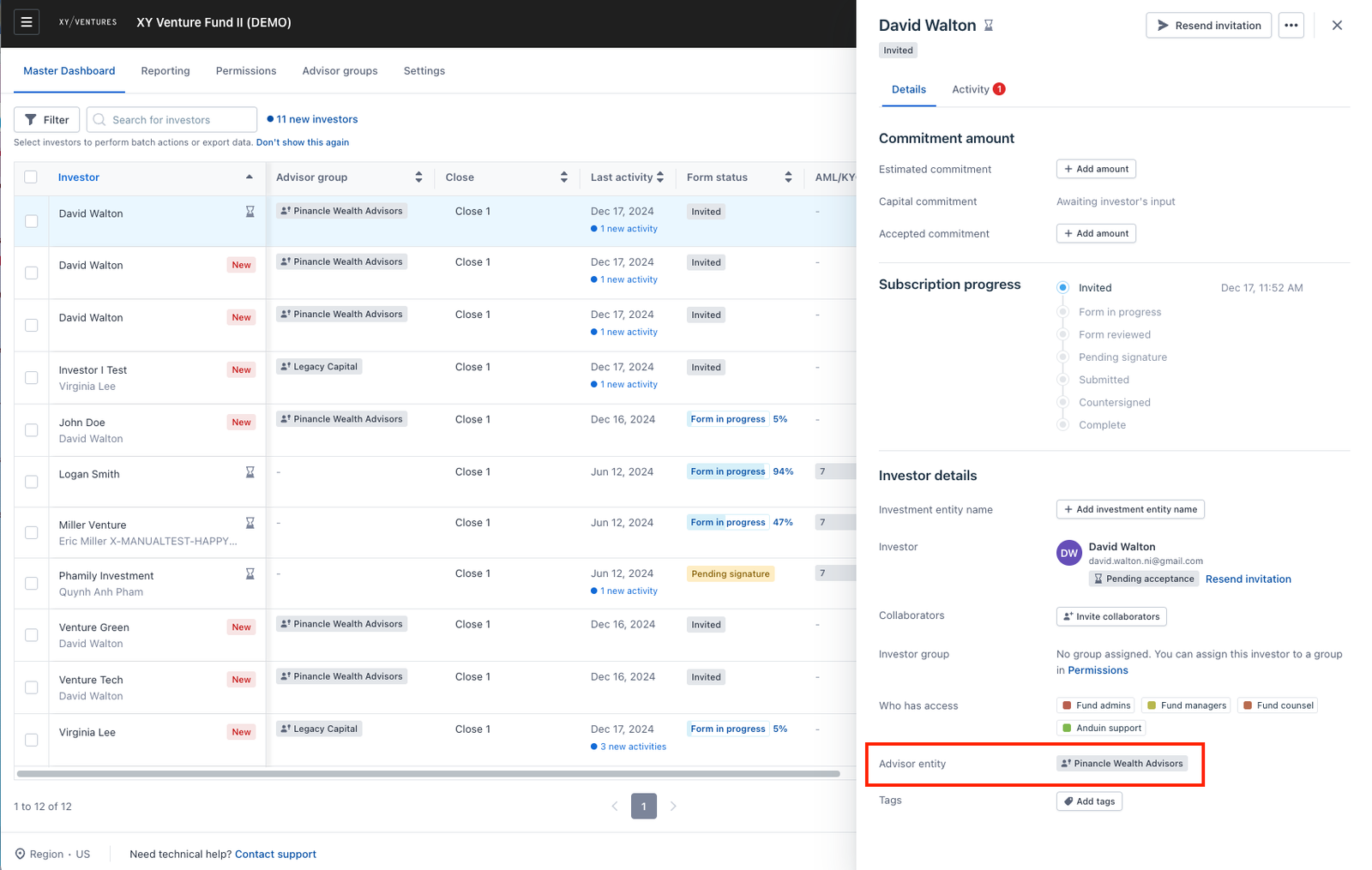
- To view detailed information about aa specific subscription:
– Click on the desired subscription in the Master Dashboard. – The details page will show: The advisor entity associated with the order. Additional subscription-specific information, such as participant details and status.
Was this page helpful?