

Send Request for Investor to Update Form
Public
1. Navigate to the Investors tab and use the [...] menu to Request > Changes to submission . 2. Select Update the form . 3. If you want to make
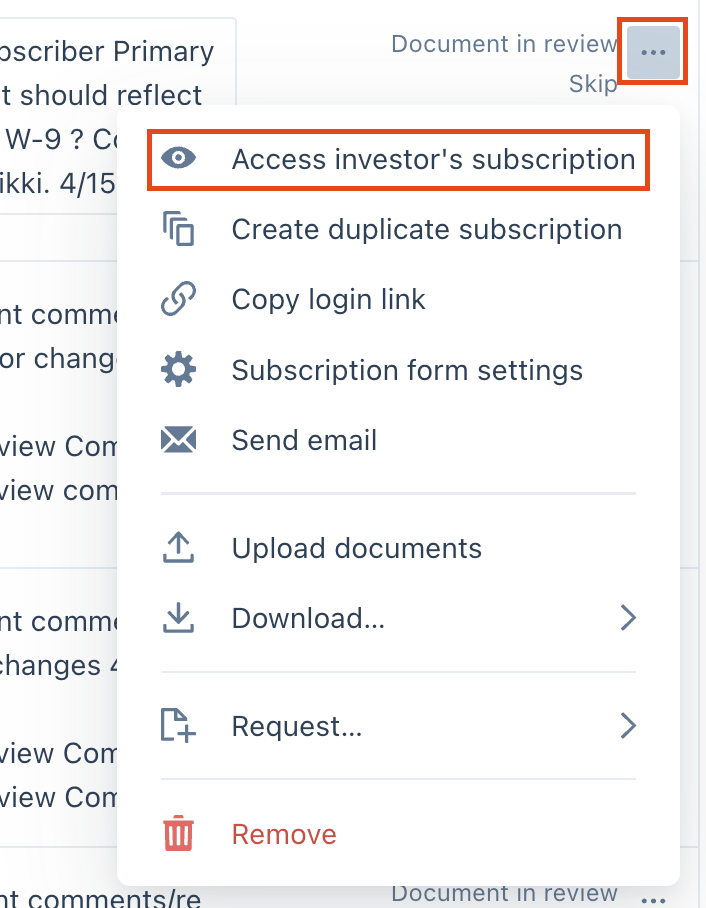
- Navigate to the Investors tab and use the (...) menu to Request > Changes to submission.

- Select Update the form.
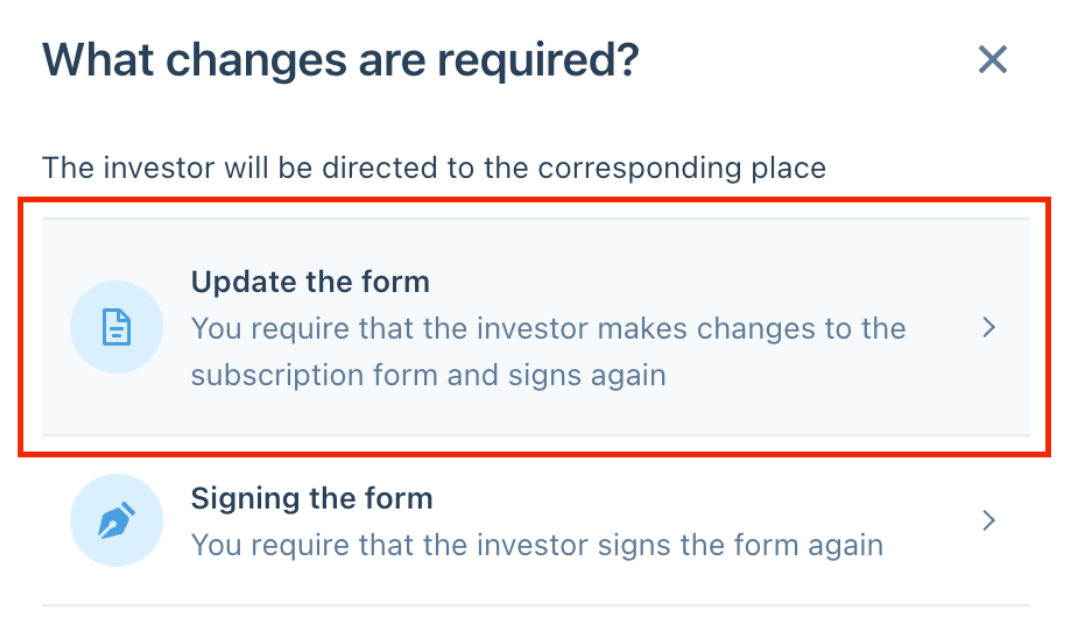
- If you want to make these changes for the investor and not have them receive a notification, uncheck the Notify investor and collaborators box before Requesting changes.
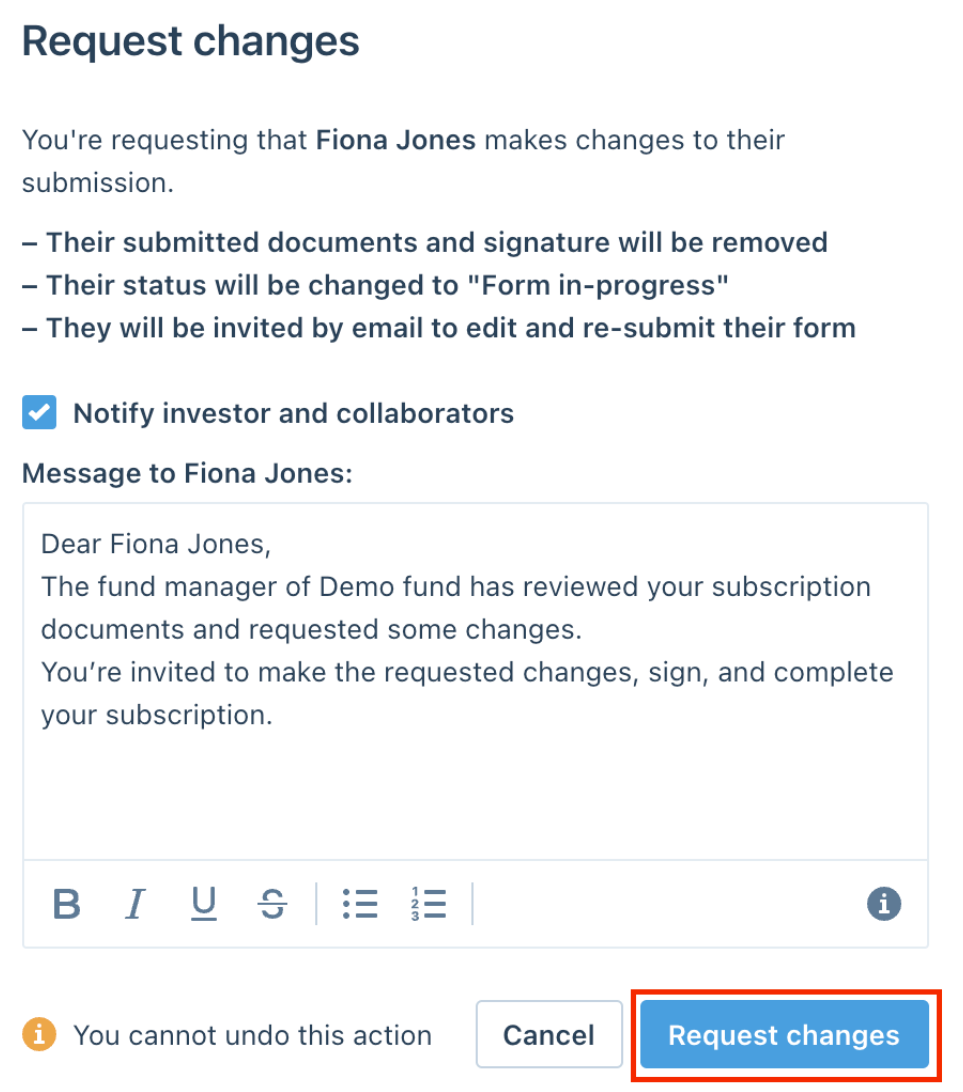
- Requesting the changes will re-open the form for editing, and allow you to use the same (...) menu to Access the investor's subscription
- Once you finish making the edits, you can Continue to the signature page > Add e-signature and then Request a signature back from the investor.
[](https://t7510096.p.clickup-attachments.com/t7510096/dcebcad2-8384-416a-bca8-698673e5e51f/image.png)
[](https://t7510096.p.clickup-attachments.com/t7510096/955d48b3-654a-4ec4-bd5e-92075ddfe6b0/image.png)
[](https://t7510096.p.clickup-attachments.com/t7510096/5cd94971-024d-43a7-bd21-a2bf248072d8/image.png)
Was this page helpful?