

Batch Reminder for Countersignature Request
Public
countersignaturereminder batch
Fund Managers and Admins can save valuable time and effort by using the Batch Countersign Request feature. Instead of having to send out multiple individua
Fund Managers and Admins can save valuable time and effort by using the Batch Countersign Request feature.
Instead of having to send out multiple individual reminders for countersignatures, they can now send a single email to remind about all Investor requests at once.
This feature eliminates the hassle of managing incomplete countersignature requests and streamlines the process for Fund Admins.
How to Send a Batch Reminder for Countersignature Request
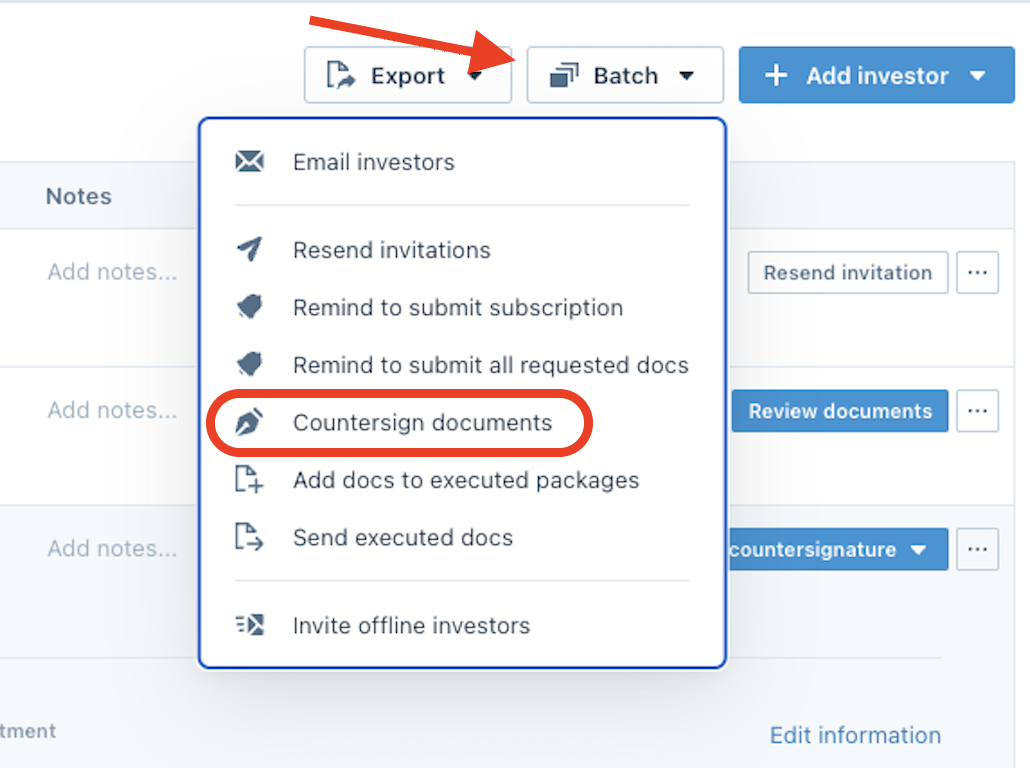
- From the Standard Dashboard, click Batch and choose Countersign Documents:
- In the top right corner, click Send Reminders:

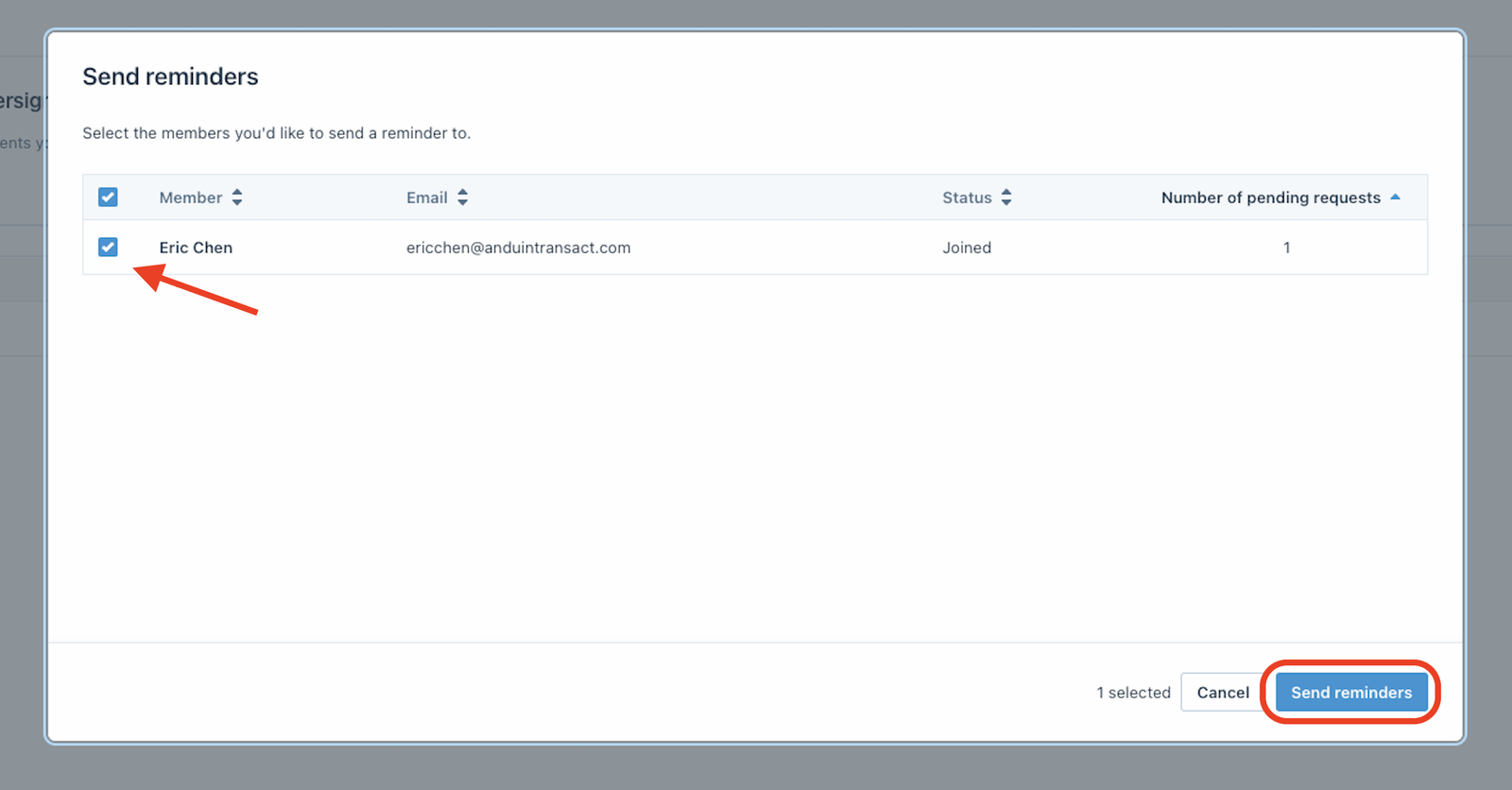
- Choose the Fund Manager you would like to remind and click Send Reminder:
Was this page helpful?