How to Email Investors
Users can email investors directly from the Fund Subscription platform. Email a single investor From the Investors dashboard, click the […] menu at the end
Users can email investors directly from the Fund Subscription platform.
Email a single investor
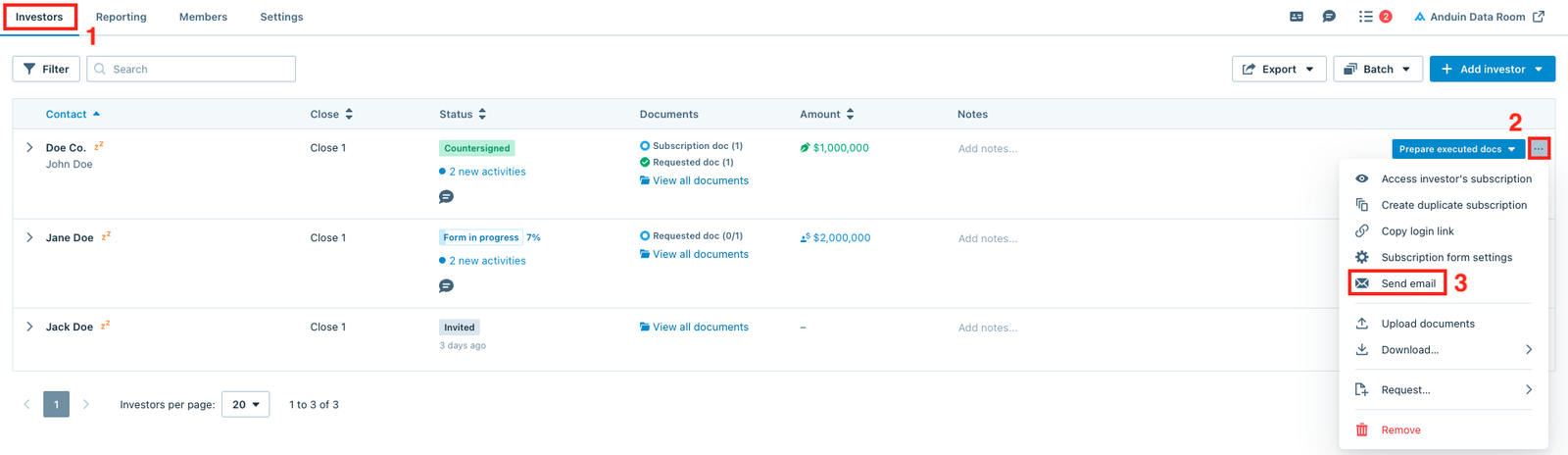
From the Investors dashboard, click the (…) menu at the end of each investor row and select Send email.
Email multiple investors
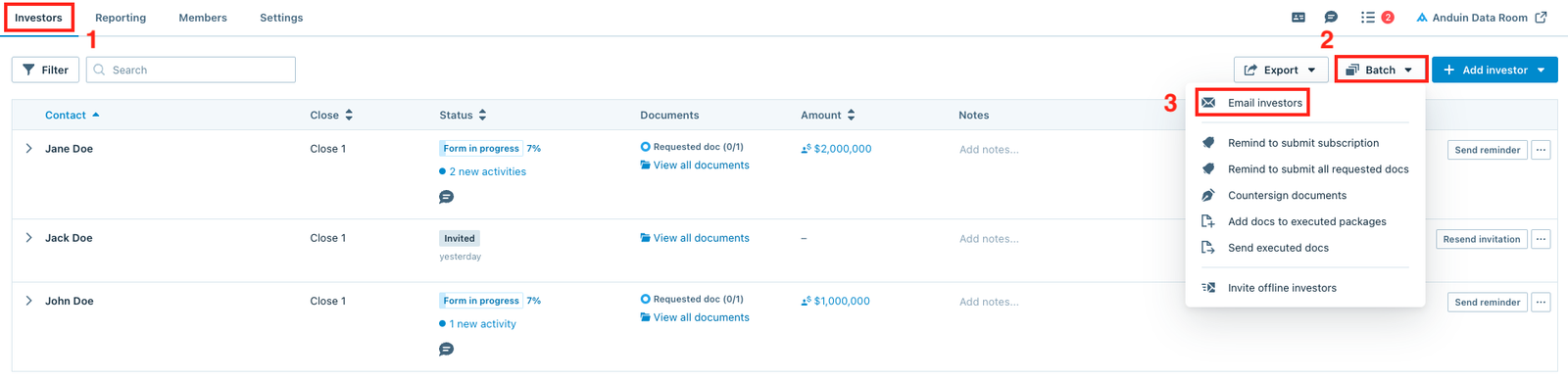
From the Investors dashboard, click the Batch button and select the Email investors option.
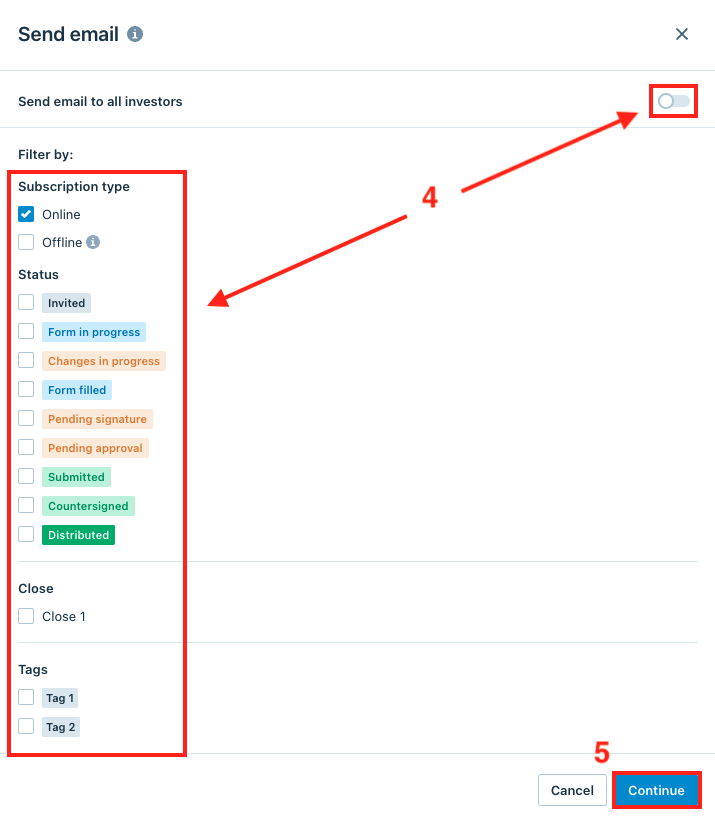
After clicking the Email investors option, the window below will pop up. Users can toggle the Send email to all investors switch or use the Filter by options to filter specific types of investors, then click Continue to prepare the message.
Delete
Note
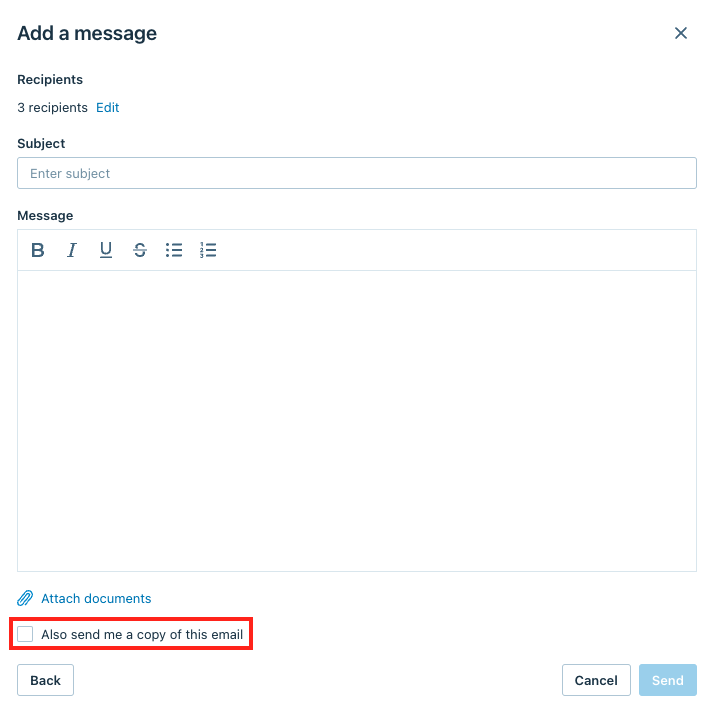
Users can tick the Also send me a copy of this email box in the next window if they would like to receive a copy of the email.