Export Investor Data and Documents
Users on the fund side can use the Export feature to export information from the Fund Subscription. Export investor dashboard data Users can use this opti
Users on the fund side can use the Export feature to export information from the Fund Subscription.

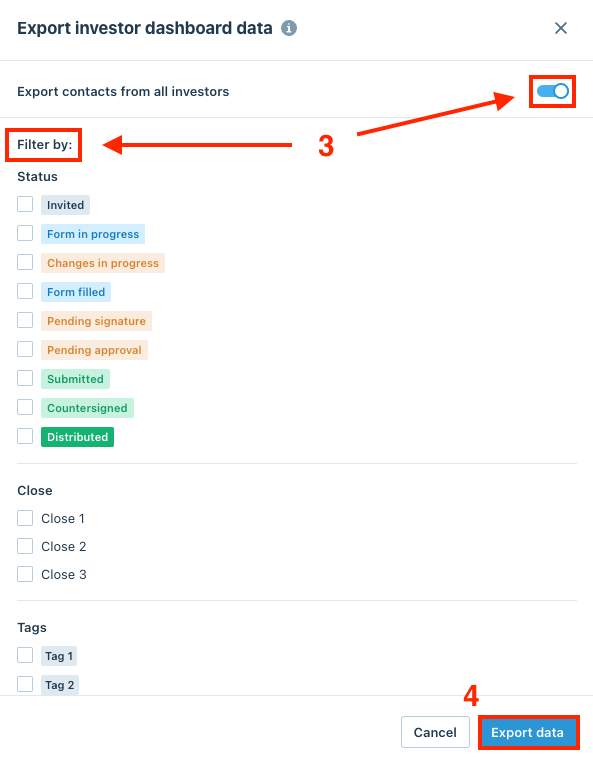
Export investor dashboard data
Users can use this option to export all information from the Investors dashboard. After selecting the Export investor dashboard data option, the window below will pop up on the screen. Users can either export contacts from all investors by switching the toggle or use the Filter by options to export contacts of a specific group of investors, then click Export data.
Export form data using template
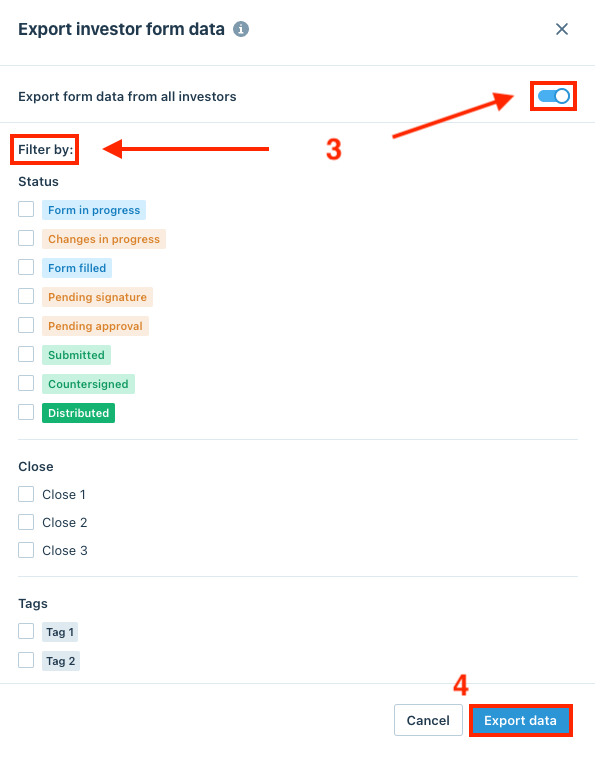
Users can export investors' form data using the our default template. After selecting the Anduin default template under the Export form data using template section, the window below will pop up on the screen. Users can either export all investors' form data by switching the toggle or use the Filter by options to export form data of a specific group of investors, then click Export data.
Note
We also support custom templates, please contact our Support Team for assistance!
Download investor documents
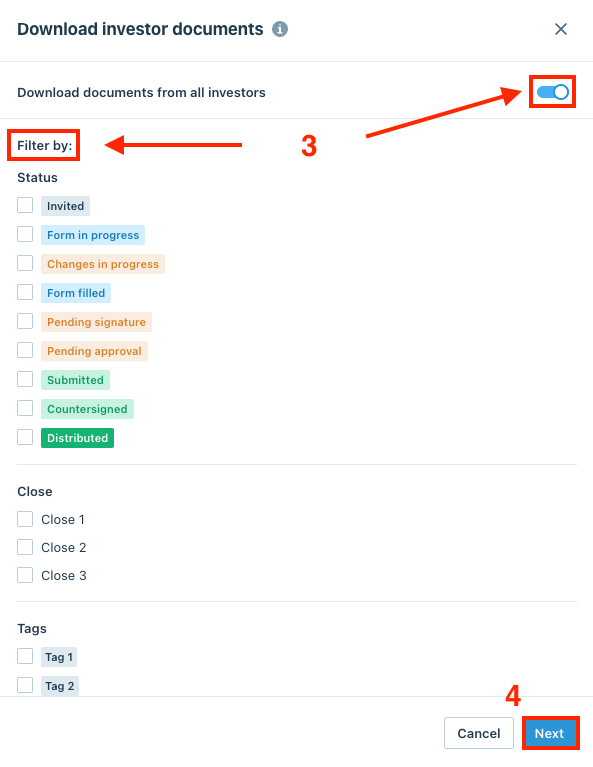
Users can use this option to download investors' documents. After selecting the Download investor documents option, the window below will pop up on the screen. Users can either download documents of all investors or use the Filter by options to download documents of a specific group of investors, then click Next.
Then, users can choose between two options:
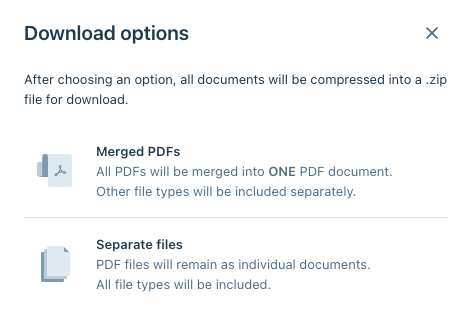
- Merged PDFs: All PDFs will be merged into one PDF document. Other file types will be included separately.
- Separate files: PDF files will remain as individual documents.. All file types will be included.
All documents will be compressed into a .zip file for download.