

Granular Permissions for Subscription Document section
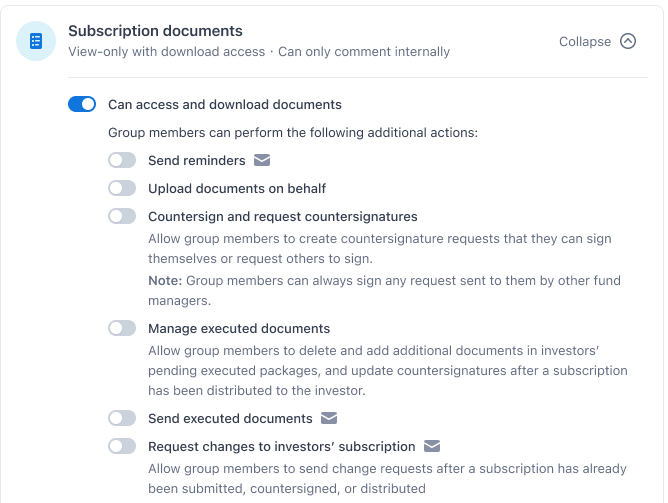
New granular permissions These new 7 permissions will help Fund Admin better replicate the accurate roles and capabilities that their fund team members can
New granular permissions
These new 7 permissions will help Fund Admin better replicate the accurate roles and capabilities that their fund team members can do in respective real life. This article will describe in detail what these permissions are to best enable you to configure your desired fund manager groups.
I. Visibility permission
Visibility permission controls what users can view on the Anduin Fund Subscription.
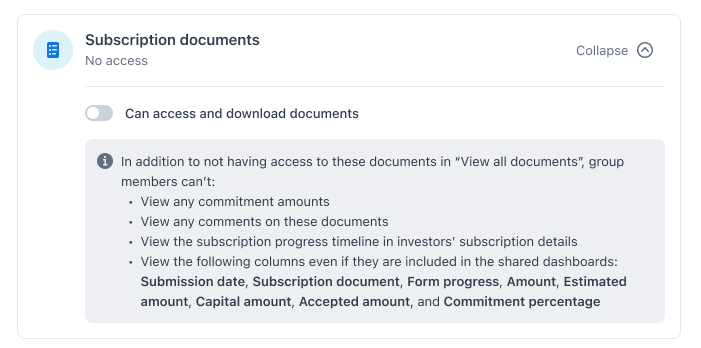
- No access: For no access view, toggle off this switch. The user will not be able to see the subscription document section on the Fund Sub
- View-only: Toggle on this switch. users will be able to see the subscription documents sections. This includes dashboard view, dashboard configuration, investor detail drawers, and subscription details,…
This is a parent switch for all the action permissions below. If this switch is toggled off, the user in this group will not be able to see the subscription documents at all. Thus, all the granular permission will be hidden and toggled off.
II. Action permissions
1. Sending reminder
With this permission switch toggled on, users can send reminders to the investors throughout the subscribing process. This includes: sending reminders to submit subscription docs, sending reminders to complete subs,…
If the permission is disabled, users will not see and be able to use this capability
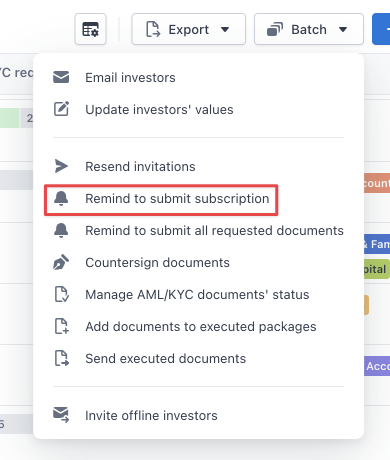
Access to “remind to submit subscription” from batch actions in the dashboard can be limited.
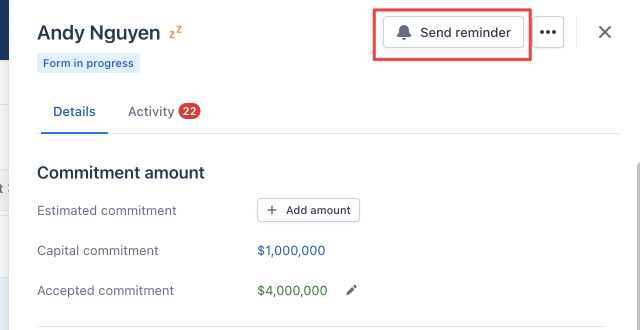
Access to “send reminder” in investor detail drawer from dashboard can be limited.
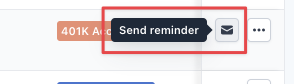
Access to “send reminder” action in each subscription row can be limited.
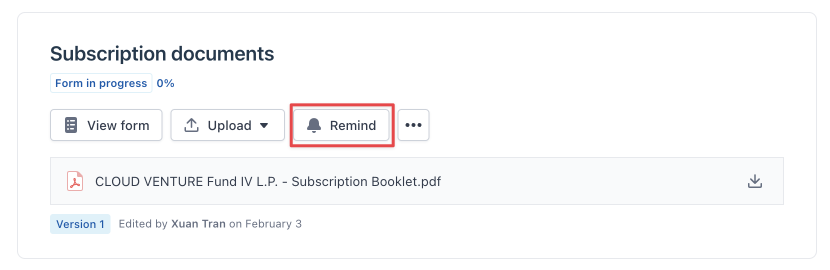
Access to “send reminders” in the subscription detail view can be limited.
2. Upload on behalf
With this permission switch toggled on, the user will be able to upload “investor-signed documents” and “fully executed documents” in the subscription document section.
If the permission is disabled, users will not see and be able to use this capability.
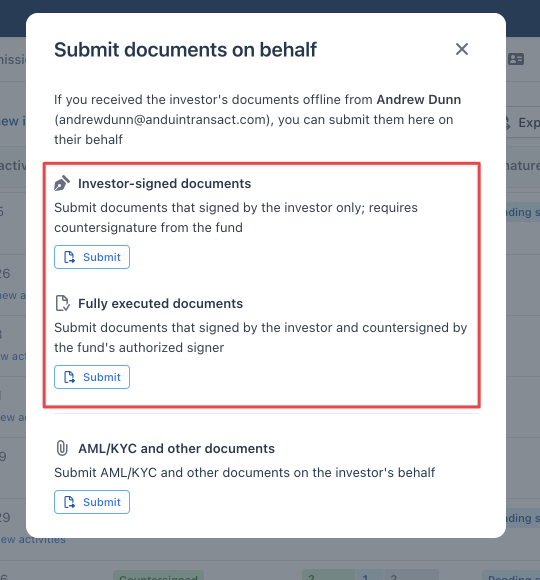
Access to submit subscription documents on behalf in the submit on behalf modal can be limited. This modal is accessed from dashboard.
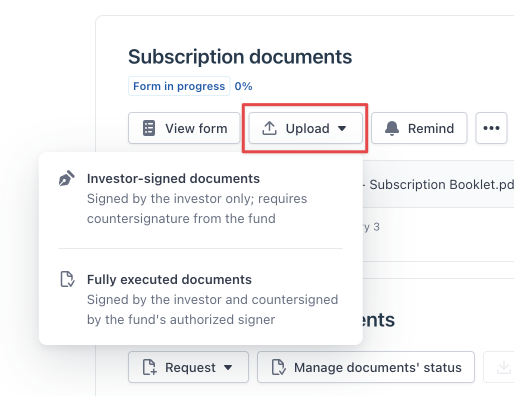
Access to upload subscription documents in subscription details can be limited.
3. Countersign and request countersignatures
With this permission switch toggled on, users will be able to create countersign requests for themselves and others.
If the permission is disabled, users will not see and be able to use this capability
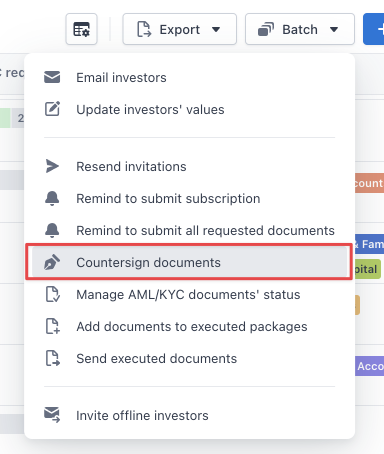
Access to “countersign documents” from batch actions in the dashboard can be limited
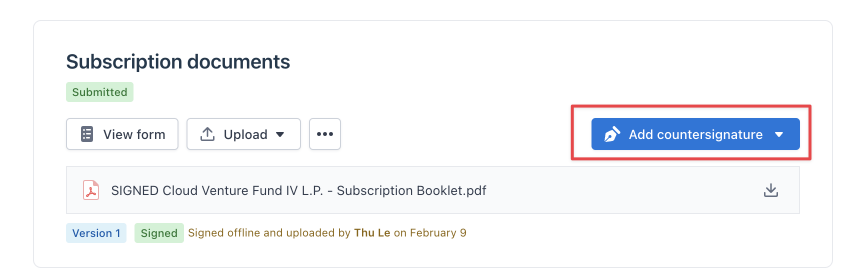
Access to “add countersignatures” from subscription details view can be limited.
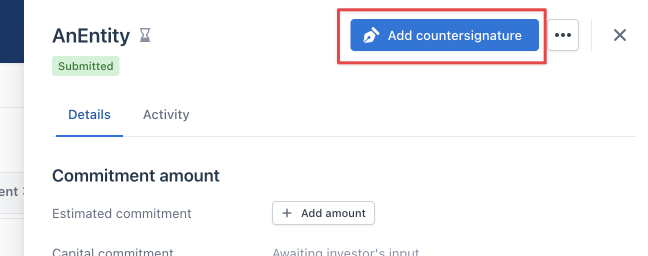
Access to “add countersignatures” from the subscription details drawer (from the dashboard) can be limited.

Access to “add countersignatures” for “submitted” subscriptions from dashboard can be limited.
4. Manage executed documents
With this permission switch toggled on, the user will be able to add additional documents when preparing an executed package and update the countersign. These are actions applicable after sending out executed documents
If the permission is disabled, users will not see and be able to use this capability
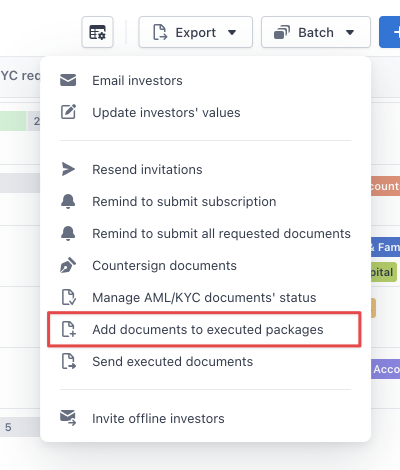
Access to “add documents to executed packages” from batch actions in the dashboard can be limited
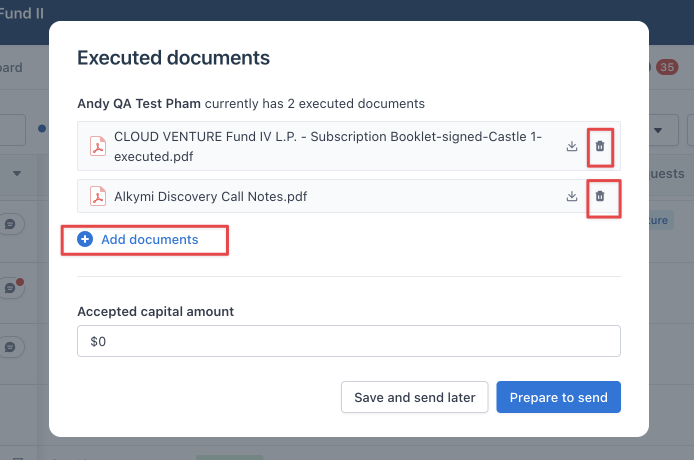
Access to add and delete documents in executed packages can be limited in Executed documents modal view.
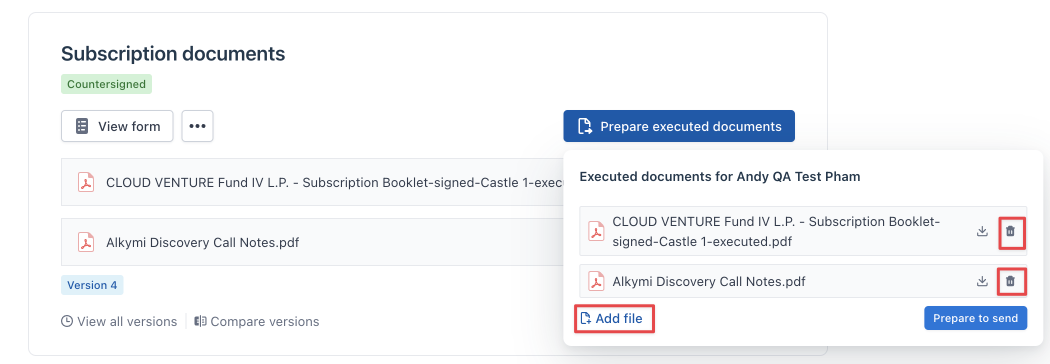
Access to add and delete documents in executed packages can be limited in Subscription Details view.
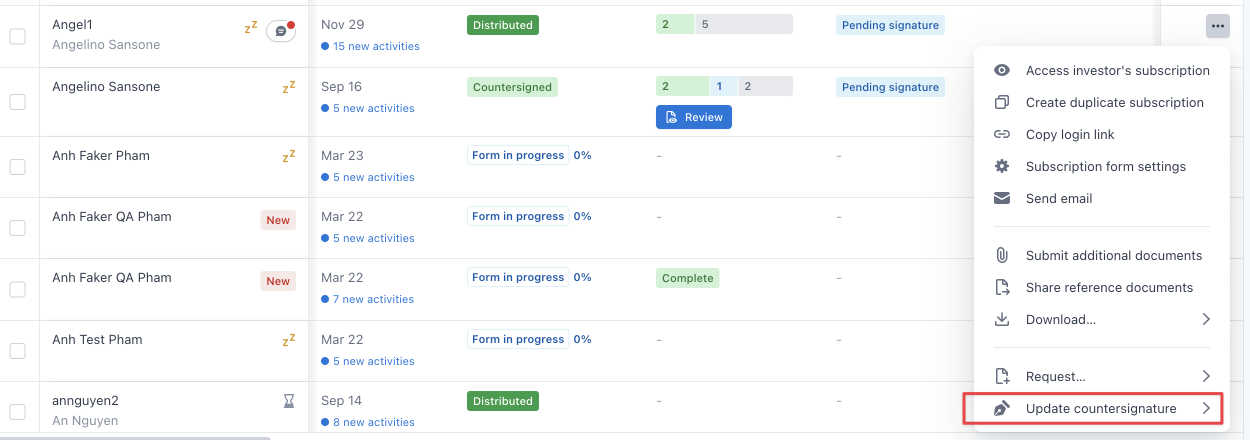
Access to add and delete documents in executed packages can be limited in action dropdown menu.
5. Send executed documents
With this permission switch toggled on, users will be able to send executed documents to their investor.
If the permission is disabled, users will not see and be able to use this capability
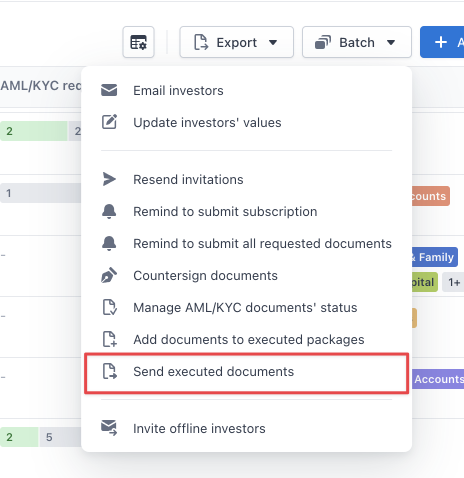
Access to send executed documents in “Batch” actions from dashboard. This action can be limited.
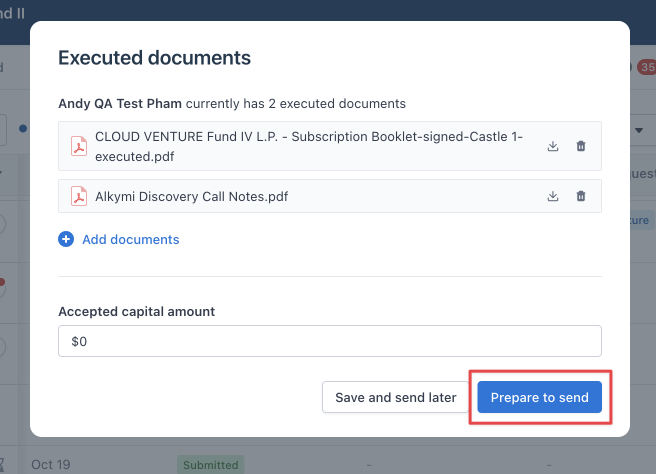
The “Prepare to send” action button in the Executed documents modal can be limited.
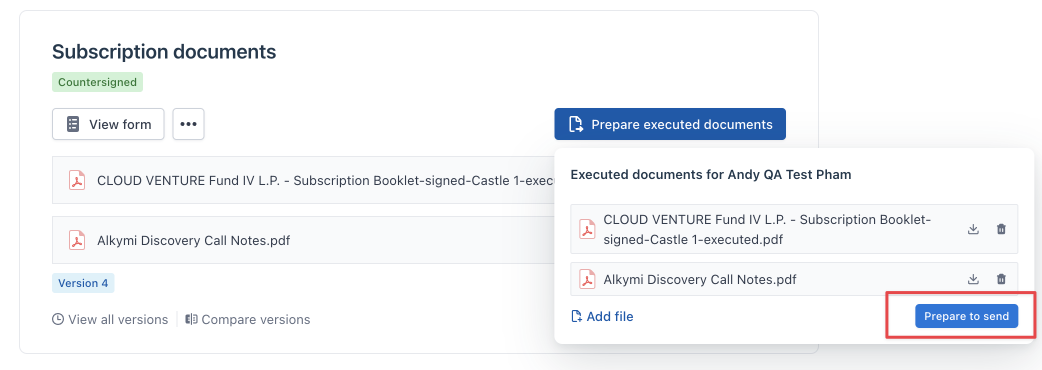
The “Prepare to send” action button in the subscription details view for countersigned subscriptions can be limited
6. Request changes to investors’ submissions.
With this permission toggled on, users will be able to send change requests after a subscription has already been submitted, countersigned, or distributed.
If the permission is disabled, users will not see and be able to use this capability
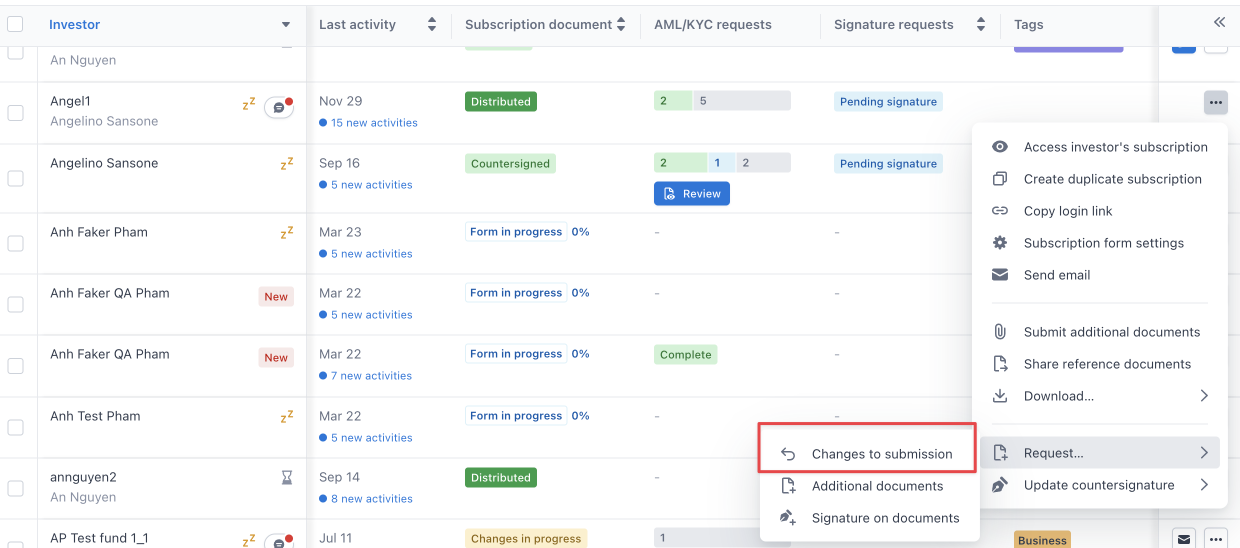
Entry point from the dashboard can be limited.
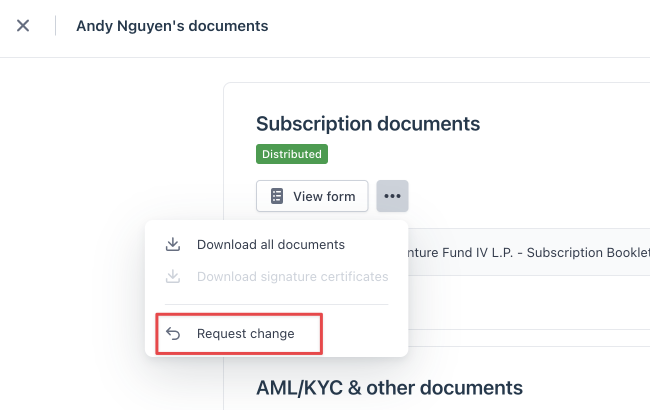
Entry point from subscription details can be limited