Multistep Signature Authentication
Anduin supports the use of Multistep Signature Authentication for Authorized Signers on Subscription Documents. Anduin E-sign 2FA will require signature re
Anduin supports the use of Multistep Signature Authentication for Authorized Signers on Subscription Documents. Anduin E-sign 2FA will require signature requesters to specify a 2FA mechanism to identify the signer(s).
To complete signing, the intended signer(s) must input an OTP code provided to their phone or an Access Code created by the signature requester.
Adding Multistep Signature Authentication
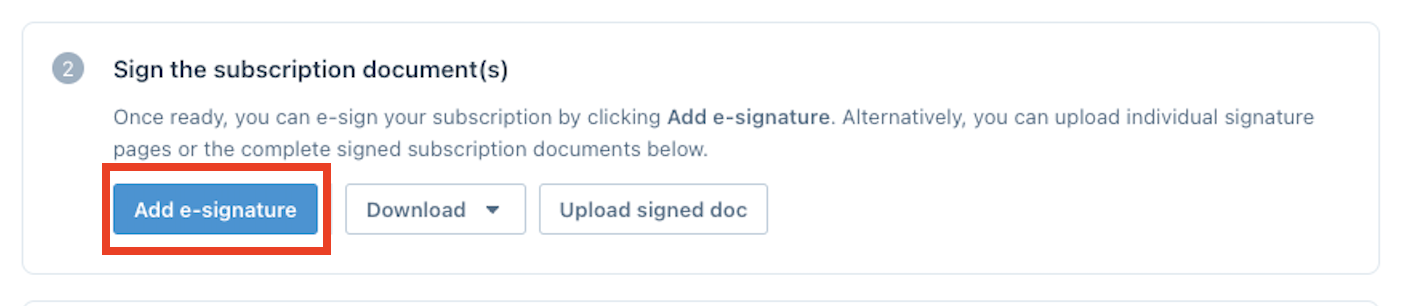
- After you have filled in the Subscription Document, you have the ability to add in a signature or authorized signatures. Click the Add Signature button:
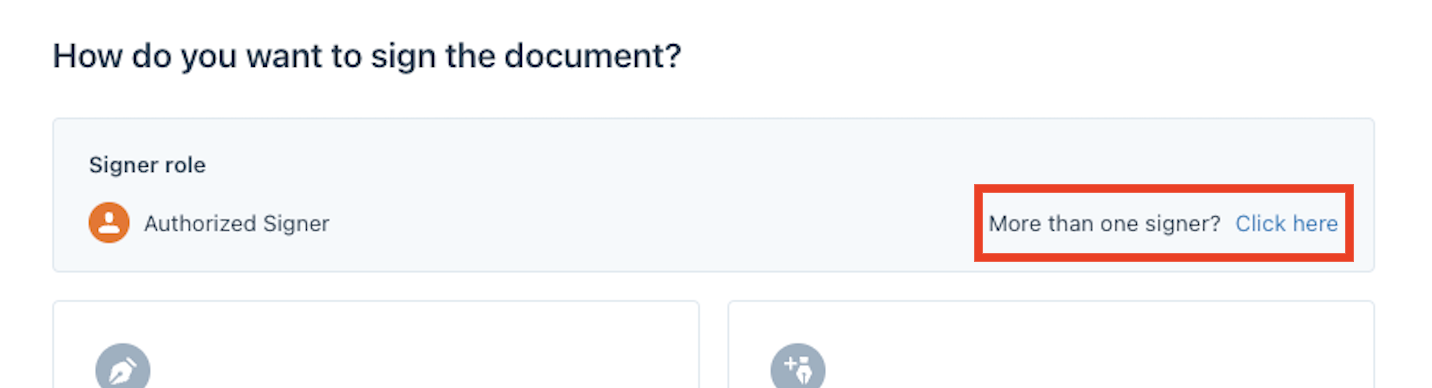
- Under the Signer role, choose the click here option:
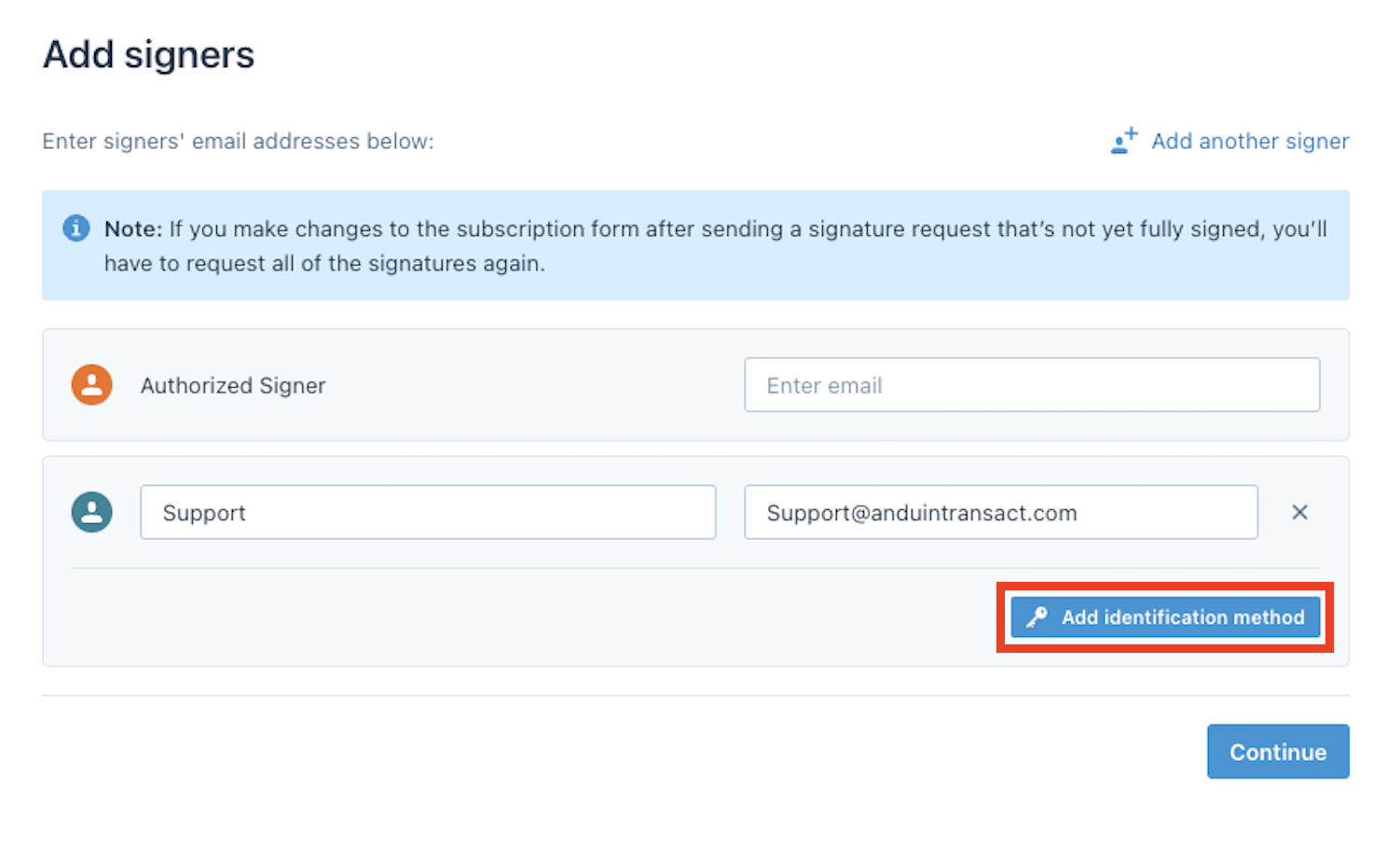
- Under Add signers, enter the name and email of the authorized signer and click Add identification method:
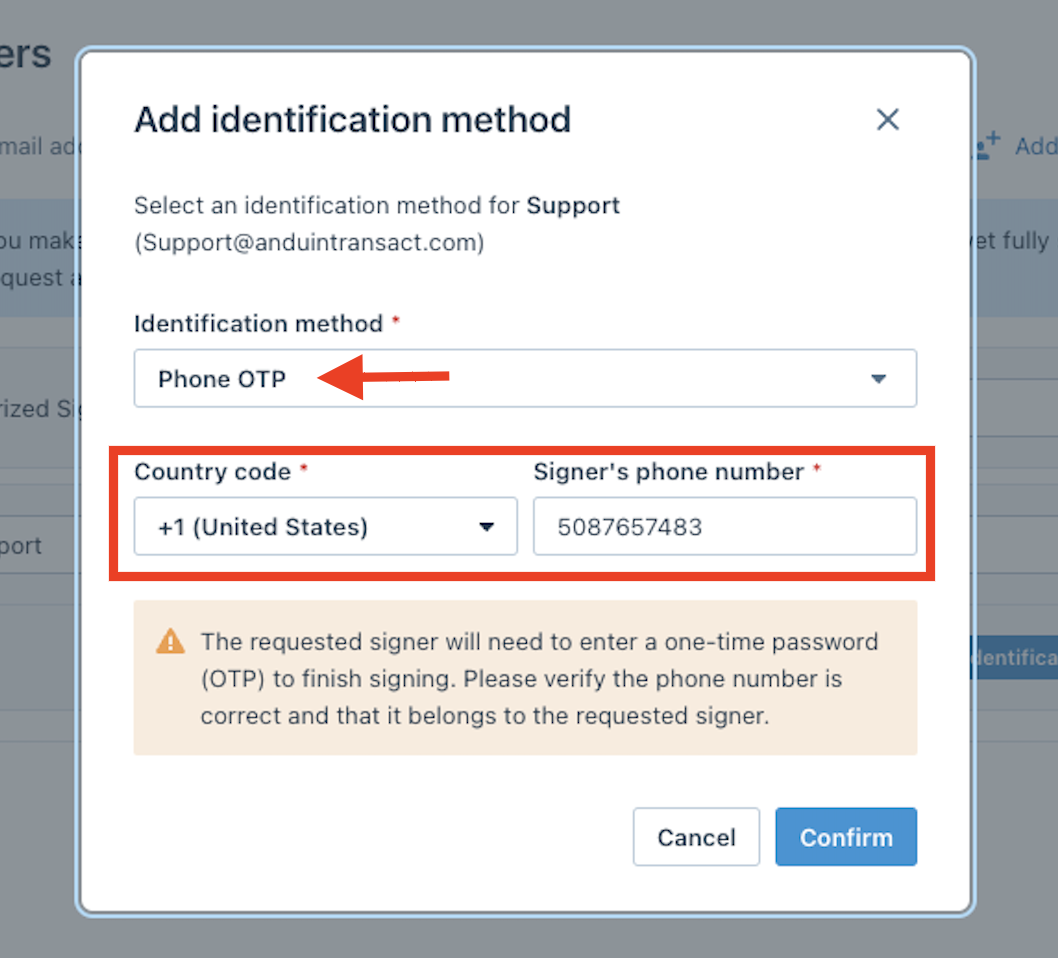
Identification Method
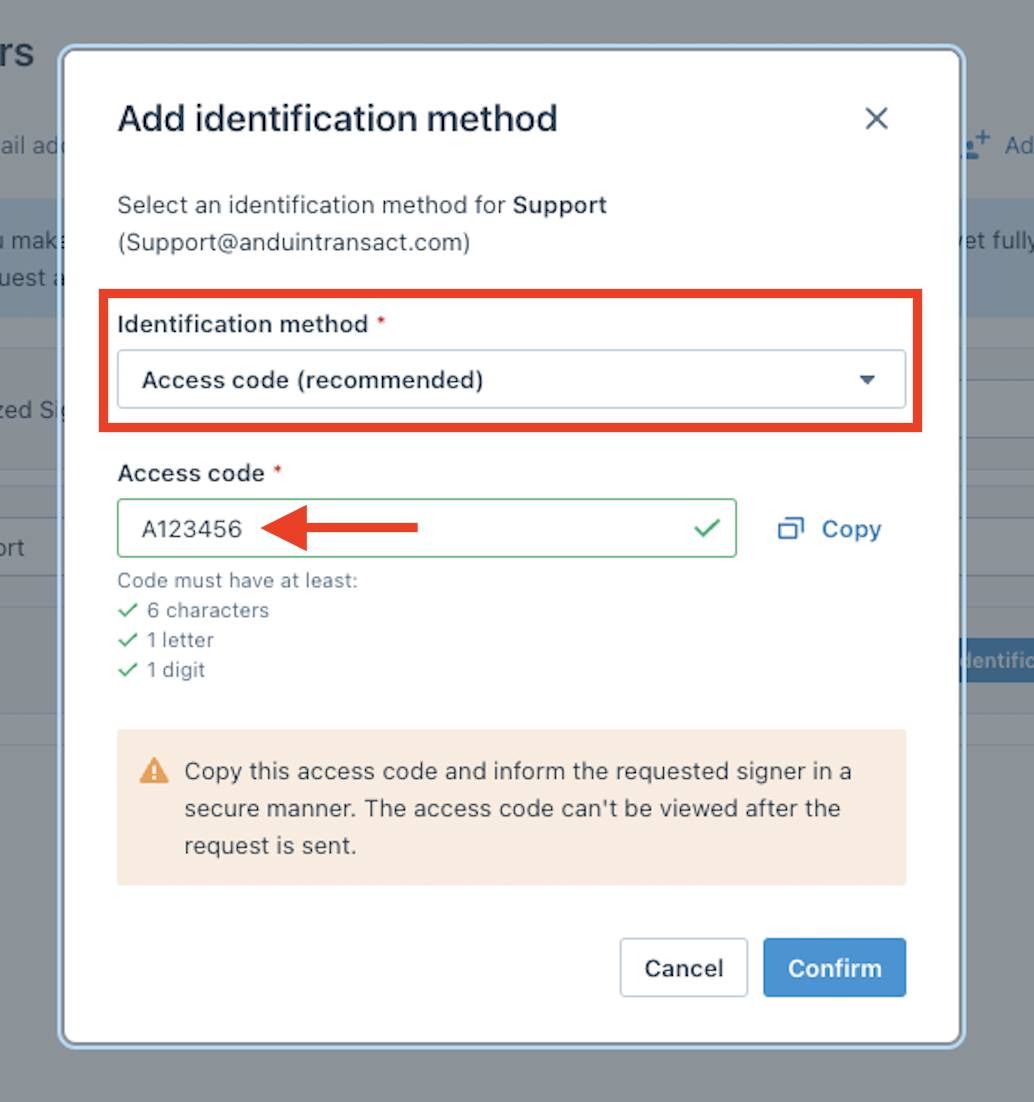
You have two different options to confirm the identity of the signer. One is by an Access Code, and the other is a Phone OTP
Assigning Access Code
Choose the Identification Method of Access Code and assign the Access code:
Assigning Phone OTP
Choose the Identification Method of Phone OTP and assign the phone number for the signer. Anduin will send a verification code to that number before signing: