

Learn about Notifications Settings
Each user on the fund side of the platform (fund managers, fund administrators, and fund counsel) can update their notification preferences in the Notifica
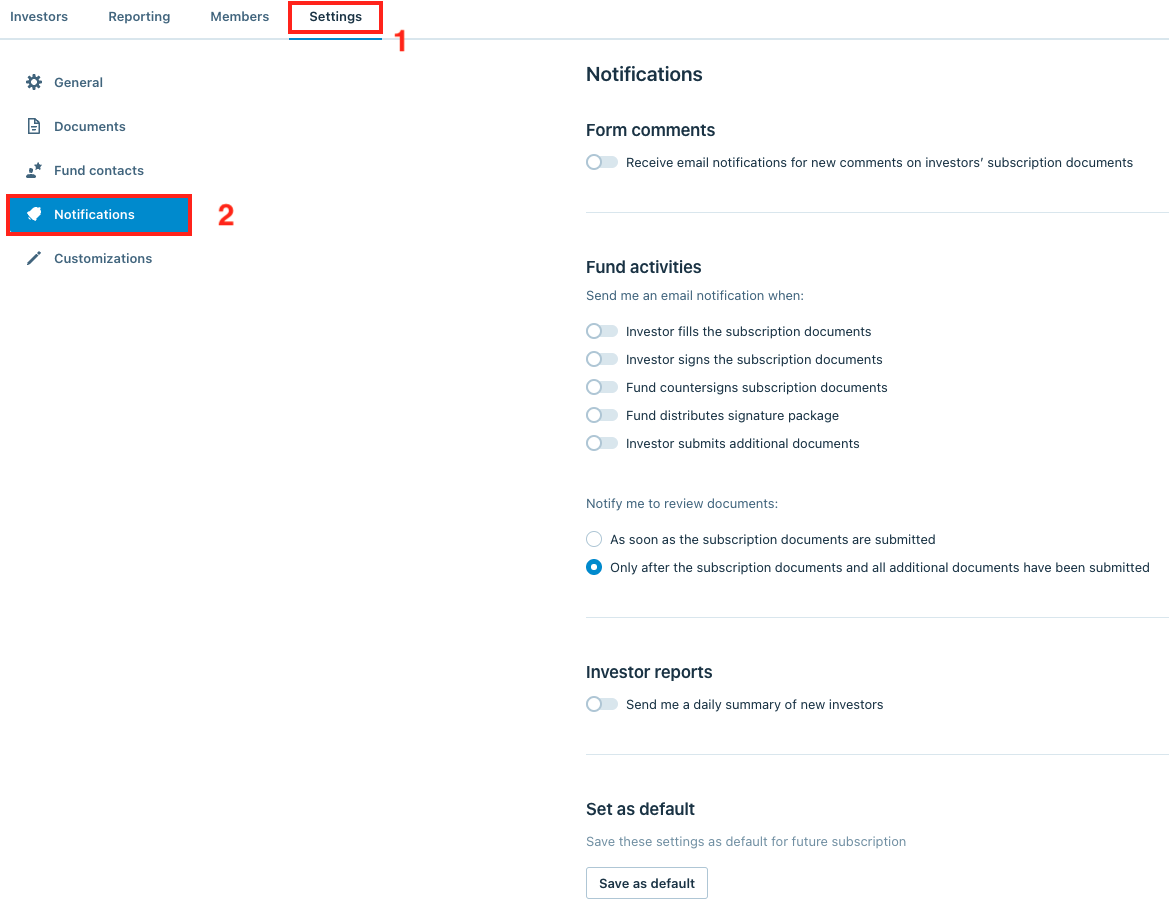
Each user on the fund side of the platform (fund managers, fund administrators, and fund counsel) can update their notification preferences in the Notifications section from the Settings tab.
Form comments
The Form comments toggle controls if the user receives an email notification when investors add a comment to the smart form.
Form comment email notifications are digest emails, which are batched at 10-minute intervals. Any investor commenting activity in that 10-minute interval would be included in a single digest email.
Fund activities
In the Fund activities section, users can select which investor actions in the smart form process would send them email notifications.
Notify me to review documents
This option is only available for users who have been assigned as Reviewers on the Members tab.
The Notify me to review documents toggle allows users to control whether they receive an email notification to review documents as soon as the documents have been submitted, or only after the subscription documents and all additional documents have been submitted
Investor reports
This toggle controls if users receive a daily digest report of new investors who have joined the platform.
Investor commenting notifications
By default, when a user on the fund side of the platform responds to an investor's comment or adds a net new comment to the investor's form, it will send an email notification to that investor's contacts.
These email notifications take the form of digest emails, which aggregate all comments added to an investor's form in a 10-minute interval and send out a single comment notification email.
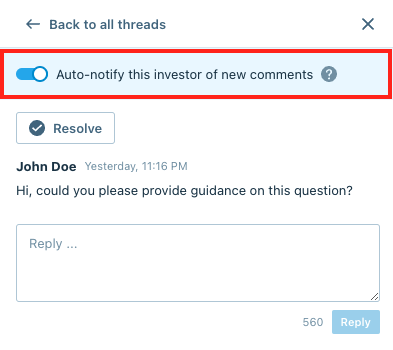
Users on the fund side of the platform have the ability to suppress these comment notifications when they are adding comments. Suppressing comment notifications provides flexibility to fund side users, allowing them to add multiple comments to an investor's form and include those comments when they are requesting changes to an investor's draft or submitted documents.
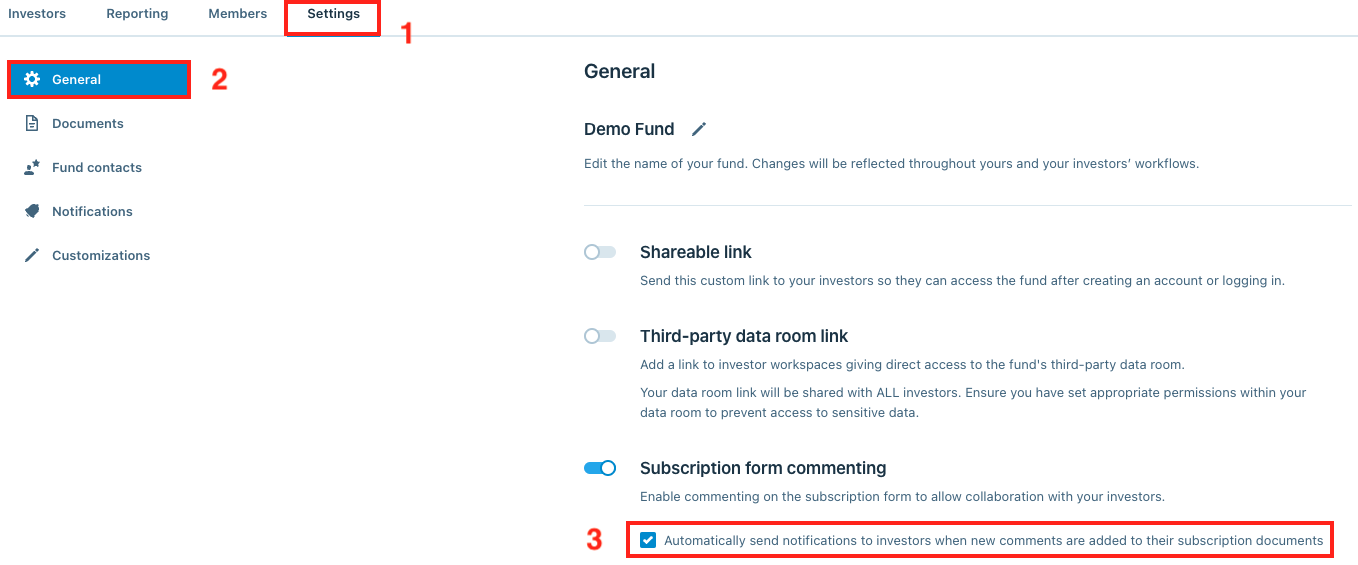
Investor commenting notification settings are configured in two places on the fund side of the platform:
- General settings In the General section on the Settings tab, navigate to the Subscription form commenting option. Underneath the Subscription form commenting option, there is a checkbox controlling if investors receive comment email notifications when new comments are added to their form.
- Comments page From the Investors tab, click the comment bubble icon in the top-right hand corner.

Within the commenting window, click the View button to view specific comments on each investor's form.

From the commenting section in the investor's form, users can toggle the Auto-notify this investor of new comments switch to suppress comment email notifications to the investor.
Recommended notification preferences for different users
- Fund Manager
- Fund Admin
- Fund Counsel