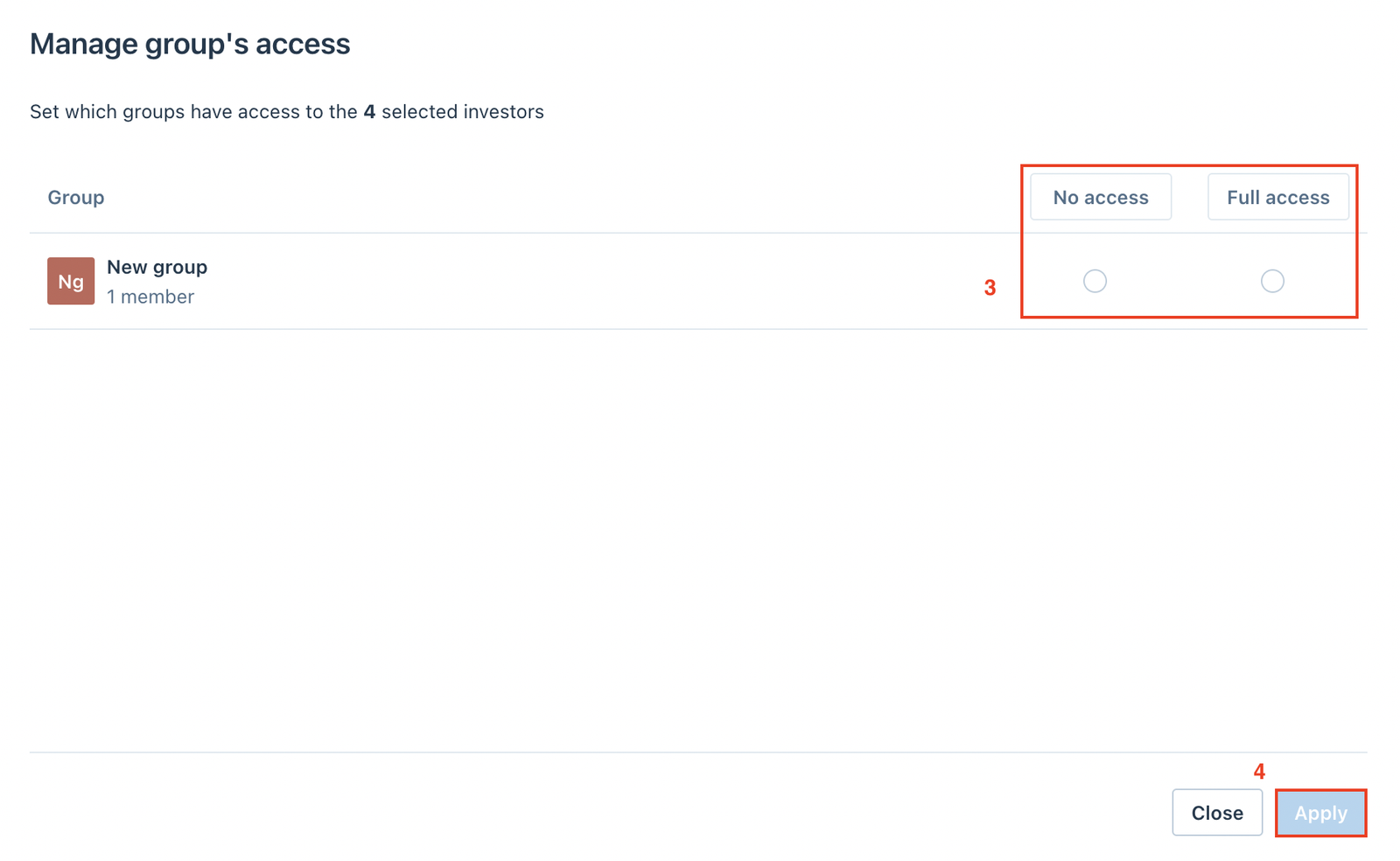
Learn about the Investors section in Permissions tab
Fund managers can define the subset of investors' data (all data and documents) that custom groups can access. Individual investor settings From the Inve
Fund managers can define the subset of investors' data (all data and documents) that custom groups can access.
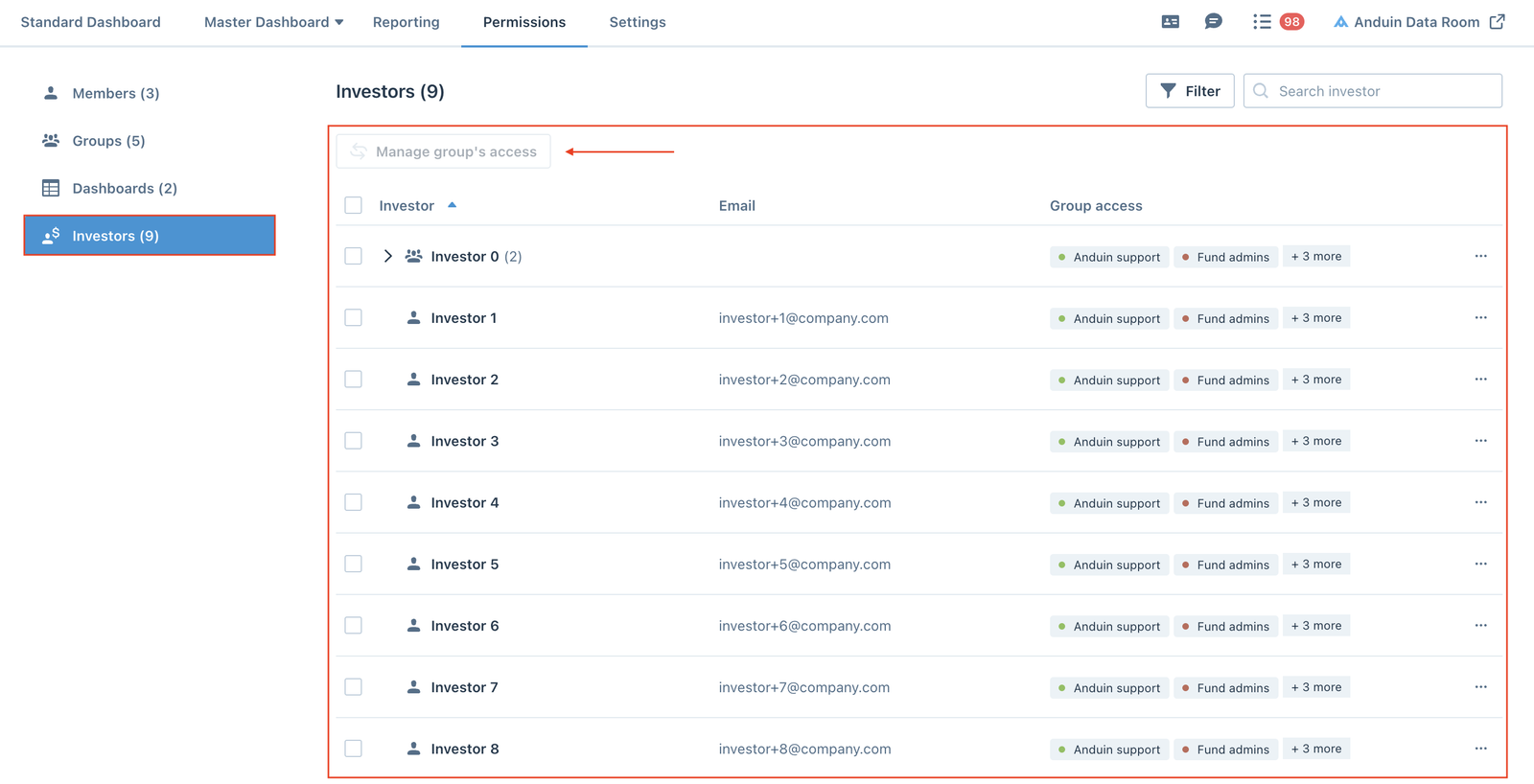
Individual investor settings
From the Investors section, fund managers can click the (…) menu to Manage group's access or Remove investor from the environment.
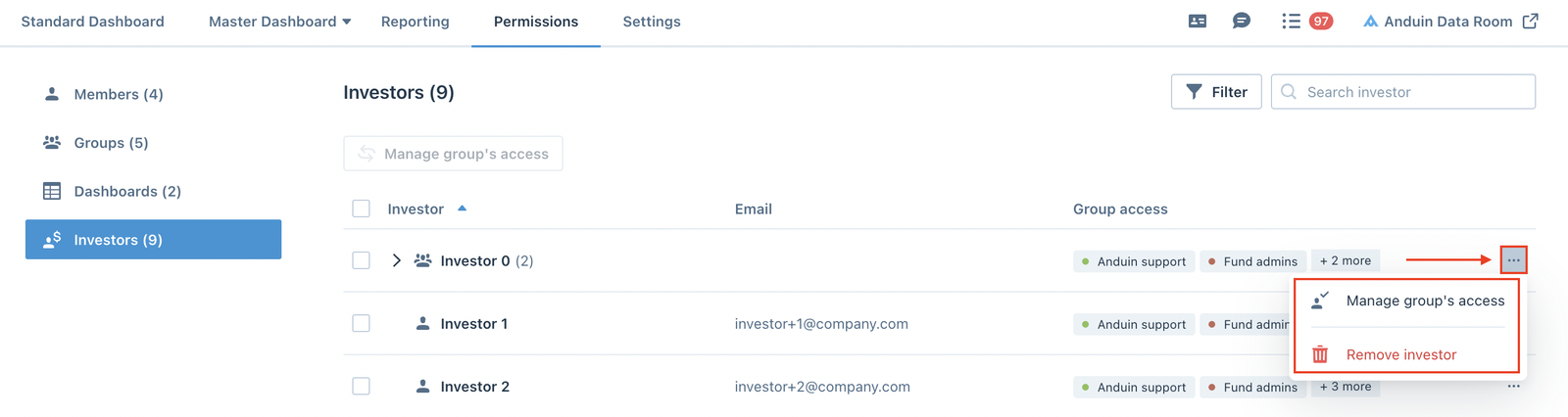
Manage group's access
From the Manage group's access screen, fund managers can set which custom groups have access to the selected investors by selecting between No access and Full access options, then click Apply to save the settings.
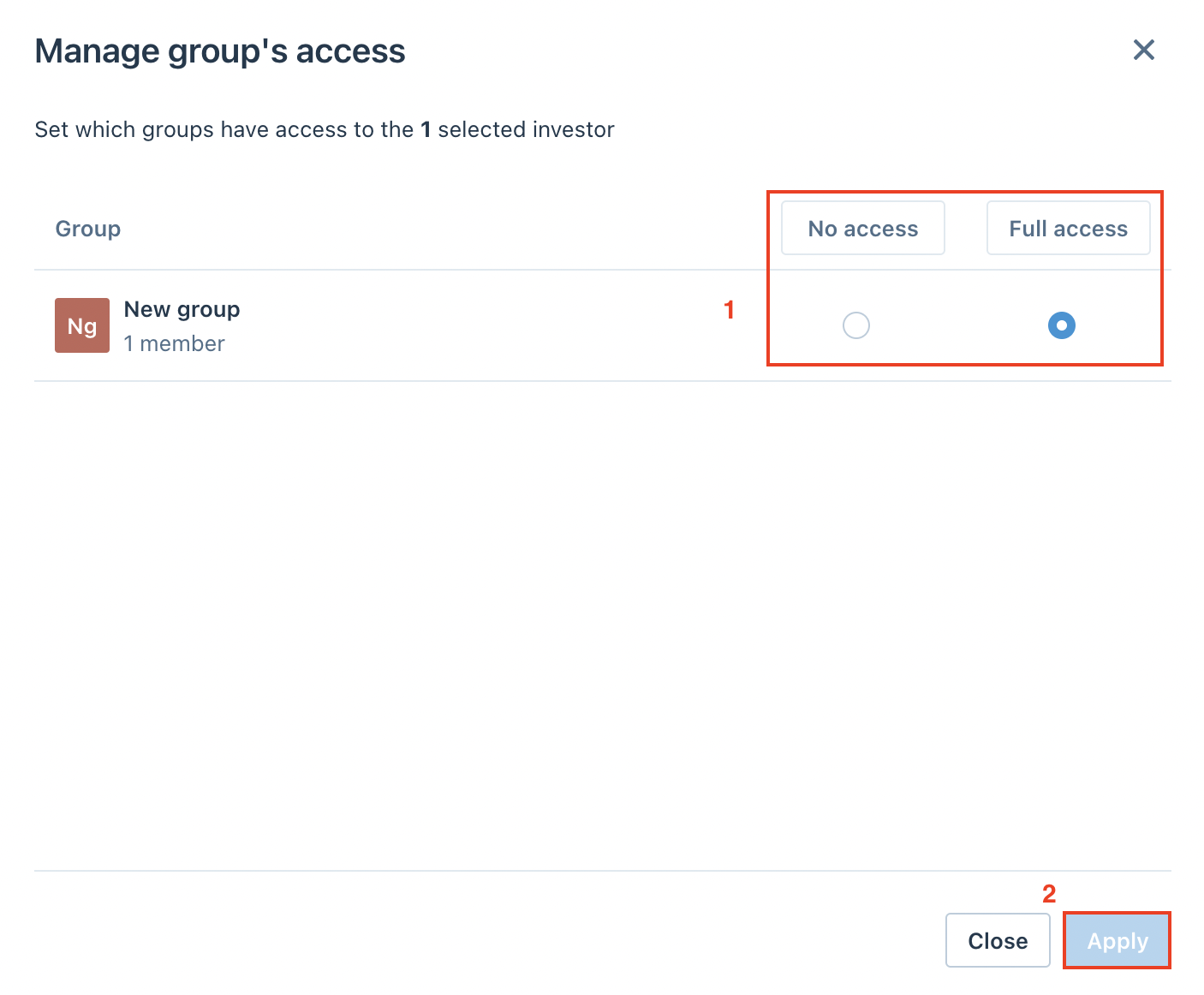
Multiple investors settings
Select the investors from the investor list, then click the Manage group's access button.
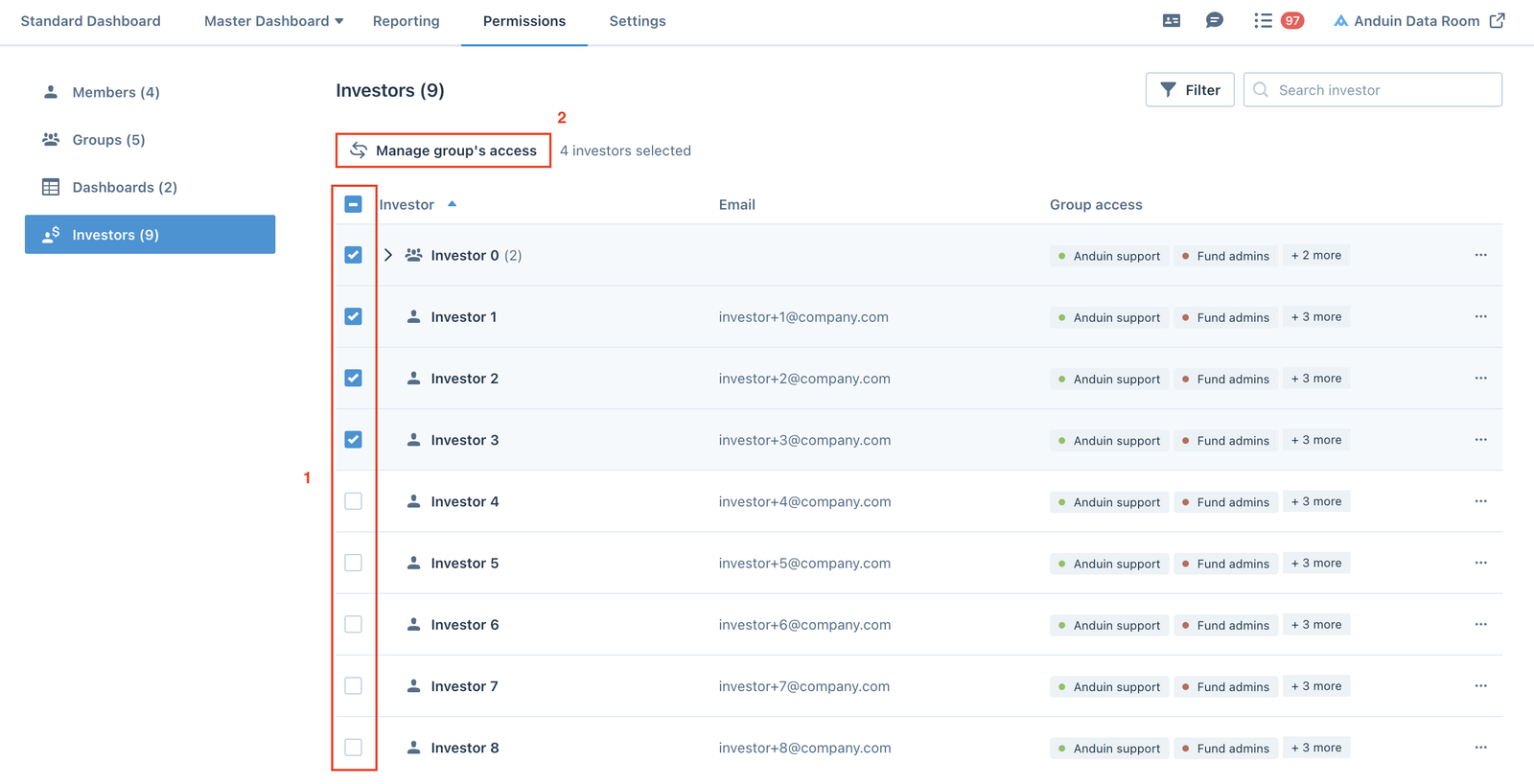
Set the custom groups' access to the selected investors, then click Apply to save the settings.