

Fund Manager Guide: Invite Advisors to Fund Subscription through Advisor Management
Intro This feature gives fund managers more flexibility when inviting advisors. You can work with both existing and new advisor entities, and choose whethe
Intro
This feature gives fund managers more flexibility when inviting advisors. You can work with both existing and new advisor entities, and choose whether to create the advisor entity yourself or let the advisor create it.
What this feature does ?
As a fund manager, you can now:
- Work with advisor entities you’ve previously collaborated with
- Invite or connect with new advisor entities
- Choose between creating the advisor entity yourself or letting the advisor create it
- Avoid setup errors caused by advisor-only flows
This ensures a clean, compliant setup for both Fund Subscriptions and Advisor Advantage.
Who this is for ?
This feature is designed for:
- Fund managers helping advisors onboard or connect to funds
- Teams working with first-time advisors
- Fund managers managing multiple funds and collaborating with recurring advisor entities
How it works ?
Navigate to Invite Advisor flow
- Go to Fund Subscription → Advisor Management
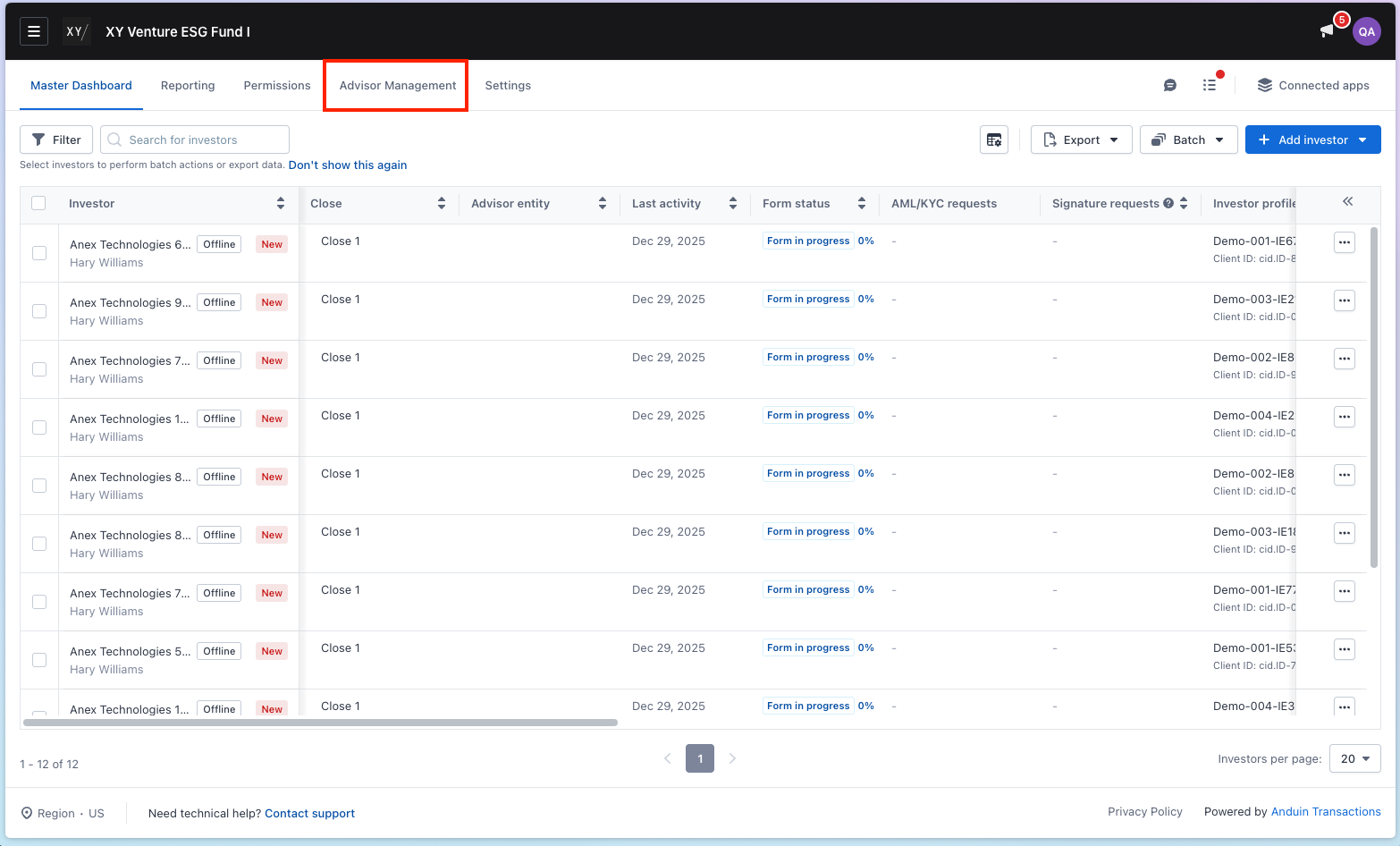
- Choose Add Advisor Entity
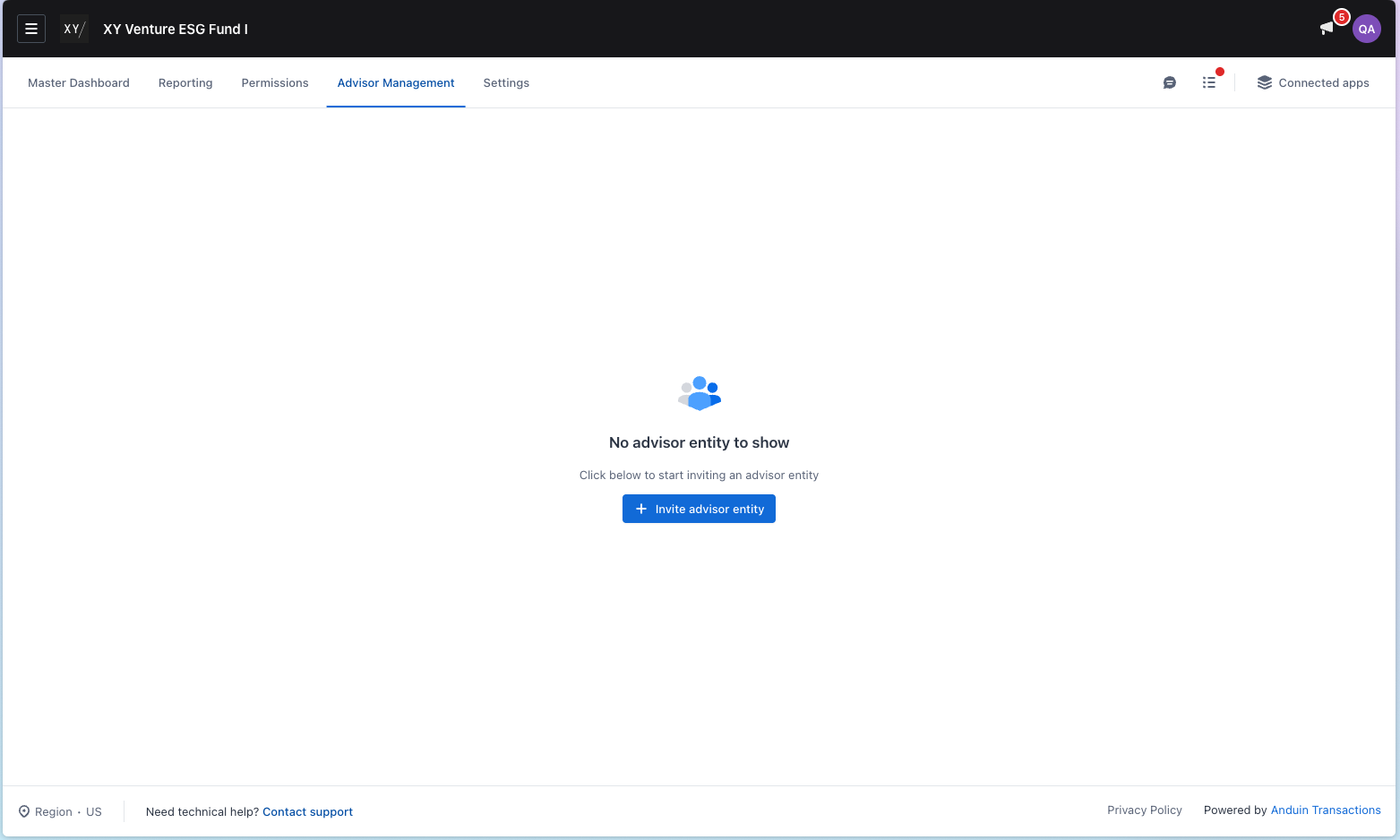
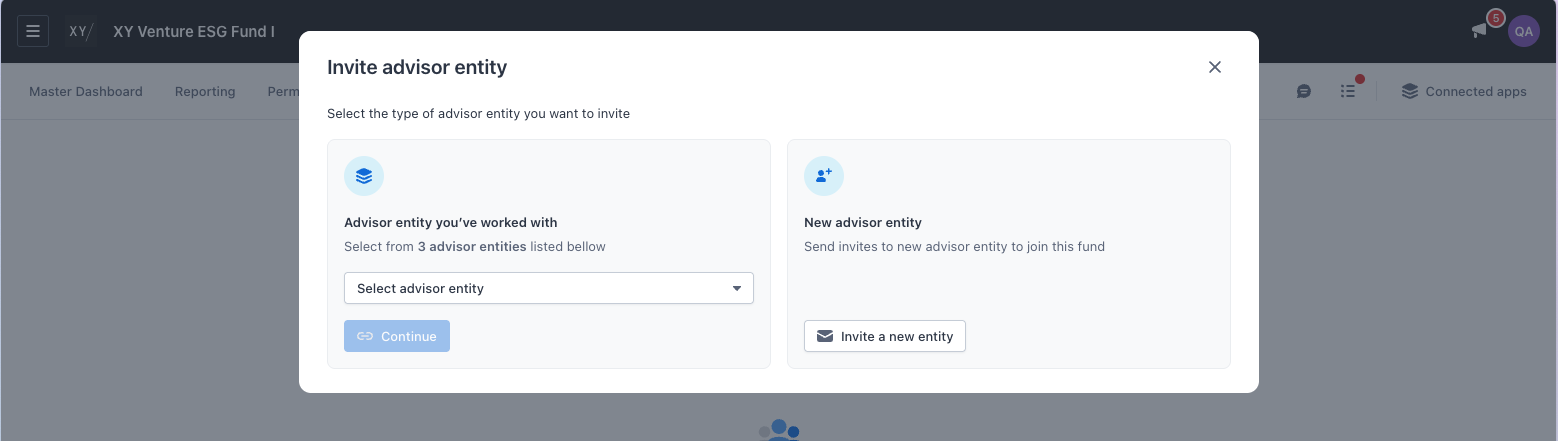
- If you work with at least one advisor entity before, you would see 2 options - Work with existing advisors or Invite a new entity. If you never work with an advisor entity before, you would move straight to Invite a new advisor entity
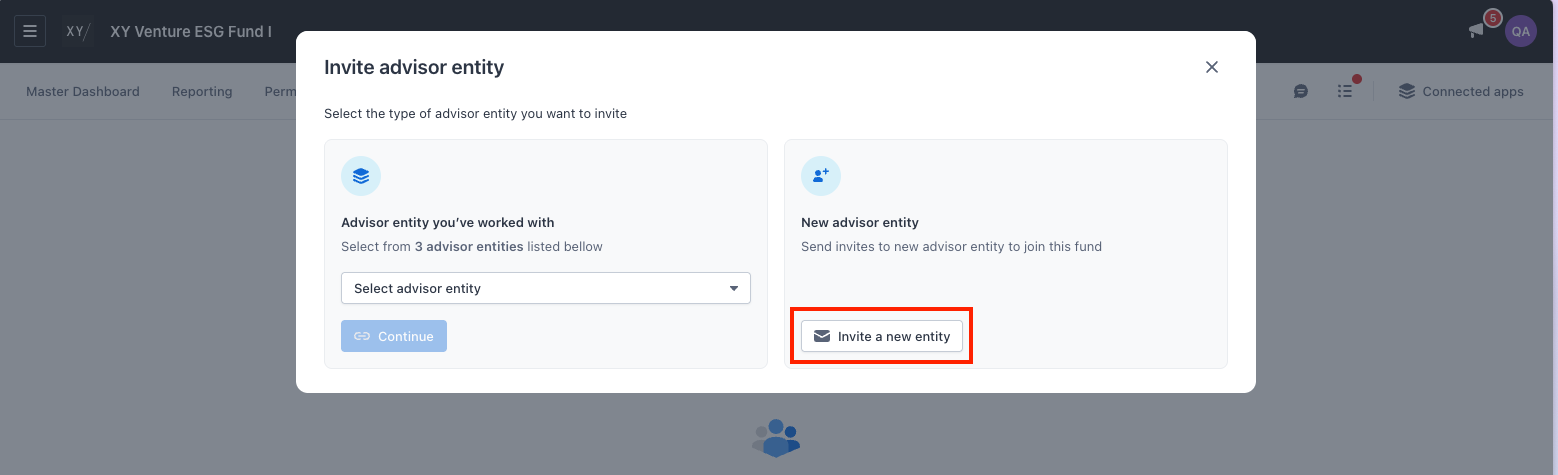
Option 1: Work with a new advisor entity
Use this when the advisor is new or hasn’t worked with your funds before.
Step-by-step guide
- Select Invite advisor entity
- Enter advisor email addresses
- All emails must: Share the same domain & not use a generic domain (e.g. Gmail, Yahoo)
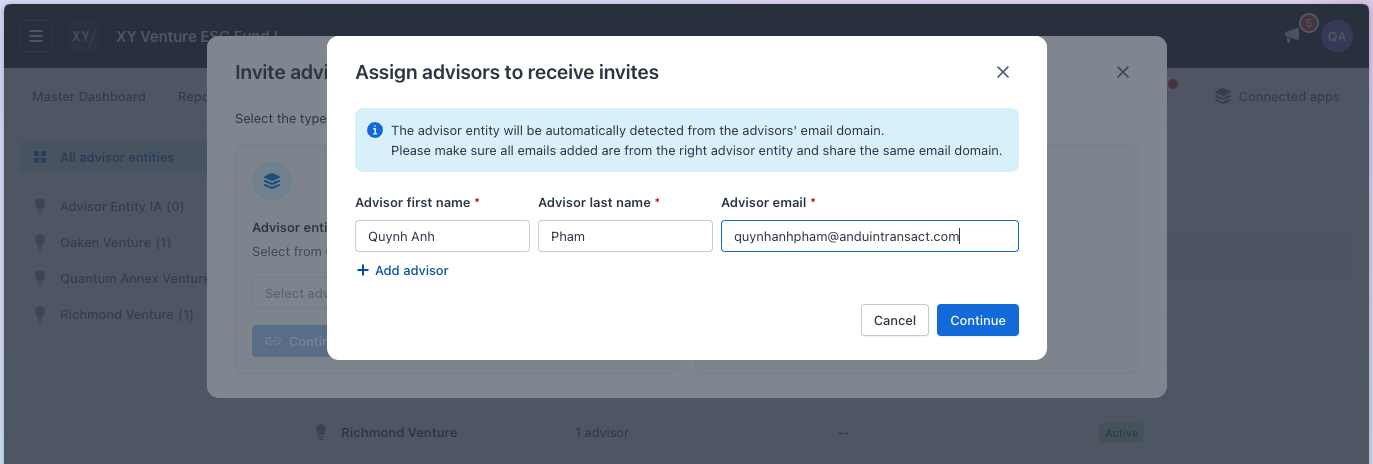
- Click Continue
- You’ll be asked to choose one of the following paths - Create advisor entity for advisor or Let the advisor create entity themselves
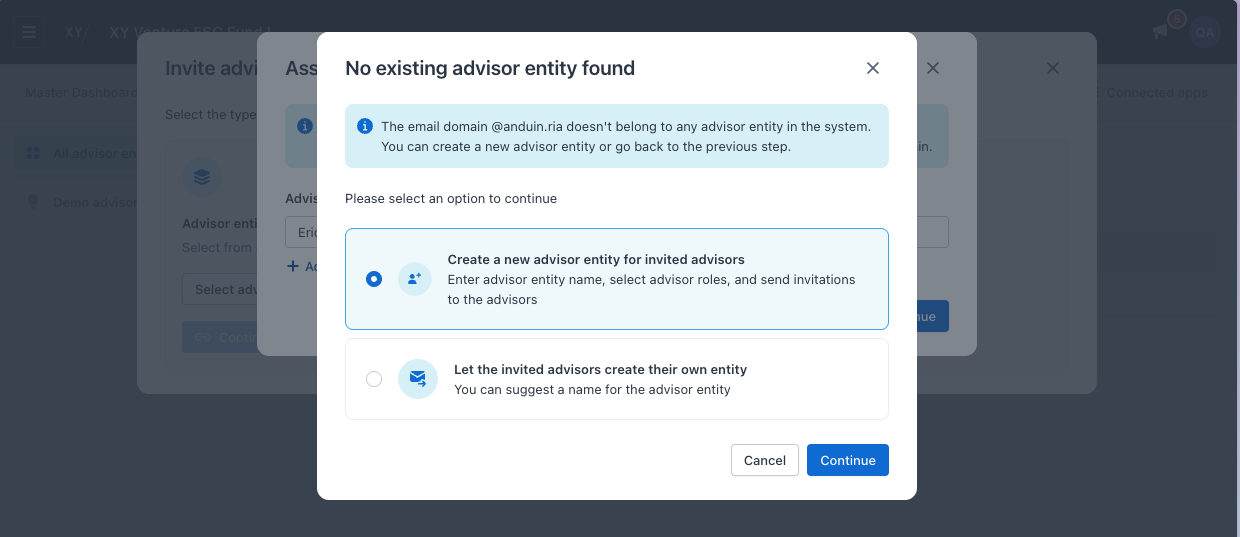
Path 1: Create the advisor entity for advisors
Choose this if you want to fully set things up for the advisor.
- Select Create for advisor
- You’d be ask to input the advisor entity name
- Assign roles to the invited advisors (Fund Group Admin or Member) - this is the advisor you inputed in the previous steps. If you want to invite more advisor, you can do so after completing this step
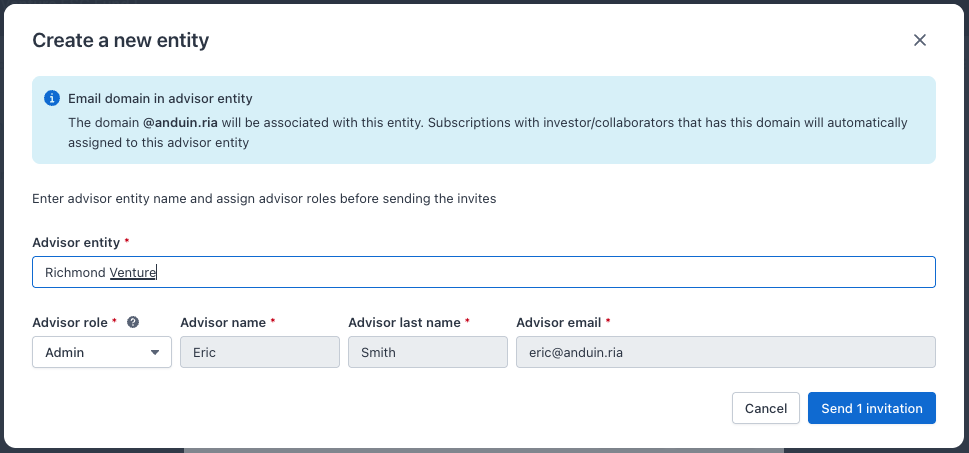
- Select Send invitation to send email invitation to the advisors.
→ What happens next?
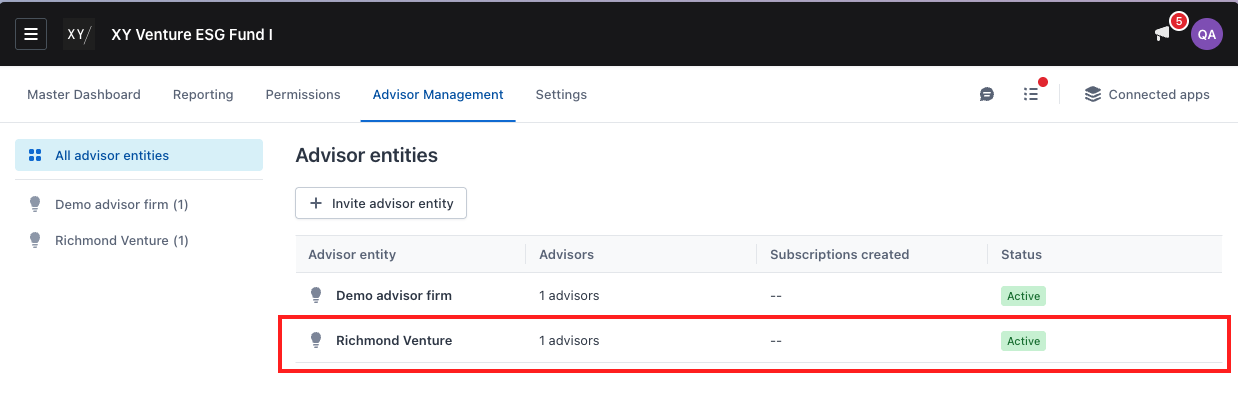
- You’d see the advisor entity you just created is now linked with your fund
- The advisor above will receive an email invitation to join the entity you just created and gain access to your fund from Advisor Advantage
Path 2: Let the advisor create the entity
Choose this if you want the advisor to complete setup themselves
- Select Let advisor create

- Input the advisor entity name to be displayed in your fund. This will be the suggested name when advisor creates the advisor entity themselves.
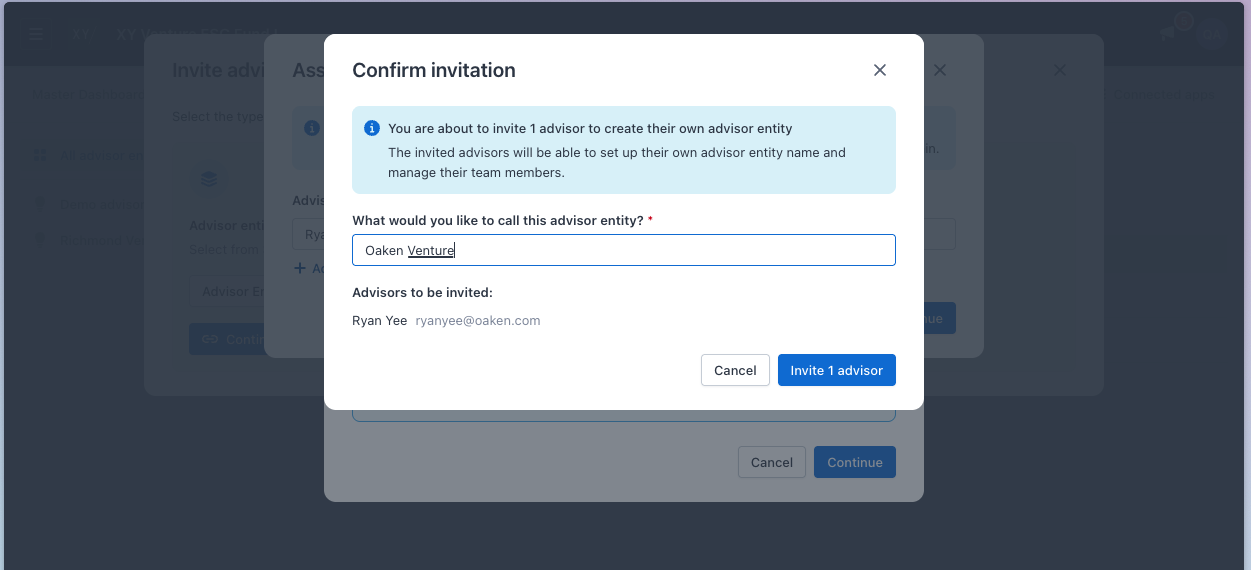
→ What happens next?
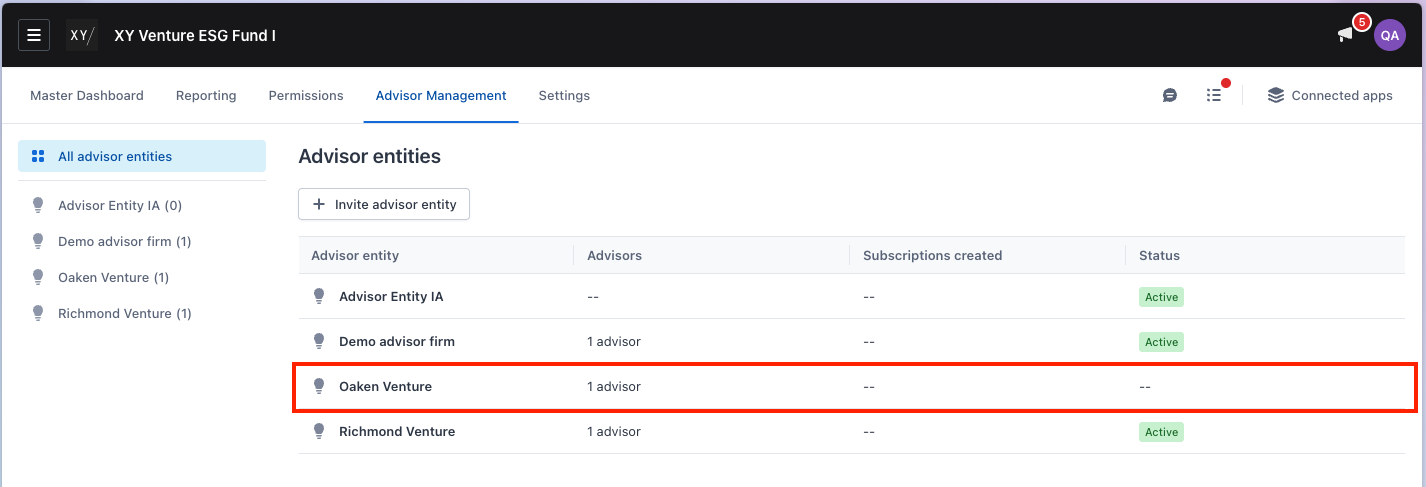
- You’d see this advisor entity is pending connected to your fund (status = blank). The status will changes into “active” after the advisor create the entity to connect with your fund
- Advisor will receive email invitation to join your fund. They can create an advisor entity when accepting your fund invites
Option 2: Work with an existing advisor entity
Use this when you’ve already worked with the advisor before.
Step-by-step guide
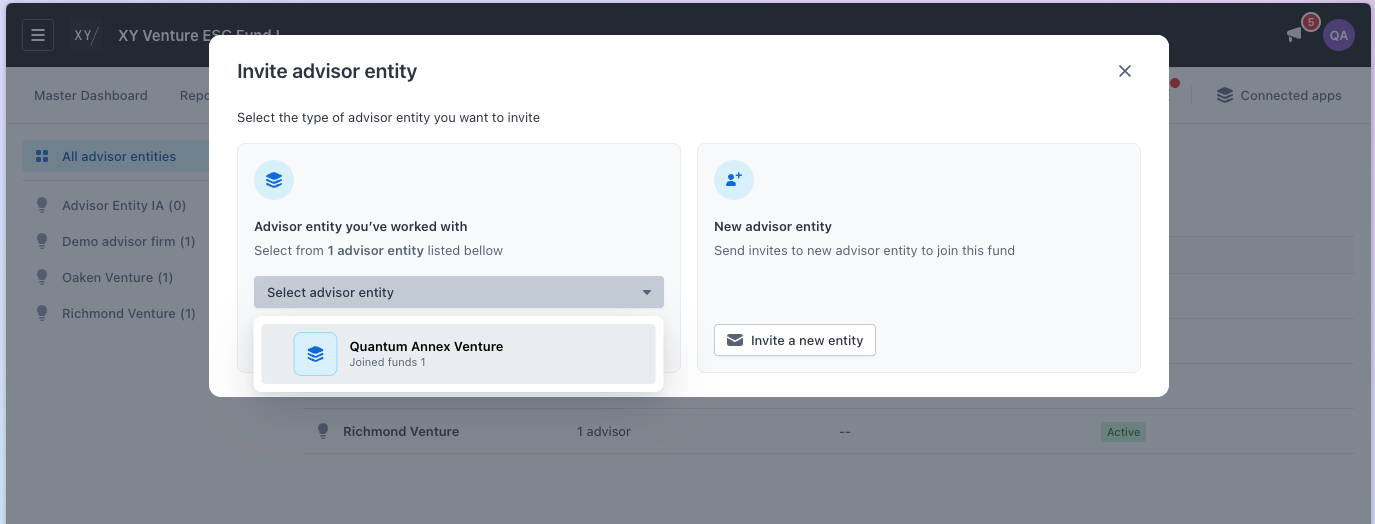
- Select Select advisor entity in the Advisor entity you’ve worked with section
Note: This screen only shown if you have worked with at least one advisor entity before
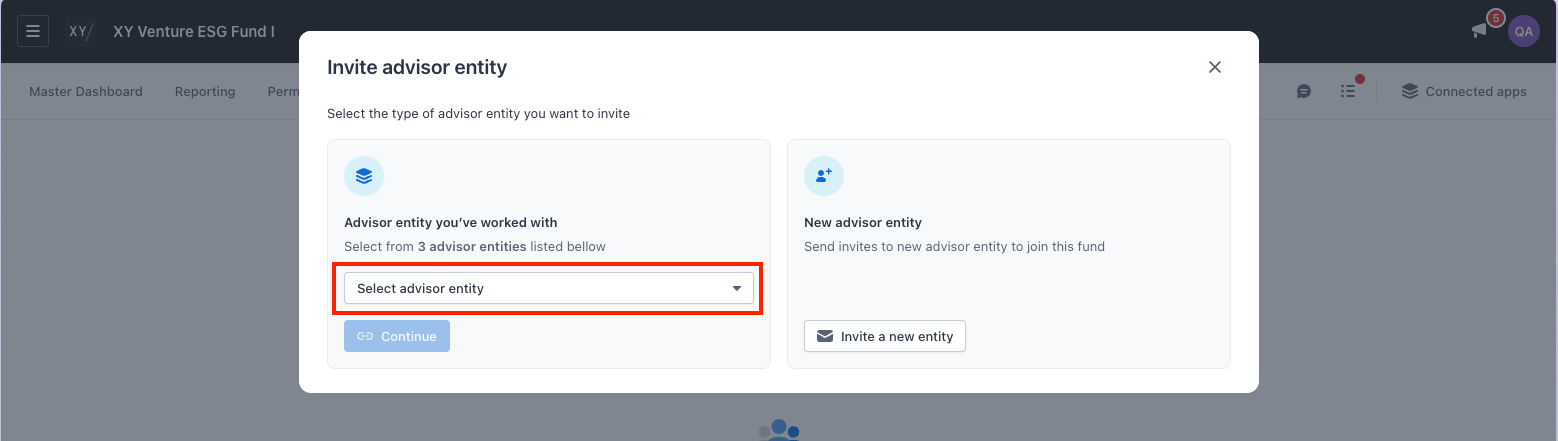
- Select an advisor entity the list of advisor entities you’ve previously worked with
- You’ll see: Advisor entity name and the number of your funds they’re already connected to
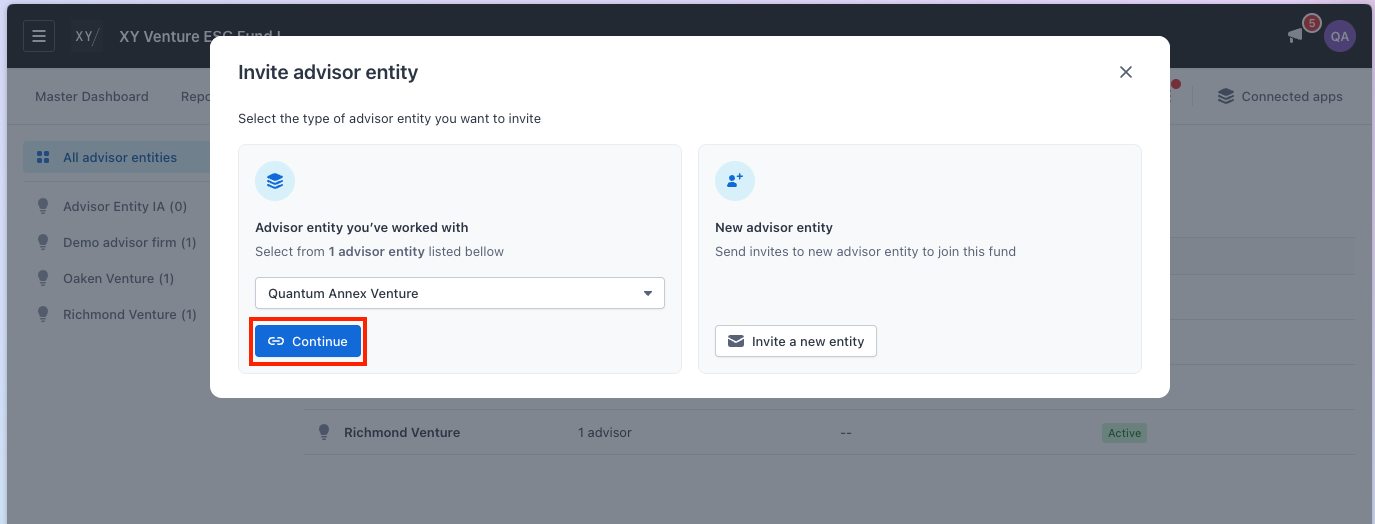
- After selecting an advisor entity, click Continue
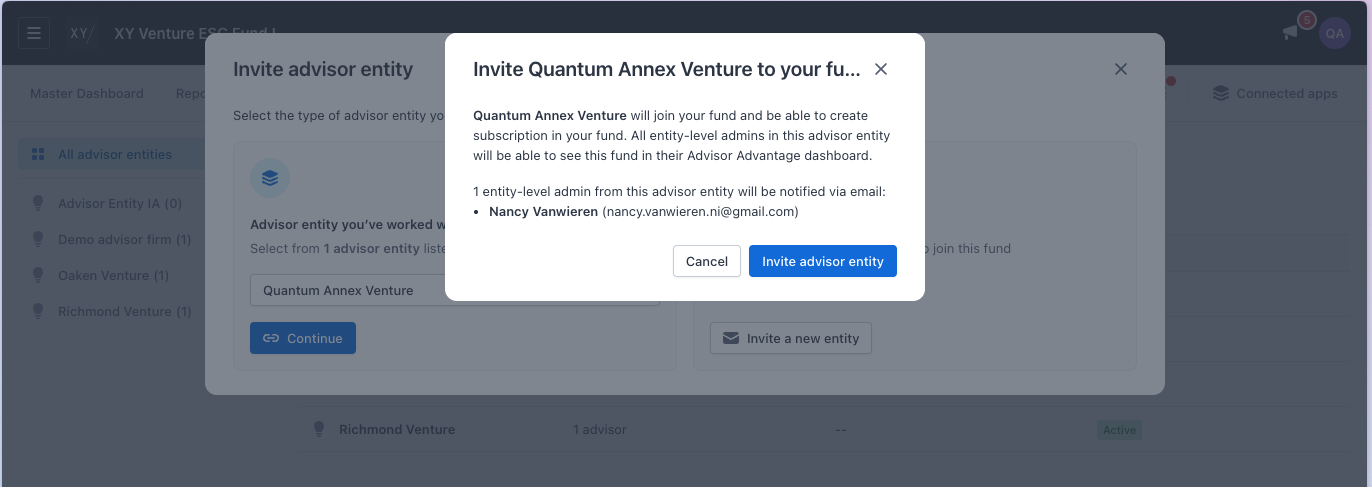
- Confirm your action to send invitation to the selected advisor entity. The admin of the advisor entity will receive invitation to join your fund.
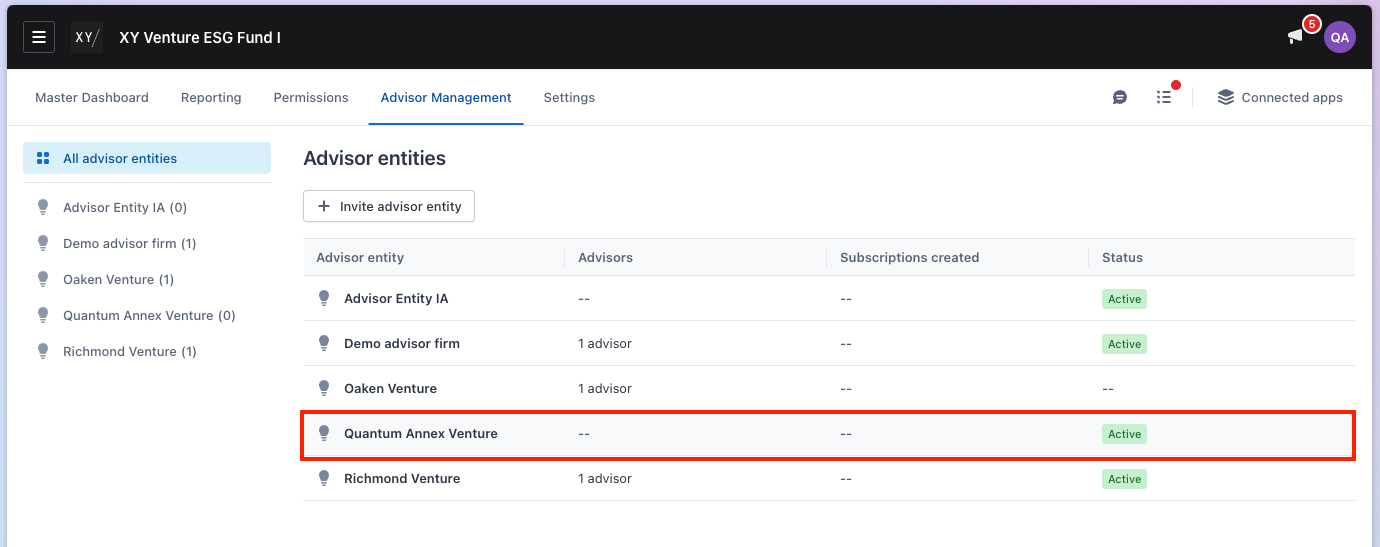
→ What happens next?
- You see the selected advisor entity linked to your fund
- Entity admins of the advisor entity receive an email notification
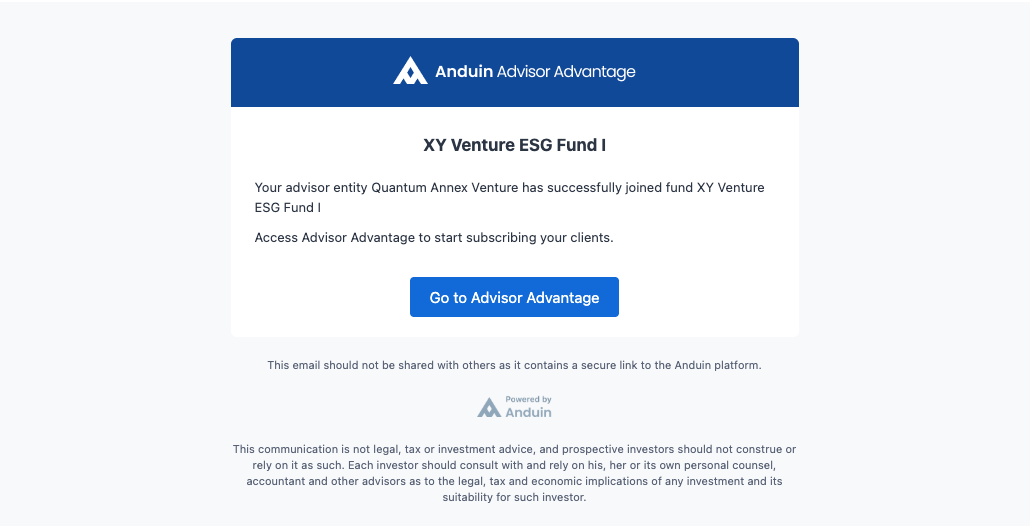
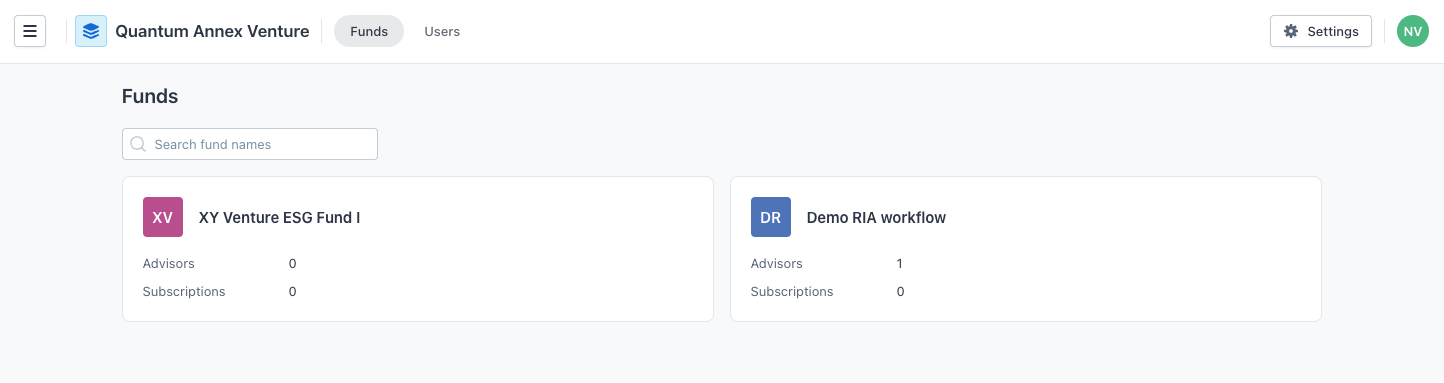
- Advisor can access the fund in Advisor Advantage → Funds
Troubleshooting & common questions
Q: I see an error saying a fund group already exists. What does this mean?
A: This means the advisor entity is already connected to this fund. No further action is needed.
Q: Why can’t I enter Gmail or Yahoo emails?
A: Generic domains are blocked to prevent incorrect advisor entity creation. Please use official advisor business emails.
Q: I tried to invite a new entity but the system said I previously work with them before. What does this mean?
A: You would not creating a new advisor entity for them. Instead, you would send an invitation to the advisor to access your fund
Q: Can advisors still create entities themselves?
A: If you select “Let the invited advisors create their own entity”, the advisor will receive an email invitation to initiate the flow of creating advisor entity themselves
Q: Who becomes the advisor entity admin?
A:
- If you assign a Fund Group Admin, they become the entity admin
- If you don’t, the first advisor to join becomes the entity admin