

Learn about Brand Color theme customization and how it works
What’s New? We’ve introduced a Color Editor that lets you customize Anduin to match your brand.You’re no longer limited to Anduin’s default blue - you can
What’s New?
We’ve introduced a Color Editor that lets you customize Anduin to match your brand. You’re no longer limited to Anduin’s default blue - you can now apply your own brand colors across key investor and admin experiences.
Color customization applies to: LP Landing Pages, Smart Forms, Sharable Link Landing Pages, and Data Room.
Your selected brand colors will appear across:
- LP-facing View
– Subscription Main View – Smart Forms – Sharable Link Landing Pages
- GP management views
- Data Room
Why It Matters?
- Brand Consistency - Align every page with your firm’s identity, from Subscription Main View, Smart Form to Data Room.
- Enhanced Investor Experience - A cohesive, professional look builds investor trust and credibility.
✨ Note: Color customization currently applies to Fund Subscription and Data Room pages only. IDM/Portal will be supported in a future release.
How it works?
1. Choose your theme scope
You can select which apps in your environment should use the custom theme:
- Fund Subscription
- Data Room
- Or both
Changes apply to all engagements within the selected apps.
2. Provide your brand colors
You can either:
- Provide a full color set, or
- Share one primary brand color, and Anduin will automatically generate a balanced color palette for you.
Color usage guide
| Color Group | Used For |
|---|---|
| Primary Color 1 | Background |
| Primary Color 2 | Background, Border |
| Primary Color 3 | Hover states, Borders |
| Primary Color 4 | Text, Buttons, Borders |
| Primary Color 5 | Text |
Note: Semantic UI elements (Badges, Callouts, Steppers, Tags, Toasts, Wells) retain their original colors for clarity and accessibility.
3. Gray color options
Our default gray includes a subtle blue tint. You may choose a neutral gray instead, which works well even for brands with blue tones.

See the difference
Anduin Default Theme: Modern, blue-based
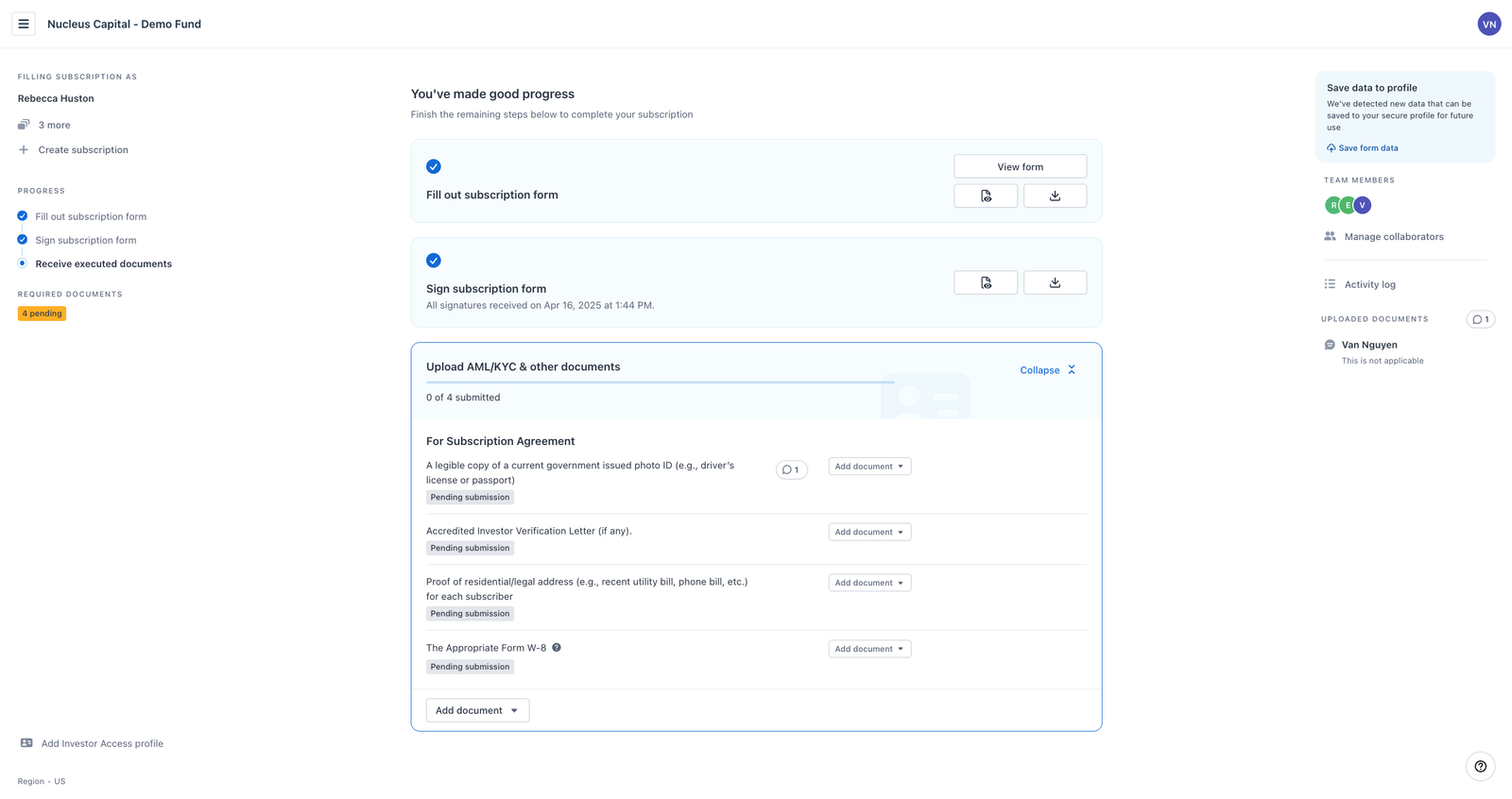
After Custom Theme: Fully aligned with your firm’s brand identity
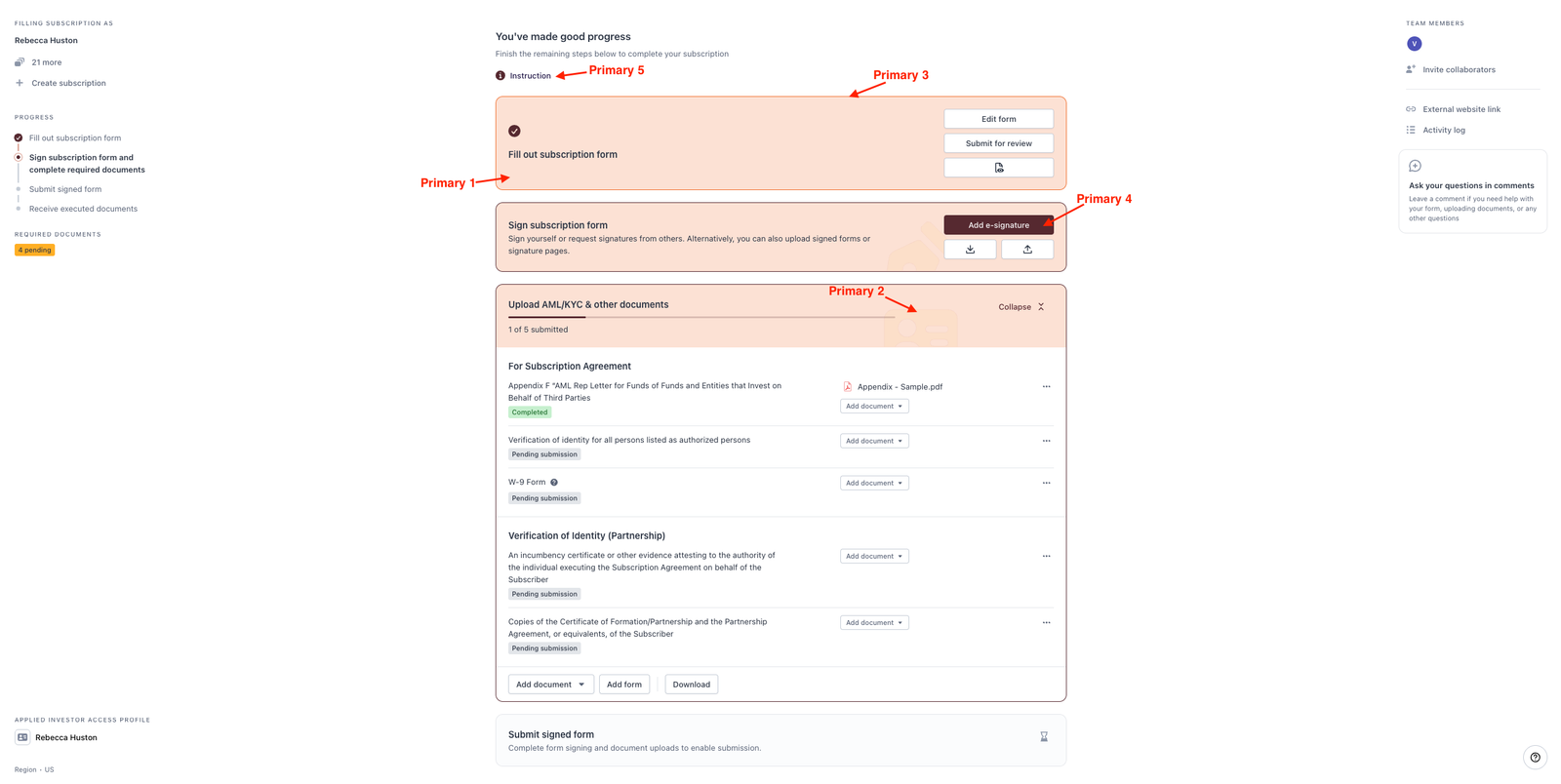
🎨 Bring Your Brand to Life
Reach out to our Customer Success team to learn more about this color customization today.