Document Settings
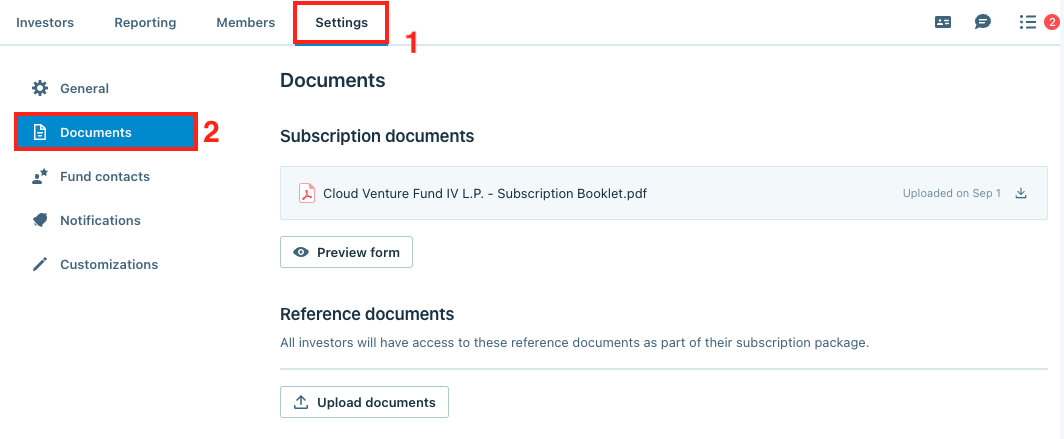
Users on the fund side of the platform (fund managers, fund administrators, and fund counsel) can review their subscription documents and upload reference
Users on the fund side of the platform (fund managers, fund administrators, and fund counsel) can review their subscription documents and upload reference documents in the Documents section from the Settings tab.
Subscription documents
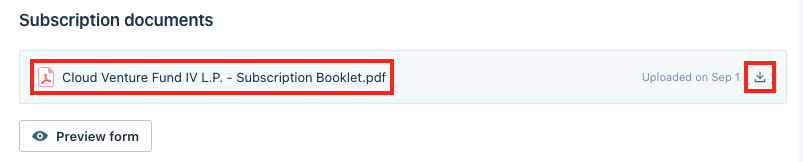
In the Subscription documents part, users can review the underlying PDF files by clicking on the files or download them by clicking the download symbol.
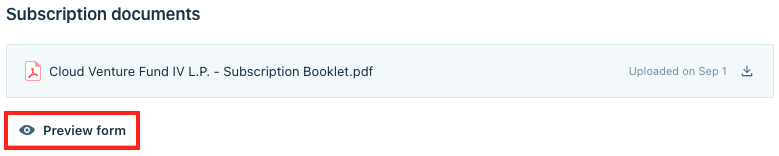
Users can also click on the Preview form button to review the smart form.
Reference documents
To upload documents to the Reference documents part, click the Upload documents button and select the files.
Delete
Note
All investors will have access to these reference documents as part of their subscription package.

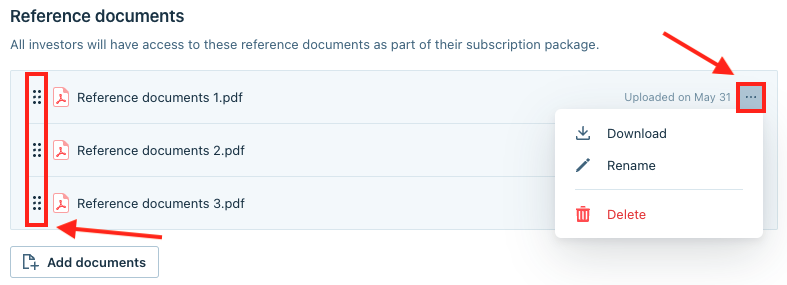
Users can click on the (…) menu to Download, Rename, or Delete certain files from the Reference documents list. To re-order the files, drag and drop them while holding the grid symbol in front of the file name.