

Countersign Multiple Subscription Documents
Public
Fund Managers may receive multiple requests that they need to countersign. Rather than go through one at a time, Anduin offers the option to countersign mu
Fund Managers may receive multiple requests that they need to countersign. Rather than go through one at a time, Anduin offers the option to countersign multiple at once.
- Log into the fund subscription admin portal
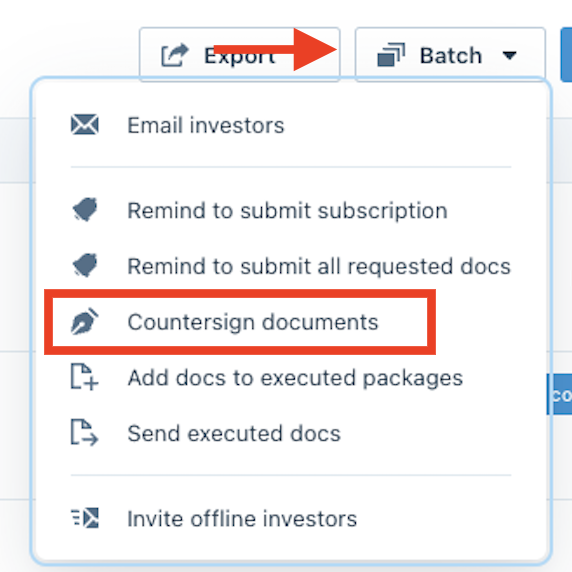
- Go to the Batch drop down menu on the right side, and select Countersign documents
- Select the investors that you would like to batch countersign for and click Next
- In the Add signers section, click on the Enter email text box and select Assign Myself and click Next

Note
The reason why you want to assign yourself, is because only the person who is logged in as an admin will be able to upload the wet signature
- In the next section, you can either pre-fill the capital commitment accepted and checking the GP election box, or you can manually enter the accepted capital commitment amount and check the boxes. Click Next when ready
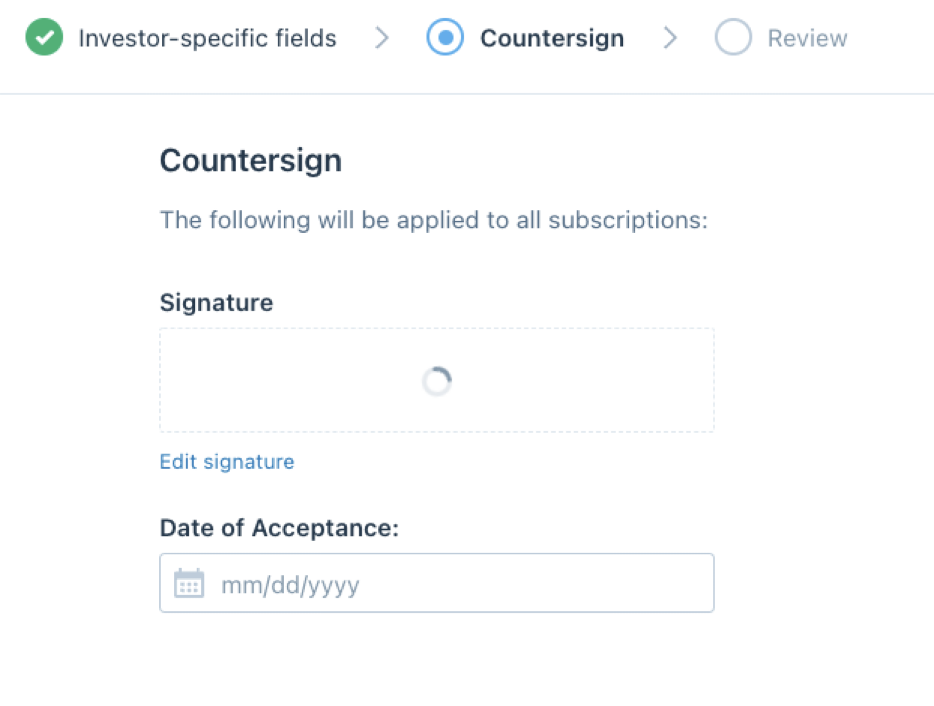
- In the Countersign page, click Click to add signature. During this process, it will try and add whoever is logged in as an admin's e-signature. Below that, select the Edit signature button
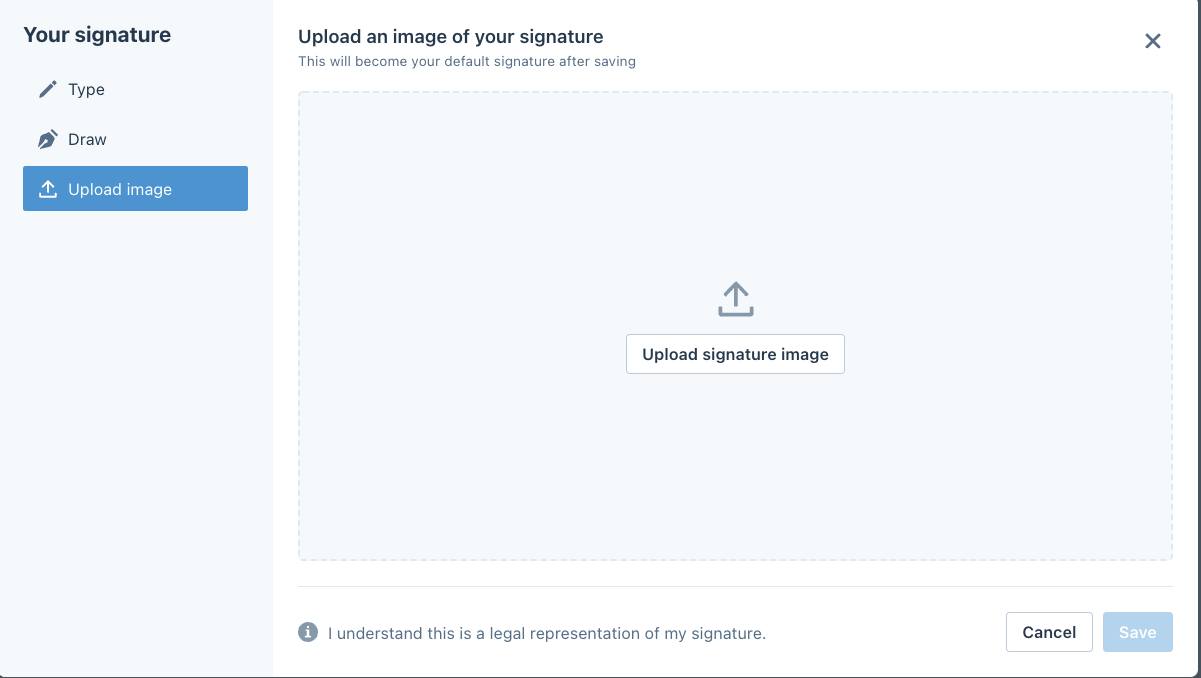
- On the left column, go to Upload Image and click Upload signature image and upload the signature from your device. Click Save
- Review the countersignature and click Next. From here you can review and submit the Sub Documents.
Was this page helpful?