

Guide for Investors to Autofill New Subscriptions using Data from Previous Subscriptions.
Public
You may want to use existing data from a previous Subscription Document to help fill in a new Subscription Document. This is how you can move the relevant
You may want to use existing data from a previous Subscription Document to help fill in a new Subscription Document. This is how you can move the relevant data over.
After logging into the New Subscription Document:
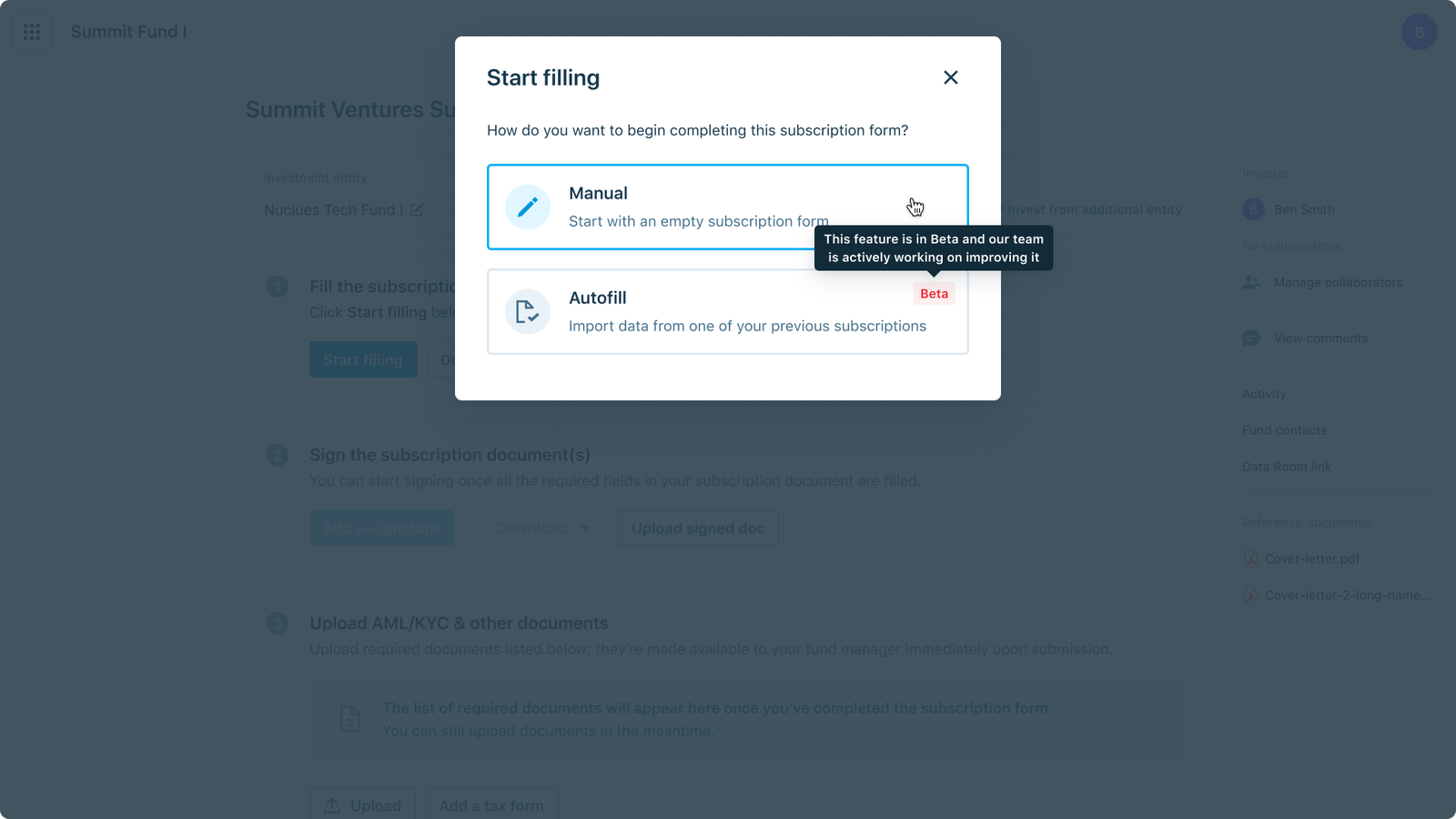
- Click the Start filling button
- Choose Autofill:
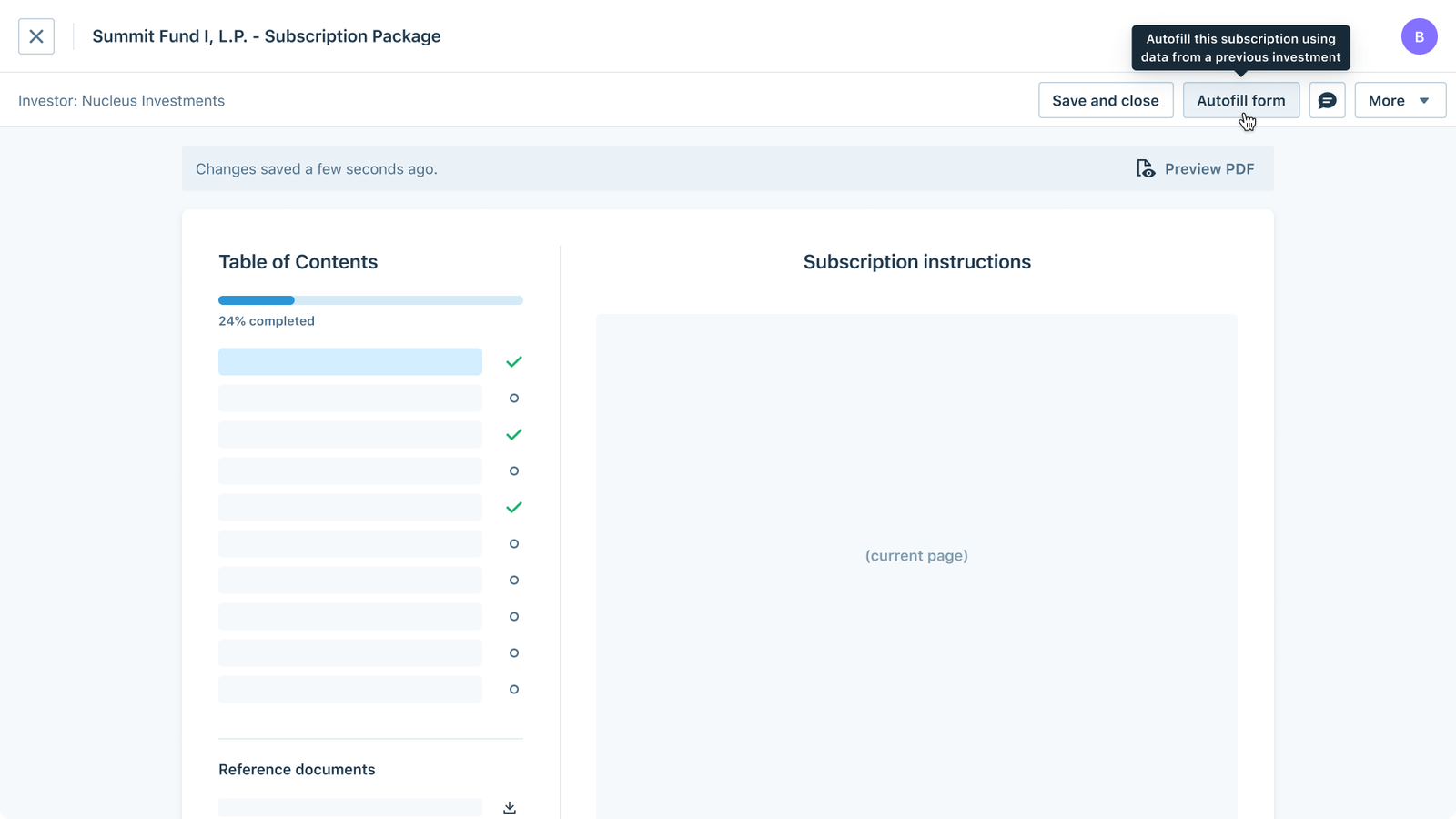
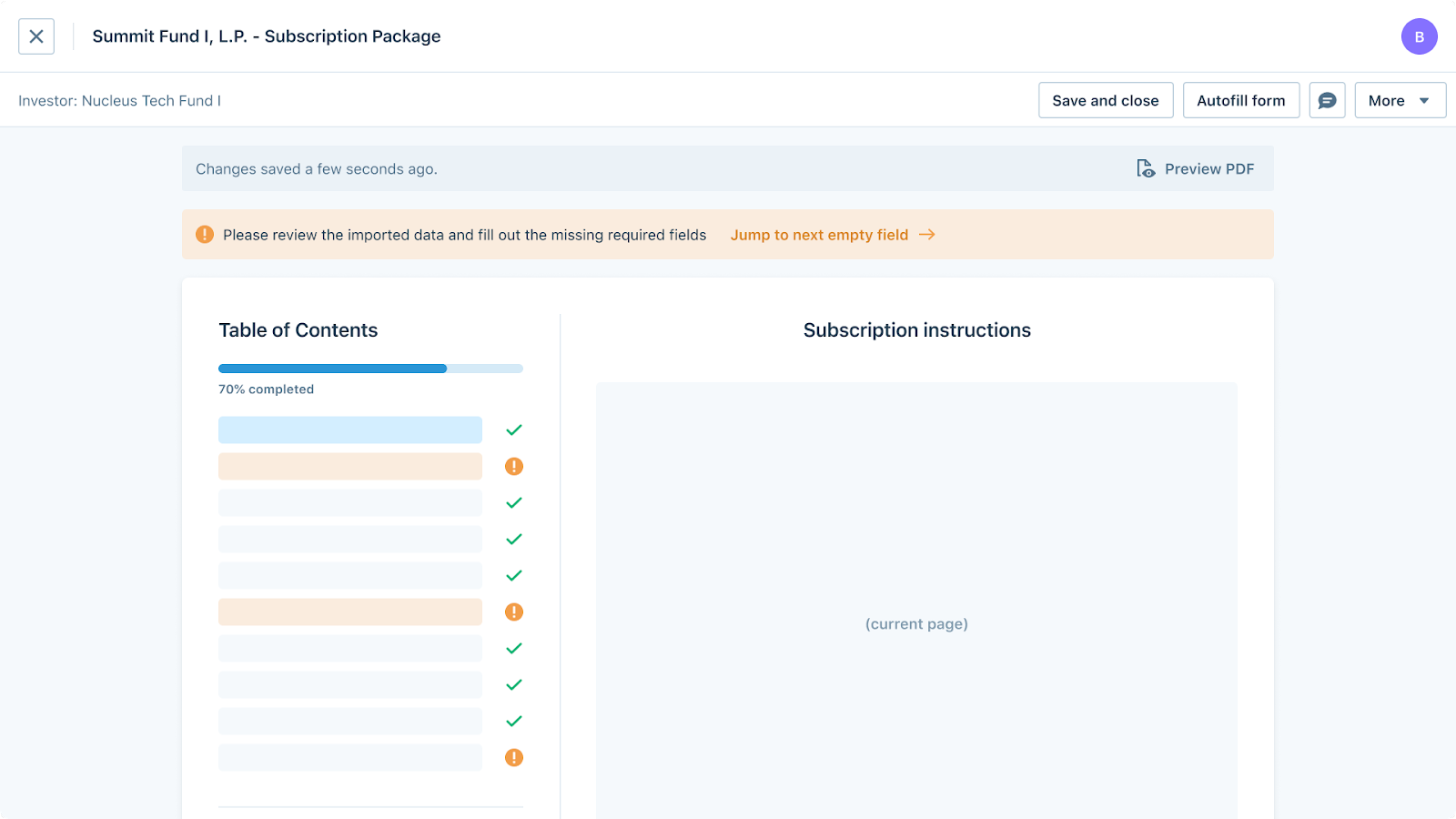
- Once in the Form view, click Autofill Form:
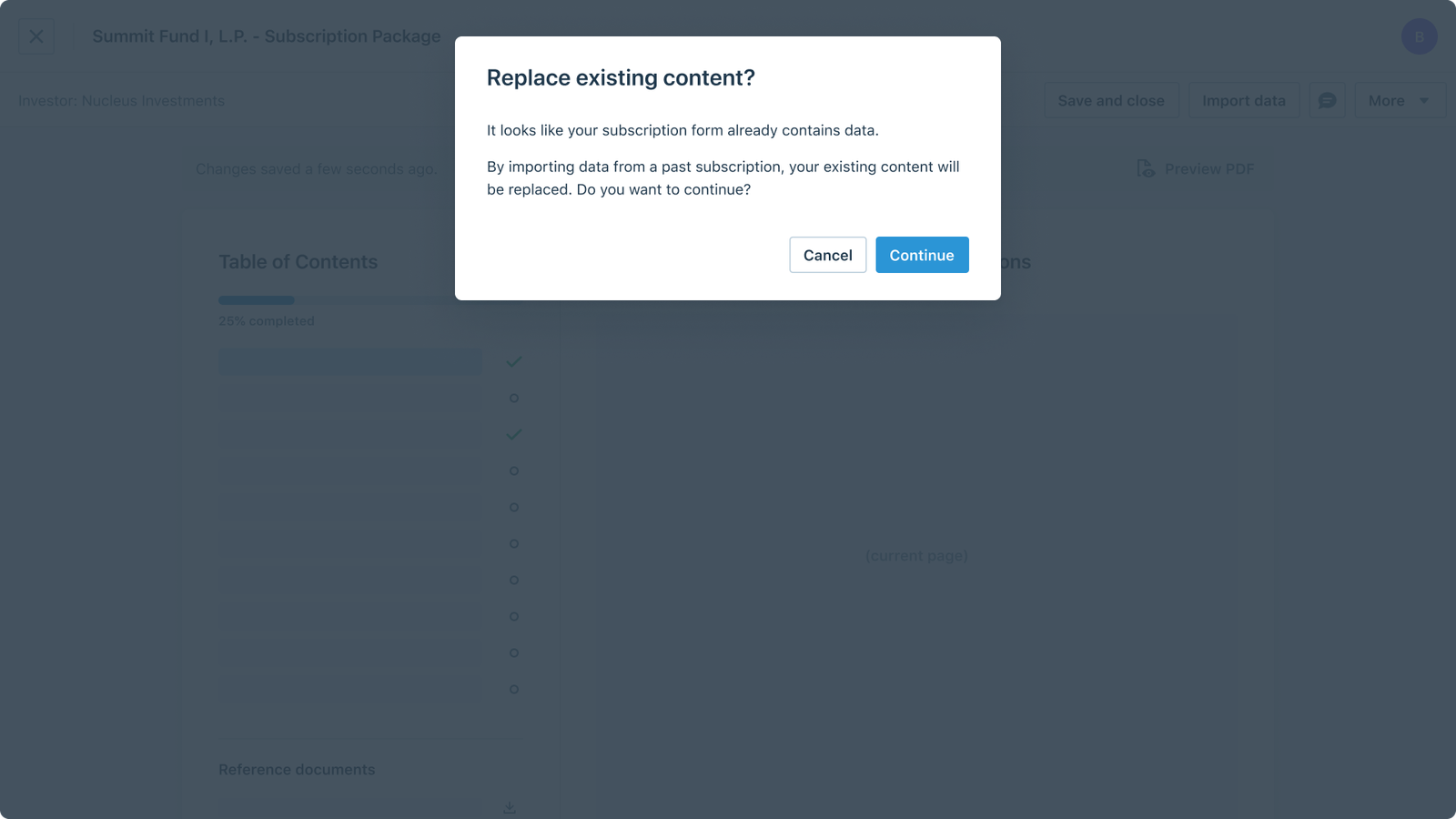
The form has pre-existing content
If you are attempting to autofill a form that already contains data, you will see a warning explaining that existing data will be overwritten. Press Continue to begin the autofill process from another fund.
- Choose a Subscription from the list of past subscriptions to use for the autofill:
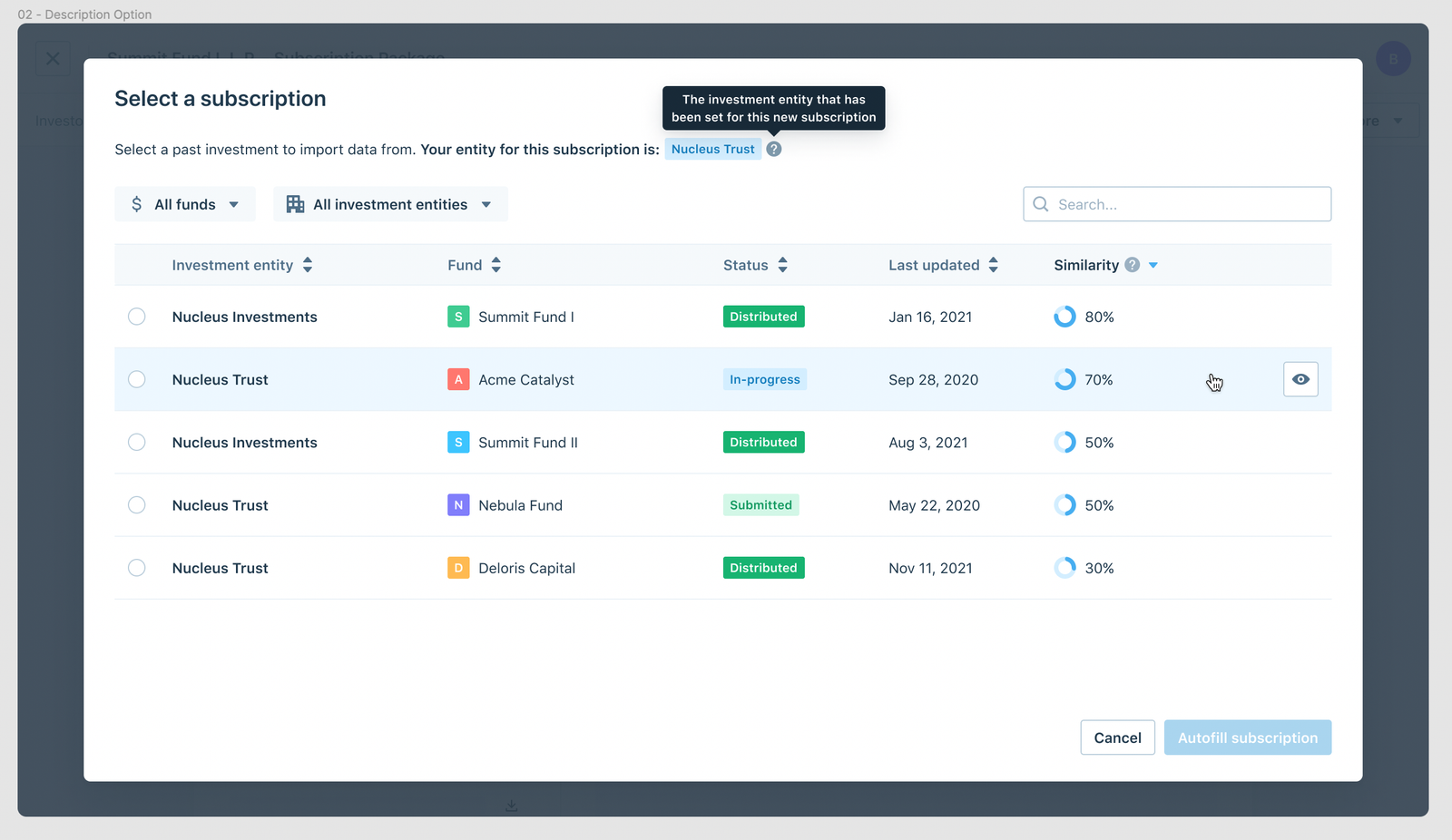
- Once the autofill is complete, you will be directed to the form view, where you will be able to review the auto-filled data and continue to fill out the subscription as normal.
Was this page helpful?