How to Send a Reminder to Investors
Users can send reminders to investors from the Fund Subscription platform. Remind a single investor From the Investors dashboard, use the Filter button or
Users can send reminders to investors from the Fund Subscription platform.
Remind a single investor
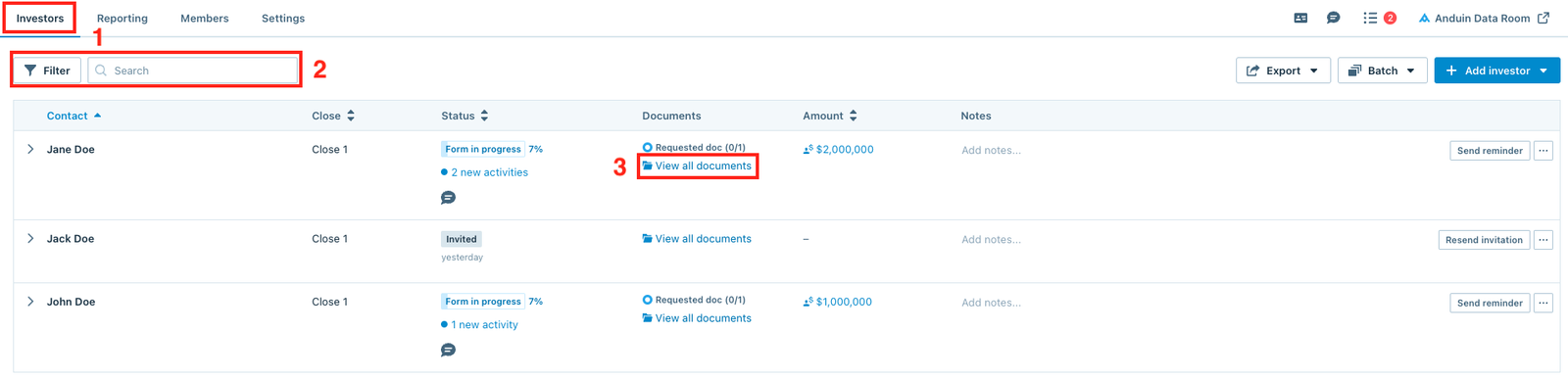
From the Investors dashboard, use the Filter button or the Search bar to find the investor, then click View all documents.
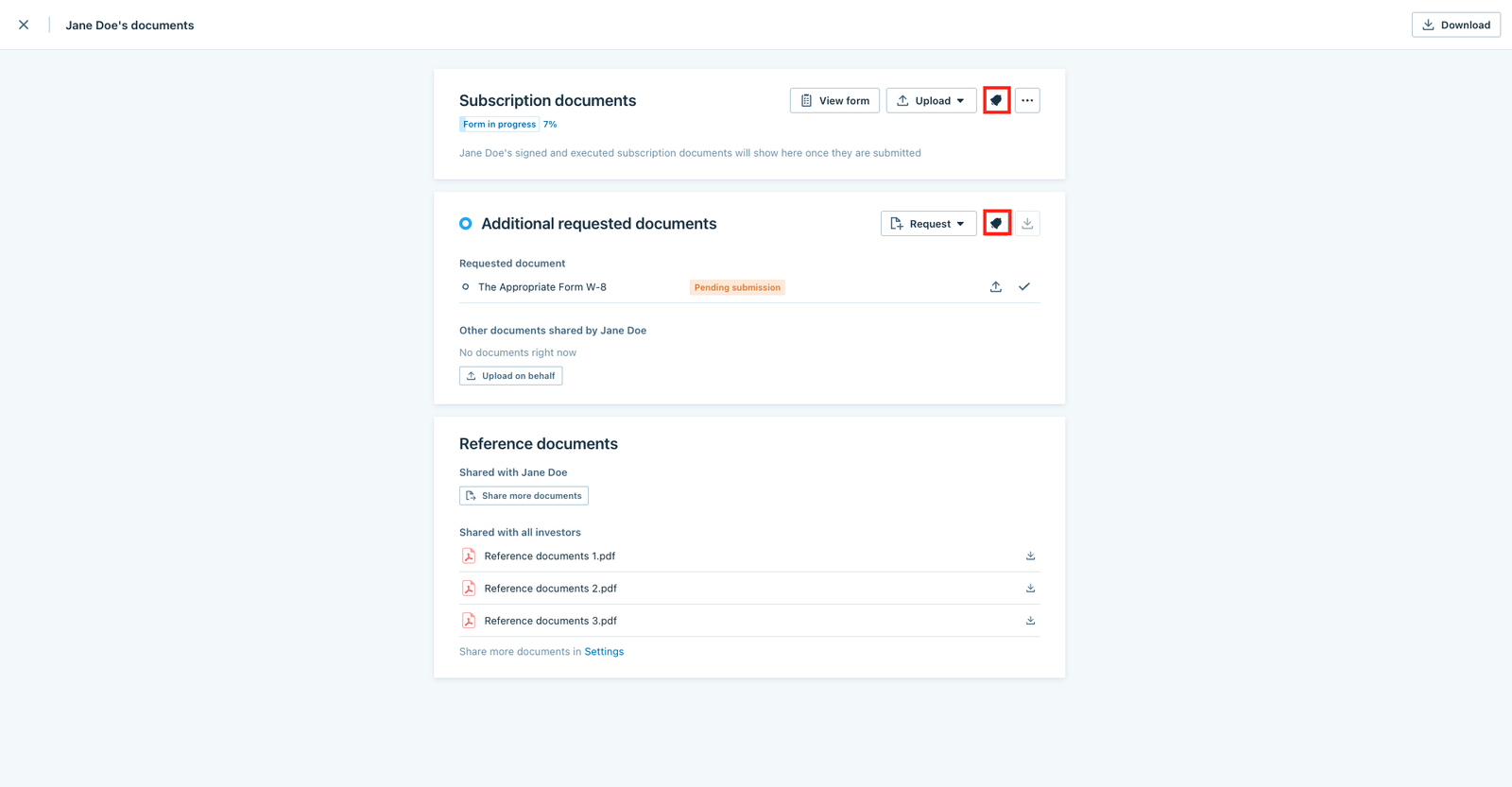
When the window below pops up, users can:
- Click the bell symbol in the Subscription documents section to remind the investor to submit their subscription.
- Click the bell symbol in the Additional requested documents section to remind the investor to submit pending requested documents.
Remind multiple investors
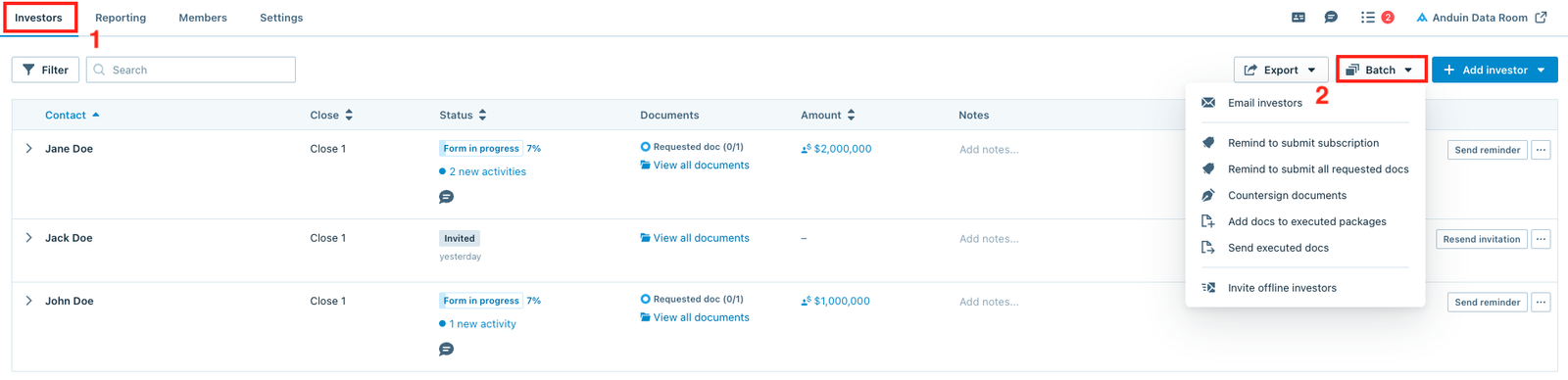
From the Investors dashboard, click the Batch button and select the suitable option.
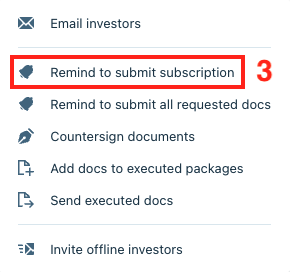
Remind to submit subscription
To remind investors in Form in progress and Form filled stages to submit their subscriptions, click the Remind to submit subscription option.
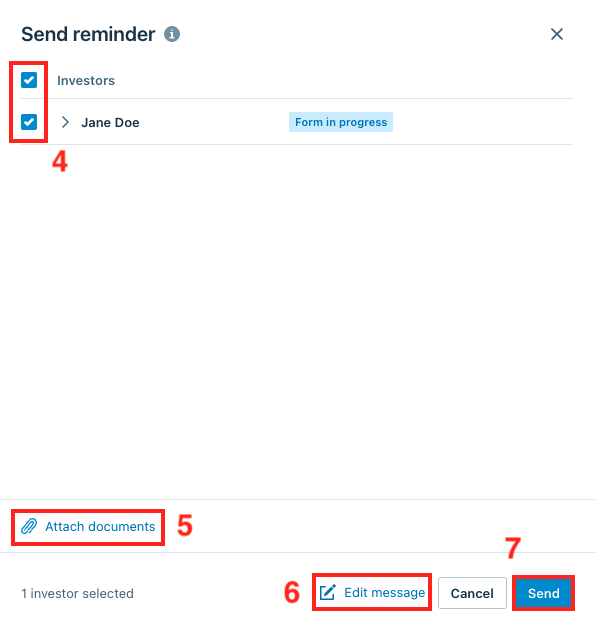
Tick the Investors box to select all investors or tick specific investors only, Attach documents (optional) or edit the message, then click Send.
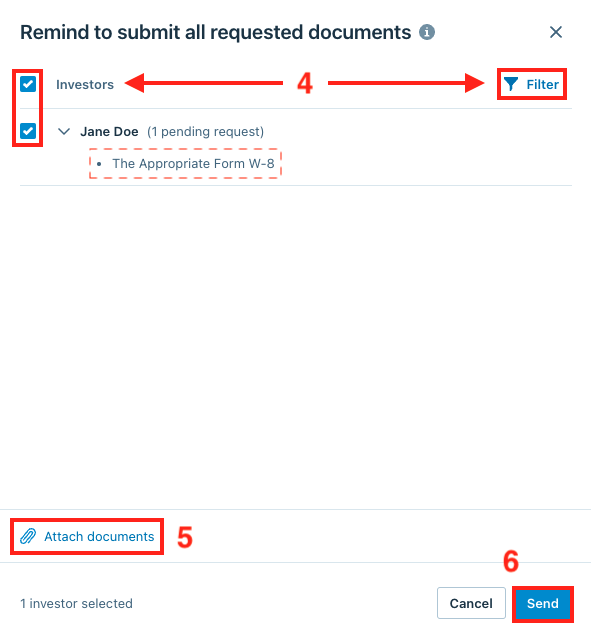
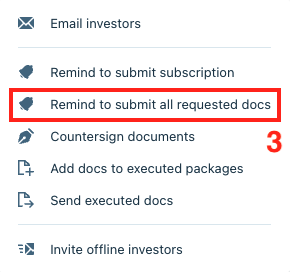
Remind to submit all requested docs
To remind investors to submit pending requested documents, select the Remind to submit all requested docs option.
Tick the Investors box to select all investors or use the Filter feature to filter specific types of investors, Attach documents (optional), then click Send.
Note
Users can click on each investor row to expand and see the list of pending requested documents. This list will be included in the reminder email