Learn about Offline Subscriptions
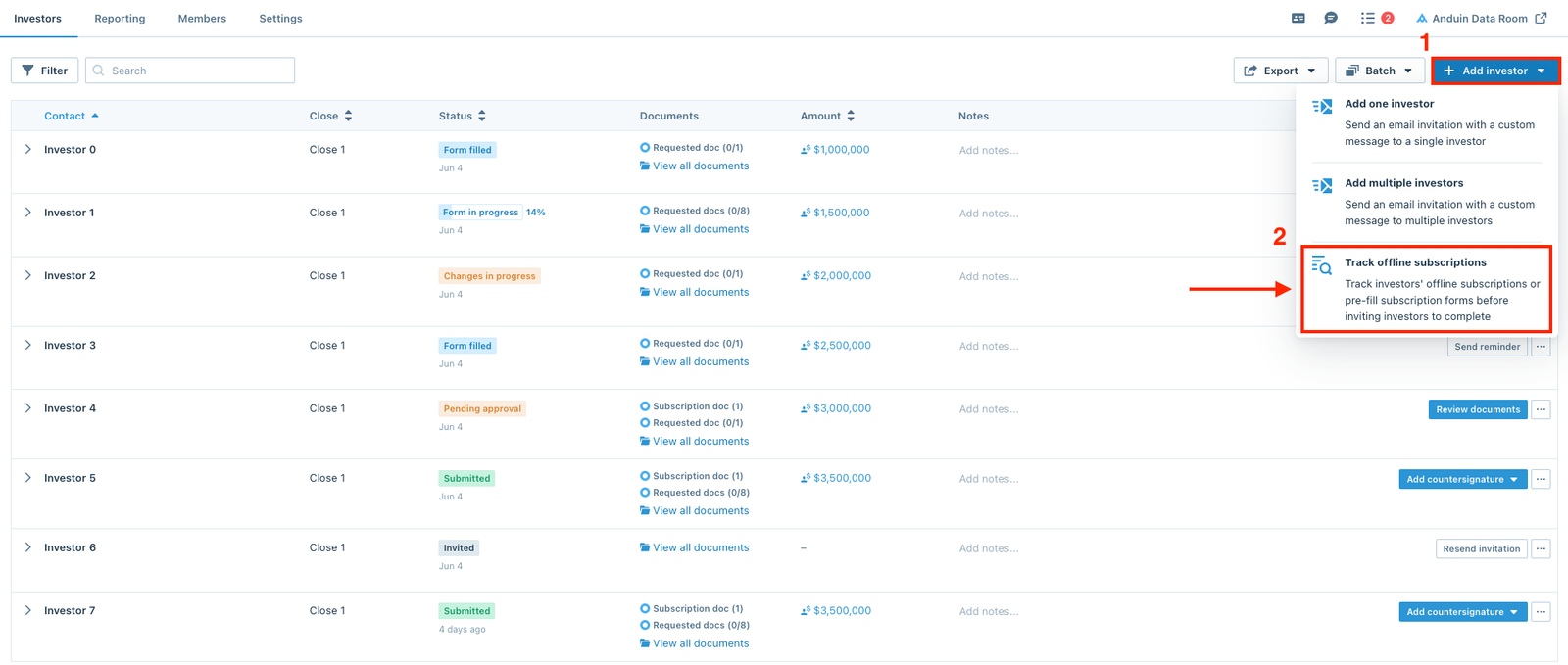
Users on the fund side can leverage offline subscriptions in several ways. Click the Add investor button from the Investors dashboard and select the Track
Users on the fund side can leverage offline subscriptions in several ways.
Click the Add investor button from the Investors dashboard and select the Track offline subscriptions option.
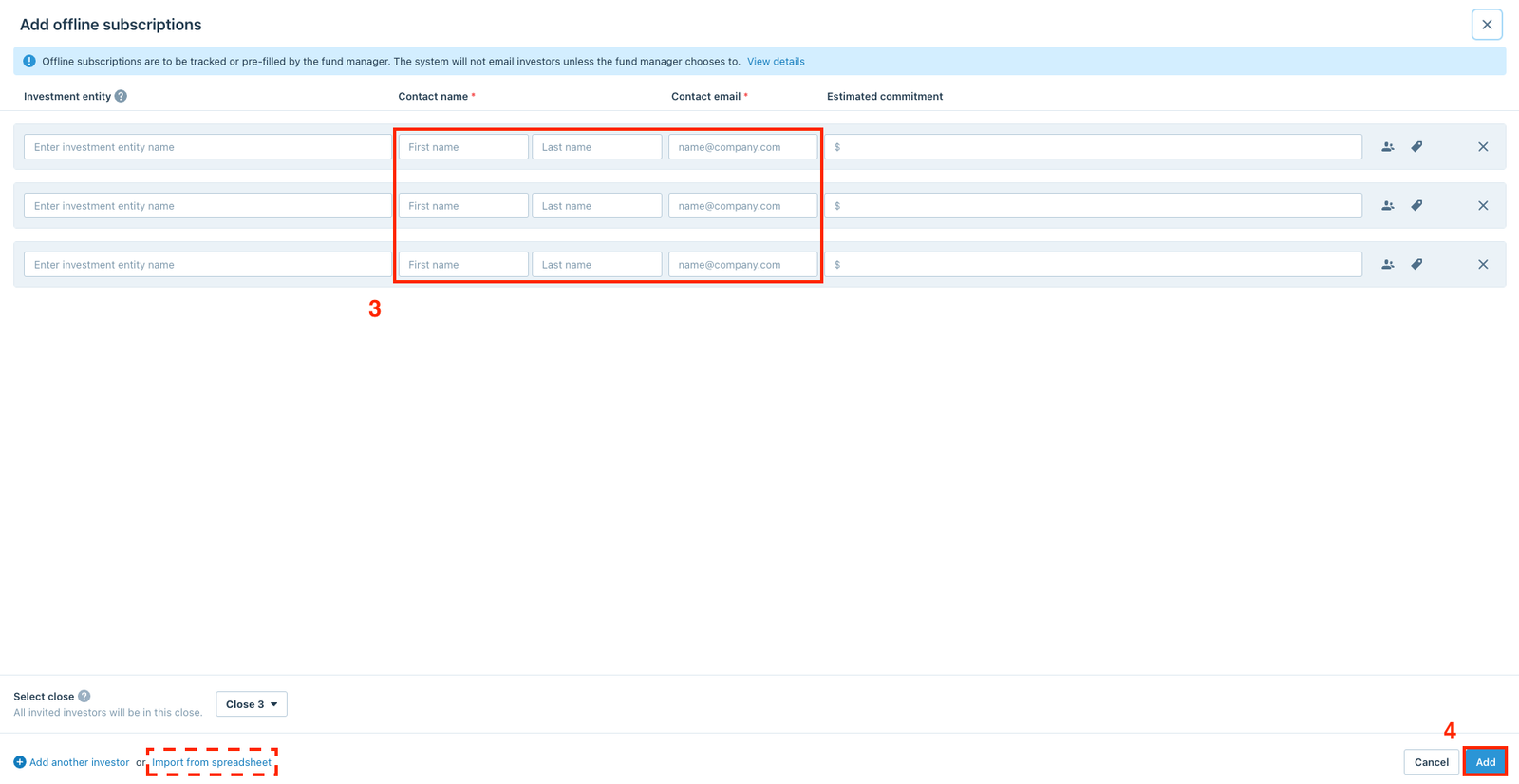
Users can continue by adding the investors' contact details directly on the platform or using the Import from spreadsheet option.
Note
Offline investors will only be contacted by email if:
- They're invited to perform an action on the platform
- An administrator sends them a message
Track offline subscriptions
Users can use this feature to track subscriptions that were completed offline. After creating the offline subscriptions, users can follow the instruction to upload documents on behalf of the investors.
Pre-fill subscription forms
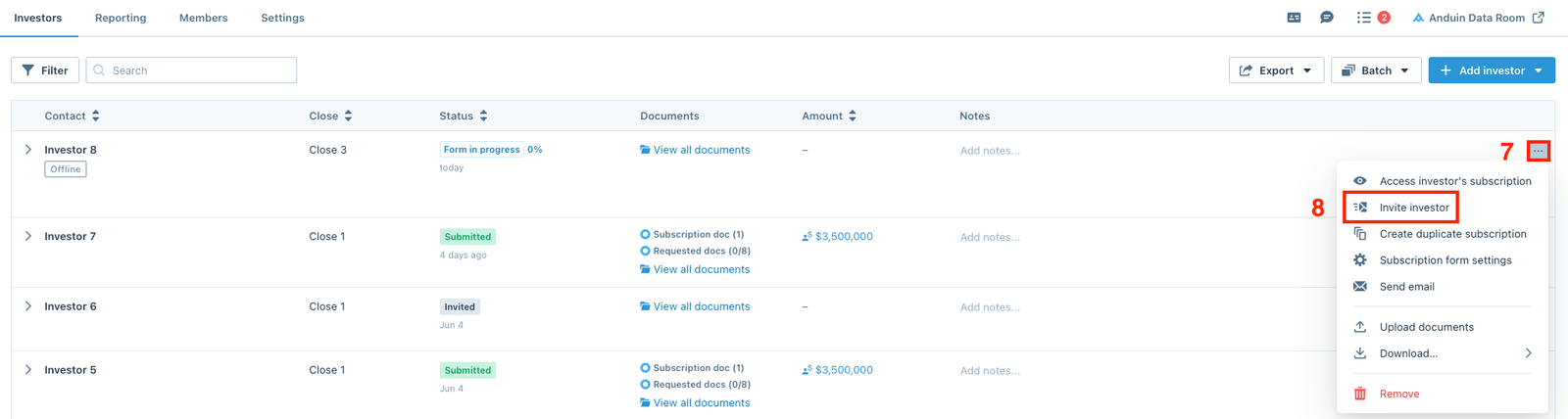
Users can use this feature to pre-fill subscription forms before inviting investors to complete. After creating the offline subscriptions, users can click the (…) menu, then select Access investor's subscription option to access the investor's workspace.
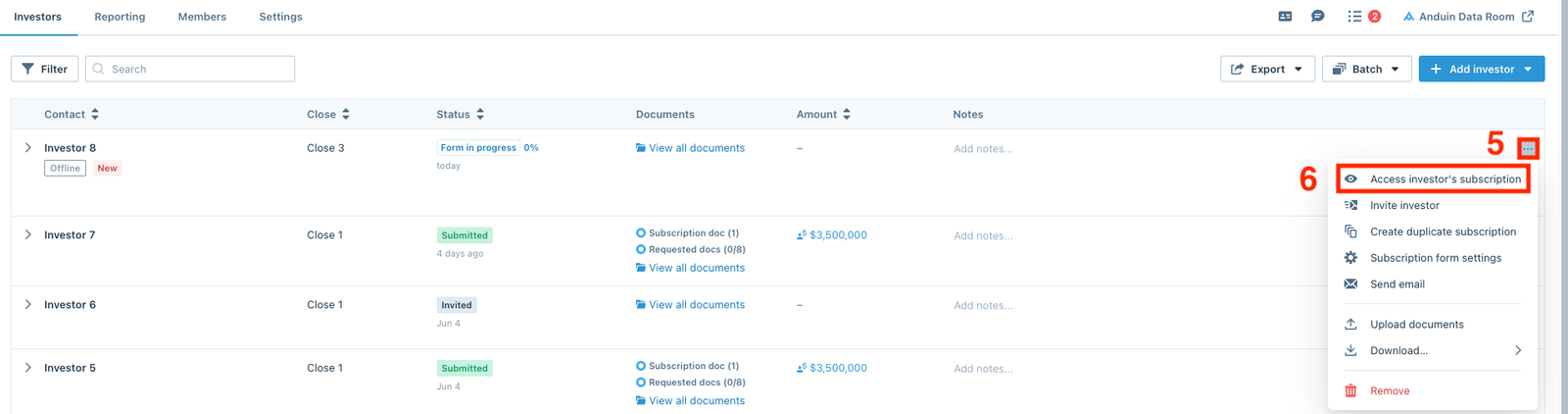
After users finish pre-filling the subscription forms, there are two ways to invite investors to complete the subscription forms.
- To invite each investor individually, click the (…) menu and select Invite investor.
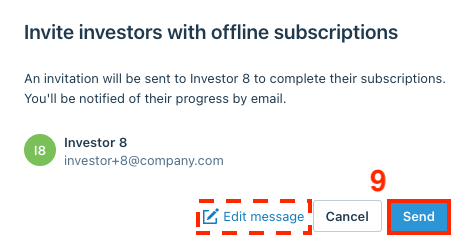
Users can edit the message, then click Send to invite the investor.
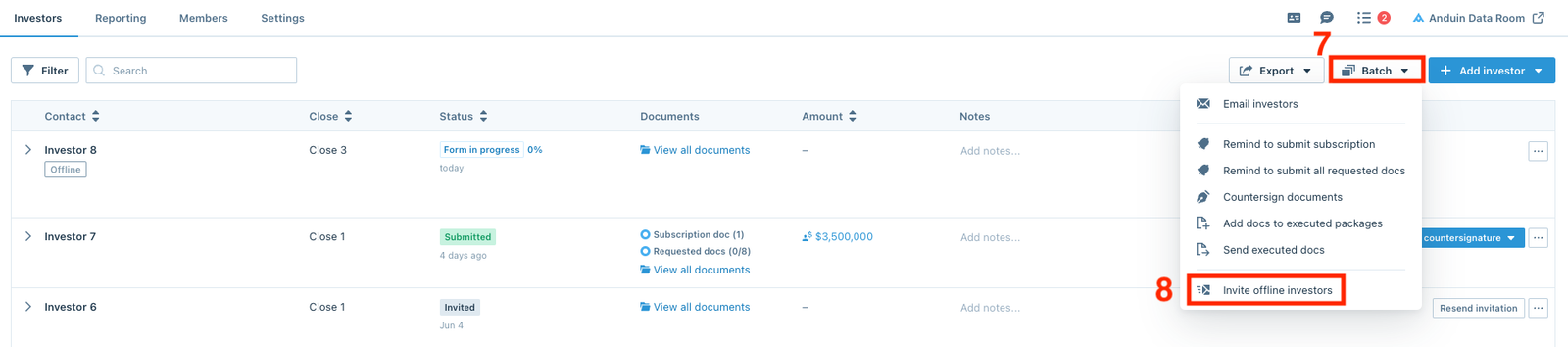
- To invite multiple investors, click the Batch button and select Invite offline investors.
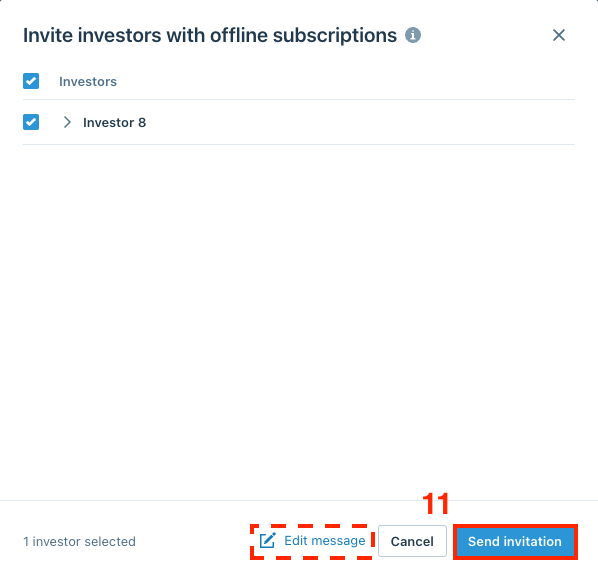
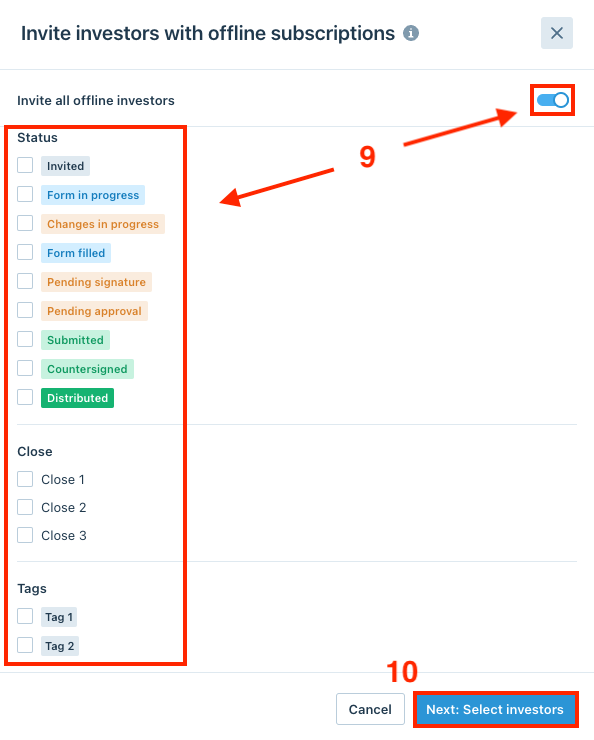
Users can either invite all offline investors by switching the toggle, or filter a specific group of offline investors by Status, Close, or Tags. Once finished, click Next: Select investors.
Users can edit the message, then click Send invitation to invite the investors.