

Learn about the Members section in Permissions tab
Public
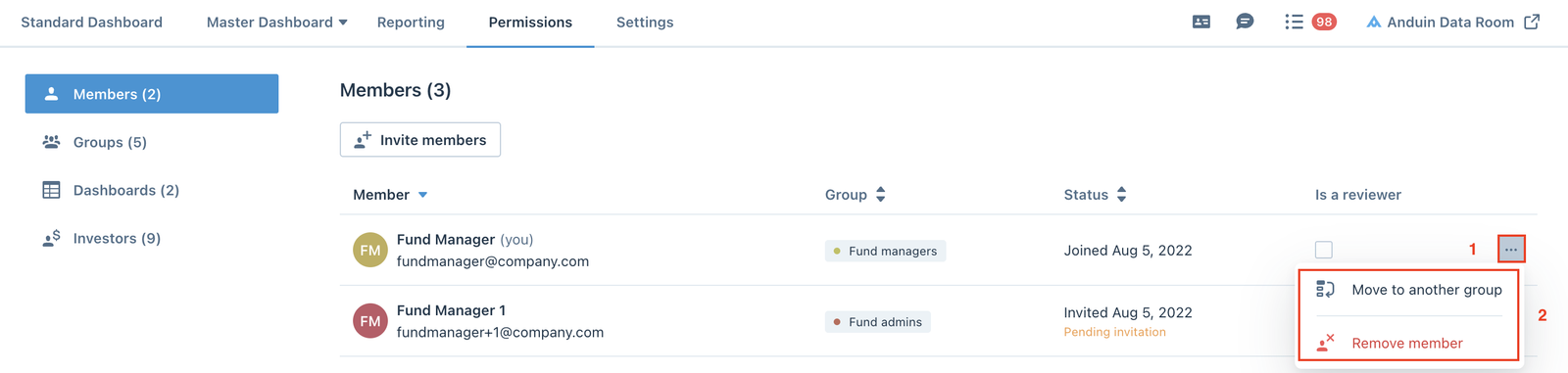
Members section is where fund managers can see all members on the fund side, each member's Group, Status, and assign specific members as Reviewers. Fund
Members section is where fund managers can see all members on the fund side, each member's Group, Status, and assign specific members as Reviewers.

Fund managers can invite new members using the Invite members button.

Invite members
From the Invite members window, select the Group for the new members from the dropdown list.
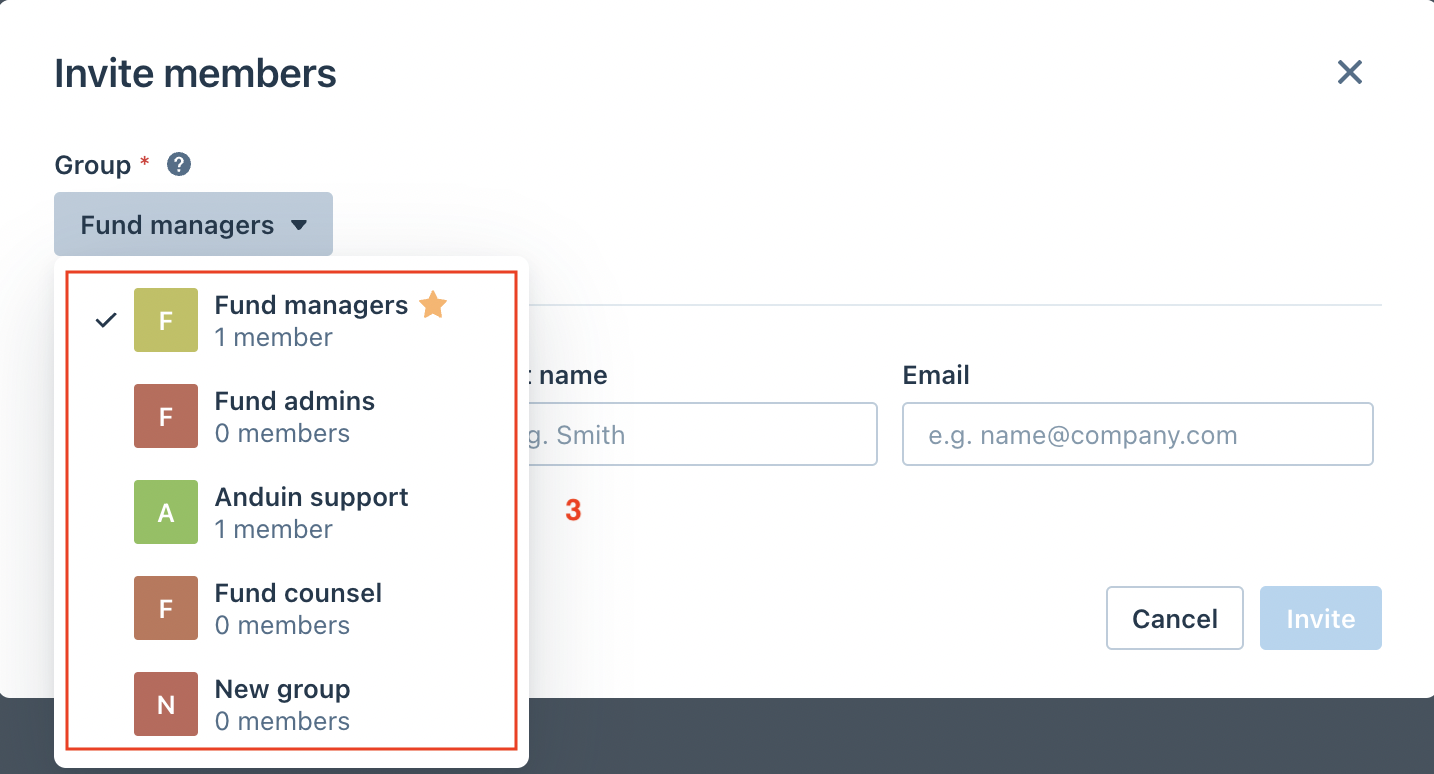
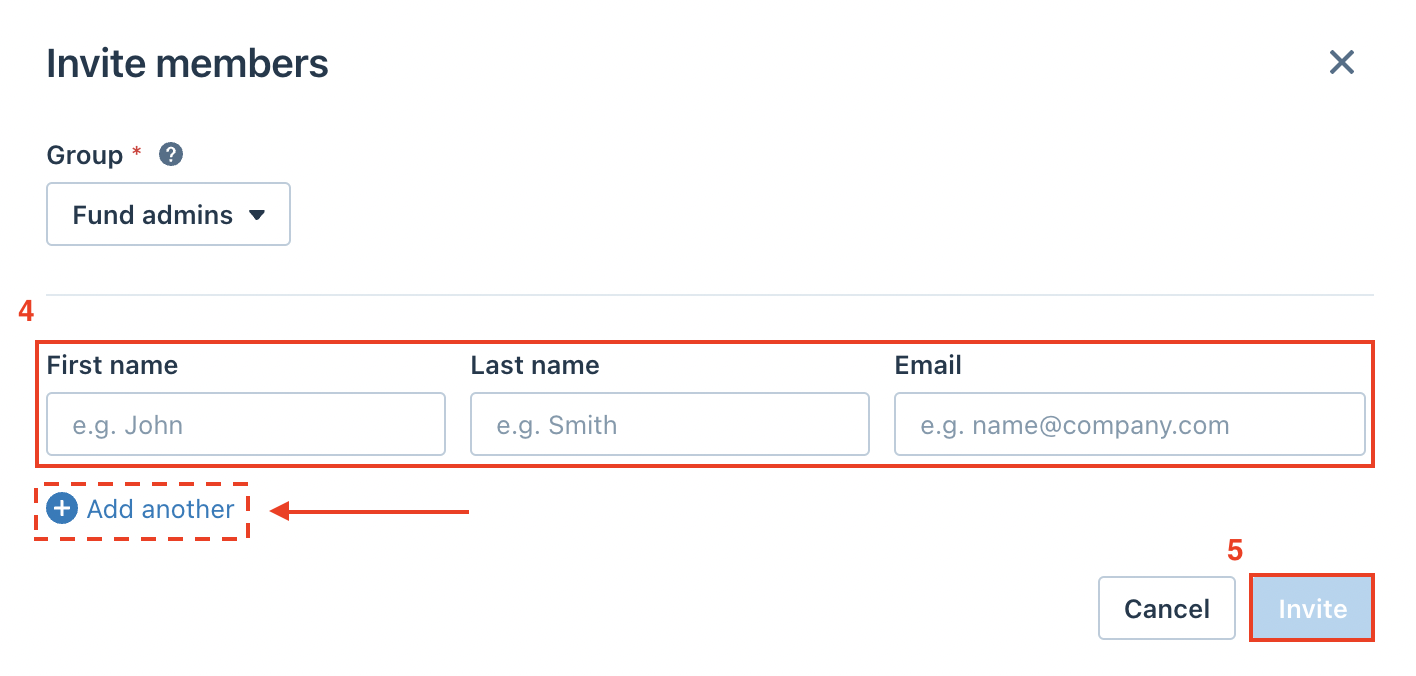
Enter the names and email addresses of the members, then click Invite to send the invitations out.
Note: Fund managers can add additional rows by clicking the Add another button.
Manage members
Fund managers can also use the (…) menu to move members to another group or remove them from the fund.
Was this page helpful?